JANETS_INM.pdf - 第744页
JaNets In structio n Manual B. T roubleshootin g B- 11 B.5 J aNets Cannot Com municat e with Some M ounter. [Pheno menon] JaNets cannot communic ate with a mou nter: KE - 2050/20 60/20 70/2080 ser ies, KE - 3000 seri es …
JaNets Instruction Manual B. Troubleshooting
B-10
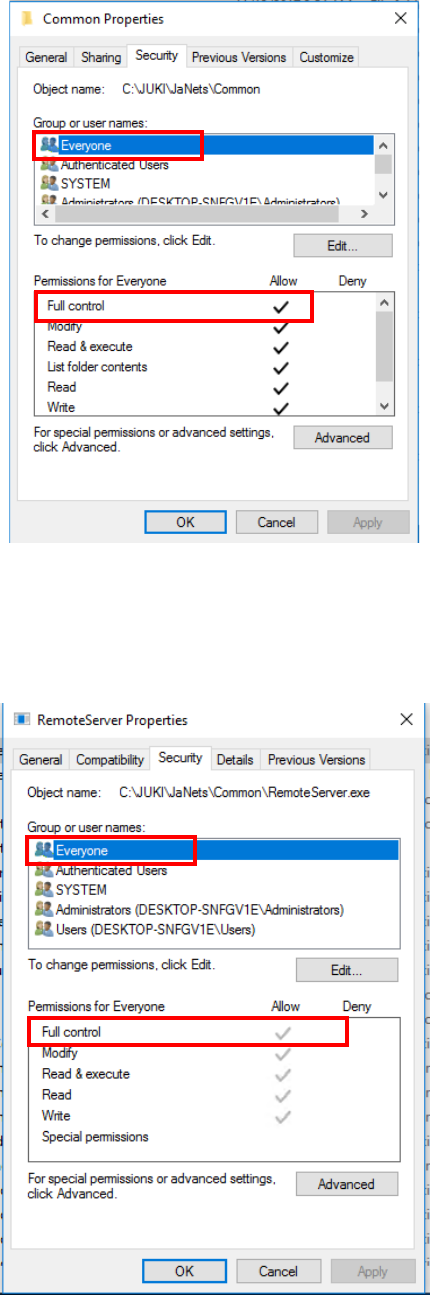
Display the “Security” tab, and then check to see if the access permission “Everyone” is
shown in the list. If it is not, add the access permission “Everyone,” and then check the
“Allow” check box for the setting item “Full control.”
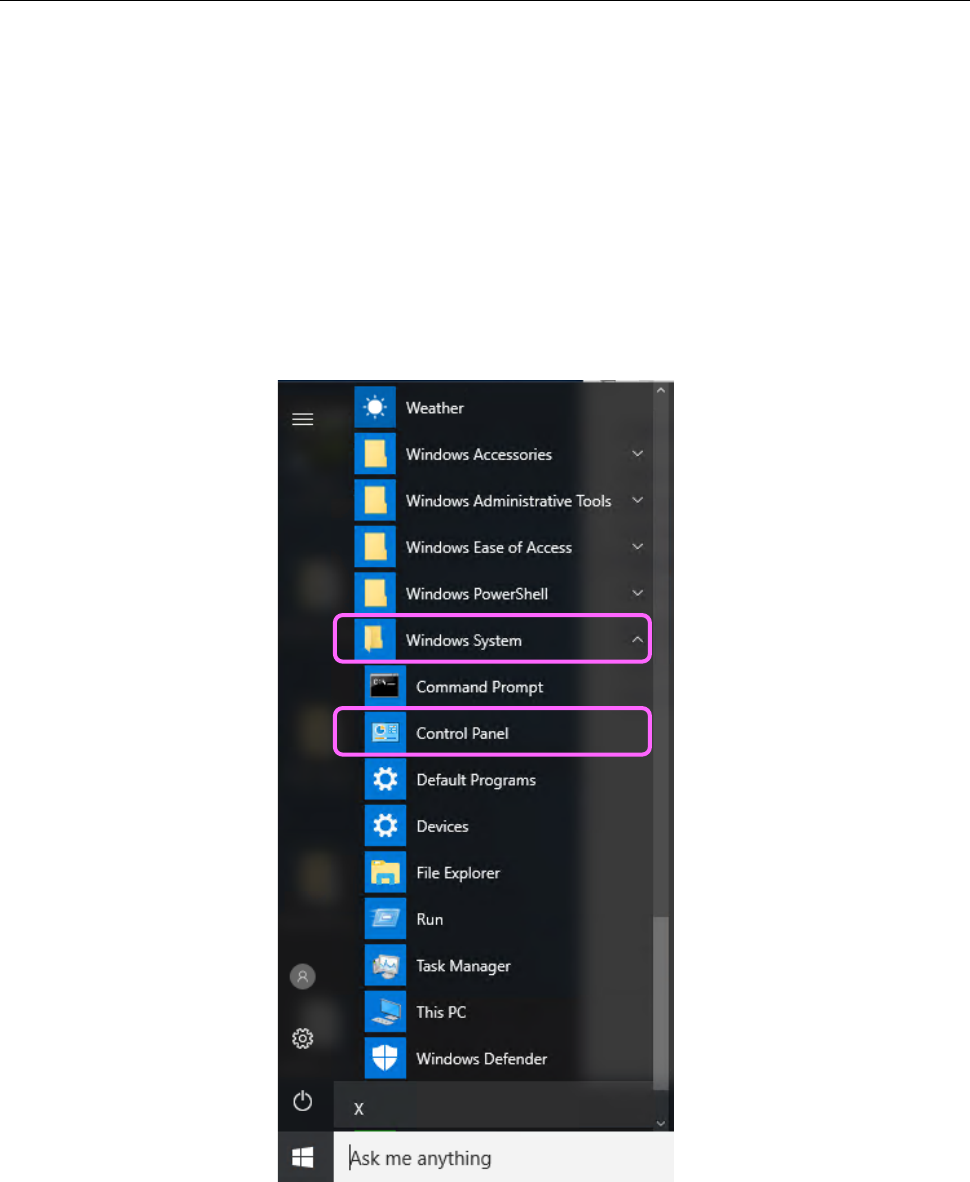
Select “RemoteServer.exe” under the “Common” folder, and then click with the right button to
display the [Properties] menu command. Display the “Security” tab to check to see if the
access permission “Everyone” is shown in the list. If it is not, add the access permission
“Everyone,” and then check the “Allow” check box for the setting item “Full control.”
JaNets Instruction Manual B. Troubleshooting
B-11
B.5 JaNets Cannot Communicate with Some Mounter.
[Phenomenon]
JaNets cannot communicate with a mounter: KE-2050/2060/2070/2080 series, KE-3000 series
or FX-3 series mounter or a KD-2077 dispenser.
As a result of Windows 10 Fall Creators Update (released in October, 2017), the protocol
“SMBv1” for sharing Windows files was disabled. This causes a JaNets PC not to
communicate with any mounter or dispenser described above: it cannot obtain the status or
download/upload data from/to such a machine.
[Corrective action]
Enable “SMBv1” at the JaNets PC (Windows 10). Note that any machine other than those
described above operates normally, so you must not perform this operation for such a machine.
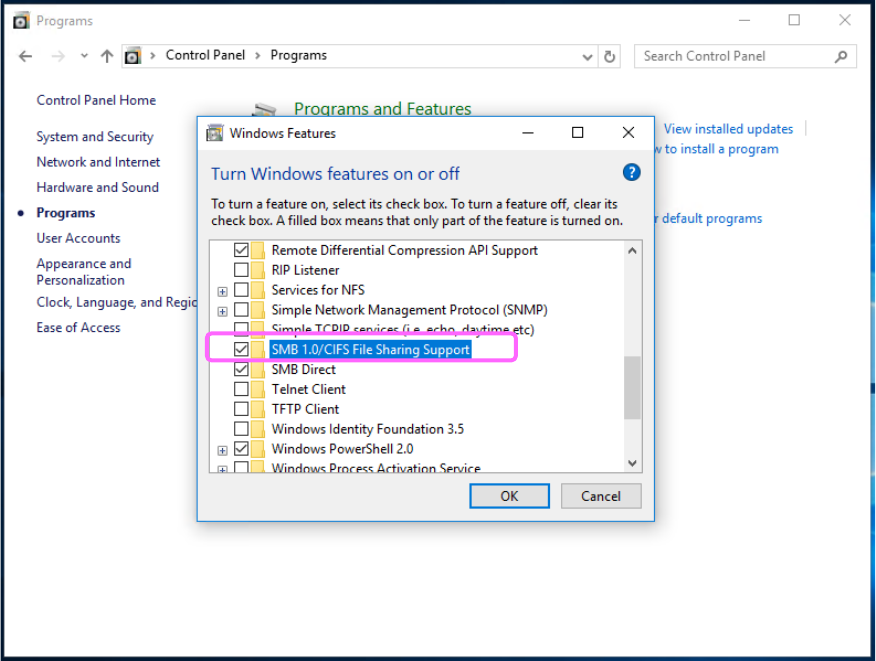
Click “Windows System,” from the start menu of Windows 10, and then “Control Panel.”
JaNets Instruction Manual B. Troubleshooting
B-12
Click “Programs” from the “Control Panel,” and then “Turn Windows features on or off.”
When the list of the Windows functions appears on the screen, check off the check box “SMB
1.0/CIFS File Sharing Support,” and then click the <OK> button. When you are prompted to
restart the PC, restart it.