JANETS_INM.pdf - 第82页
JaNets Instr ucti on Man ual 2. Install ation 2- 54 (6) Specify a pass word for th e created ac count . Click t he menu ite m “Creat e a pass word.” Figure 2.5 - 40 Screen for changing an a ccount (displa yed on the moun…
JaNets Instruction Manual 2. Installation
2-53
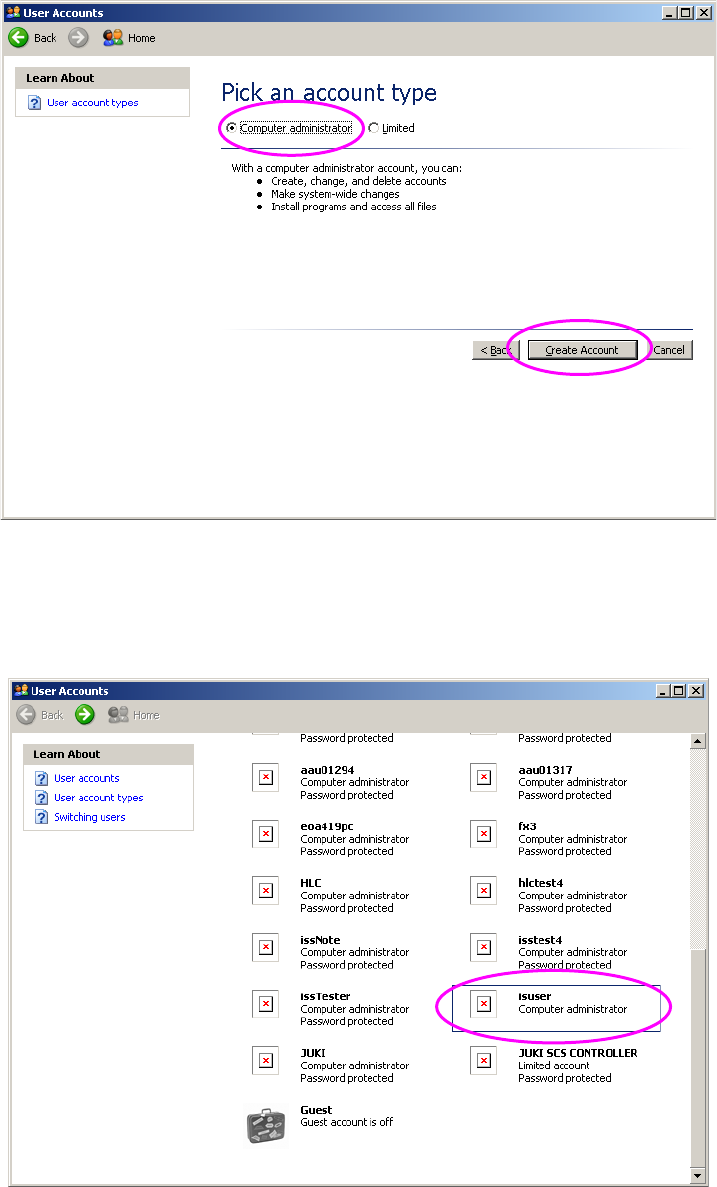
(4) Select an account type. Specify “Computer Administrator” as an account type.
Click the <Create Account> button.
Figure 2.5-38 Screen for creating an account 2 (displayed on the mounter)
(5) Switch the current screen back to the “User Accounts” screen.
Check to see if the account you have just created is displayed in the account list of this screen.
When the created account is displayed in the list, click it.
Figure 2.5-39 “User Accounts” screen (displayed after you create an account) (on the mounter)
JaNets Instruction Manual 2. Installation
2-54
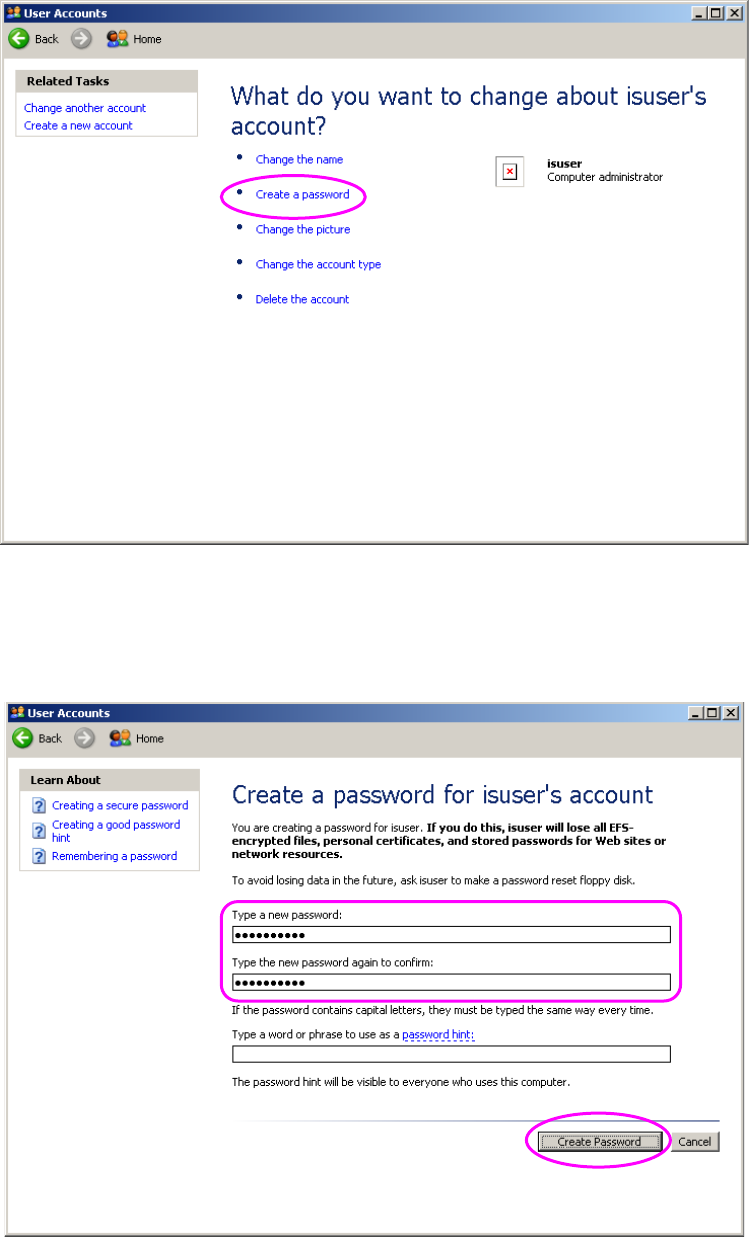
(6) Specify a password for the created account. Click the menu item “Create a password.”
Figure 2.5-40 Screen for changing an account (displayed on the mounter)
(7) Specify a password for the created account. Enter “is_user_2008.” The machine distinguishes
between uppercase letters and lowercase letters. When you enter the password, click the
<Create Password> button.
Figure 2.5-41 Screen for setting a password (displayed on the mounter)
JaNets Instruction Manual 2. Installation
2-55
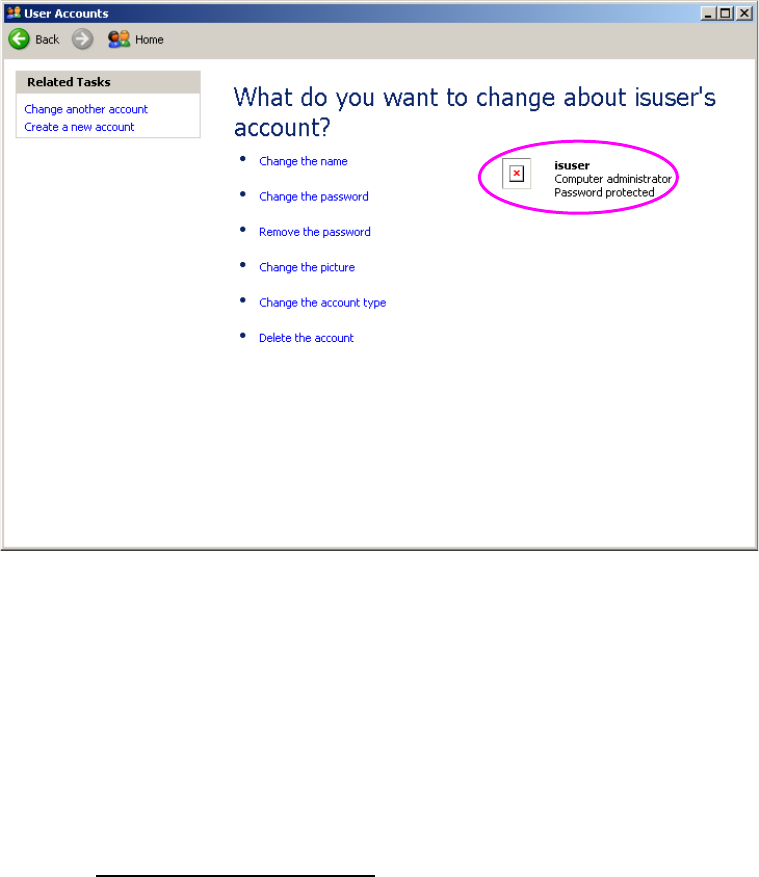
(8) The screen is switched back to the screen for changing an account. Check to see if
“Password protected” is displayed at the created account.
Figure 2.5-42 Screen for setting a password
(displayed after you set a password) (on the mounter)
You have finished creating a user account at this point.
- Note on operation performed after you finish creating a user account
The following machine models: FX-3/3R/3RA, KE-3010A/3020VA/3020VRA,
KE-3010/20V/20VR, KE-3020/20R, KE-2070/80, KD-2077 and JM-10 use the Enhanced
Write Filter (EWF) to protect the Operating System (OS) and handle the drive C as a ROM.
Since data written on the drive C is erased when you restart the system, follow the description
of Section 2.5.1.4 “Updating the Drive C” to update the drive C in order to change the
information of the OS.