JANETS_INM.pdf - 第84页
JaNets Instr ucti on Man ual 2. Install ation 2- 56 2.5.4 .2 Disa bling th e f ire wall Disable the f irewa ll. When t he firewall is en abled, t he JaNet s can not perfor m any com mun ication. (1) Display the “Cont rol…
JaNets Instruction Manual 2. Installation
2-55
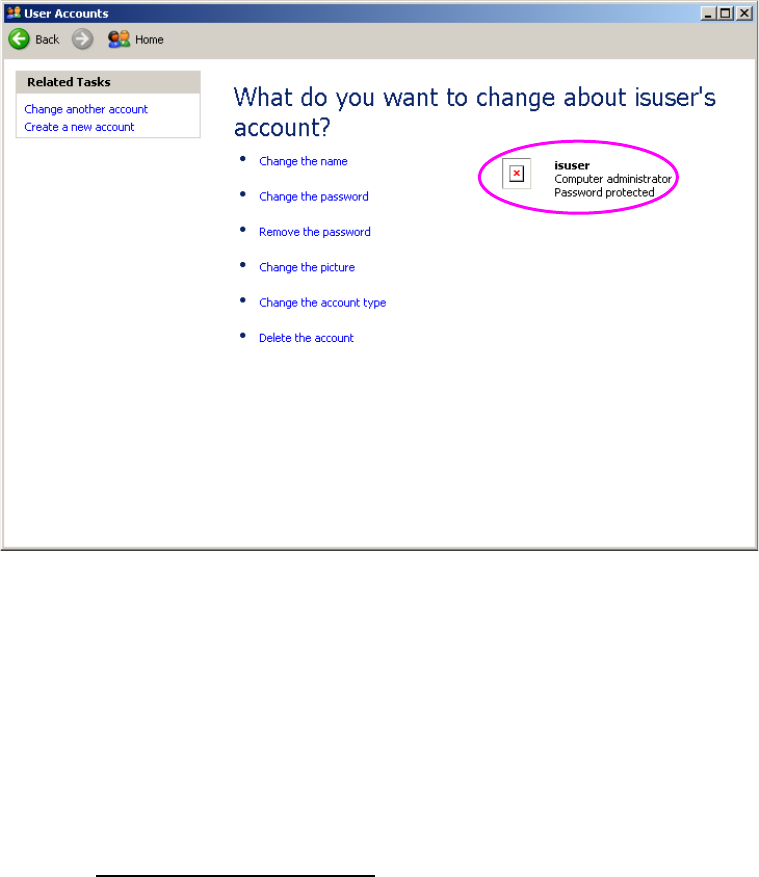
(8) The screen is switched back to the screen for changing an account. Check to see if
“Password protected” is displayed at the created account.
Figure 2.5-42 Screen for setting a password
(displayed after you set a password) (on the mounter)
You have finished creating a user account at this point.
- Note on operation performed after you finish creating a user account
The following machine models: FX-3/3R/3RA, KE-3010A/3020VA/3020VRA,
KE-3010/20V/20VR, KE-3020/20R, KE-2070/80, KD-2077 and JM-10 use the Enhanced
Write Filter (EWF) to protect the Operating System (OS) and handle the drive C as a ROM.
Since data written on the drive C is erased when you restart the system, follow the description
of Section 2.5.1.4 “Updating the Drive C” to update the drive C in order to change the
information of the OS.
JaNets Instruction Manual 2. Installation
2-56
2.5.4.2 Disabling the firewall
Disable the firewall. When the firewall is enabled, the JaNets cannot perform any communication.
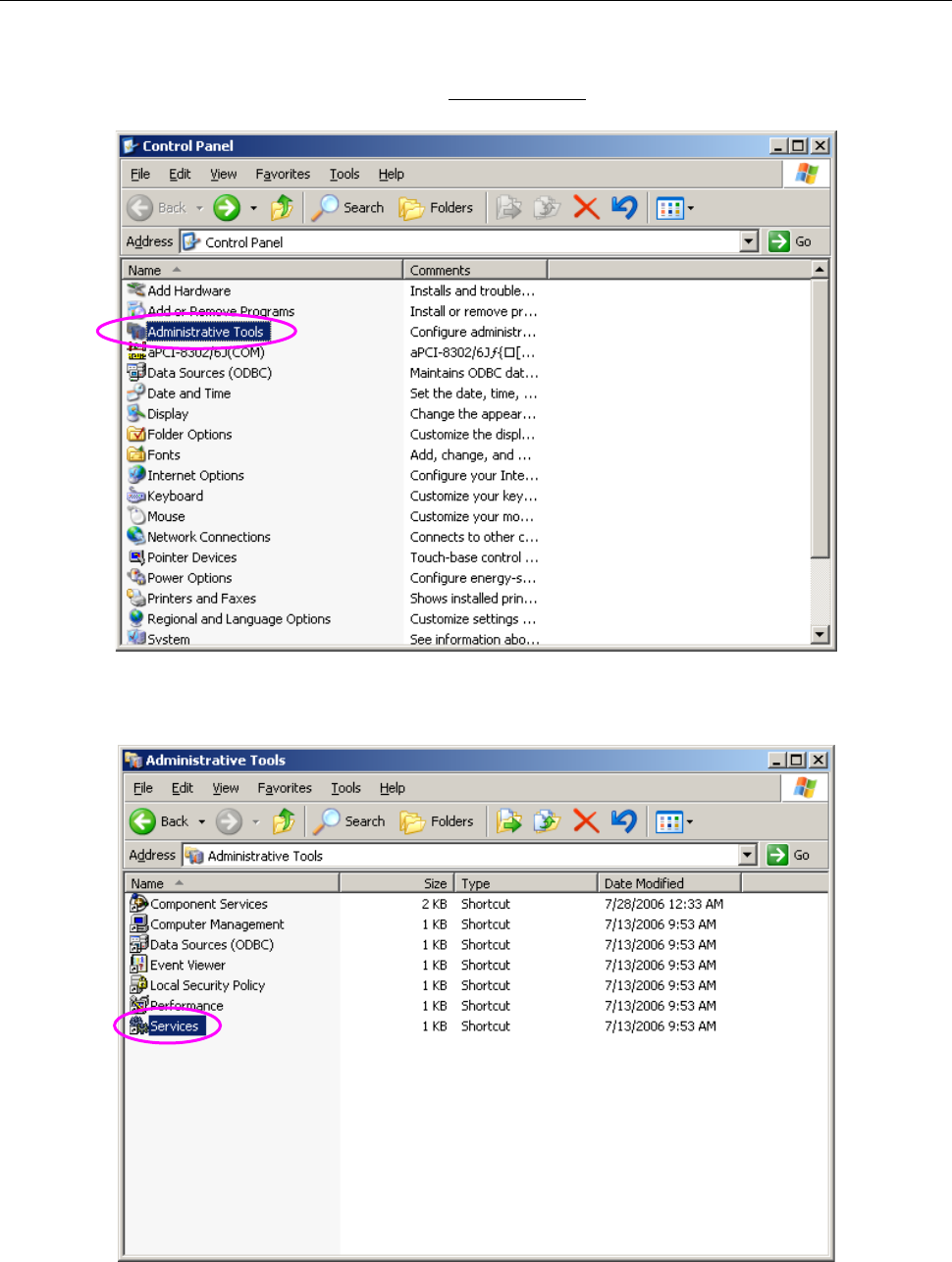
(1) Display the “Control Panel” shown in “Figure 2.5-43” from the “Start” menu, and then select
“Administrative Tools.”
Figure 2.5-43 Control Panel (displayed on the mounter)
(2) Select “Services” among the administrative tools.
Figure 2.5-44 Administrative Tools (displayed on the mounter)
JaNets Instruction Manual 2. Installation
2-57
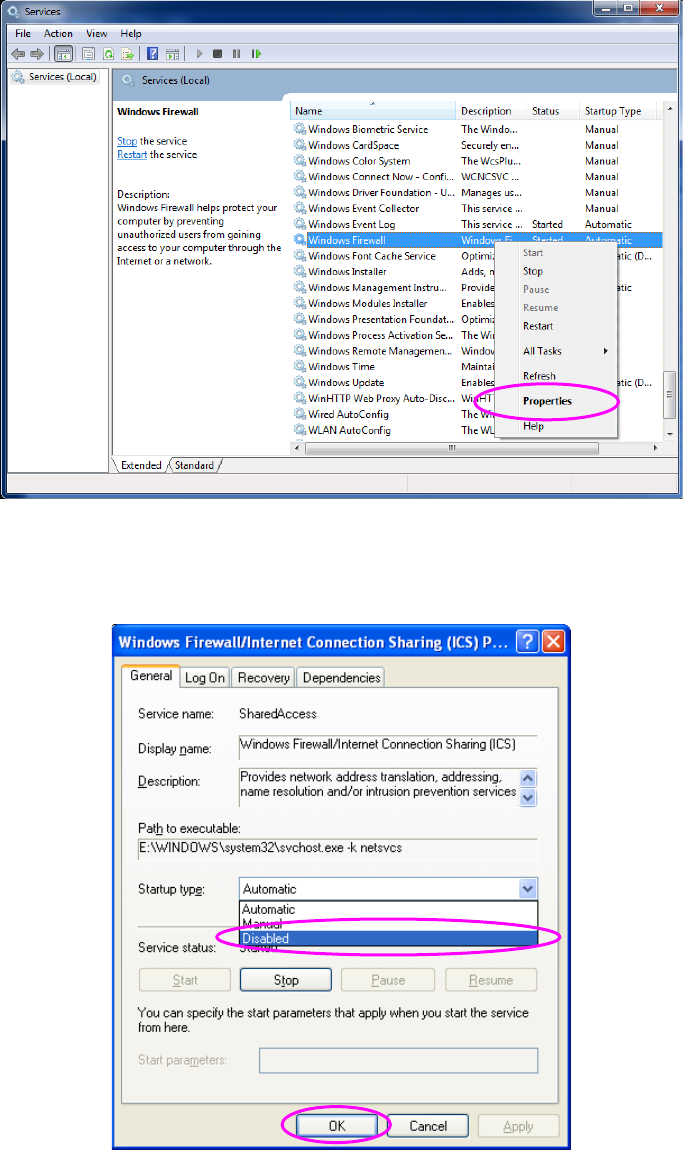
(3) When “Start” appears in the “Status” column of the “Windows Firewall/Internet Connection
Sharing (ICS)” of the “Services” screen, click [Properties] on the pop-up menu displayed when
you right-click the screen.
Figure 2.5-45 “Services” screen 1 (displayed on the mounter)
(4) Select “Disabled” in the “Startup type” field of the Property screen, and then click the <OK>
button.
Figure 2.5-46 ”Services” screen 2 (displayed on the mounter)
You have finished disabling the firewall at this point.