JANETS_INM.pdf - 第93页
JaNets Instr ucti on Man ual 2. Install ation 2- 65 (1) Click the service w ith the right button. Sel ect the [ Start] menu comman d on the display ed pop - up menu. Figure 2.6 -5 Menu displayed when y ou click a service…
JaNets Instruction Manual 2. Installation
2-64
2.6.4 If the system fails to update the protect module
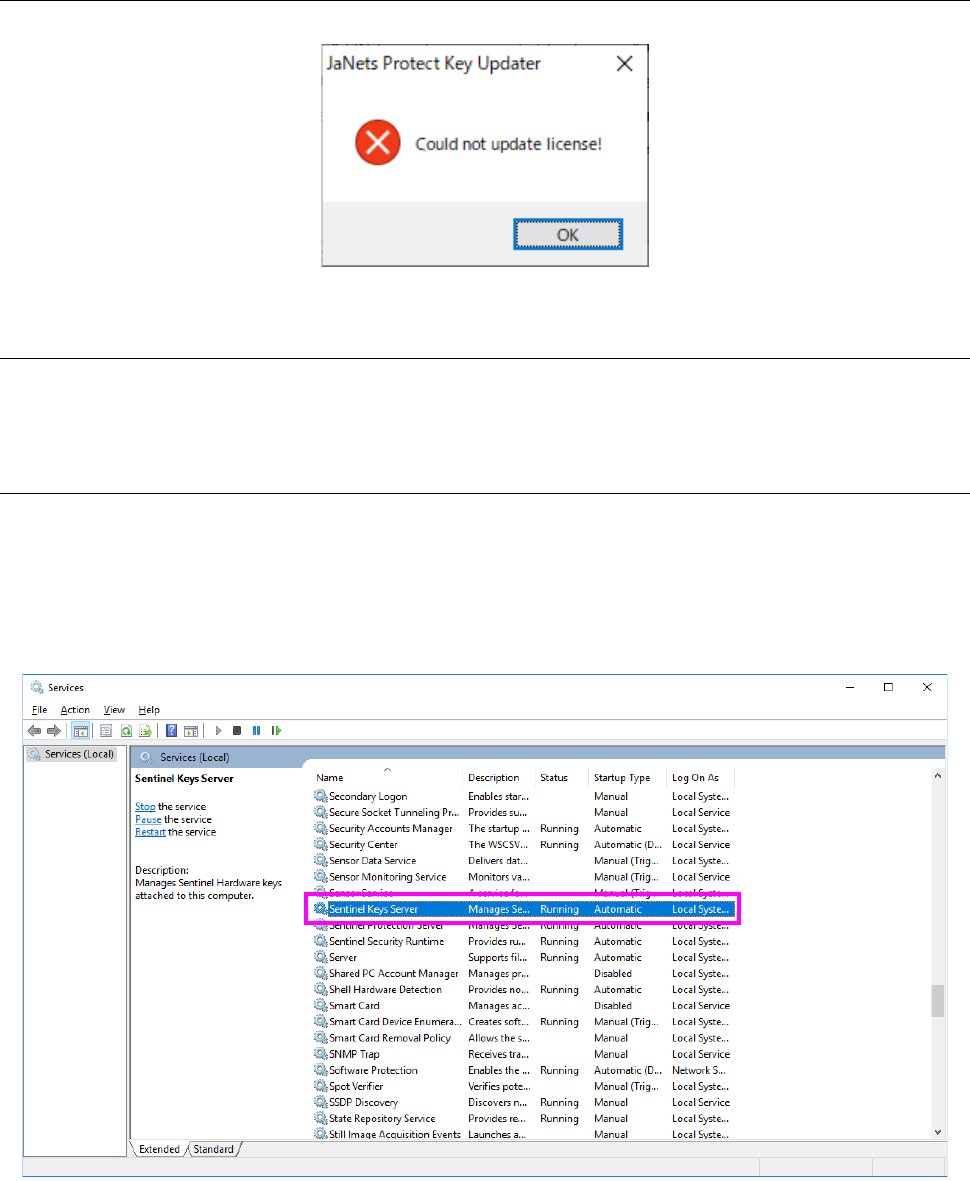
If the system fails to update the protect module, the following message appears on the screen.
Figure 2.6-3 Message indicating that the system failed to update the protect module
2.6.4.1 Checking the connection with the protect module
Check to see if the protect module is attached to the USB port, and then execute the update
processing again.
2.6.4.2 Checking the execution of the Sentinel SuperPro Server
Select [All Programs] – [Control Panel] – [Administrative Tools] from the “Start” menu, and then
[Services].
Check the “Sentinel Keys Server” and the “Sentinel Protection Server” from the list of services.
Confirm that “Start” is displayed in the respective “Status” column, and then execute the update
processing again.
Figure 2.6-4 List of services
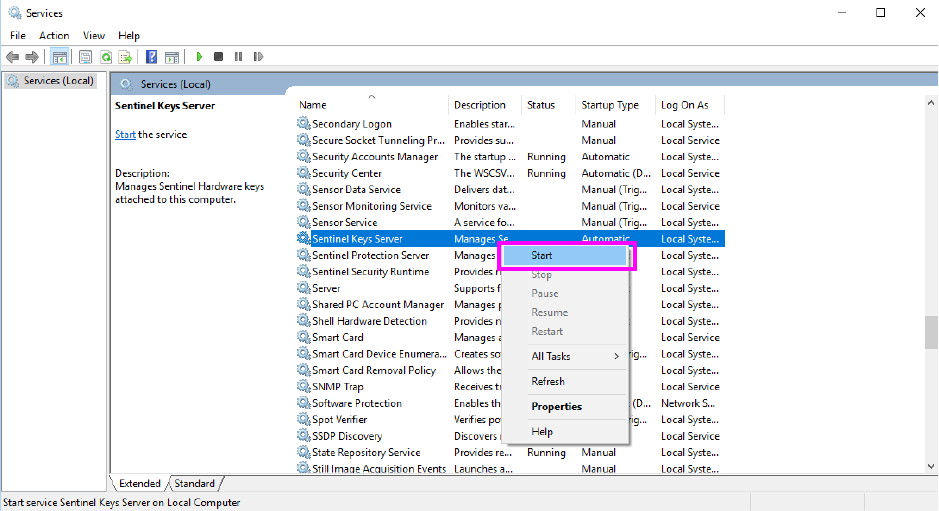
If “Start” is not displayed in the respective “Status” column, start the services as shown below.
JaNets Instruction Manual 2. Installation
2-65
(1) Click the service with the right button. Select the [Start] menu command on the displayed
pop-up menu.
Figure 2.6-5 Menu displayed when you click a service with the right button
JaNets Instruction Manual 2. Installation
2-66
2.6.5 If any license information is not displayed
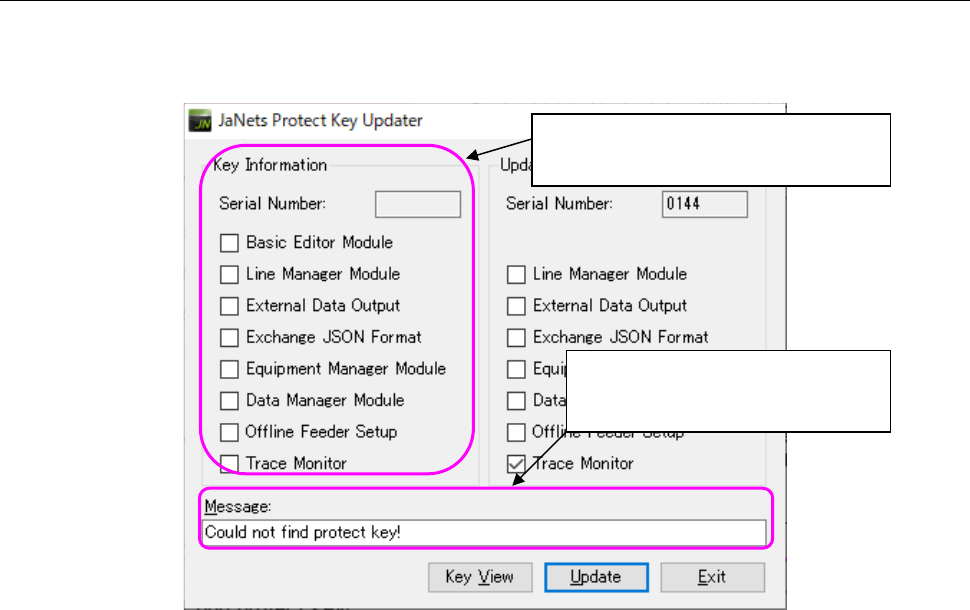
If any protect module is not attached onto the PC, license information is not displayed in the “Key
Information” column. The corresponding message is displayed in the “Message” text box.
Figure 2.6-6 Menu displayed when you click a service with the right button
Attach the protect module onto the PC, and then press the <Key View> button.
It may take several seconds to several minutes to display the license information on the screen
because the system checks the protect module condition.
Any license information of the protect
module is not displayed here.
The message “Could not find
protect key!” is displayed here.