JANETS_INM.pdf - 第94页
JaNets Instr ucti on Man ual 2. Install ation 2- 66 2.6.5 If any license inform ation is not displayed If any prot ect module is n ot attac hed onto the PC, license informat ion is not di splayed in t he “Key Informat io…
JaNets Instruction Manual 2. Installation
2-65
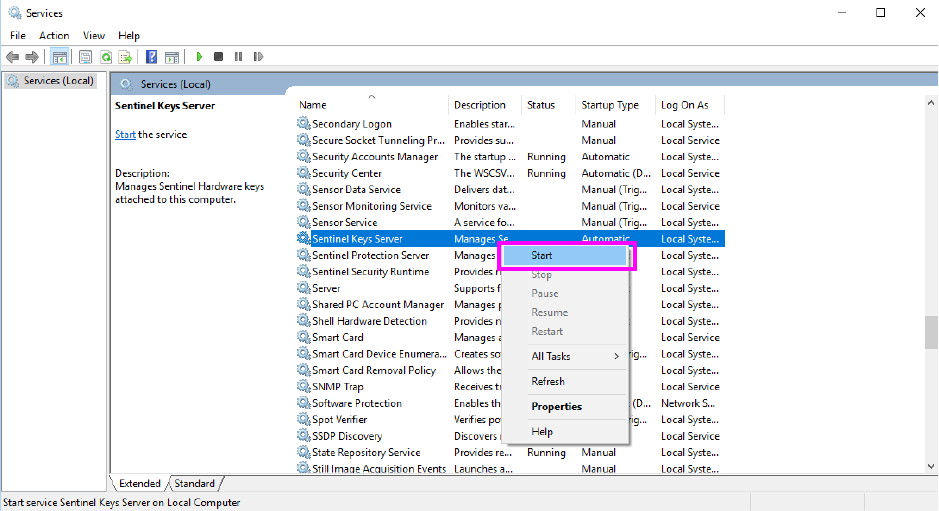
(1) Click the service with the right button. Select the [Start] menu command on the displayed
pop-up menu.
Figure 2.6-5 Menu displayed when you click a service with the right button
JaNets Instruction Manual 2. Installation
2-66
2.6.5 If any license information is not displayed
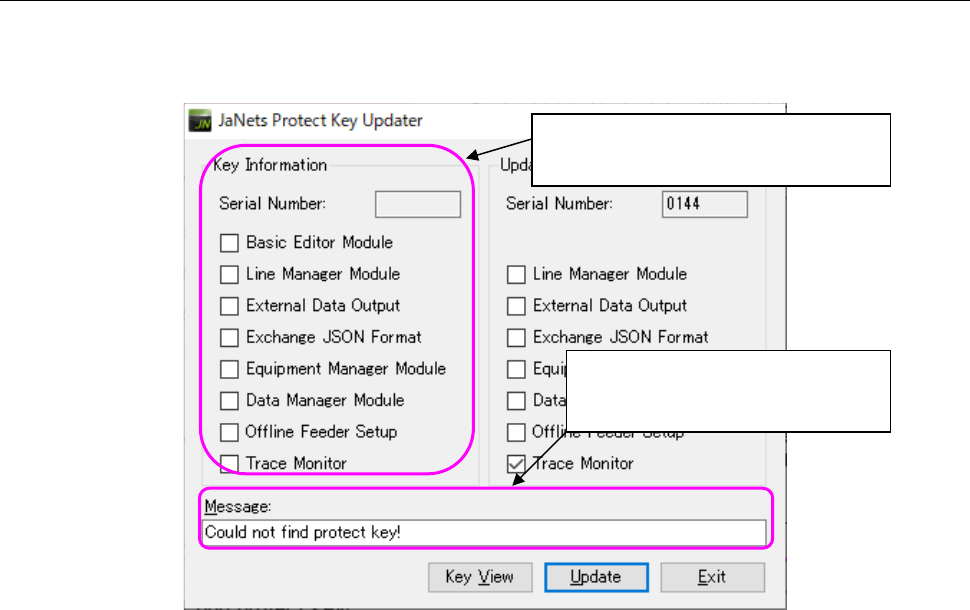
If any protect module is not attached onto the PC, license information is not displayed in the “Key
Information” column. The corresponding message is displayed in the “Message” text box.
Figure 2.6-6 Menu displayed when you click a service with the right button
Attach the protect module onto the PC, and then press the <Key View> button.
It may take several seconds to several minutes to display the license information on the screen
because the system checks the protect module condition.
Any license information of the protect
module is not displayed here.
The message “Could not find
protect key!” is displayed here.
JaNets Instruction Manual 2. Installation
2-67
2.6.6 If the serial number is different between the protect module and the added
license file
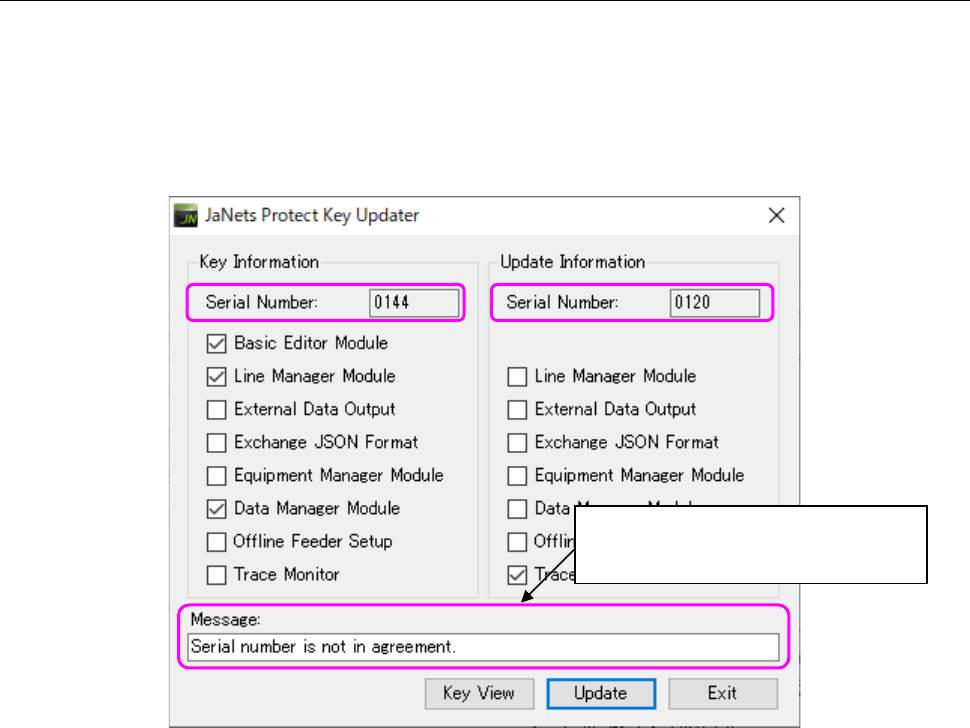
When you press the <Update> button if the serial number of the protect module is different from
that of the added license file, the corresponding message is displayed in the “Message” text box,
and the system cannot update the protect module.
Check to see if the protect module to be updated is correct.
The message “Serial number is not in agreement!” is displayed here.
Figure 2.6-7 If the serial number is different
The message “Serial number is not
in agreement!” is displayed here.