JANETS_INM.pdf - 第99页
JaNets Instr ucti on Man ual 3. Launcher 3-4 After the L auncher start s up, the “ Logi n ” dia log box appe ars on the scr een. Enter the user I D and the password. * When y ou instal l the ne wly , you can use the fo l…
JaNets Instruction Manual 3. Launcher
3-3
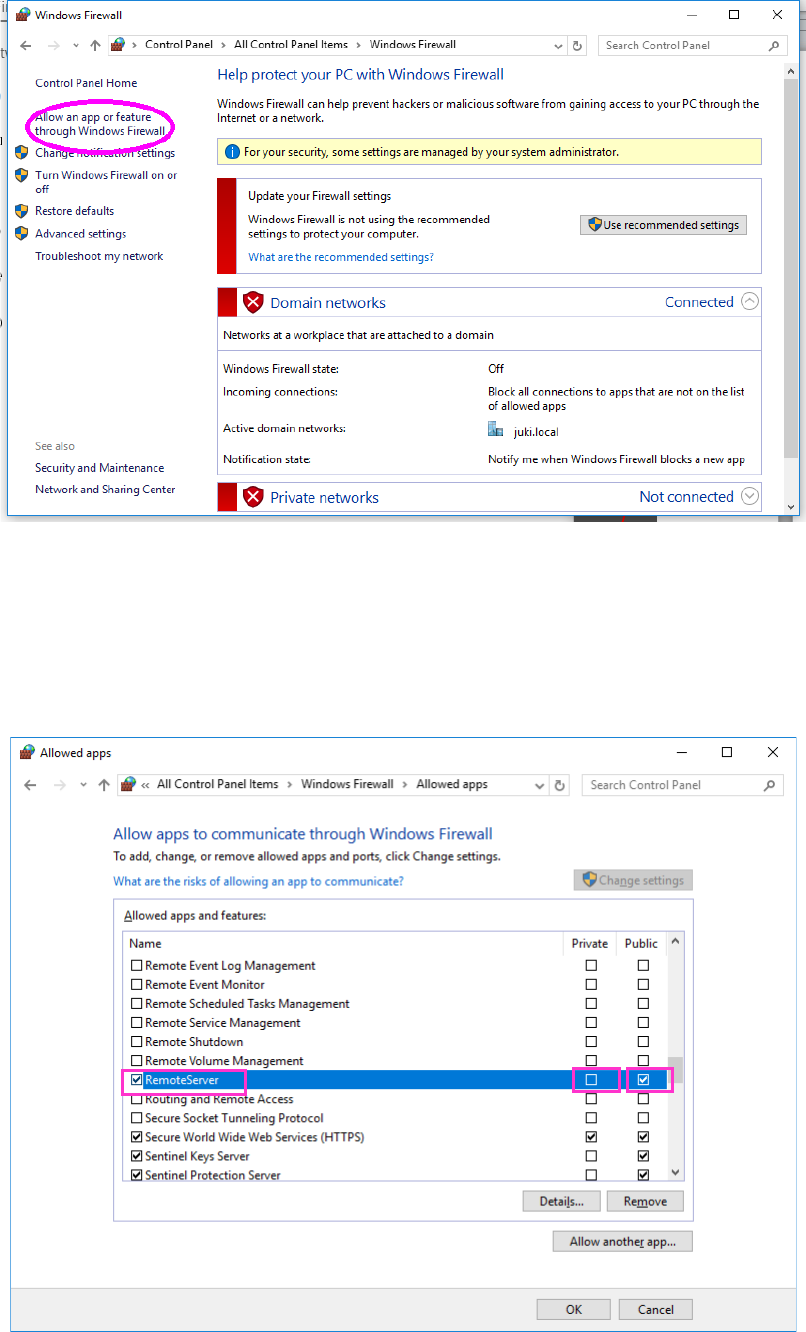
Click “Allow the program or function through the Windows firewall” on the left of the screen.
Change the contents of the “Remote Server” setting as shown below.
① Check box on the left of “Remote Server” : Checked off
② Check box of the “Home/Work” column : Not checked off
③ Check box of the “Public” column : Checked off
①
②
③
JaNets Instruction Manual 3. Launcher
3-4
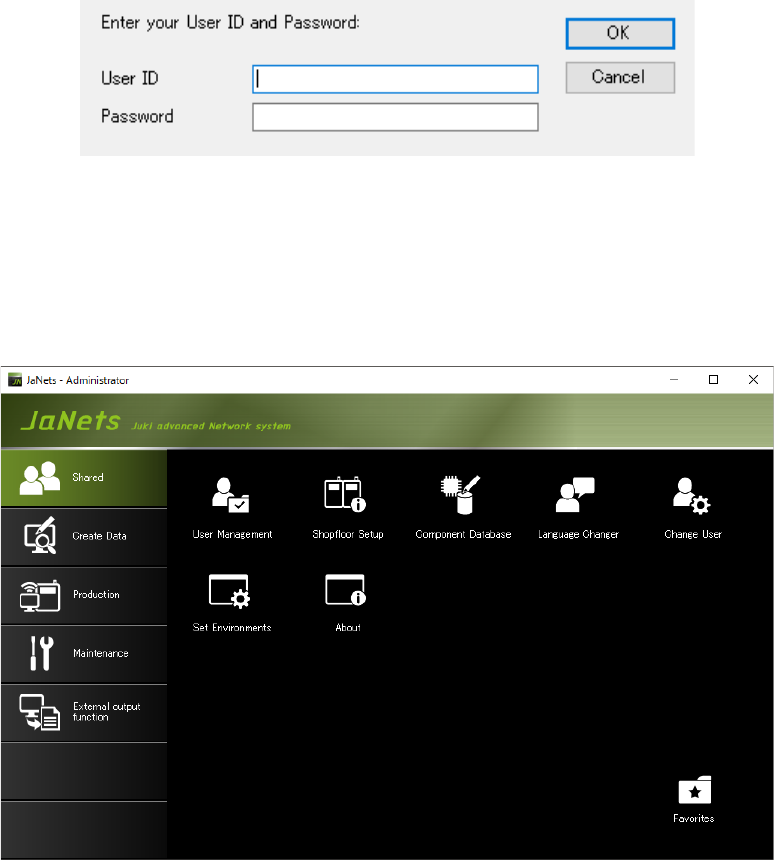
After the Launcher starts up, the “Login” dialog box appears on the screen.
Enter the user ID and the password.
* When you install the newly, you can use the following default user ID and password:
User ID: “administrator” Password: “Administrator”
Figure 3.1-1 Launcher – Dialog box for entering the password
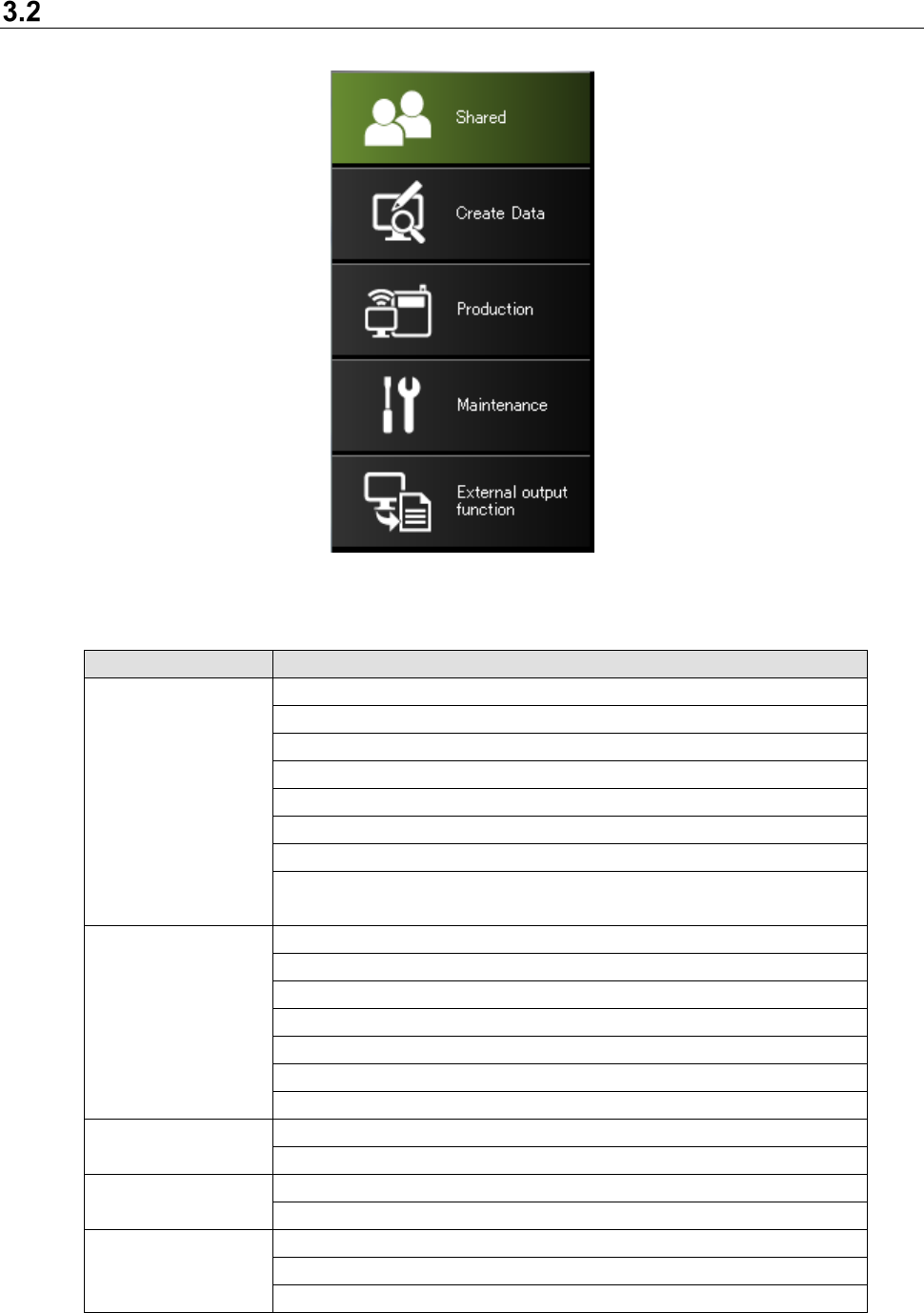
The Launcher initial screen appears.
On the initial screen subsequent to the first time, the last indicated tab is displayed for each
user.
Figure 3.1-2 Launcher screen
JaNets Instruction Manual 3. Launcher
3-5
Tab Items
Figure 3.2-1 Tab items
Table 3.2-1 Description of each tab item
Tab item
Function of each tab item
Shared
User Management
User change
Shopfloor Setup
Version information
Environment setting
Language Changer
Component Database (* The Data Manager is required.)
TraceMonitor
(* Enable TraceMonitor on the “Set Environments” dialog box.)
Create Data
Program Editor
Job Optimizer (* Line Manager is required.)
FlexLineCAD (* Additional option)
Machine Program Relater (* Line Manager is required.)
Mark Database (* Line Manager is required.)
Feeder Set Database (* Line Manager is required.)
Tact simulation (* Line Manager is required.)
Production
Program Downloader (* Line Manager is required.)
Nozzle Data Viewer (* EquipmentManager is required.)
Maintenance
Snapshot Tool
Log Control Tool
External output
External output monitor (* Line Manager is required.)
External output environment setting (* Line Manager is required.)
Component stock control tool (* Line Manager is required.)