CP40 service manual.pdf - 第136页
4. Feeder Base & ANC (CP-40) 1) Select ANC Icon as Shown in the Left Figure. 2) When ANC Window is Appeared, Select "Position". 3) In ANC Position Window, Select "Fiducial". 4) In Fiducial Mark Wi…
4. Feeder Base & ANC
(CP-40)
4-3-4. ANC Position Setting
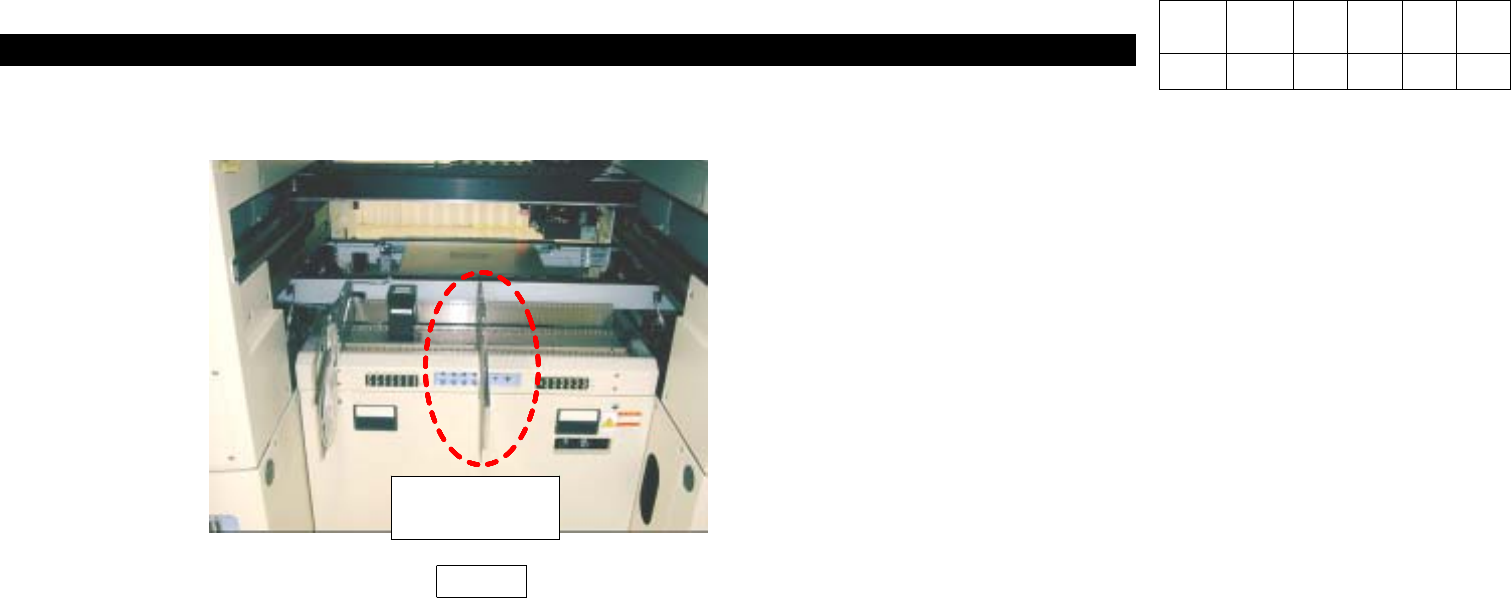
3. Feeder Unlock Sensor Check
1) Install Feeder on the Center(refer to Fig. 5) and
Verify Feeder Operates Properly Using L-Wrench.
Fig. 5
8mm
Tape Feeder
Version Date WA QA CA Note
00 Nov04 O O O
4. Feeder Base & ANC
(CP-40)
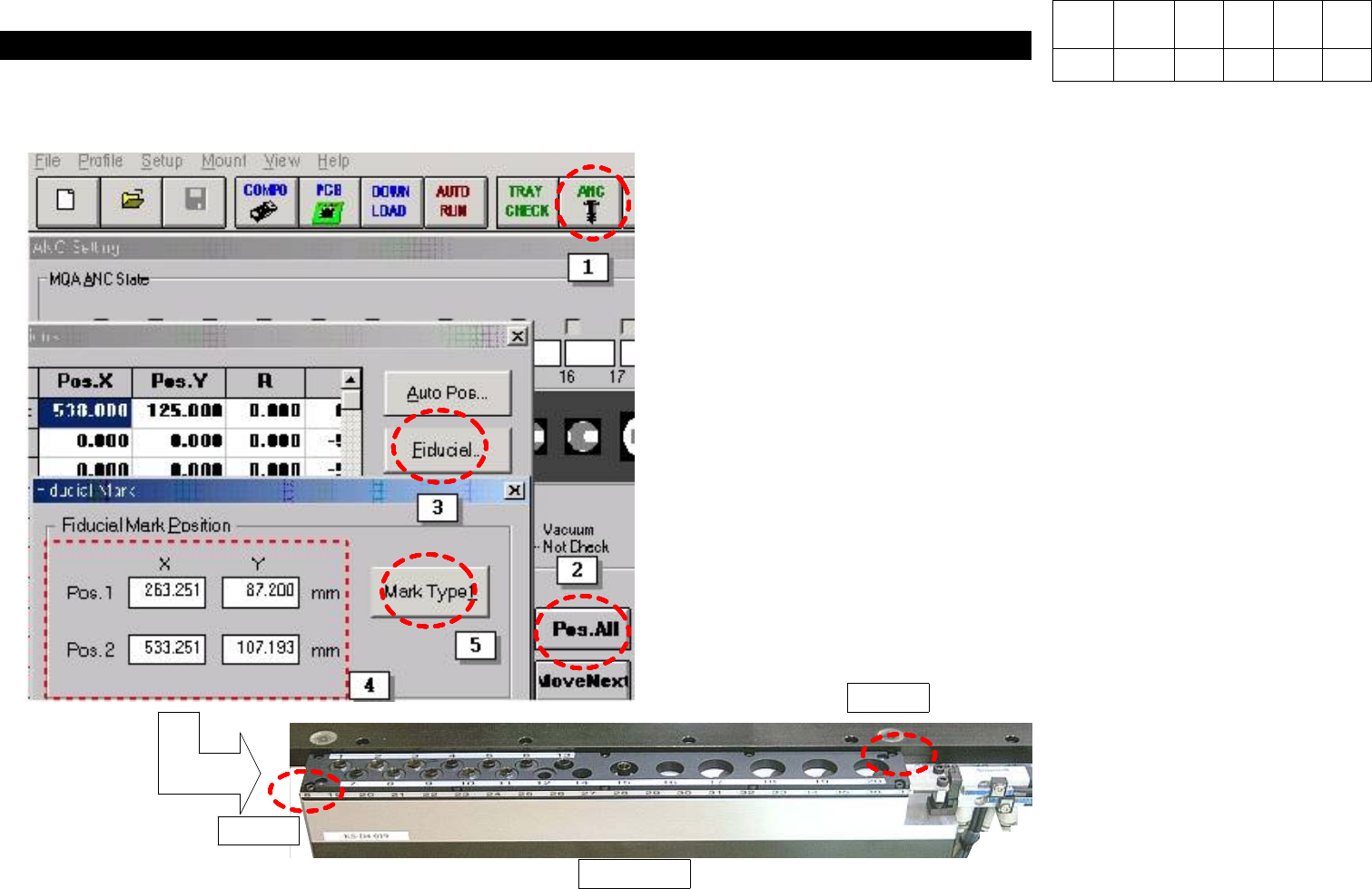
1) Select ANC Icon as Shown in the Left Figure.
2) When ANC Window is Appeared, Select "Position".
3) In ANC Position Window, Select "Fiducial".
4) In Fiducial Mark Window, Input Coordinates of Pos.1 and
Pos.2.
5) Select "Mark Type 1".
Pos. 1
Pos. 2
CP40 ANC
Version Date WA QA CA Note
00 Nov04 O O O
4. Feeder Base & ANC
(CP-40)
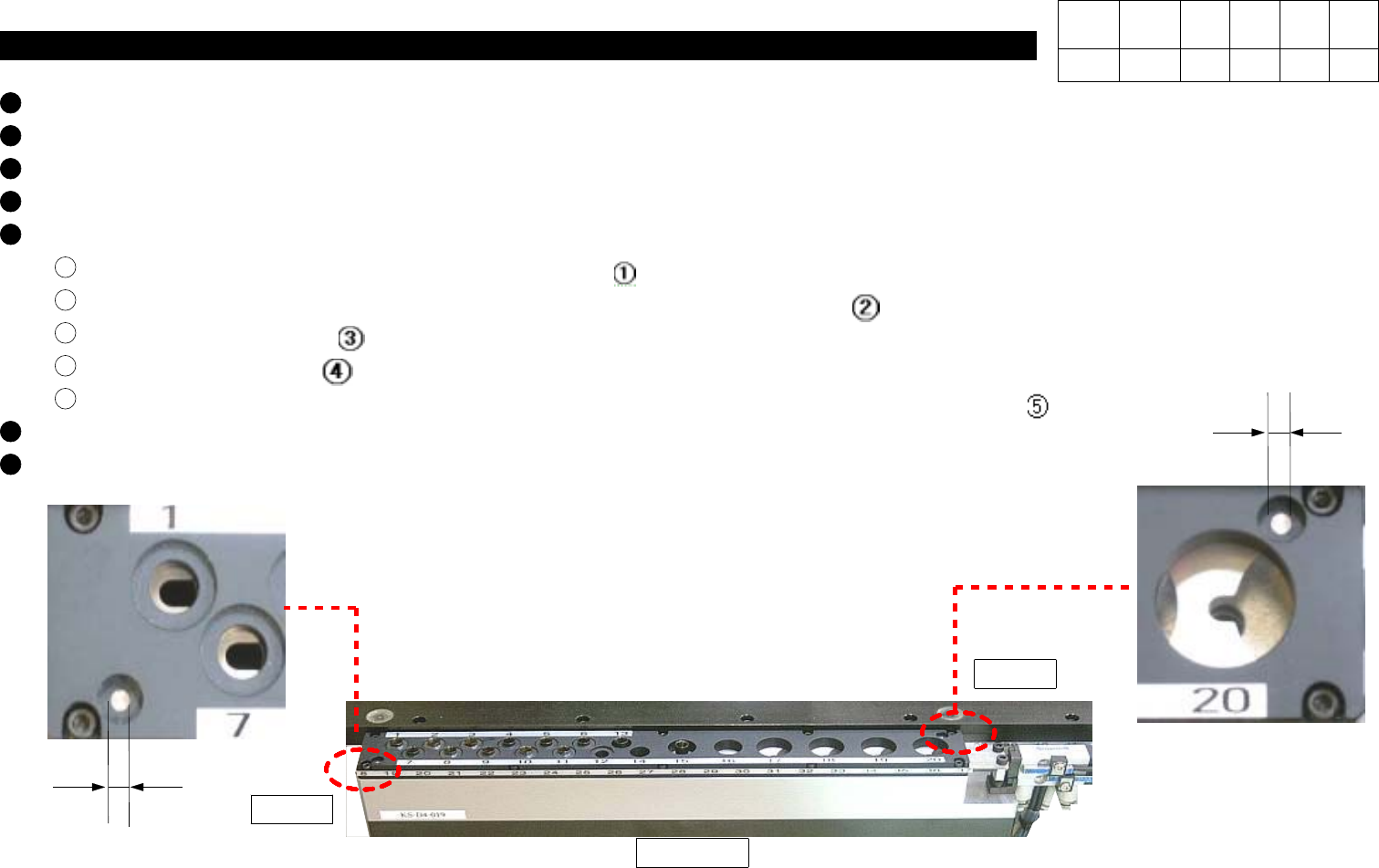
Select "Mark Type 1" and Set as Follows.
Register ANC Type and Select "Add New"(If ANC Type has been Registered, Use it).
Select "ANC Mark Type".
Select "Edit".
When the below Window is Appeared, Perform Setting and Test as Follows.
In Form Data, Input 2.5 in Width Column(Display ).
In Search Area, Input X, Y, Width and Height as Shown in Figure(Display ).
Select "Tuning"(Display ).
Select "Test"(Display ).
If Fiducial is Completed Successfully, Good Message is Displayed in Vision Status(Display ).
In Fiducial Mark Vision Data Window, Select "OK" to Finish.
In Fiducial Mark Data Window, Select "OK" to Finish.
Pos. 2
CP40 ANC
2.5 mm
2.5 mm
Pos. 1
Version Date WA QA CA Note
00 Nov04 O O O