CP40 service manual.pdf - 第163页
5. Electric Device (CP-40) 4. If Ready Lamp does not still Light O ne even afte r Checking Front EMG Connector, Check Rear EMG. 5. As shown in the above Figure, Open Rear Cover. 6. Check EMG Connector(Red Wire) in Back o…
5. Electric Device
(CP-40)
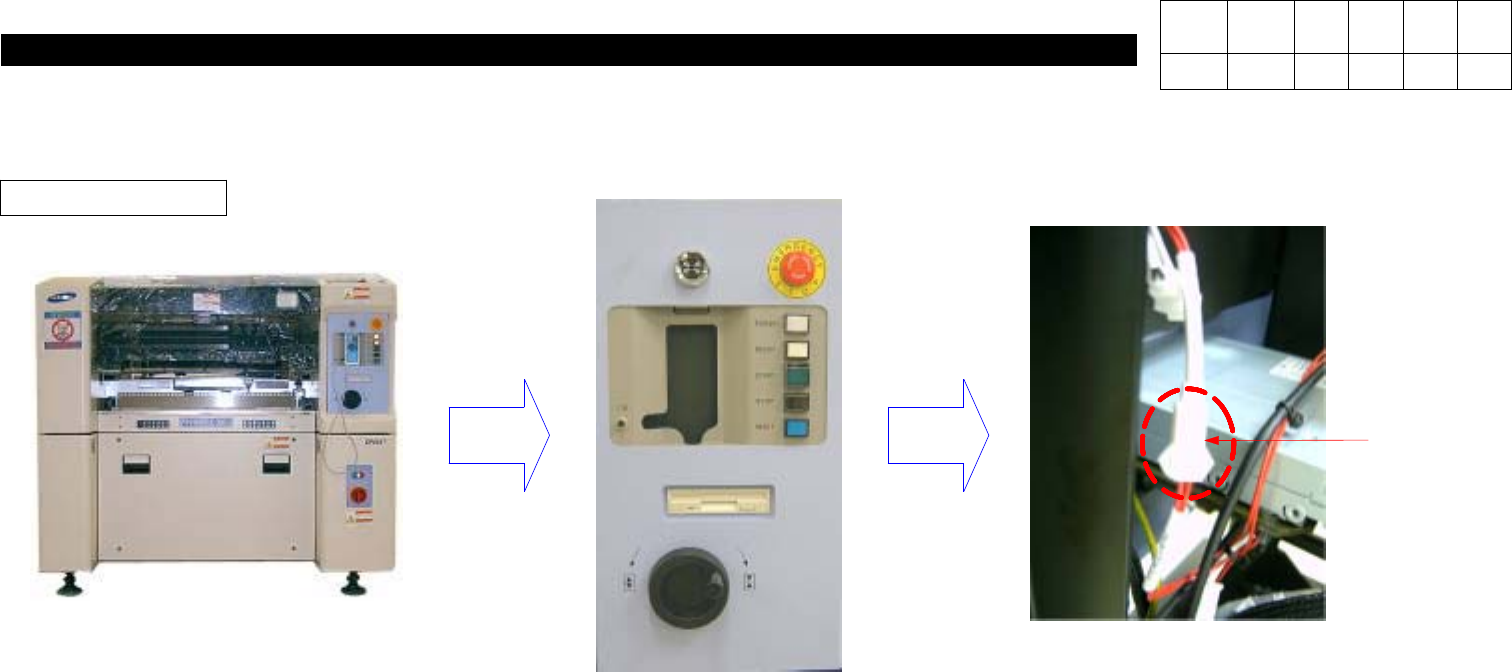
5-3-3. Op Panel Check
Front EMG Check
1. If Ready Lamp does not still Light On even with Power Supplied, Check EMG for Contact Status.
2. As Shown in the above Figure, Open Front Cover.
3. Check EMG Connector(Red Wire) in Back of Front OP Panel for Connection.
Front EMG
Connector
Version Date WA QA CA Note
00 Nov04 O O O
5. Electric Device
(CP-40)
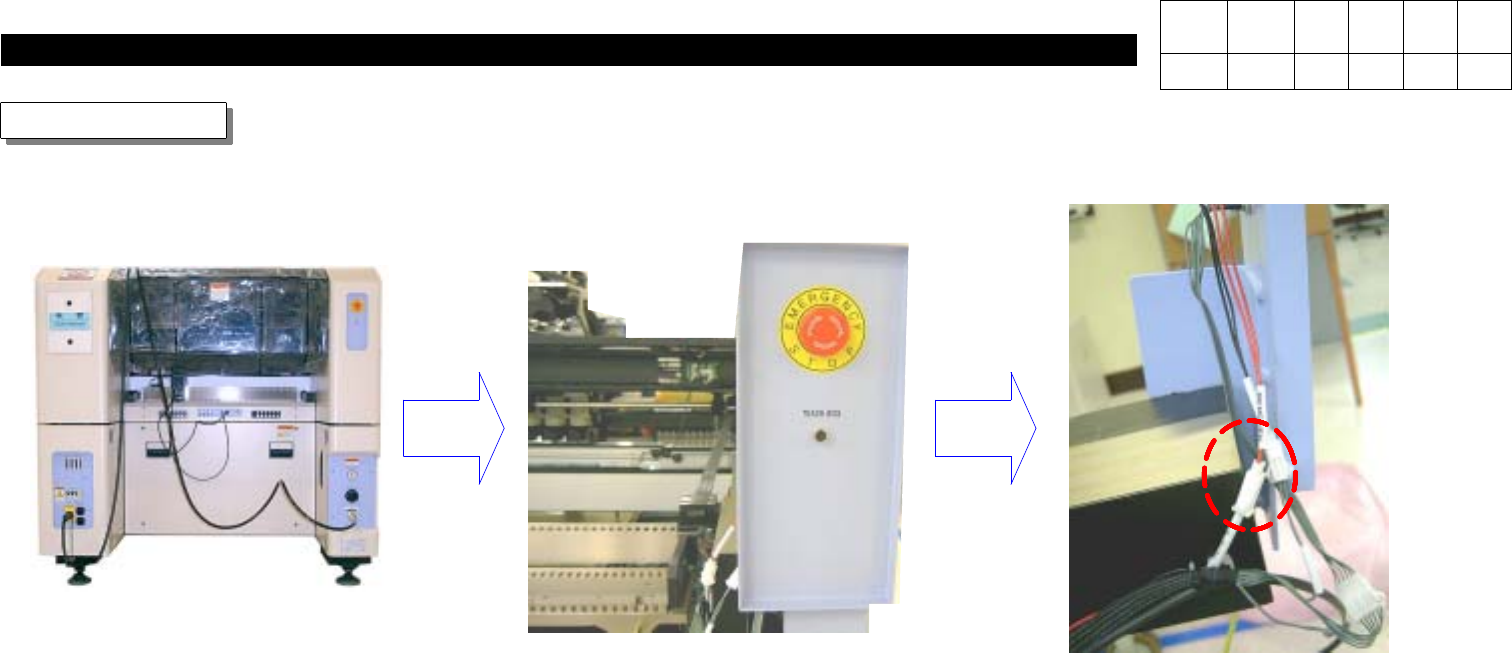
4. If Ready Lamp does not still Light One even after Checking Front EMG Connector, Check Rear EMG.
5. As shown in the above Figure, Open Rear Cover.
6. Check EMG Connector(Red Wire) in Back of Rear OP Panel for Connection.
Rear EMG Check
Front EMG
Connector
Version Date WA QA CA Note
00 Nov04 O O O
5. Electric Device
(CP-40)
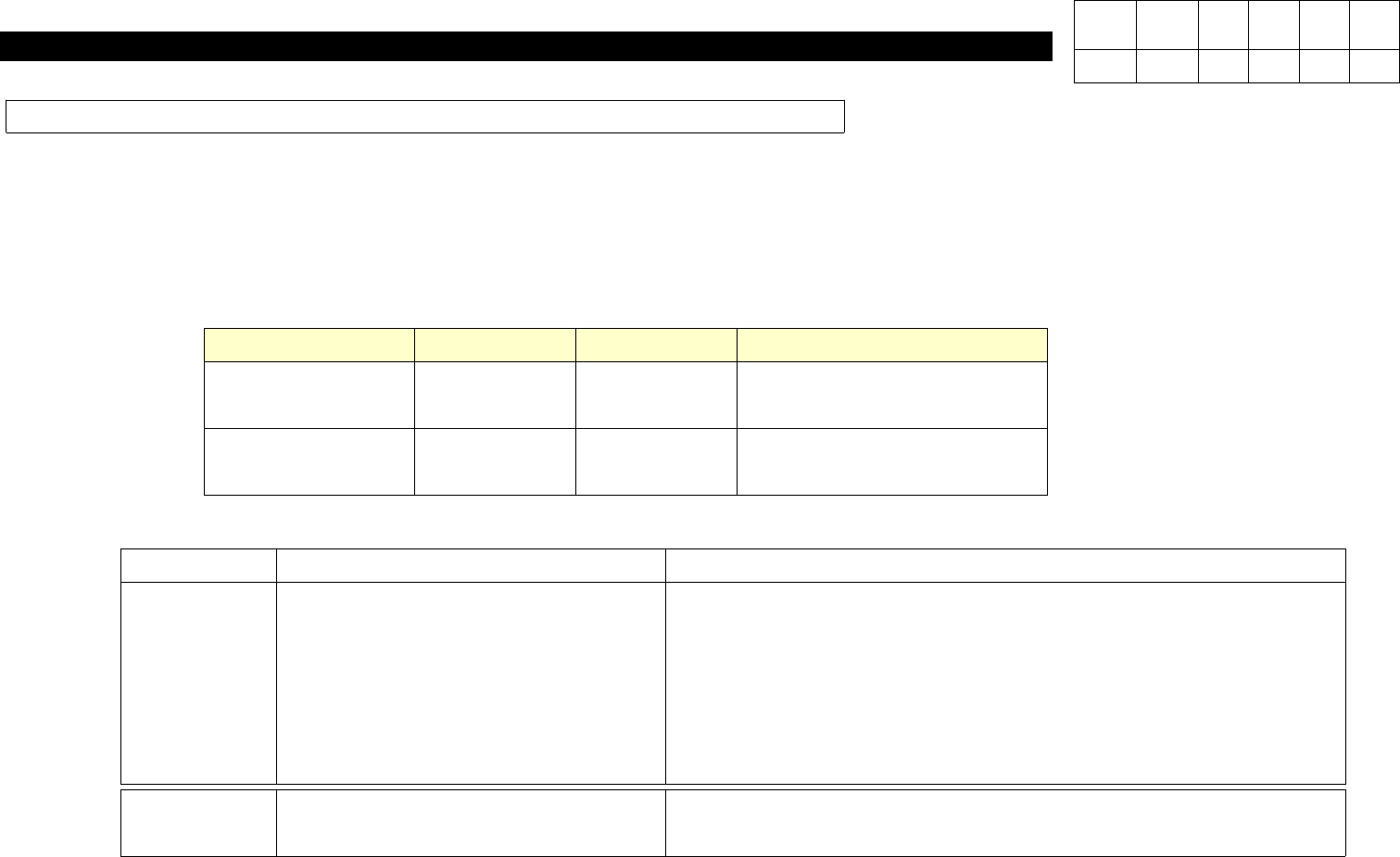
Back Up Table Down Due to Door Lock Switch Shutoff When Door Open
Application Date Model Name Serial No. Remarks
AfterJul.1,2002 CP-40 Series CA-1150-B7 Non CE Type
AfterJul.1,2003 CP-40Series CA-1224-C7 Non CE Type
1.Purpose
When Opening Door for Feeder Replacement, Back Up Table may Get Down Due to Door Lock Switch Shutoff to Cause
Inconvenience of Work and Loss of Efficiency.
2.Application Scope
3. Control Part Modification
Classification Before After
Control
With Auto Run or with Stop Button
Pressed, Opening Door may Cause
All Operations to be Stopped and
Back Up Table Down.
- With Auto Run, Opening Door Causes All Stop.
- If Opening Door with Stop Button Pressed, X-Y Stops but
Back Up Table does not Get Down.
- If Pressing Start Button after Opening Door with Stop Button
Pressed, X-Y does not Move.
S/W
CP40 MMI Constants
- 16(Door Lock OPT) =>
0
CP40 MMI Constants
- 16(Door Lock OPT) =>
1
Version Data WA QA CA Note
00 04/11 O O O