CP40 service manual.pdf - 第166页
5. Electric Device (CP-40) 7. After Clicking OK to Save, Power OFF. 8. After Rebooting, Check Constants 16(DOOR LOCK_OPT) is Set to "1" and Changed Info rmation is Reflected through Testing. Version Date WA QA …
5. Electric Device
(CP-40)
4. Materials
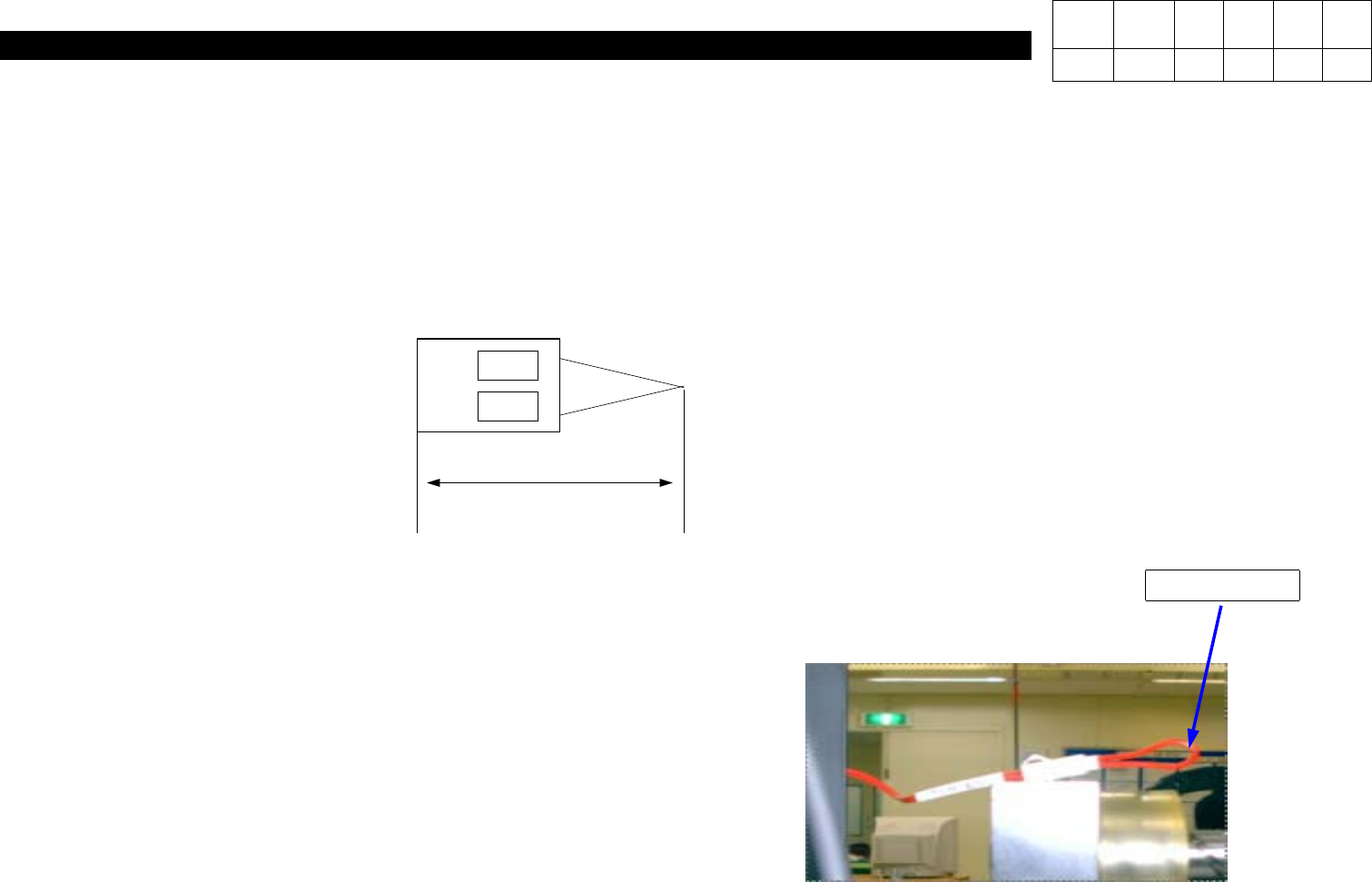
Two Door Short Connectors(40) Added
Material No. : J9080379A
Nomenclature : Door Short Connector Cable
50
Connect Door Short Connector
to RDR_EN, FDR_EN.
Housing : DF1B-2s-2.5R (2ea)
Terminal : DF1B-R24 (4ea)
Wire : RED
<Working Procedures>
1. Power OFF.
2. Connect Door Short Connector to FDR_EN, RDR_EN.
(FDR_EN is Located inside Control Panel.)
3. Setup => Input Password.
4. With MMI State, Input Password.
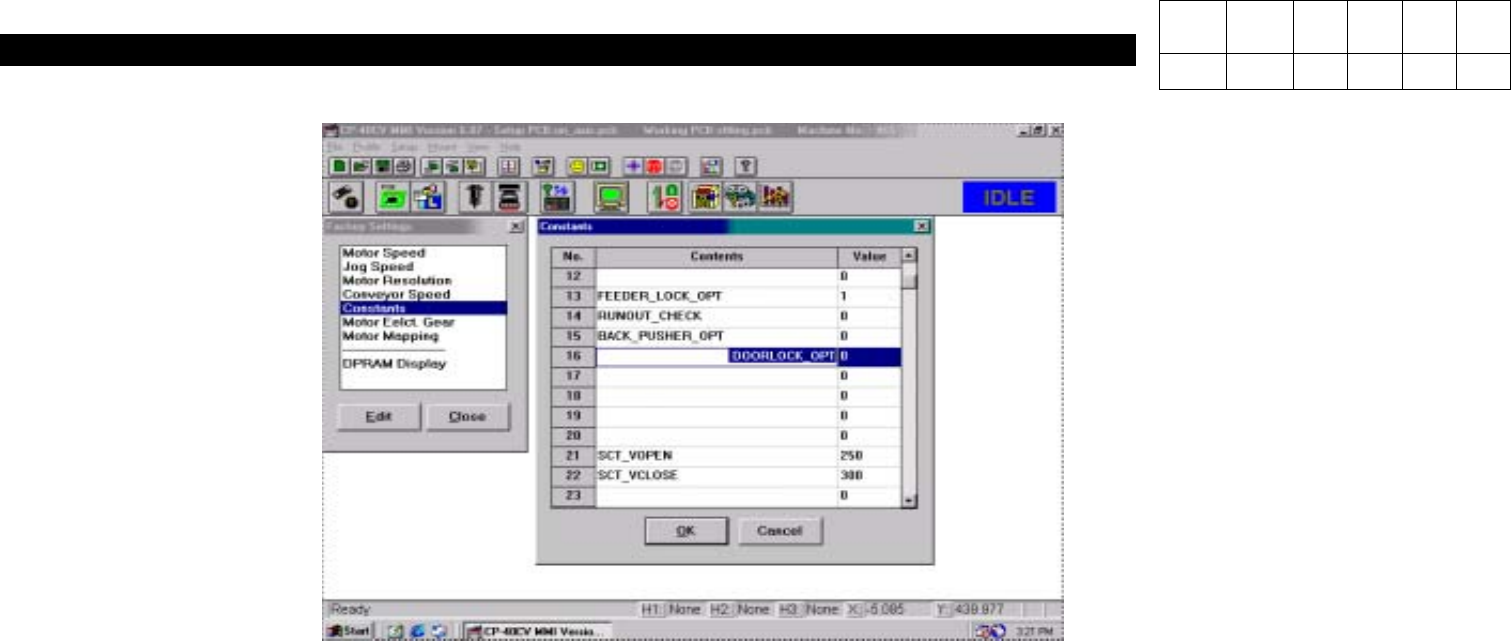
5. Click Constants.
6. Change "
0
" in 16(DOORLOCK_OPT) to "
1
".
Connection
Version Date WA QA CA Note
00 Nov04 O O O
5. Electric Device
(CP-40)
7. After Clicking OK to Save, Power OFF.
8. After Rebooting, Check Constants 16(DOORLOCK_OPT) is Set to "1" and Changed Information is Reflected through Testing.
Version Date WA QA CA Note
00 Nov04 O O O
6. Computer
(CP-40)
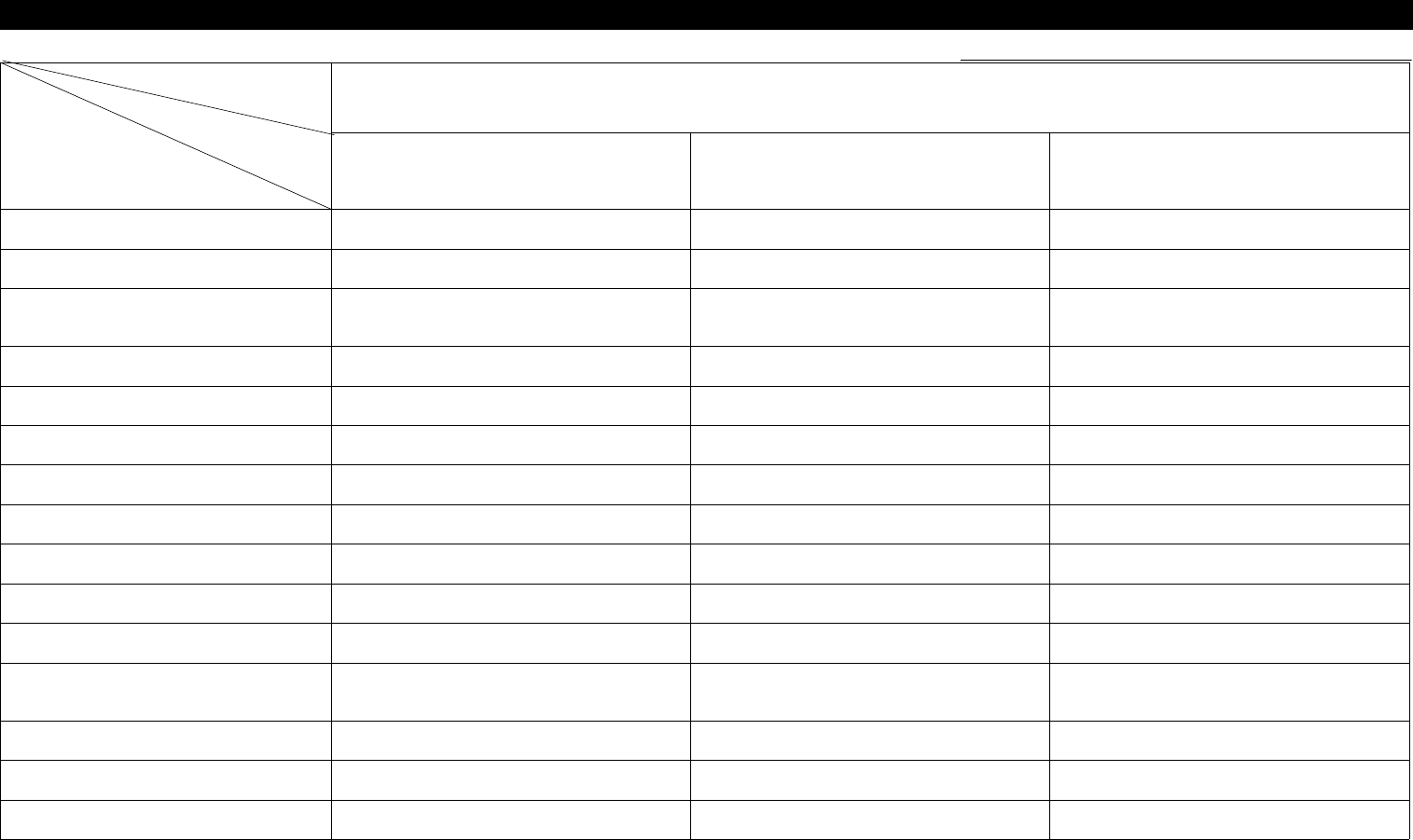
6-1. Trouble Diagnosis Guide Table
Malfunction
Disk Driver Board Peripheral Device
FDD Signal Cable Direction Check 2
FDD Replacement 4
Foreign Material Removal from PC
I/F Board Contact Surface
2
PC I/F Board Replacement 5 4
Hard Disk Replacement 6
Mother Board Replacement 7
WINDOWS Rebooting 1 1 1
WINDOWS Resetup 2
VGA Card Contact Check 3 3
VGA Card Driver Reinstallation 5
VGA Card Replacement 6
Monitor Cable check and
Replacement
3
Monitor Replacement 6
Mouse Replacement 4
Keyboard Replacement 5
Parts
Symptom
Check and Action
# Number Indicates Priority of Check Items.