CP40 service manual.pdf - 第174页
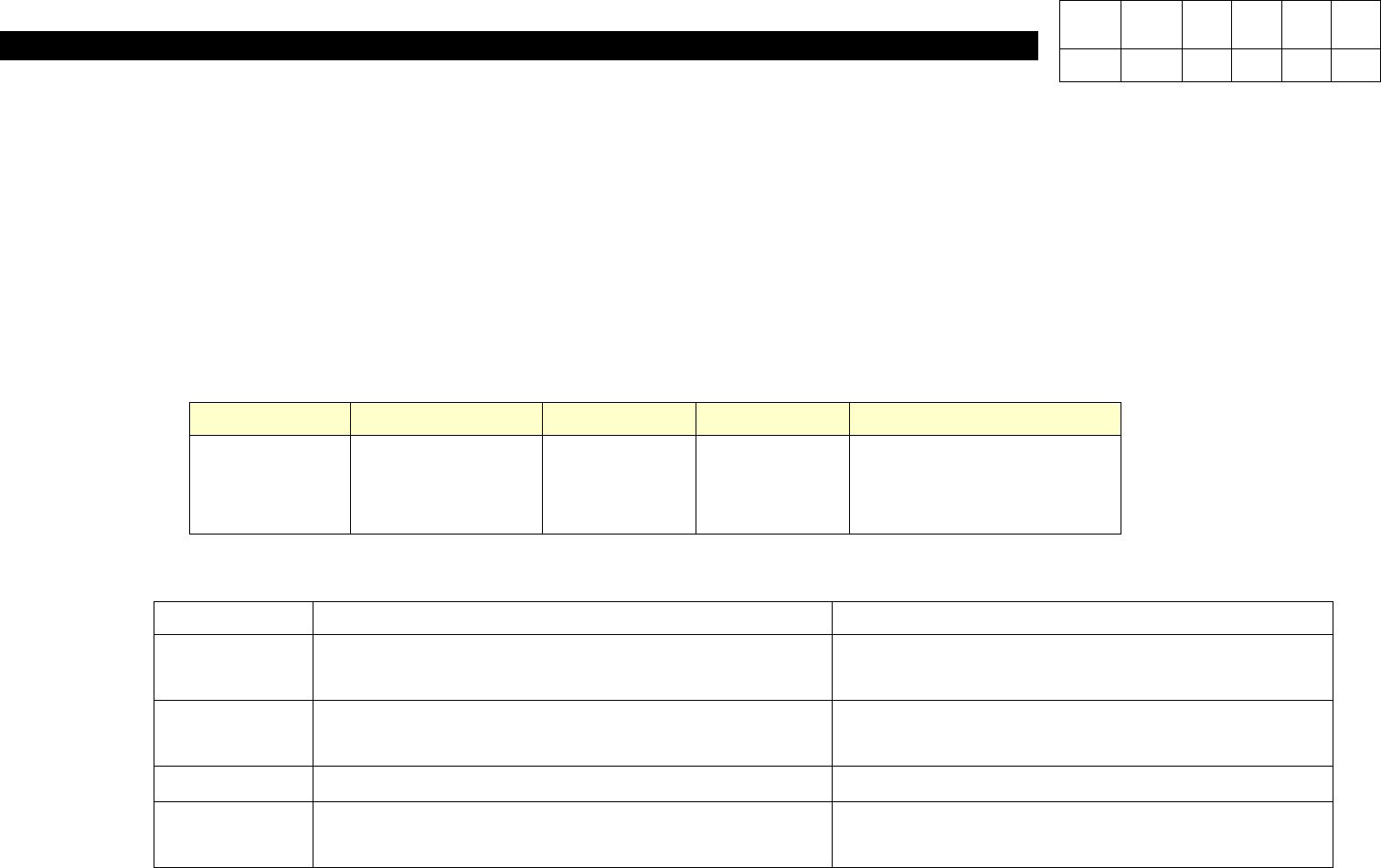
6. Computer (CP-40) Classification Application Date Model Name Serial No. Remarks Field Equipment Oct. 15, 2001 CP40CV CP40L CP45F 396 ~ 1082 ~ 470 ~ Classification Before After Equipment Install Power Bracket(J7052683A)…
6. Computer
(CP-40)
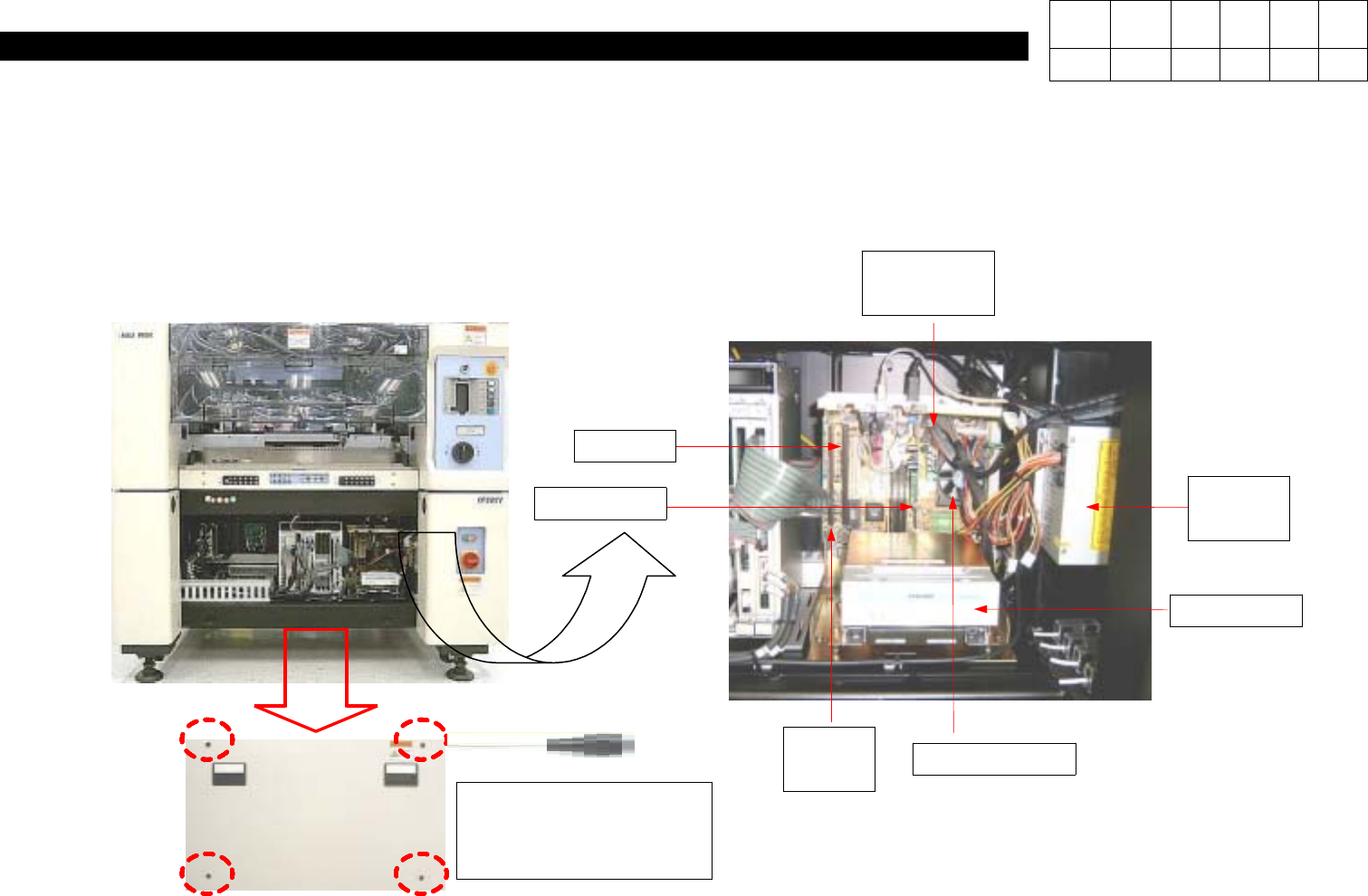
Spherical Bolt(for
Securing Front Cover)
4ea
1. Using Cross-head Screwdriver, Loosen Four Spherical Bolts to Open Front Cover.
2.
Determine the Area to be Repaired and Checked.
P/S only
for PC
CD ROM
CPU and FAN
RAM
VGA CARD
PC I/F
BOARD
MOTHER
BOARD
Version Date WA QA CA Note
00 Nov04 O O O
6-3-2.
Replacement of Old P/S with P/S only for PC
6. Computer
(CP-40)
Classification Application Date Model Name Serial No. Remarks
Field
Equipment
Oct. 15, 2001
CP40CV
CP40L
CP45F
396 ~
1082 ~
470 ~
Classification Before After
Equipment Install Power Bracket(J7052683A).
Control
Equipped with CP-20,40,45,50 Power Good
Board(J9060028C:40, J9060057B:45)
After removing Power Good Board, Install
Power Supply(J4401021A) only for PC.
S/W
Material
Specification
Material No. :J9060028C:40, J9060057B:45
Nomenclature :POWER GOOD BOARD (VER 2.0)
PC POWER SUPPLY(J4401021A,ST-230WHF)
PC POWER BRACKET(J7052683A)
Version Date WA QA CA Note
00 04/11 O O O
3.Purpose
Install Power Supply only for PC on CP-20, CP-40, CP-45, CP-50 Equipment Mounted with Power Good Board.
-. When Replacing Mother Board, Stabilize CP-20, CP-40, CP-45, CP-50 Equipment Mounted with Power Good Board by installing
Power Supply only for PC instead of Mother Board.
Applied after October, 2001.
4. Application Scope
5. Material
6. Computer
(CP-40)
5. Checkout
Material PC Power Supply, PC Power Bracket(J7052683A), Power Cable(Verify Machine Type.)
S/W
Tool Cross-head Screwdriver
6. Preparation
- Working Procedures
Equipment to be Replaced : CP-20, 40, 45, 55
1. Power OFF.
2. Remove Power Good Board and Cable(CN1).
3. Install PC Power Bracket and then PC Power Supply.
(Set Power Supply to 115V.)
4. Connect Properly Connector and Power Supply Cable Supplying Power to Mother Board.
Version Date WA QA CA Note
00 Nov04 O O O