CP40 service manual.pdf - 第188页
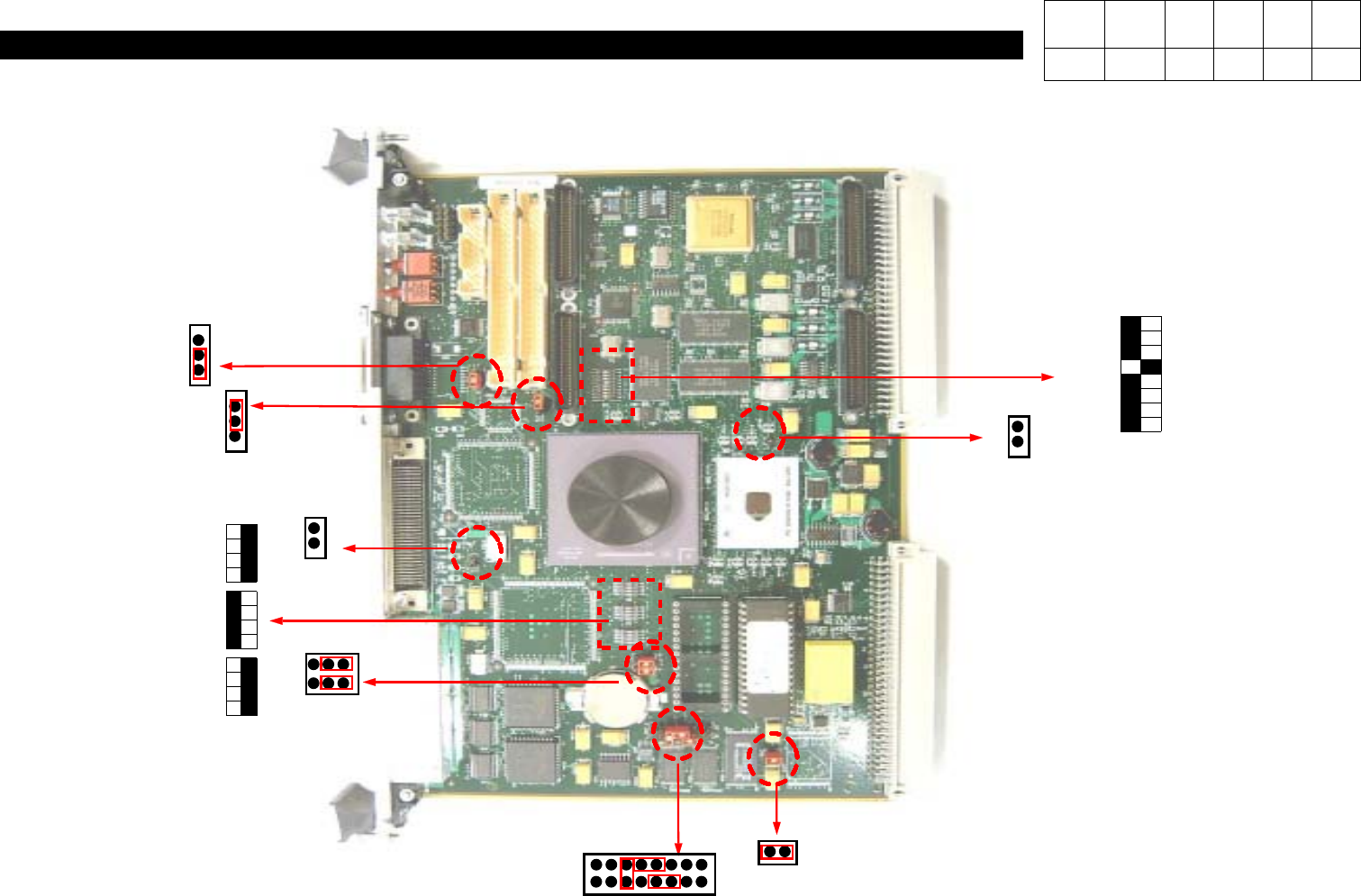
7. Rack Ass'y (CP-40) 1. If Applying [MVME162PA-252se] instead of the Existing VME BOARD [MVME162PA-2 42], Set the Switch and Jumper as Follows. 2. Application Scope Classification Application Date Model Name Serial…
7. Rack Ass'y
(CP-40)
J1
J13
J12
J14
S6
S5
S3
J11
1
8
S4
J20
1
2
16
15
J16
=>In the Case of Back Up Battery
Error, Check
J14
Jump.
7-3-2. VME Board Dip S/W Setting
Version Date WA QA CA Note
00 Nov04 O O O
7. Rack Ass'y
(CP-40)
1.
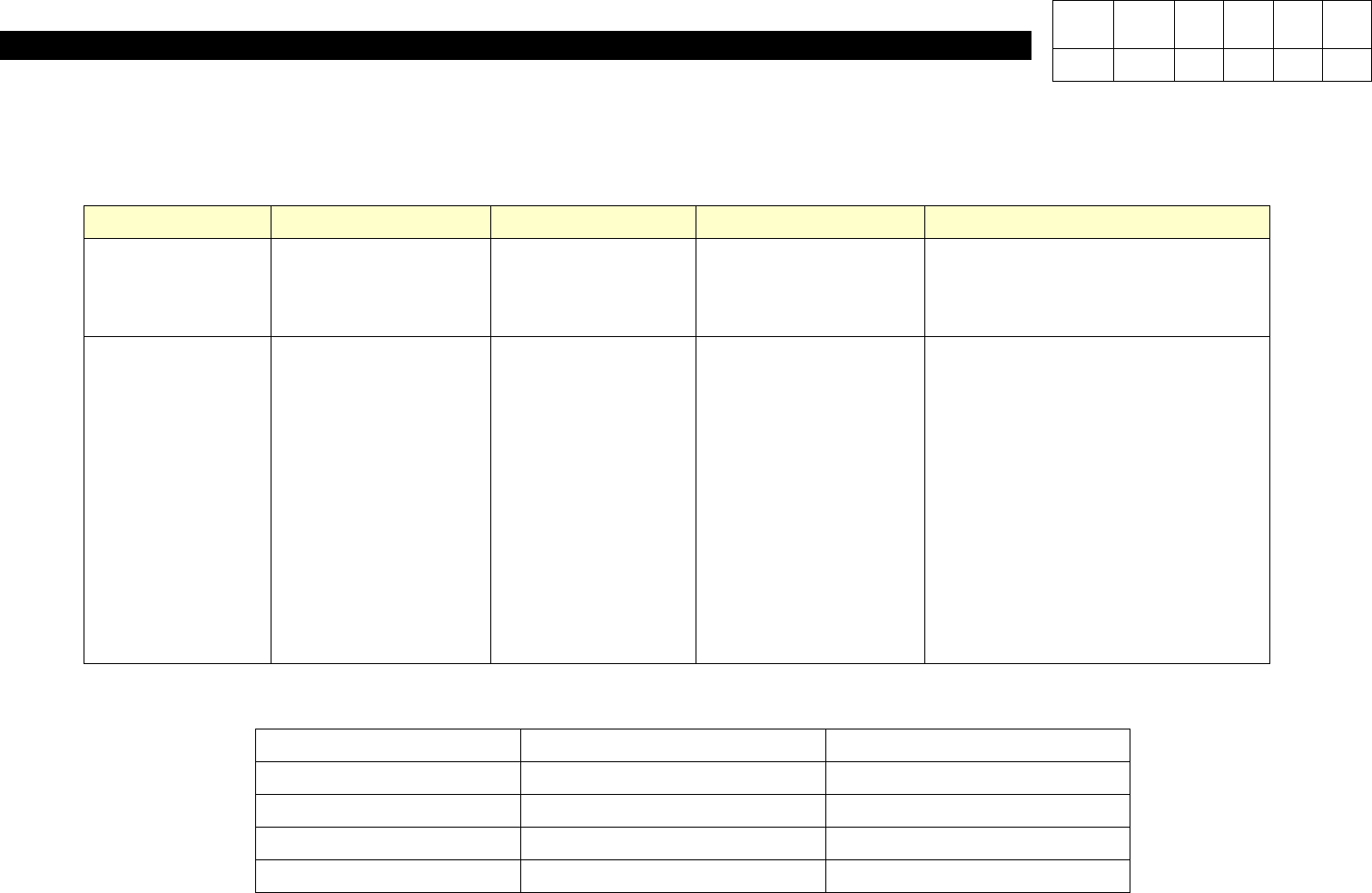
If Applying [MVME162PA-252se] instead of the Existing VME BOARD [MVME162PA-242], Set the Switch and Jumper as Follows.
2. Application Scope
Classification Application Date Model Name Serial No. Remarks
Field Equipment
Before Applying it in the Field,
be Sure to Verify Setting.
Manufacturing
Equipment
CP-20
CP-40
CP-45
CP-45NEO
CP-50
CP-55
After No. 161
After No. 1237
After No. 473
After No. 1374
After No. 18
After No. 47
After No. PP4
L(LV)
CV
Classification Before After
Equipment None None
Control J4809030A J4809043A
S/W None None
Material Specification MVME162PA-242
MVME162PA-252se
3. Materials
Version Date WA QA CA Note
00 Nov04 O O O

7. Rack Ass'y
(CP-40)
<Working Procedures>
1. If Applying
[MVME162PA-252se]
Due to Stopping Production of VME BOARD [MVME162PA-242], Set the Switch and Jumper as
Follows.
2. Parts to be Changed from the Stored Board
(1) Replace ROM of VME Board.
(2) Set Switch.
(3) Set Jumper.
- Remove No.J12 Short Pin.
- Install No.J14 [3&5],[4&6] Short Pin.
(4)
Set the Other Switches or Jumpers to Default.
3. Refer to the above Figure.
Version Date WA QA CA Note
00 Nov04 O O O