CP40 service manual.pdf - 第192页
8. Fix Camera (CP-40) 8-3-1. Fix Camera Light Check 1. Using Cross-head Screwdriver, Loosen Four Spherical Head Bolts to Open Front Cover. 2. Check Light Control Board is Connected Properly. Spherical Head Bolts(for Secu…
8. Fix Camera
(CP-40)
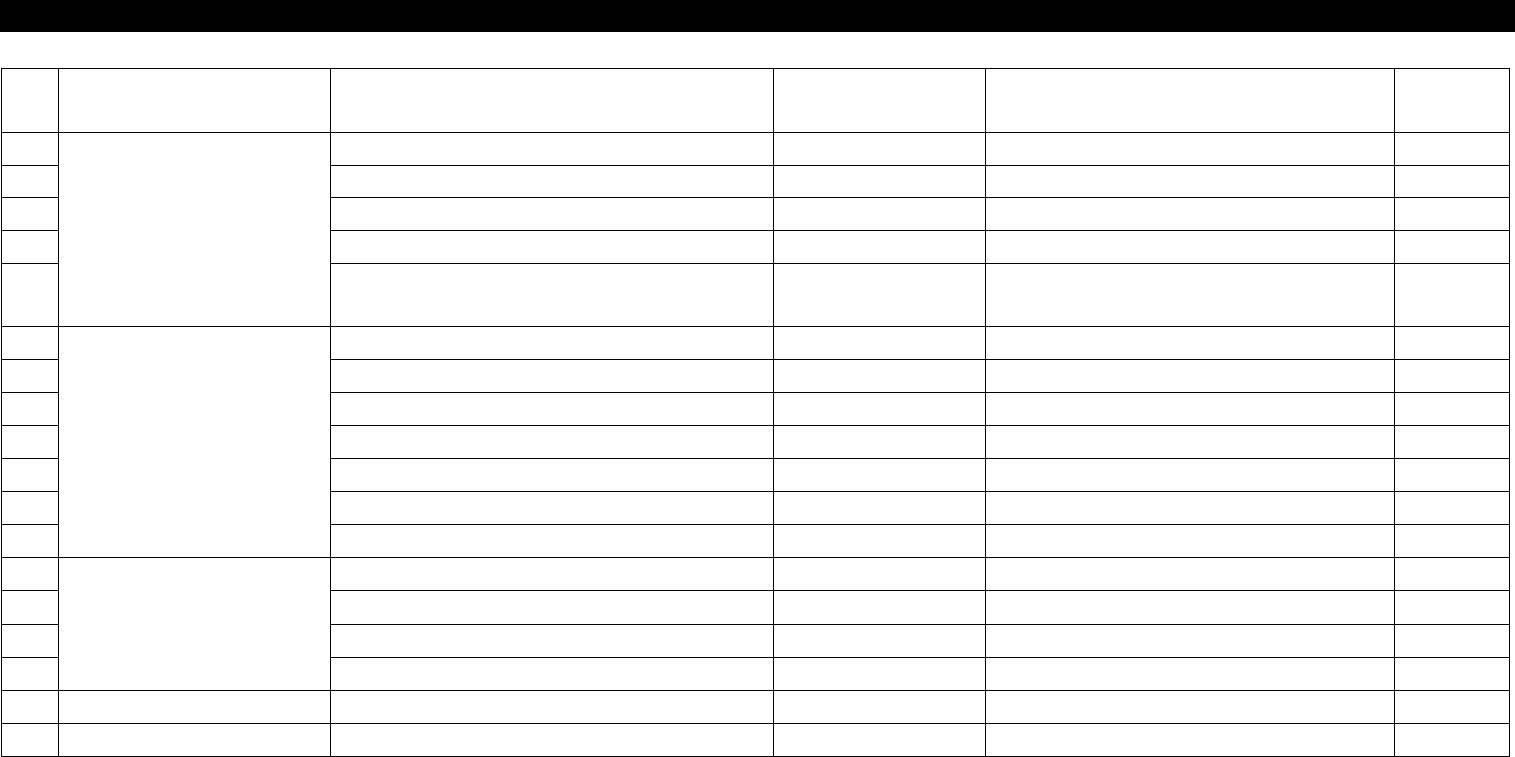
NO Symptom Possible Cause Error Code Action
Instructio
n
1
Fix Camera Malfunction
Fix Camera is not Assembled Properly.
Re-assemble Fix Camera.
8-3-3
2 Fix Camera Cable Disconnection
Replace Fix Camera Power Cable.
8-3-1
3 Bad Connection of Connector
Reconnect Fix Camera Connector.
8-3-1
4 Bad VR for Light-Adjustment
Replace Fix Camera Light Board Volume.
8-3-1
5 BadConnectionofLightBoardCable
Reconnect Fix Camera Light Board
Cable.
8-3-1
6
Bad Installation State of
QFP
Bad Specification of Camera
Use 35mm Camera.
7 Nozzle Specification Modification
Use Special Nozzle.
8 Bad Nozzle O-Ring
Replace Nozzle O-Ring.
9 Bad Z-Axis Height of Head
Adjust Z-Axis Height.
10 Wrong Camera Position
Adjust Head Camera Offset.
11
Bad Complacence Ass'y Replace Complacence Ass'y .
12
Wrong Fix Camera Focus Readjust Fix Camera Focus.
8-3-3
13
Move Camera Malfunction
Bad Connection of Vision Board Reconnect Vision Board.
7-3-1
14
Wrong Move Camera Position Readjust Move Camera Position.
15
Move Camera Cable Disconnection Replace Move Camera Cable.
8-3-1
16
Bad Camera Position Data Reset Camera Position Data.
8-3-2
17
18
8-2. Trouble Diagnosis
8. Fix Camera
(CP-40)
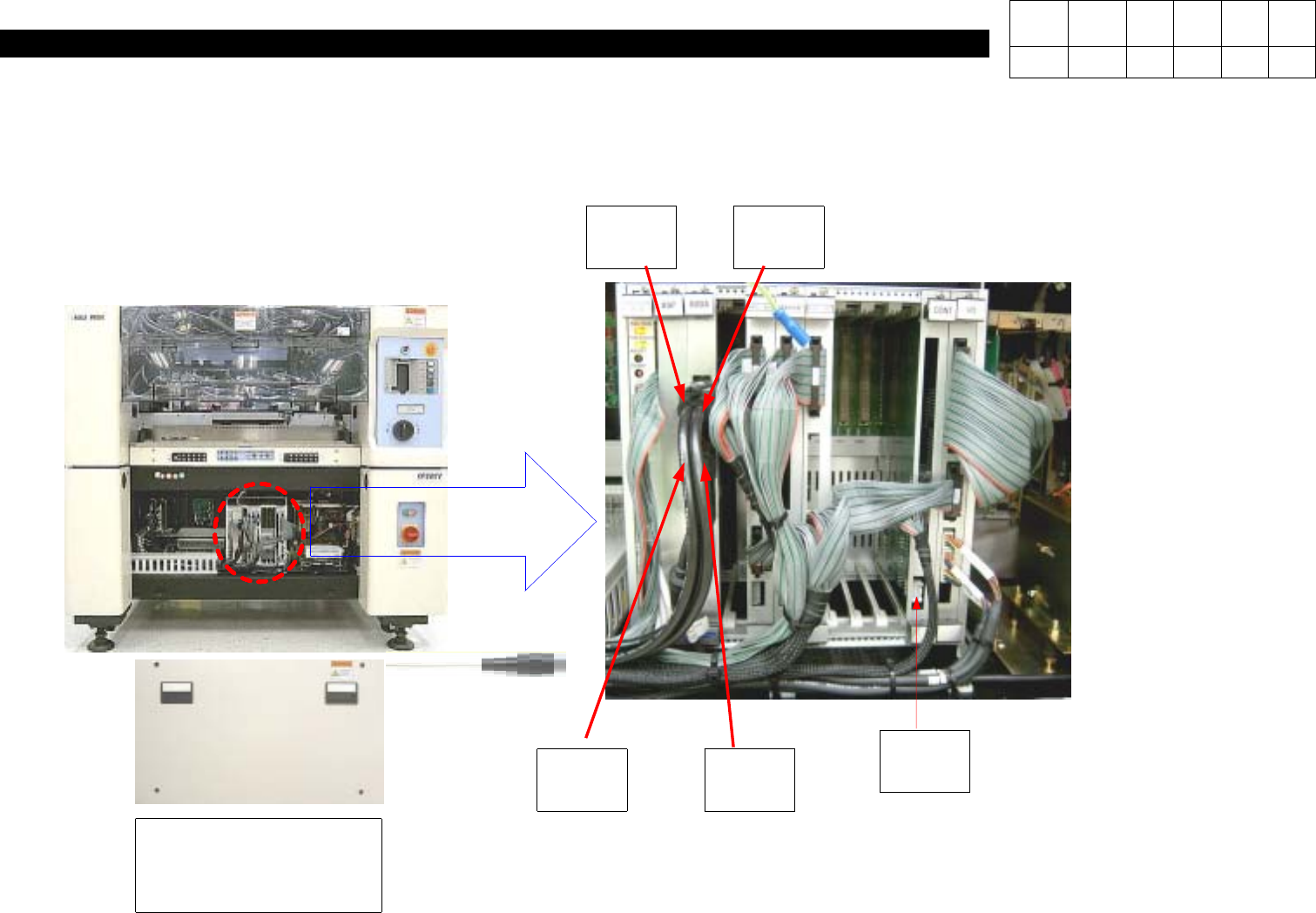
8-3-1. Fix Camera Light Check
1. Using Cross-head Screwdriver, Loosen Four Spherical Head Bolts to Open Front Cover.
2.
Check Light Control Board is Connected Properly.
Spherical Head
Bolts(for Securing
Front Cover) 4ea
CONT
Board
Move
Camera
#1 Fix
Camera
#2 Fix
Camera
Spare
Camera
Version Date WA QA CA Note
00 Nov04 O O O
8. Fix Camera
(CP-40)
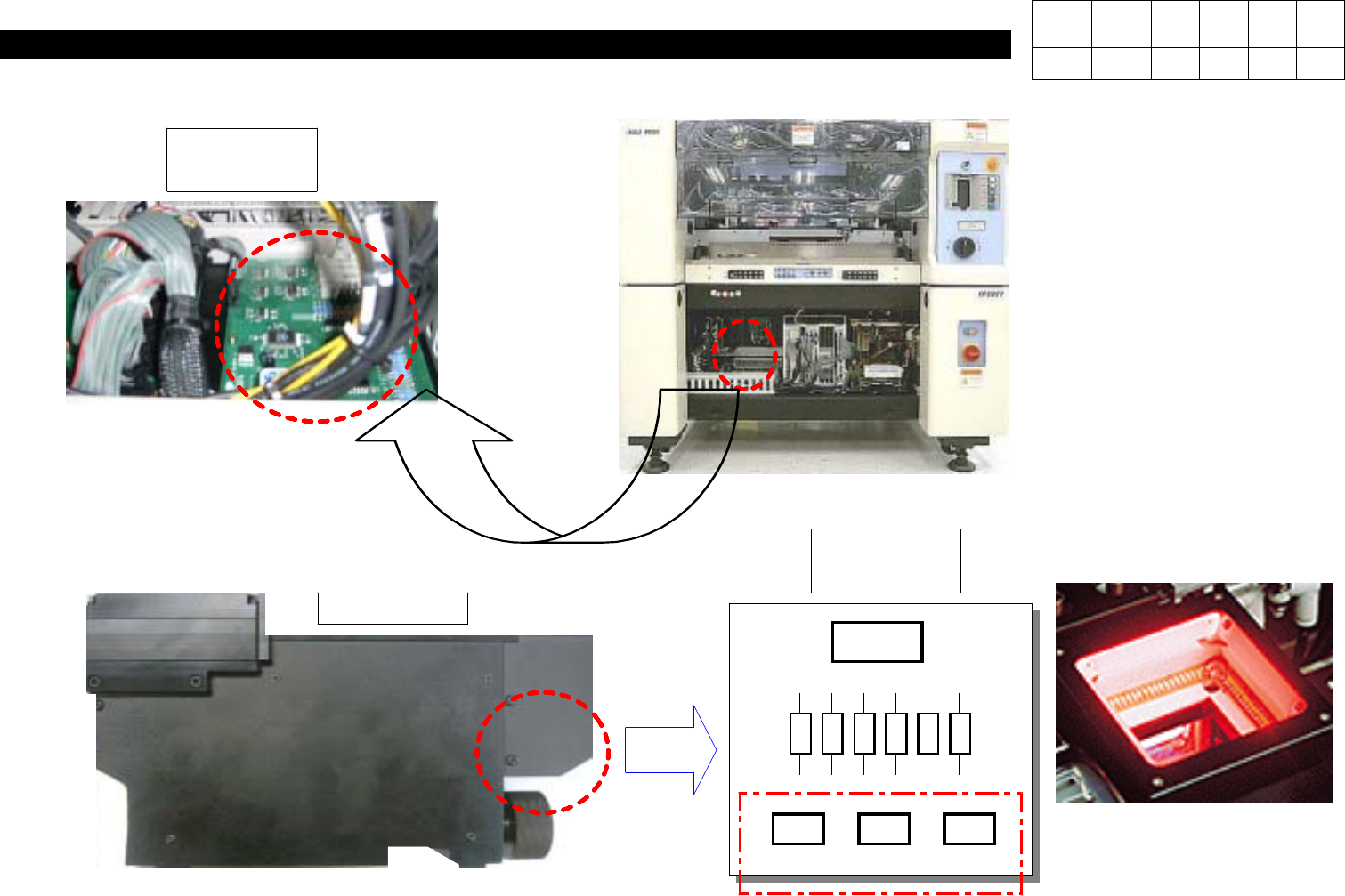
3. Check Light Drive Board is Connected Properly.
J9801193
LDRV Board
4. Check Light Board Connector in Fix Camera is Connected Properly.
InnerOuterSide
Power
Fix Camera
# Care should be Taken not
to Mix Connectors.
LED I/F
Board
Version Date WA QA CA Note
00 Nov04 O O O