CP40 service manual.pdf - 第194页
8. Fix Camera (CP-40) Version Date WA QA CA Note 00 Nov04 O O O 5. Check Light Power Cable is Connected Properly. Inner Outer Side Power # If Three Lights are not On Simultaneously, Check Power. Light Power Cable LED I/F…
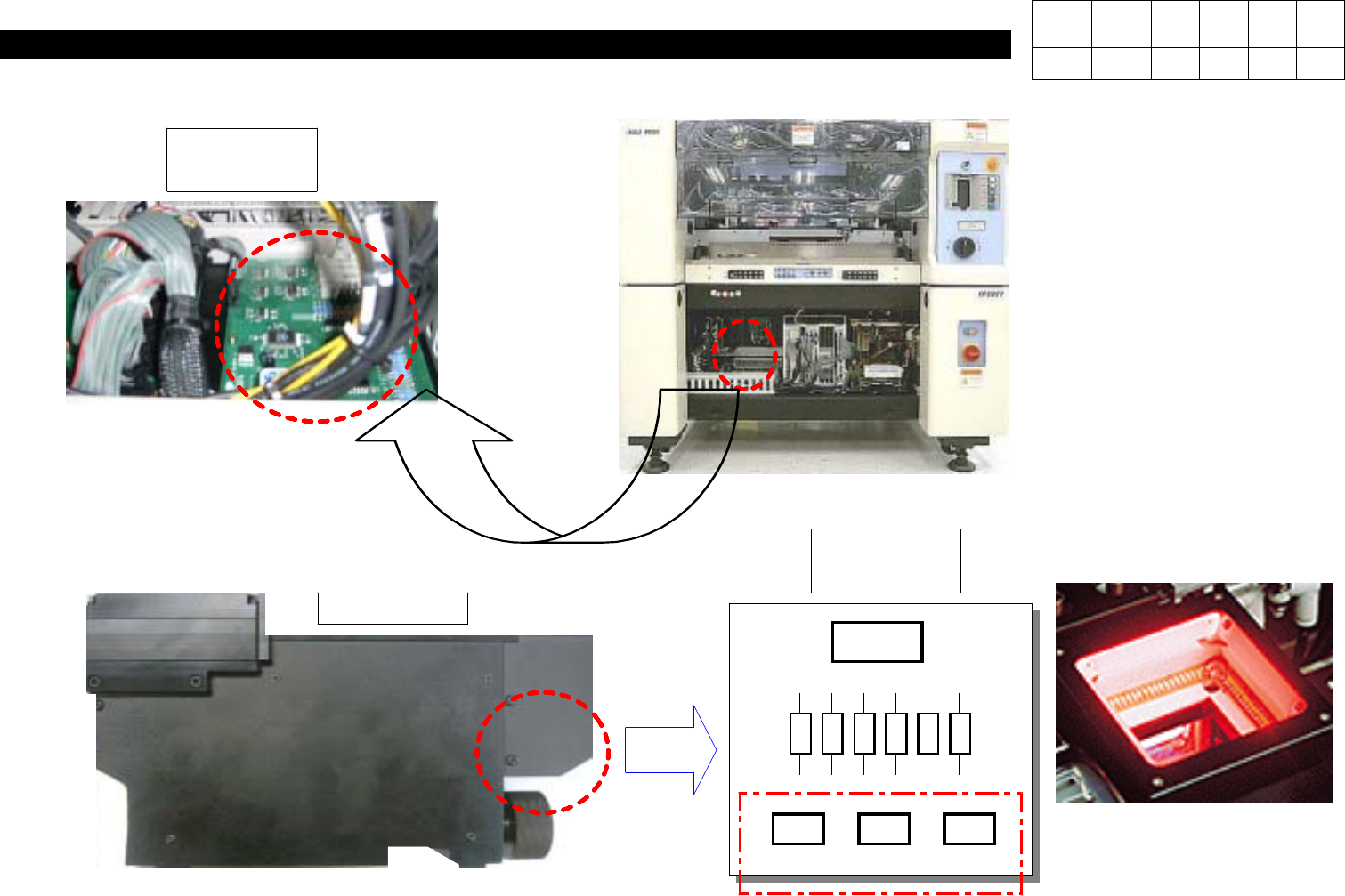
8. Fix Camera
(CP-40)
3. Check Light Drive Board is Connected Properly.
J9801193
LDRV Board
4. Check Light Board Connector in Fix Camera is Connected Properly.
InnerOuterSide
Power
Fix Camera
# Care should be Taken not
to Mix Connectors.
LED I/F
Board
Version Date WA QA CA Note
00 Nov04 O O O
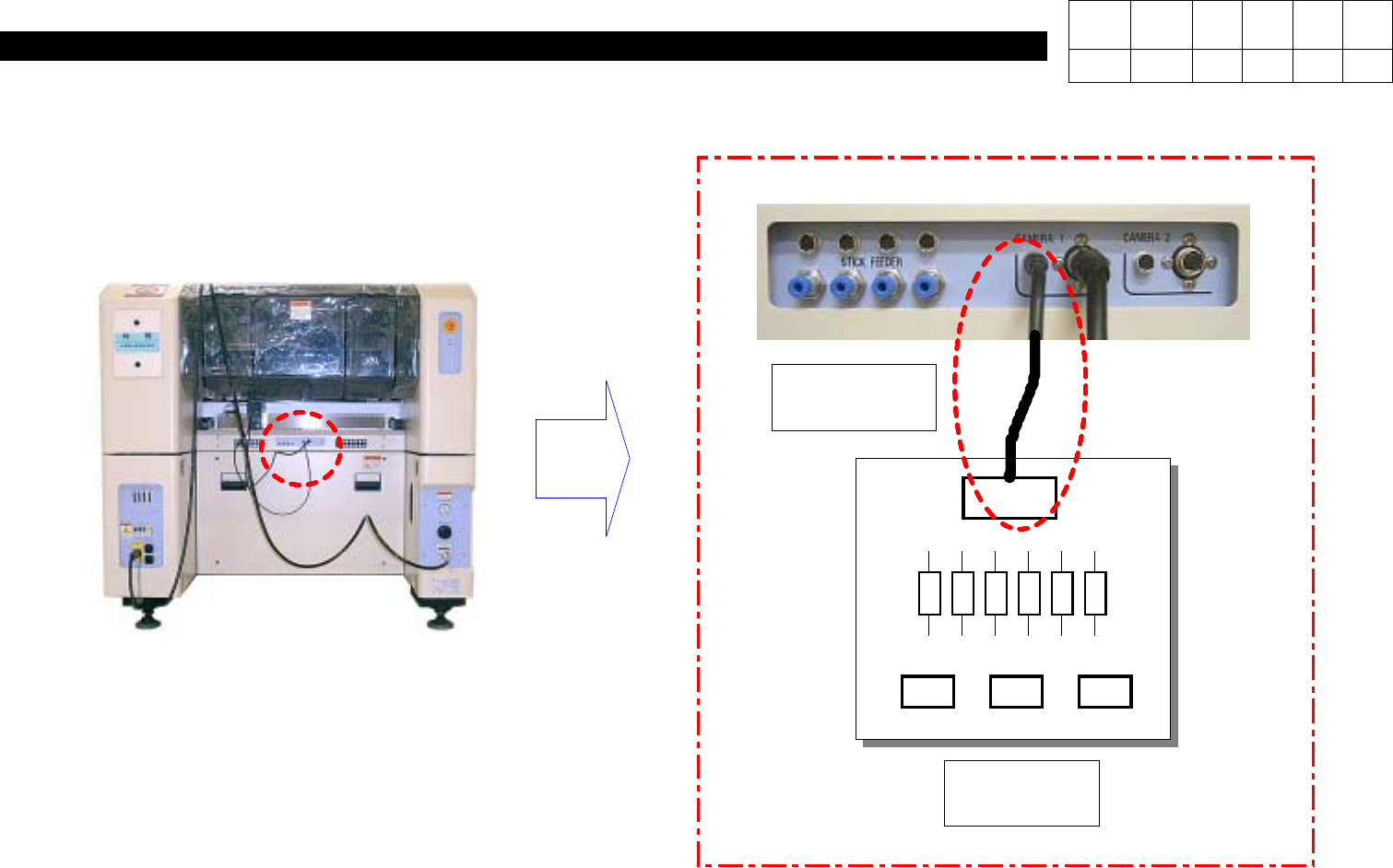
8. Fix Camera
(CP-40)
Version Date WA QA CA Note
00 Nov04 O O O
5. Check Light Power Cable is Connected Properly.
InnerOuterSide
Power
# If Three Lights
are not On
Simultaneously,
Check Power.
Light
Power Cable
LED I/F
Board
8. Fix Camera
(CP-40)
Version Date WA QA CA Note
00 Nov04 O O O
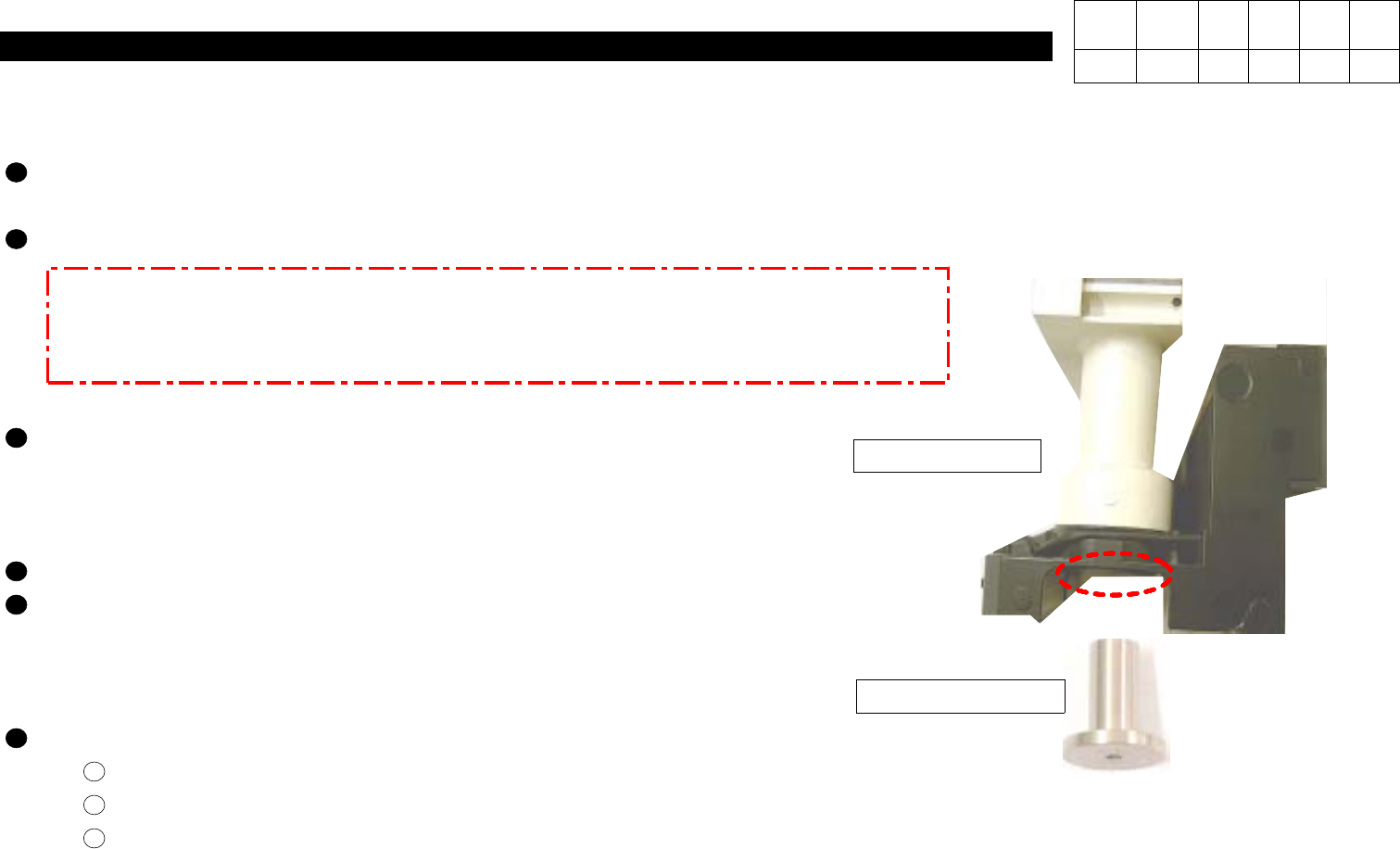
Engage Fix Camera in No.41 of Rear Feeder Base(Tighten Handle Completely not to be Loose).
Insert Calibration tool into HEAD 1,2,3.
MARK PAD [UPWARD VISION ONLY] 2101976 1 EA
CALIBRATION NOZZLE [UPWARD VISION ONLY] 2101543 1 EA
In Setup Menu,
=>
Select INPUT PASSWORD
.
=>
In ENTER PASSWORD
Window,
=>
Input SCP(Display 1 ).
The Following System Setup Window is Appeared
(Display 2 ).
In System Setup Window,
=>
Select POSITION.
=>
Select VISION CAMERA.
=>
CAMERA DATA Window is Appeared
.
In FIXED CAMERA,
Modify Position to Rear
(Display 3 ).
Modify Lane to
41(Display 4 ).
Set Coordinates of X and Y to Get(Display 5 ).
=> Through Monitor, Move Head 1 to Fix Camera and then Lower X-Axis of Head 1 and Align it with the Center of Tool
to Get..
Aligner Ass'y
Calibration Tool
8-3-2. Fix Camera Calibration