CP40 service manual.pdf - 第201页
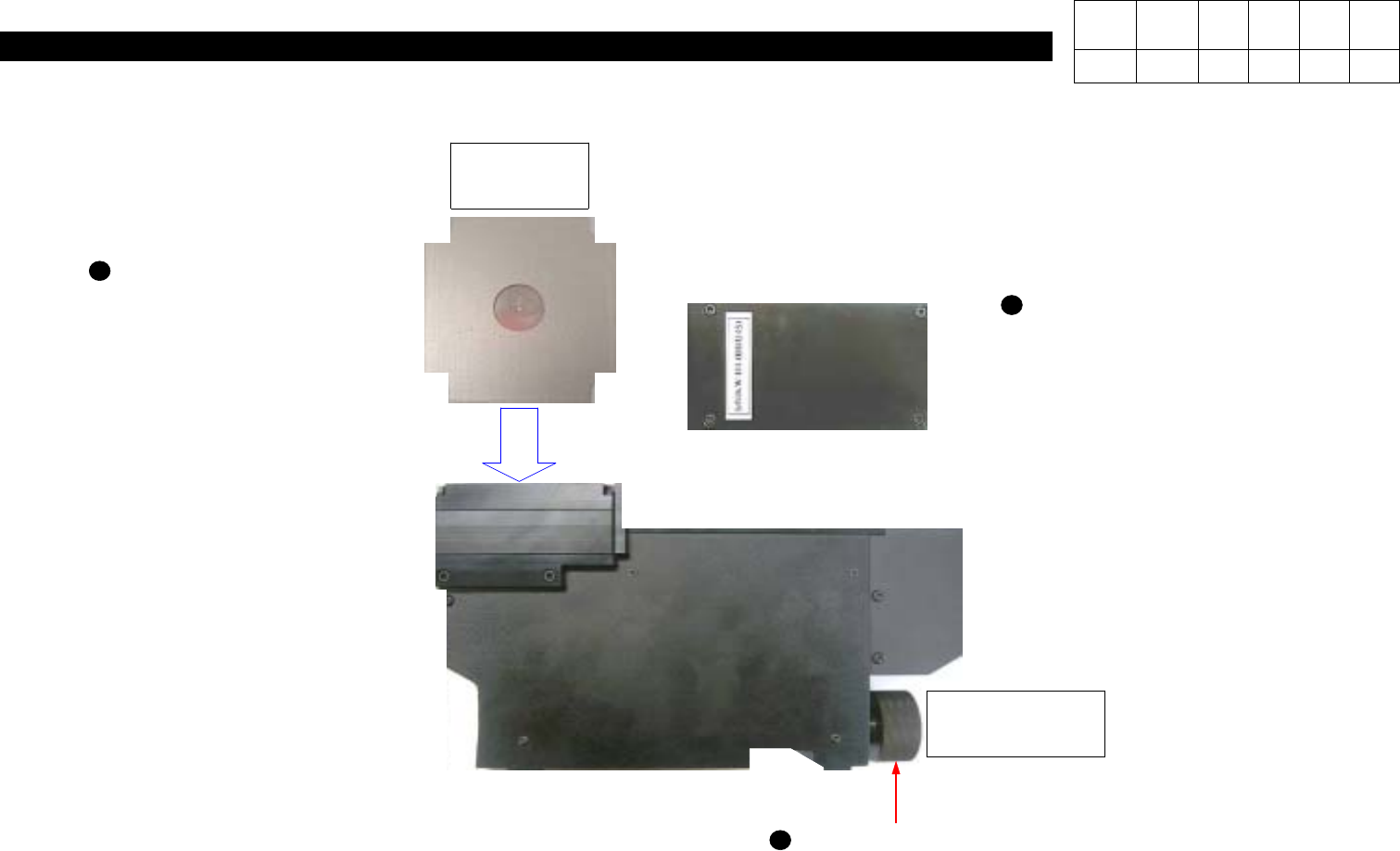
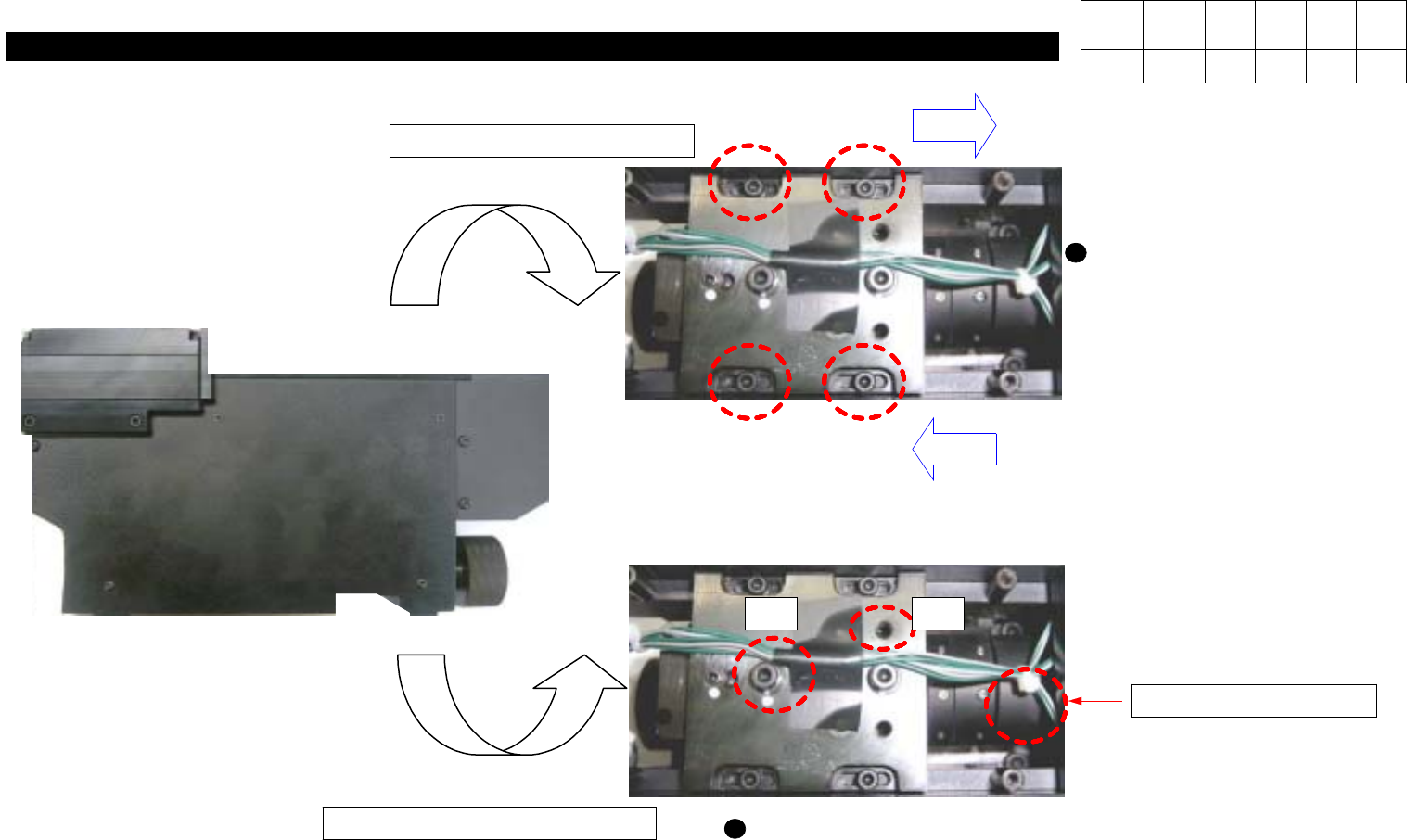
8. Fix Camera (CP-40) If X and Y Pixels are not Proper, Loosen and Adjust Four Hexagon Wrench Bolts. Pixel Value Decreases. Pixel Value Increases. 1 2 Adjust it by Loosening Two(#1) and then Three(#2) Bolts. #I fP i x e …
8. Fix Camera
(CP-40)
Version Date WA QA CA Note
00 Nov04 O O O
Verify the Center Position
of Fix Camera.
J2101976
Mark Pad
CheckitisFixedto
No.41 of Rear Feeder Base.
for Fixing Fex
Camera
If Calibration is Performed
over Tolerance, Loosen Four
Hexagon Wrench Bolts with
M2.5 T-Wrench.
8-3-3. Fix Camera Check Point
8. Fix Camera
(CP-40)
If X and Y Pixels are not
Proper, Loosen and Adjust
Four Hexagon Wrench Bolts.
Pixel Value Decreases.
Pixel Value Increases.
1 2
Adjust it by Loosening Two(#1)
and then Three(#2) Bolts.
#IfPixelisnotProper,
# If R Degree is not Proper,
# Focus Adjustment
Version Date WA QA CA Note
00 Nov04 O O O
9. Motor & Driver
(CP-40)
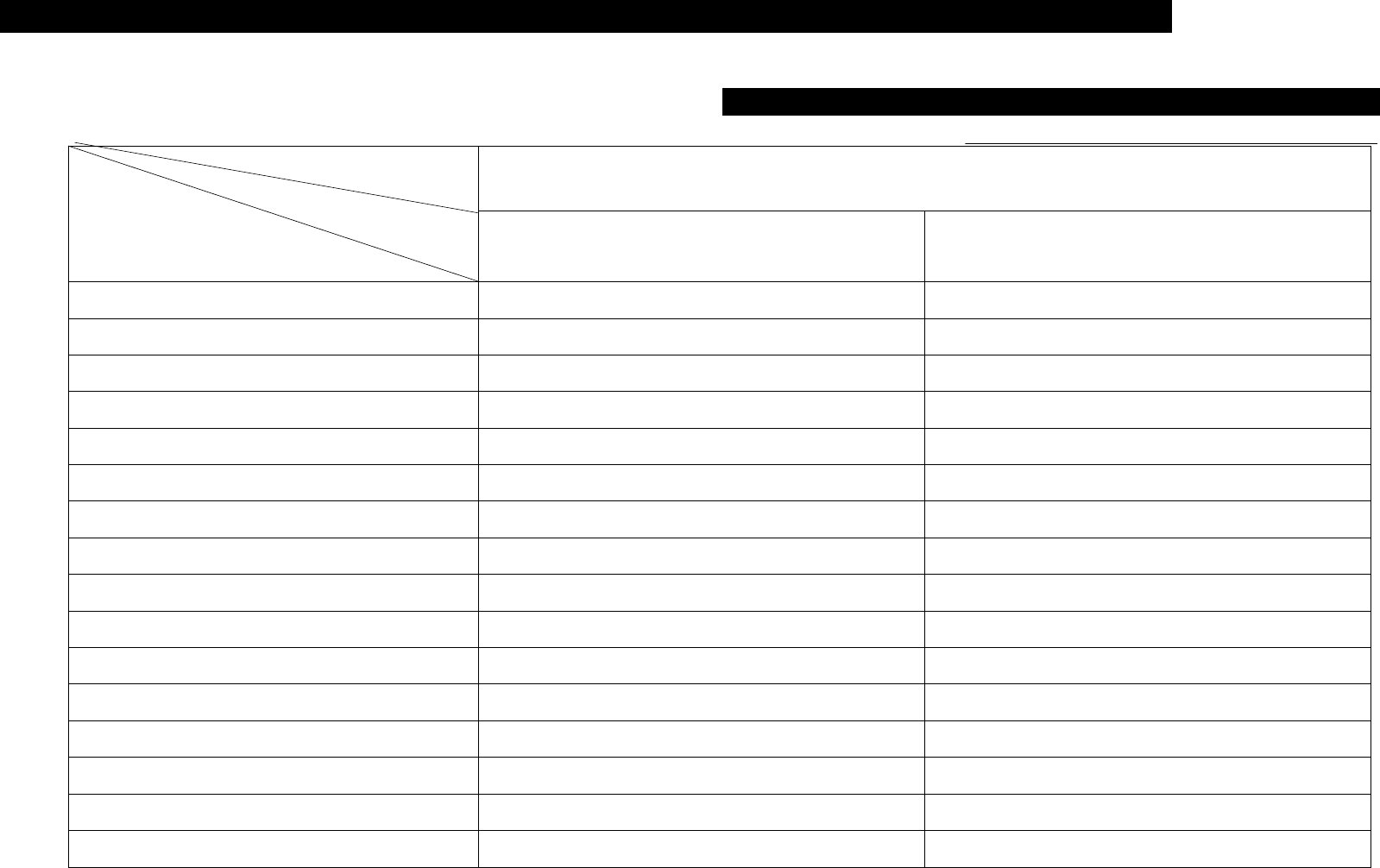
9-1. Trouble Diagnosis Guide Table
Malfunction
Motor Motor Driver
X-Axis Motor Tension Adjustment 11
Parameter Value Modification 2
Connector Check for Bad Connection 6 1
Motor Replacement 12
Motor Driver Replacement 3
Home Sensor Connector Check 7
Home Sensor Replacement 8
Power Supply Cable Check 9
Power Supply Replacement(DC 5V) 10
Axis Limit Sensor Replacement 5
Re-operation after Emergency Stop 1
Motor Speed Data Check 4
Z-Axis Home Sensor Check 3
R-Axis Home Sensor Check 2
Parts
Symptom
Check and Action
# Number Indicates Priority of Check Items