CP40 service manual.pdf - 第212页
9. Motor & Dr iver (CP-40) Version Date WA QA CA Note 00 Nov04 O O O

9. Motor & Driver
(CP-40)
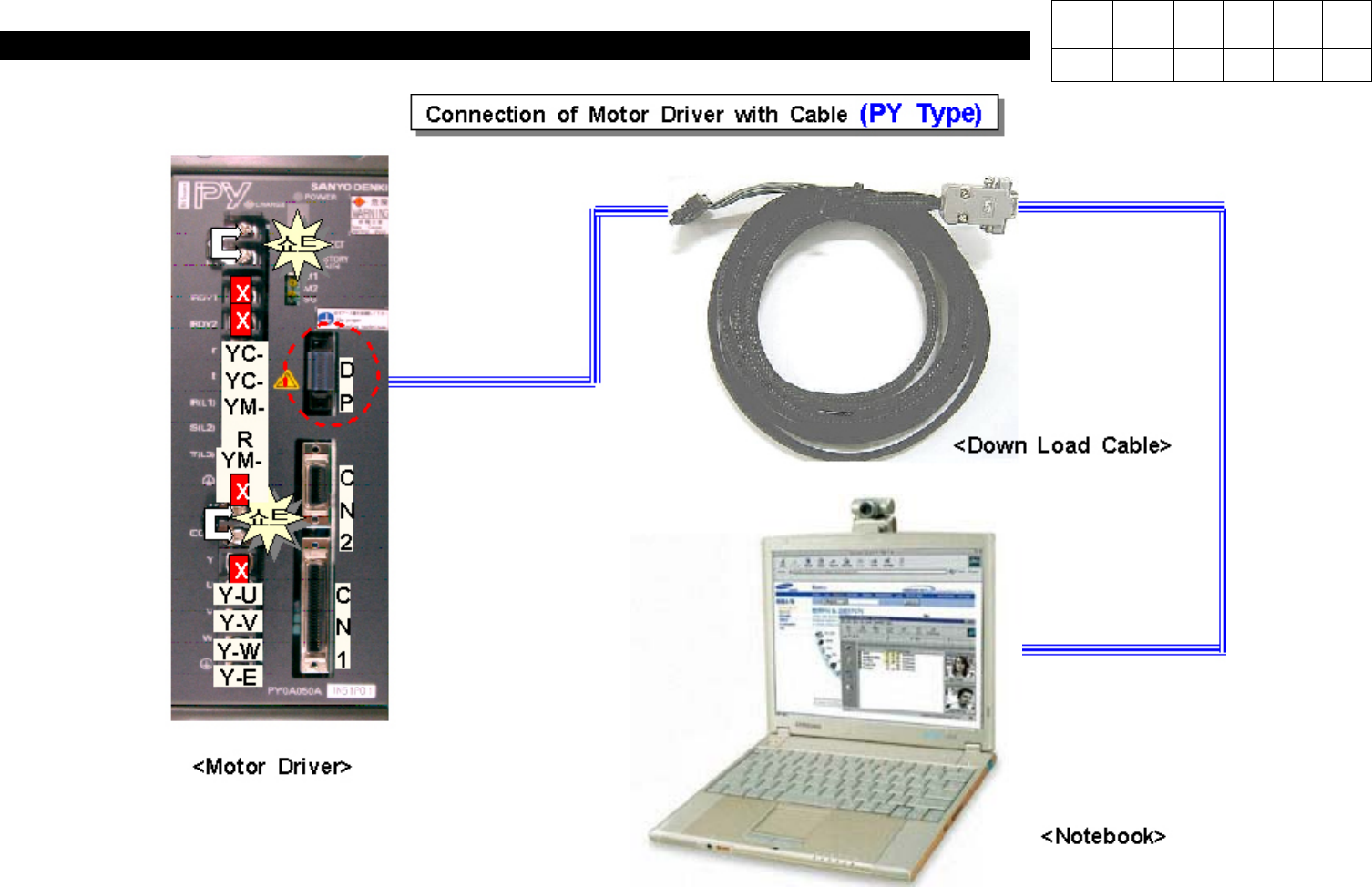
1. Connection of PY-Motor Driver(=Amplifier) and Computer
* Tools
a) Notebook Computer
b) Cable for interface
1) Open Lower Cover in the Rear of Equipment.
2) Apply Power to the Whole Equipment or the Motor Amplifier.
3) Prepare Notebook Computer Installed with PYIF (PY Motor Interface) Program.
4) With Exclusive Interface Cable, Connect Notebook Computer and Driver (Refer to Fig 9-4-1-1).
2. Execution of Interface Software and Connection with Amplifier
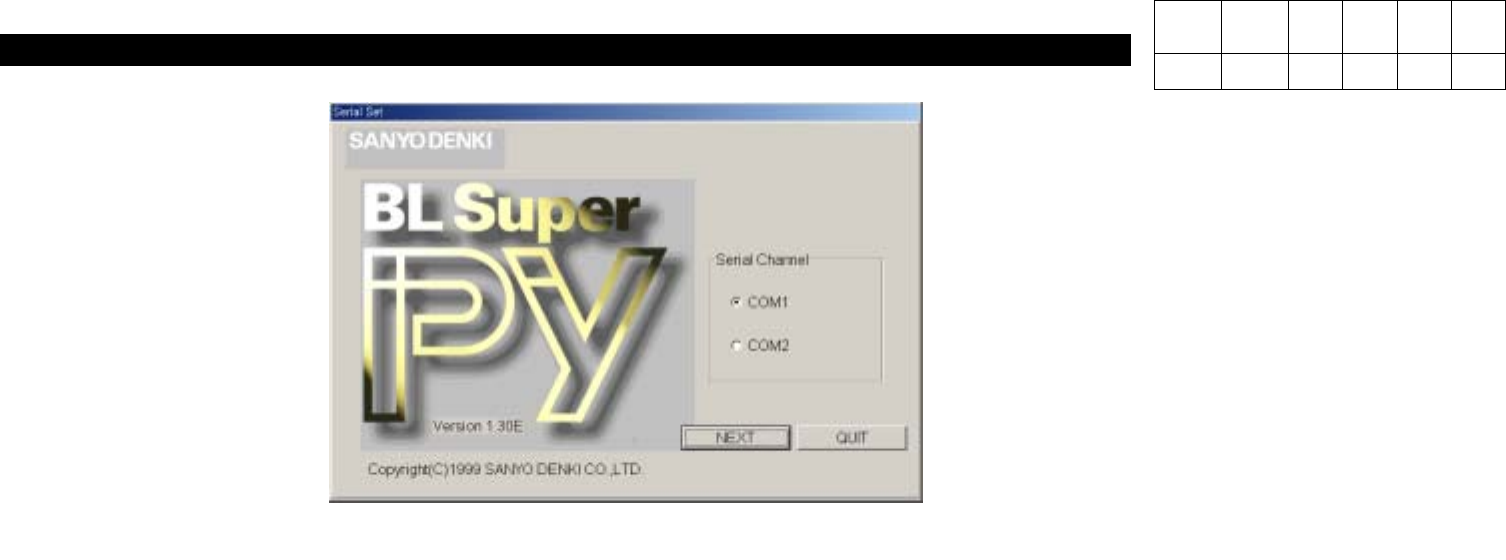
1) Execute PYIF.
2) Select Serial Channel Connected with Driver(COM1 or COM2).
3) Select Next to Move to the Next Screen.
4) If Selecting On-line, 'Do you wish to connect with PY Amplifier?' Message will be Appeared. Select Yes to Connect.
Version Date WA QA CA Note
00 Nov04 O O O
9. Motor & Driver
(CP-40)
Version Date WA QA CA Note
00 Nov04 O O O
9. Motor & Driver
(CP-40)
<Interface Program for PY Motor>
3. Motor Parameter Download Procedures
1) In order to Download Motor Parameter from Computer(File), Select 'Load from file'.
(Caution: Before Replacing Driver, Back Up the Parameter in the Previous Driver.)
2) Search for Directory Including the Objective Parameter File and Press Load to Download.
4. Motor Parameter Backup Procedures
1) In order to Back Up the Parameter in the Previous Driver, Select 'Save to File'.
2) Specify the Directory to Save Parameter, Input Directory Name and then Press 'Save' to Back Up.
Version Date WA QA CA Note
00 Nov04 O O O