CP40 service manual.pdf - 第229页
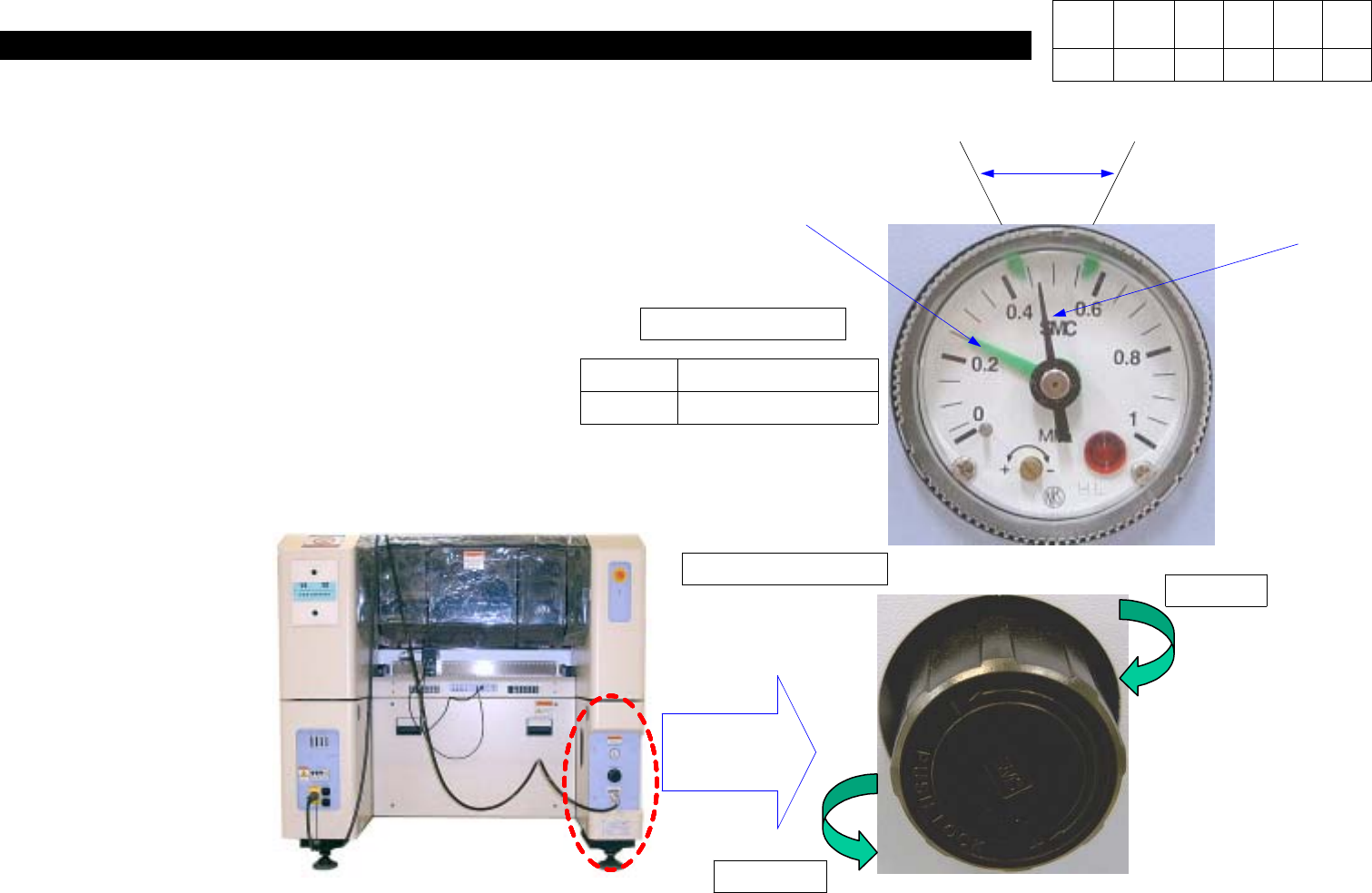
11. Utility (CP-40) 11-3-5. Air Filter & Auto Drainer Pressure Gau ge Pressure Gaug e & Auto Switch Caution) For New Model, Auto Switch is Integrated into Pressure Gauge. Air Filter & Auto Drainer Regulator S…
11. Utility
(CP-40)
<Checkout>
1. Check Supplied Air Pressure is Proper for
Specified Pressure.
*SPEC
0.45MPa ~0.55Mpa
2. Check Alarm Generation Gage is Set Properly.
Test)
Check Switch Operates Automatically and
Generates Error When Pressure Decreases.
<Action>
3. Pull Handle of Regulator and Turn it from Side
to Side to Adjust Pressure.
Spec QA2-CV01-1
Part No J9061799B
0.45MPa ~0.55Mpa
Alarm Generation
Supplied
Air Pressure
After Pulling Handle,
Turning Right
Increases Pressure
and Turning Left
Decreases Pressure.
Air Pressure
Regulator Handle
Increase
Decrease
Version Date WA QA CA Note
00 Nov04 O O O
11. Utility
(CP-40)
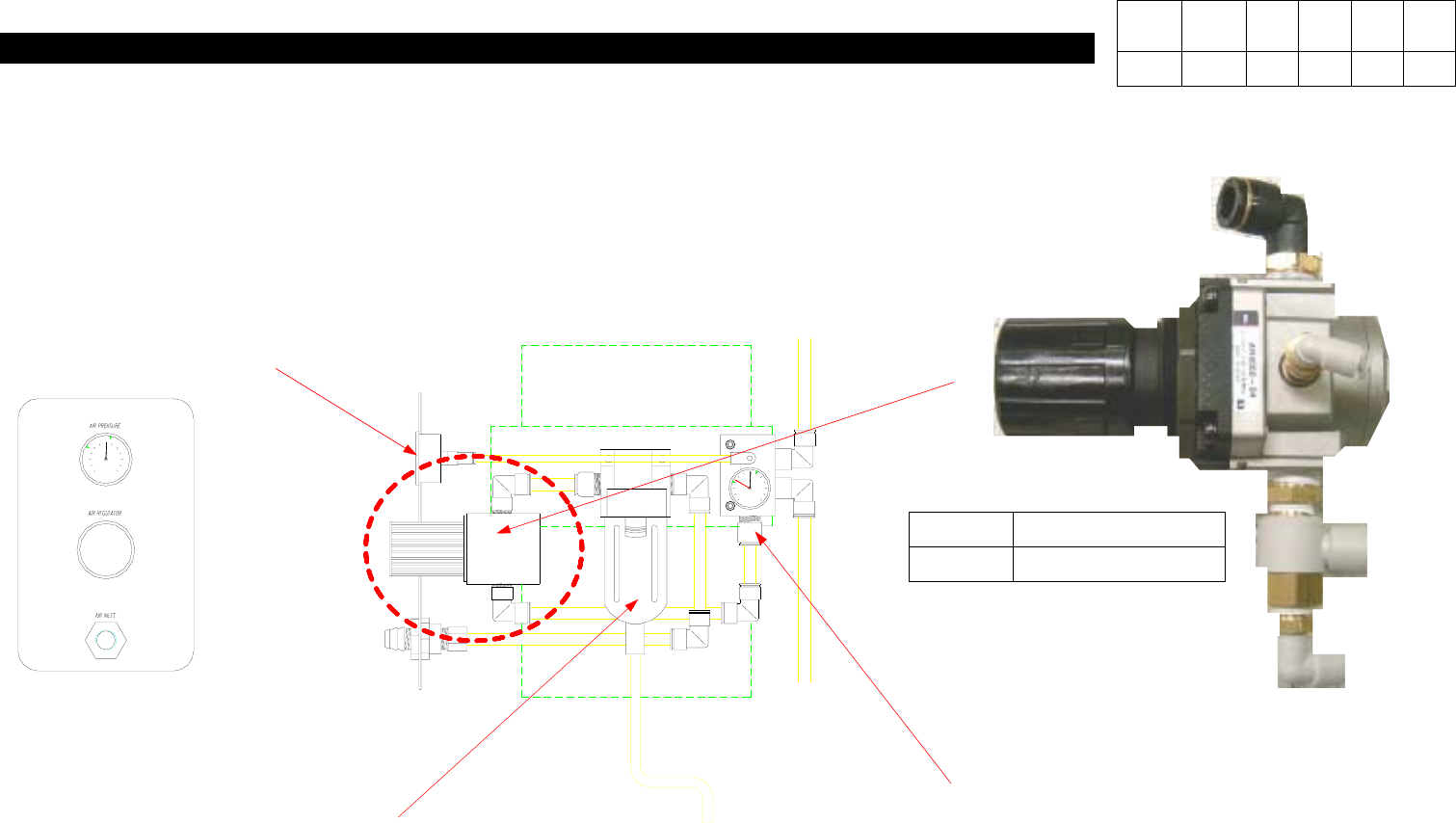
11-3-5. Air Filter & Auto Drainer
Pressure Gauge
Pressure Gauge & Auto Switch
Caution) For New Model, Auto
Switch is Integrated into Pressure
Gauge.
Air Filter & Auto Drainer
Regulator
Spec AR4000-04
Maker SMC
Version Data WA QA CA Note
00 04/11 O O O
11. Utility
(CP-40)
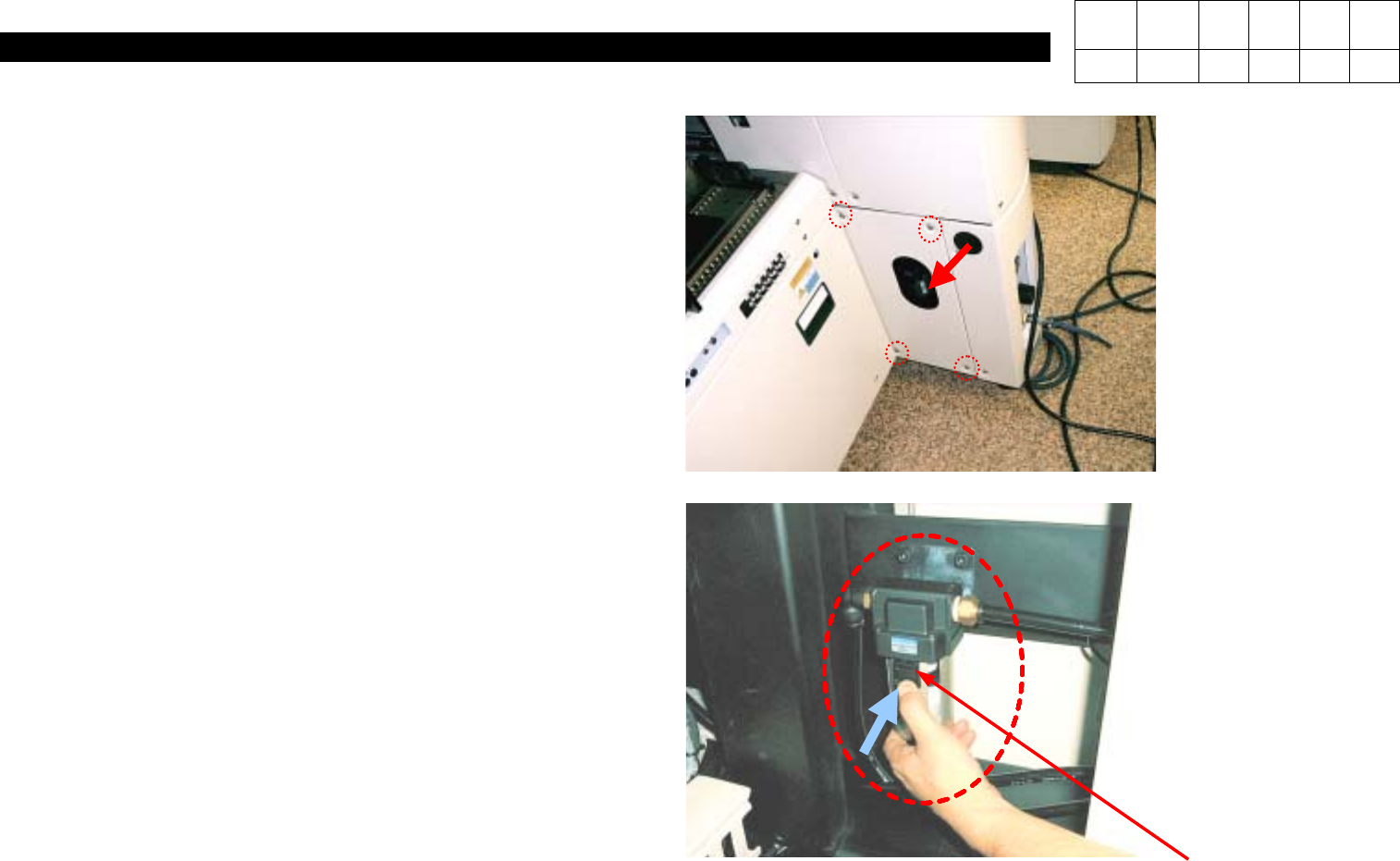
<Checkout>
1. Check the Inside of Air Filter is Wet.
2. Check Filter Element is not Clogged.
3. Check Filter Element is not Discolored.
4. Check Water is Exhausted Properly from Drainer.
5. Insert Tube into Drainer(If Applied).
6. Check Tube is not worn abnormally.
7. Check Air is not Leaked Due to Tube
Disconnection or Fitting Looseness.
Caution)
If Replacing Air Filter without Shutting off Air
Pressure, Injury to Personnel may be Caused.
<Action>
1. Pull Down Lock Button of Air Filter Container and
Turn it to Side to Disconnect Container.
2. Disconnect Damaged Filter Element.
3. Install New Filter Element in Reverse Orders of
Disassembly.
4. Reassemble the Container.
AirFilter&AutoDrainer
Version Date WA QA CA Note
00 Nov04 O O O