CP40 service manual.pdf - 第238页
12. Performance/Efficiency (CP-40) 4 .I nt h eD a t ao nP a r t s ,V e r i f yP i c kU pS p e e da n dP i c kU pD e l a y . Example) If Pick Up Speed = 2012: Pick Up Delay = 30 ~ 50 msec Pick Up Speed: Fastest If Pick Up…
12. Performance/Efficiency
(CP-40)
Version Date WA QA CA Note
00 Nov04 O O O
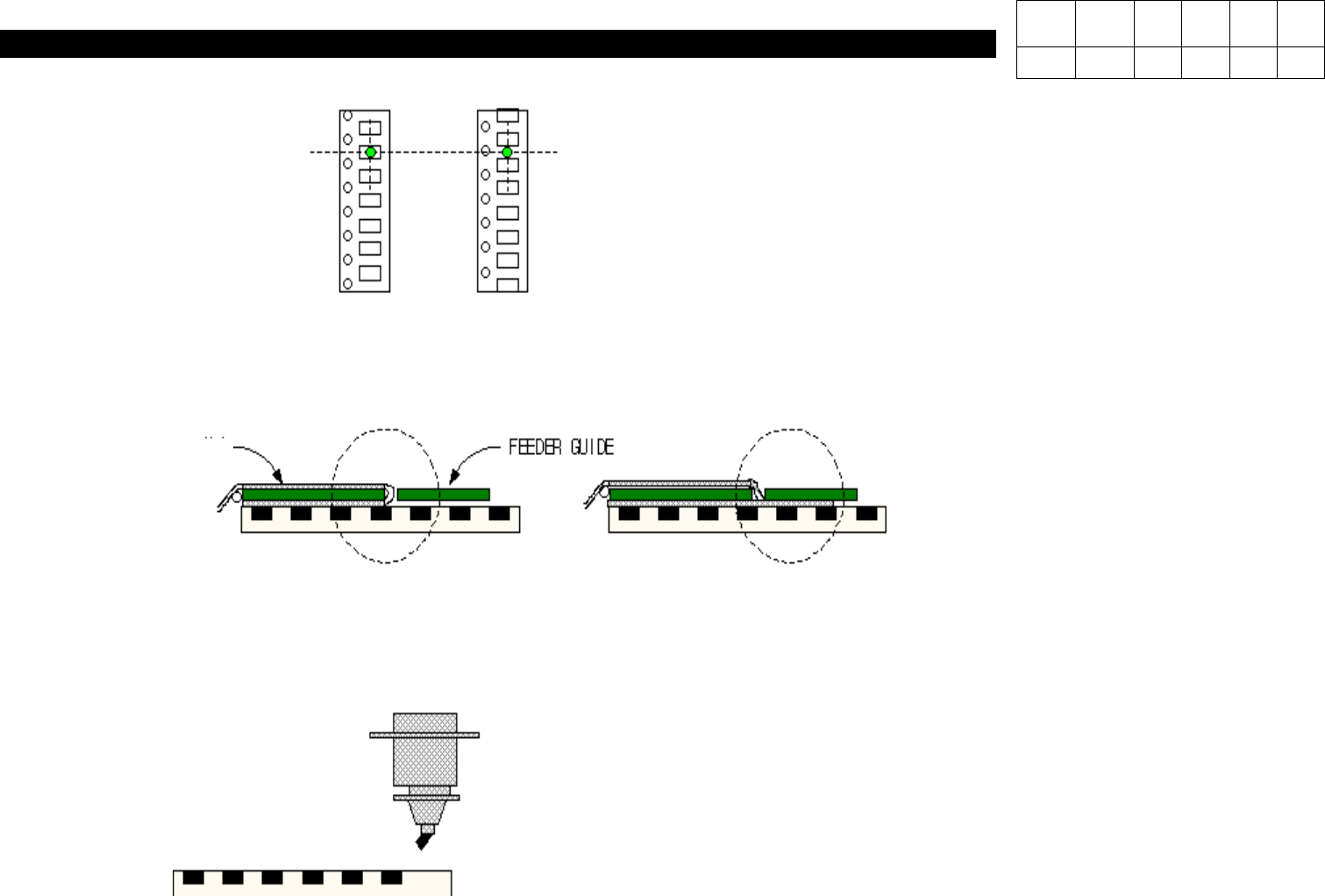
1. Check Feeder Operates in Semi-Pitch.
(Pick Up Position Check)
2. Check Vinyl of Part Reel is Wound Properly.
3. Check Pick Up Height.
12-3-1. Part Pick Up Error
Normal Semi-Pitch
Vinyl
Normal
Covered with Vinyl
If Pick Up Height is High, Part Size cannot be
Recognized due to the symptom shown in the
left-hand side. Align Score does not Reach 85.

12. Performance/Efficiency
(CP-40)
4.IntheDataonParts,VerifyPickUpSpeedandPickUpDelay.
Example) If Pick Up Speed = 2012: Pick Up Delay = 30 ~ 50 msec
Pick Up Speed: Fastest
If Pick Up Speed = 1608: Pick Up Delay >= 50 msec
If Pick Up Speed = 1005: Pick Up Delay >= 70 msec
Pick Up Speed = Middle
Absorption is Applicable to not Simultaneous Pick Up but Separate Pick Up.
5. Check the Inside of Nozzle is not Clogged.
; Clogged Nozzle may Affect Installation State and Pick Up.
Especially if Nozzle is Stained with Bond and Chips are not Removed, Pick Up Error Continues to be Occurred.
6. Check Ends of Nozzle are not Worn.
; Worn Nozzle may Cause Align Score to be Lower, Chips to be Blown off when Installing it and Pick Up Error Rate to be
Higher.
Version Date WA QA CA Note
00 Nov04 O O O
12. Performance/Efficiency
(CP-40)
Version Date WA QA CA Note
00 Nov04 O O O
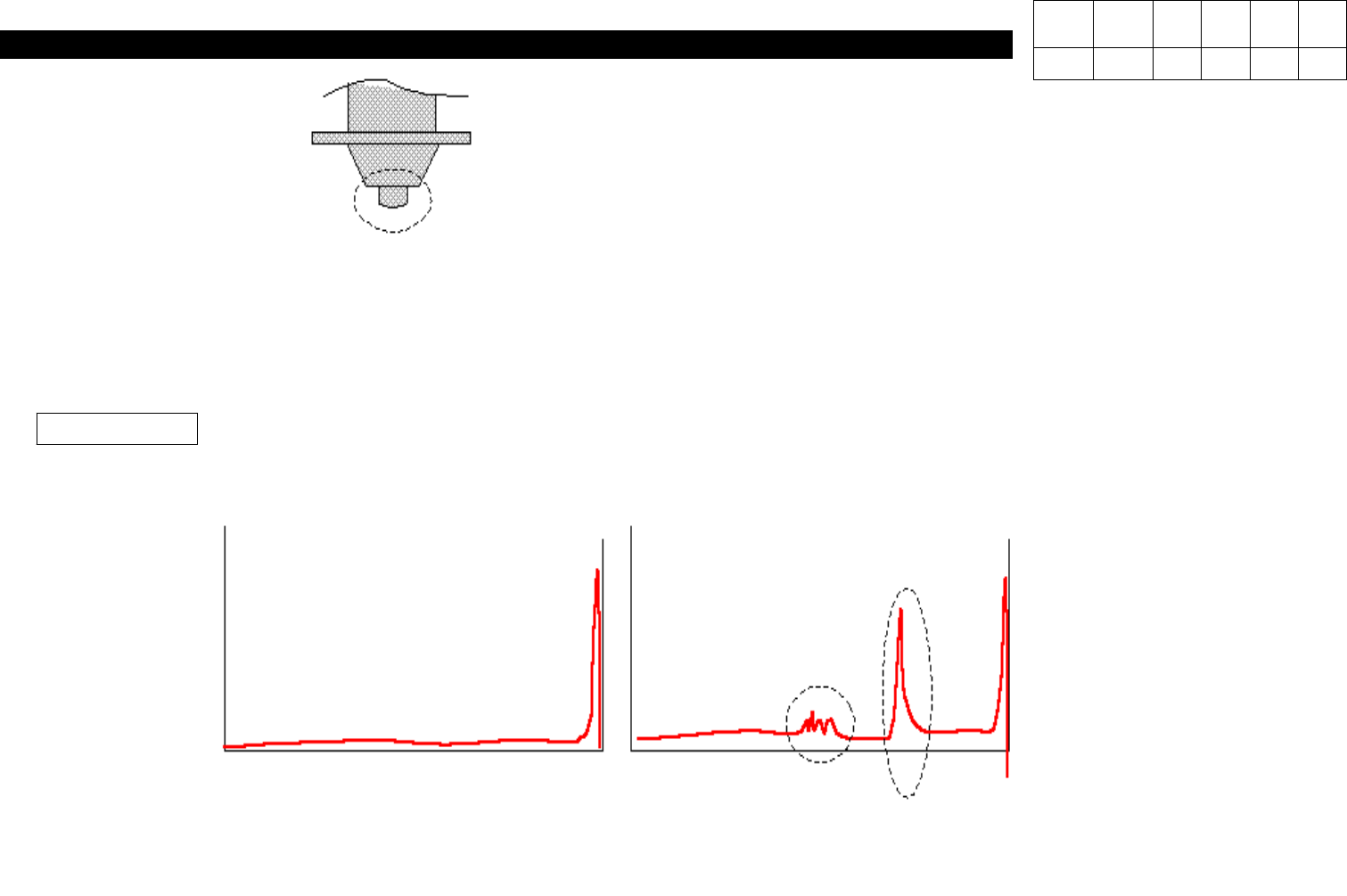
7. Check Aligner.
; If the Window of Aligner is Contaminated or Dusty, Error in Parts Recognition may be Caused.
Verify Align Alive Image to Check the Condition of Aligner. If any Abnormalities Exist, Clean it.
Aligner Image
If the Symptom is Appeared as Shown in the
Figure, Part Error Rate will be Increased.
Normal
Contaminated Aligner