CP40 service manual.pdf - 第72页
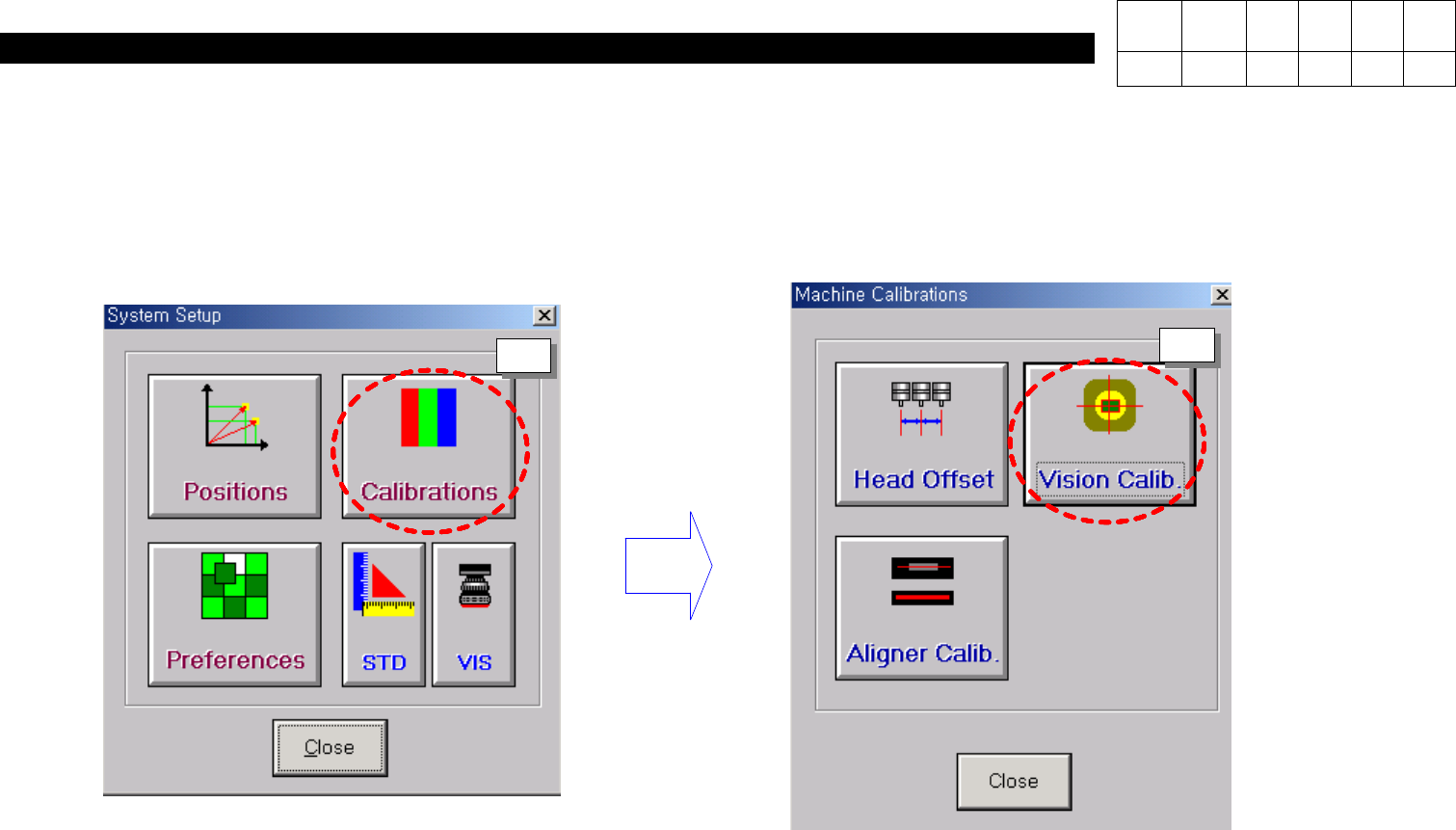
0. Install & Dr iver (CP-40) Version Date WA QA CA Note 00 Nov04 O O O 2. Perform the calibration at System Set_up. 3. Press the Button according to following orders (1 ~ 4). 1 2
0. Install & Driver
(CP-40)
Version Date WA QA CA Note
00 Nov04 O O O
< Move Camera Calibration >
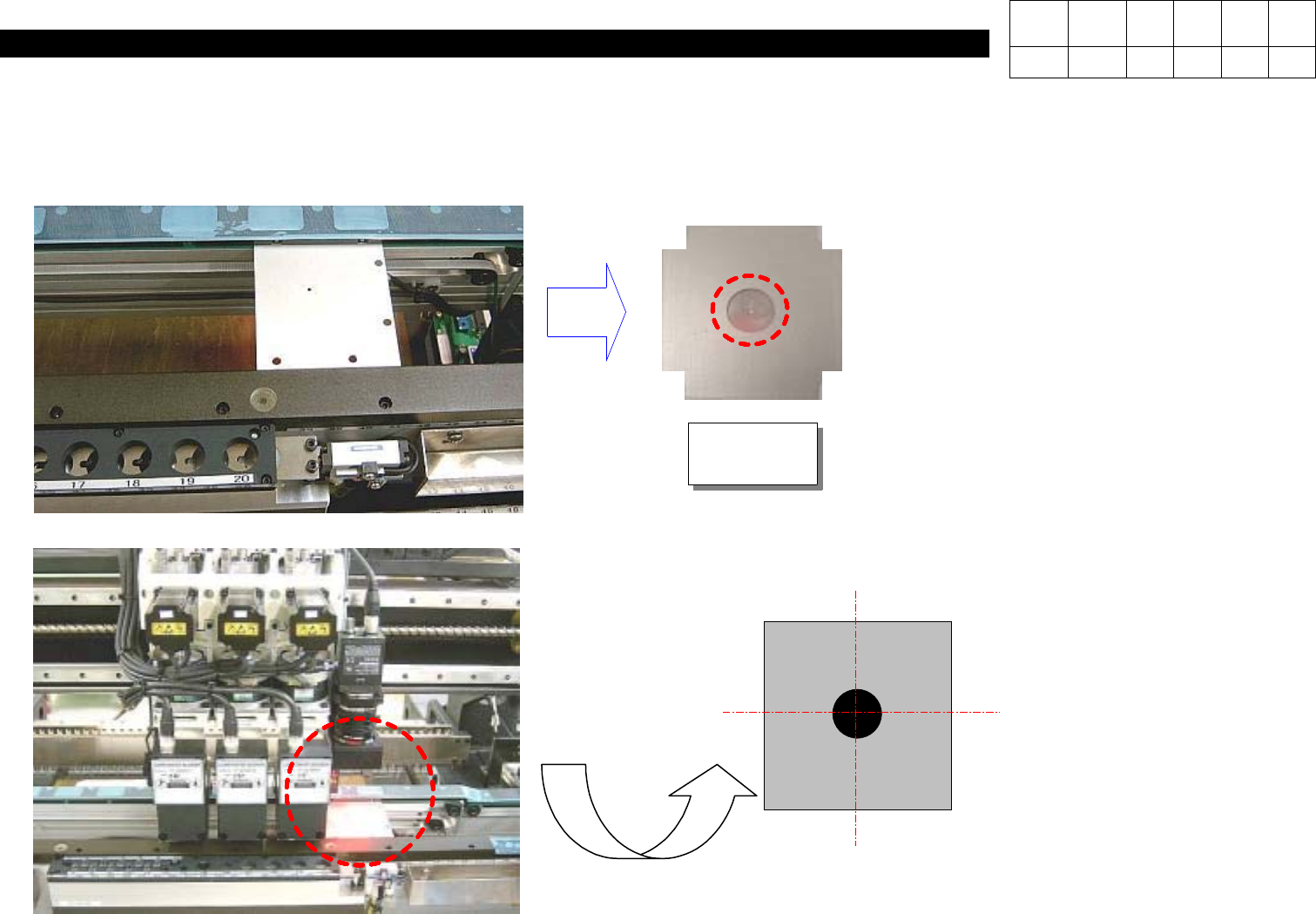
1. Load the Mark Pad on Conveyor.
J2101976
Mark Pad
Caution) Direct the processing part of
Mark Pad to the bottom.
2. Transfer the Move Camera to the Hole Center of Mark Pad.
Caution) Transfer the Move
Camera to accord
with Hole Center on
Vision Monitor.
0. Install & Driver
(CP-40)
Version Date WA QA CA Note
00 Nov04 O O O
2. Perform the calibration at System Set_up.
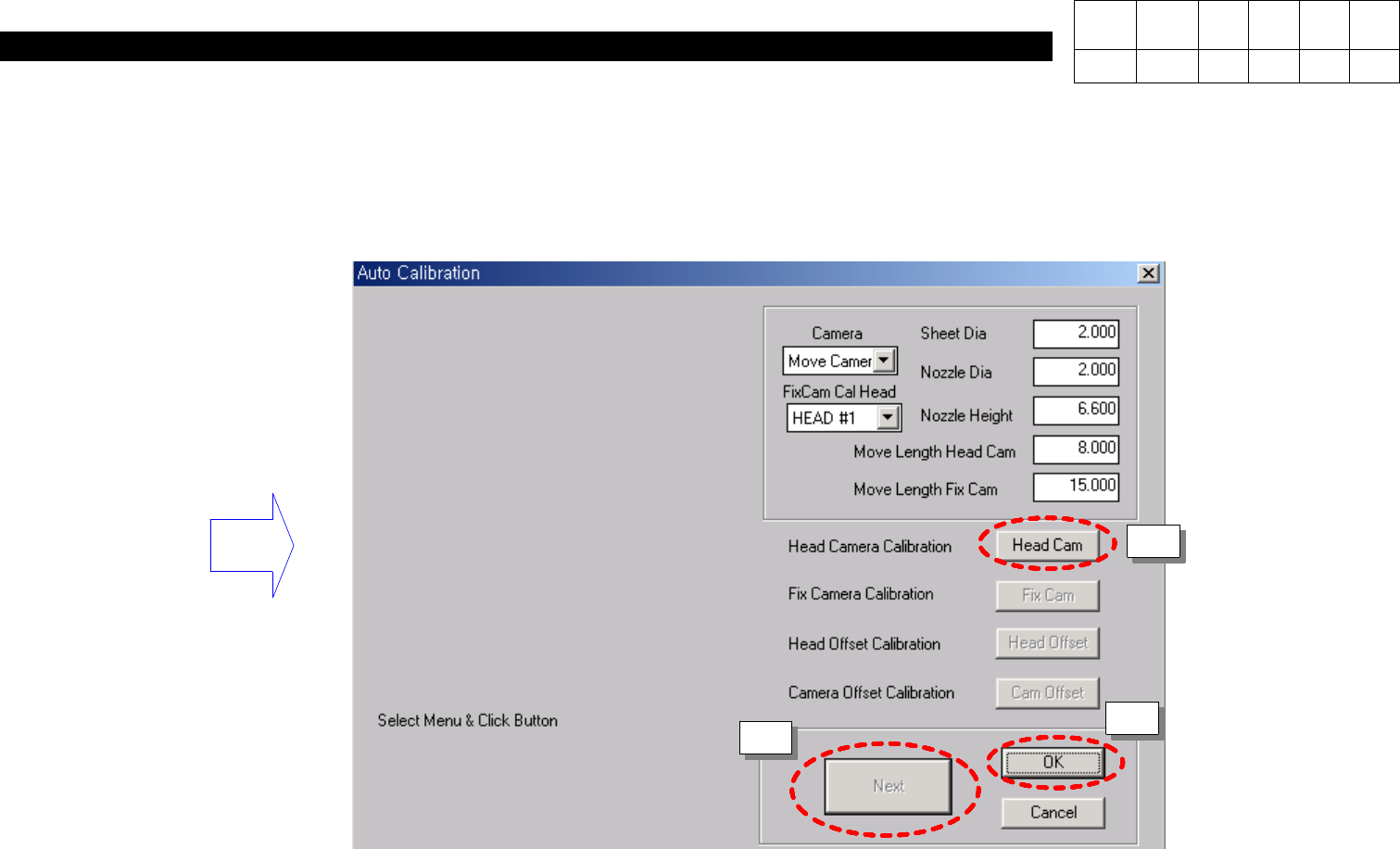
3. Press the Button according to following orders (1 ~ 4).
1
2
0. Install & Driver
(CP-40)
Version Date WA QA CA Note
00 Nov04 O O O
3
4
5