CP40 service manual.pdf - 第73页
0. Install & Dr iver (CP-40) Version Date WA QA CA Note 00 Nov04 O O O 3 4 5
0. Install & Driver
(CP-40)
Version Date WA QA CA Note
00 Nov04 O O O
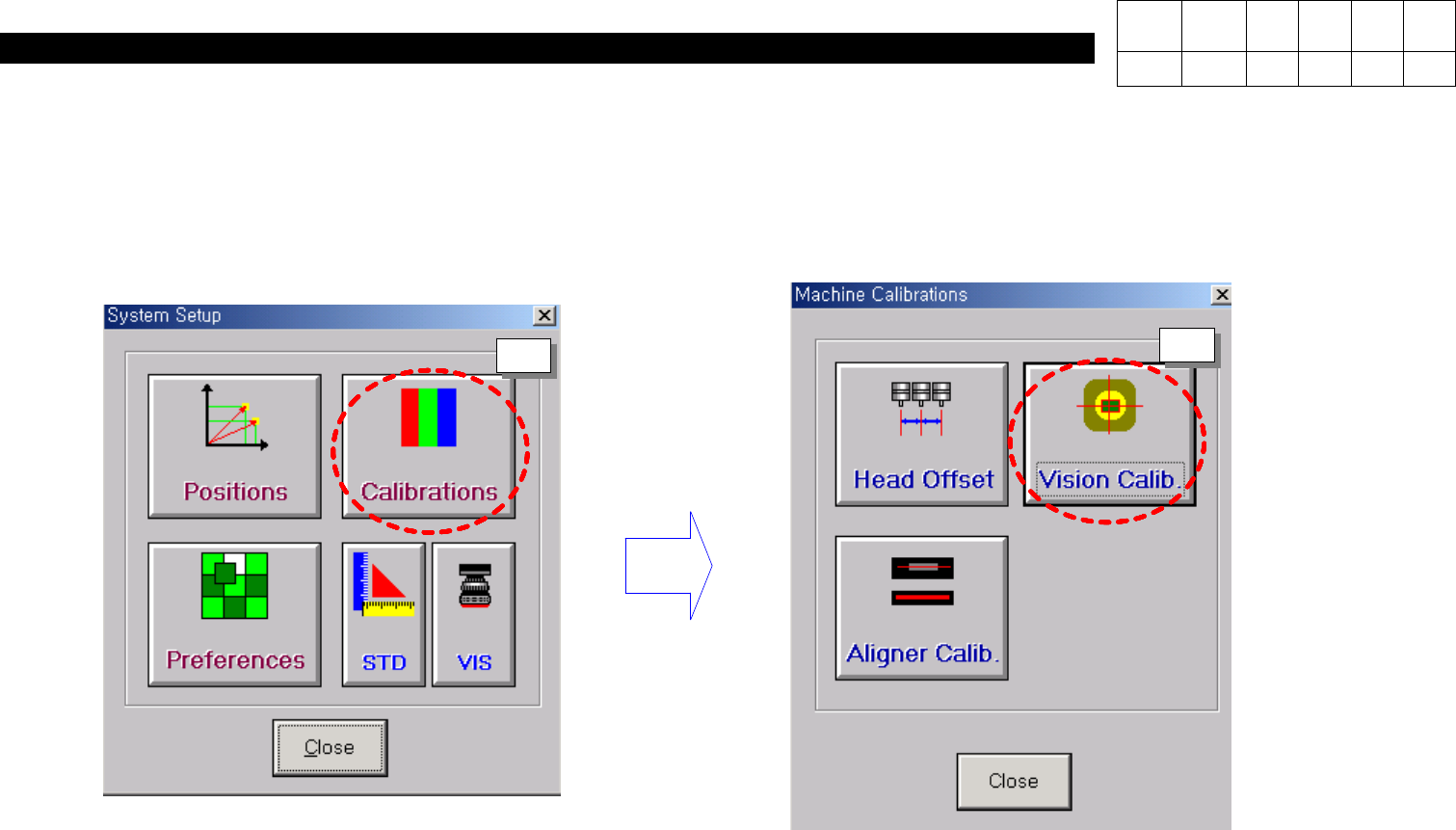
2. Perform the calibration at System Set_up.
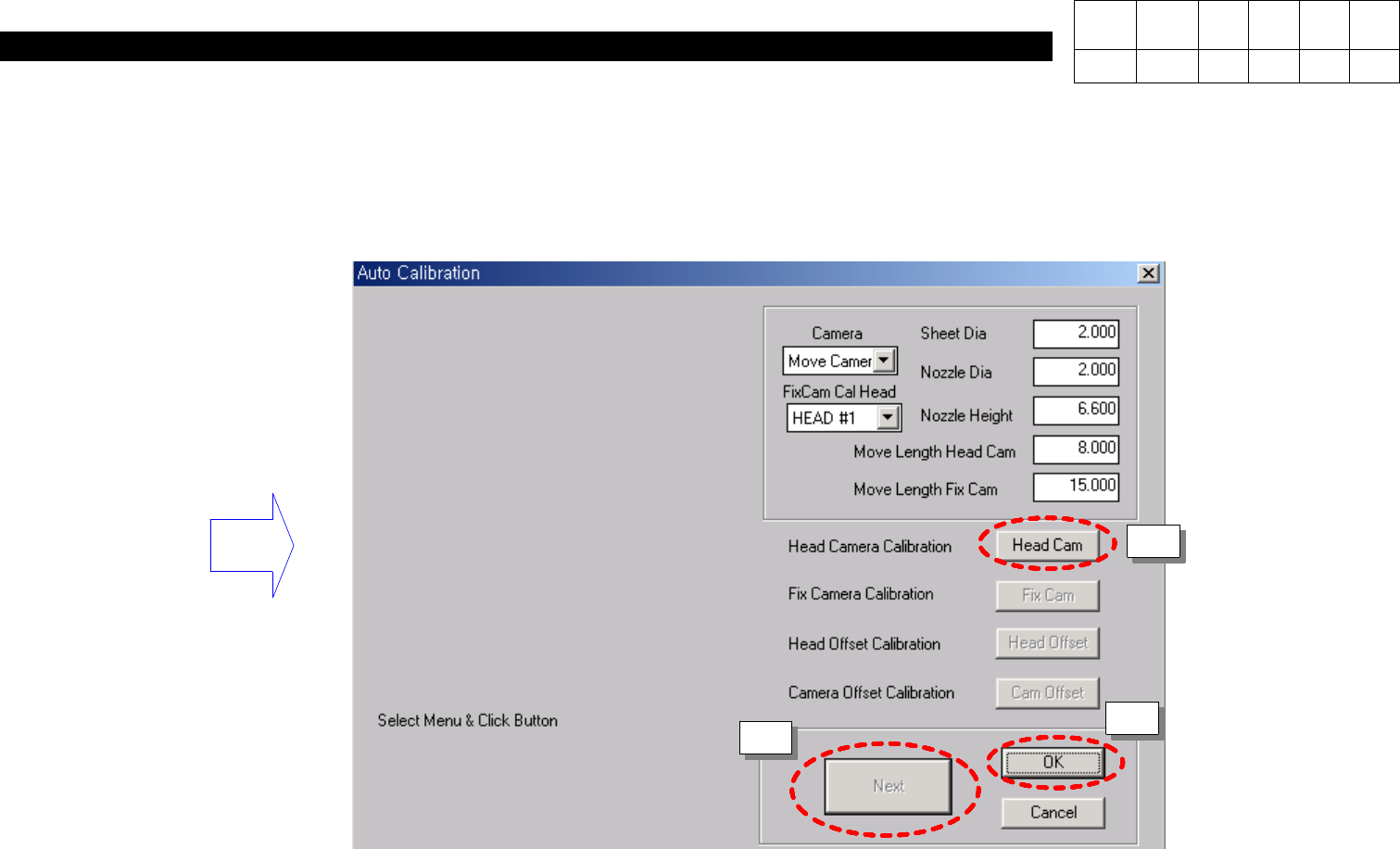
3. Press the Button according to following orders (1 ~ 4).
1
2
0. Install & Driver
(CP-40)
Version Date WA QA CA Note
00 Nov04 O O O
3
4
5
0. Install & Driver
(CP-40)
Version Date WA QA CA Note
00 Nov04 O O O
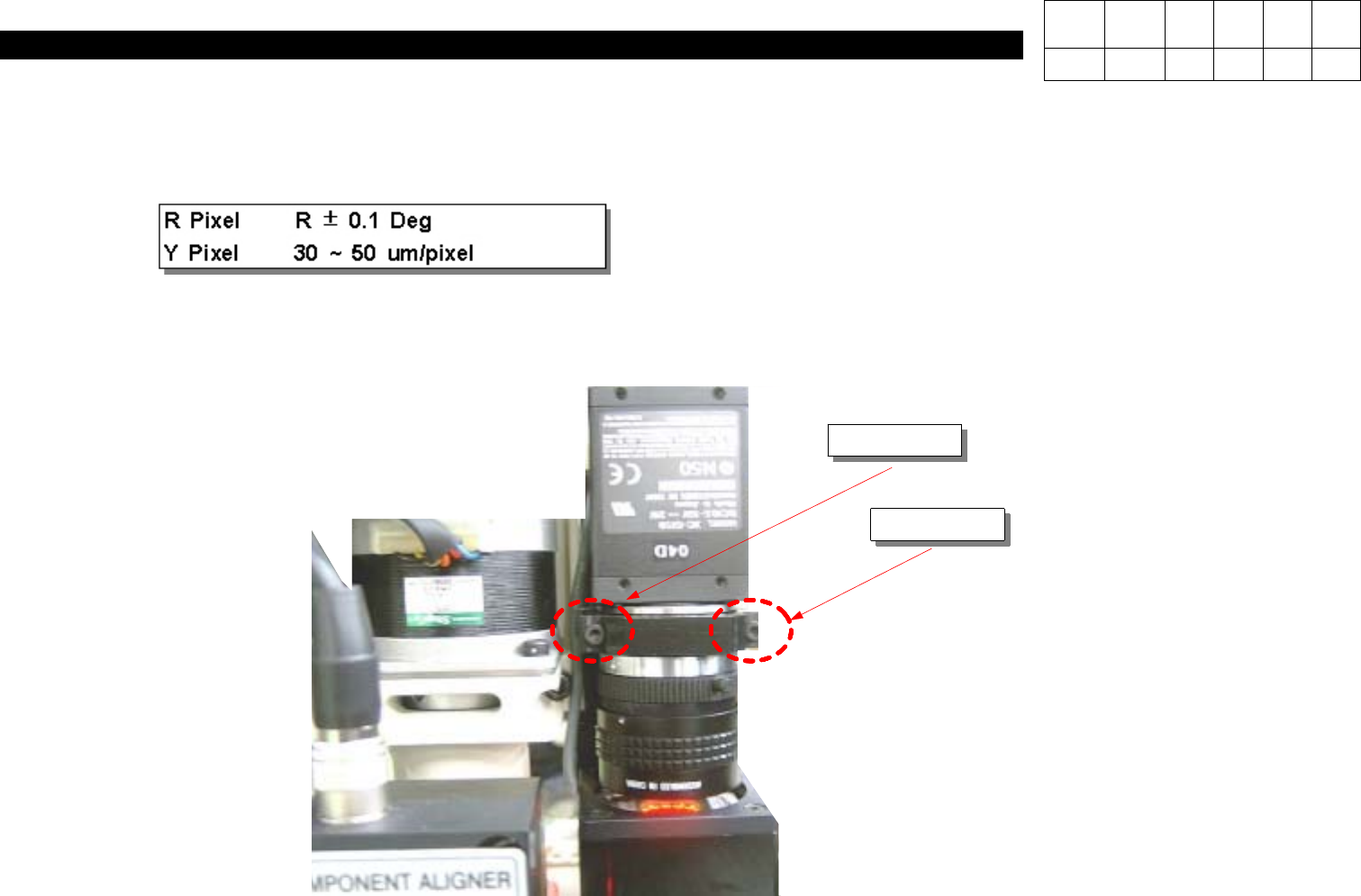
5. If the value of R Pixel is out of specification, adjust the rotate value with 2 left and right wrench volts.
Caution) If tighten the left wrench volt + value is increased and if tighten the right wrench volt, - is increased.
4. Check the Specification and press the OK button. (5 times)
Increase
Decrease