CP40 service manual.pdf - 第87页
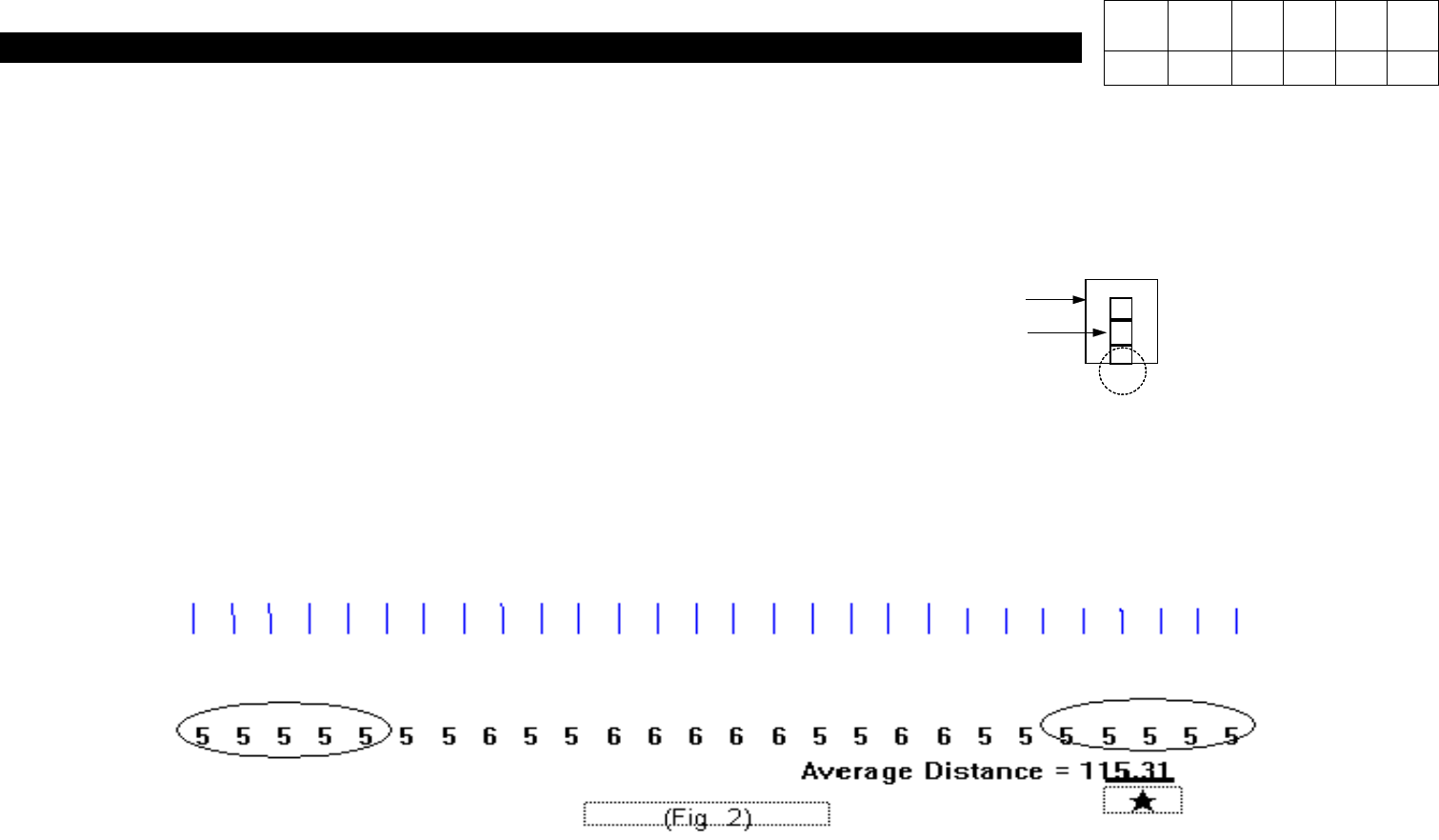
1. Head Part (CP-40) (Fig. 3) (Adjustment Procedures) 9) Using a Fixture(with Bolt Mark Insi de), Align Aligner with WA Light. 10) At IMAGE = > EDGE, Raise the Fixture Up t o Indicate Figures on Both Sides(Refer to Fi…
1. Head Part
(CP-40)
WA
COMP ASS'Y
(Adjustment Procedures)
# Connect J1 and Mother Board.
1) Set Control SW(SW1) to UP.
2) Press SW2 to RESET.
3) Open C:\SACOM File.
4) Perform Light ON OFF TEST for Aligner at Function.
5) Align COMP ASS'Y with Aligner Bottom.
# IMAGE DROW => Profile Open
6) Adjust VR2 to Set Waveform to 0.
7) Adjust VR3 to Set Ripple Waveform to Some.
8) Adjust VR1 to Set Waveform to 200.
Version Date WA QA CA Note
00 Nov04 O O O
1. Head Part
(CP-40)
(Fig. 3)
(Adjustment Procedures)
9)
Using a Fixture(with Bolt Mark Inside), Align Aligner with WA Light.
10) At IMAGE => EDGE, Raise the Fixture Up to Indicate Figures on Both Sides(Refer
to Fig. 2).
11) While Rotating R-Axis, Make Five Digits on Both Sides Indicated Almost Similarly.
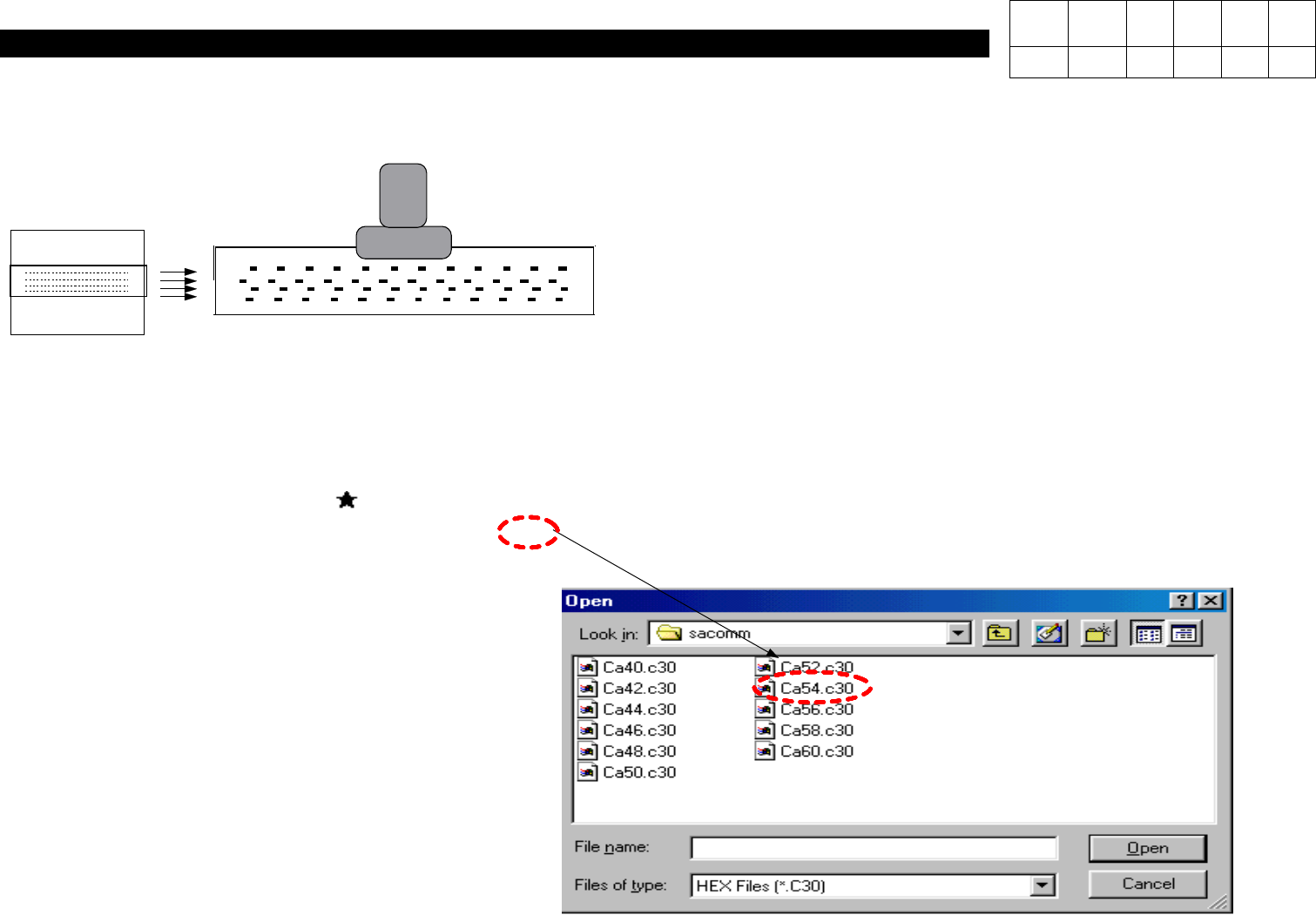
12) Download File to Save Average Distance(Rounding Off the Numbers to Three
Digits) as shown in Fig. 2 .
Example)
Average Distance = 115.31 => 5.3
13) Press SW2 Again and Set SW1 to Down.
ALIGNER
Version Date WA QA CA Note
00 Nov04 O O O
1. Head Part
(CP-40)
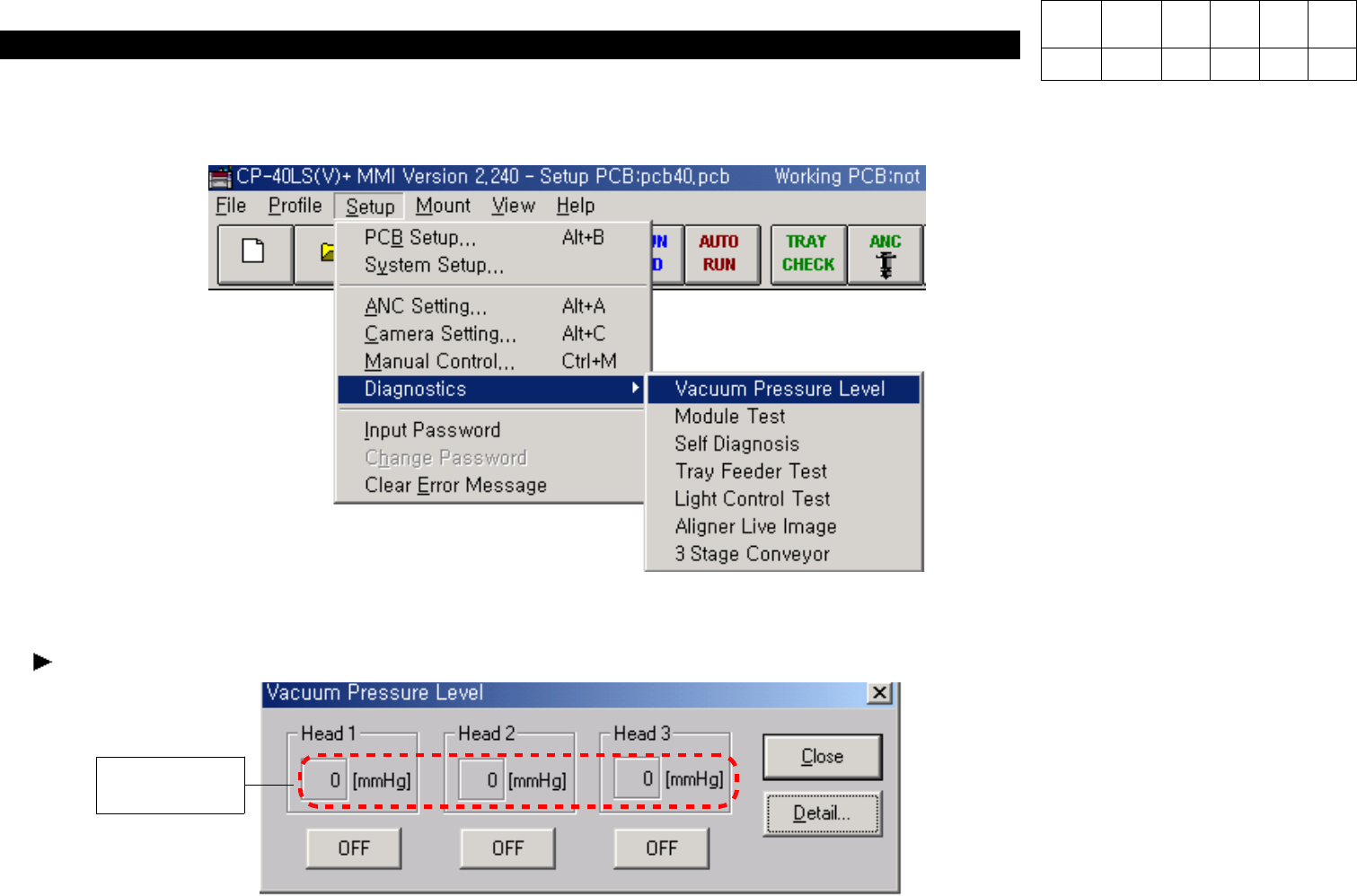
1. Click "Setup"=> "Diagnostics" => "Vacuum Pressure Level" in MMI.
2. Set Head 1~3 to ON.
3. Block Bottom of Comp Ass'y of Head with Finger and Verify Level Value.
When the Value is Under 560 [mmHg], Adjust it as follows.
560 [mmHg]
Version Date WA QA CA Note
00 Nov04 O O O
1-3-4. Vacuum Level Adjustment