Specification SIPLACE X-Series规格说明书2 - 第25页
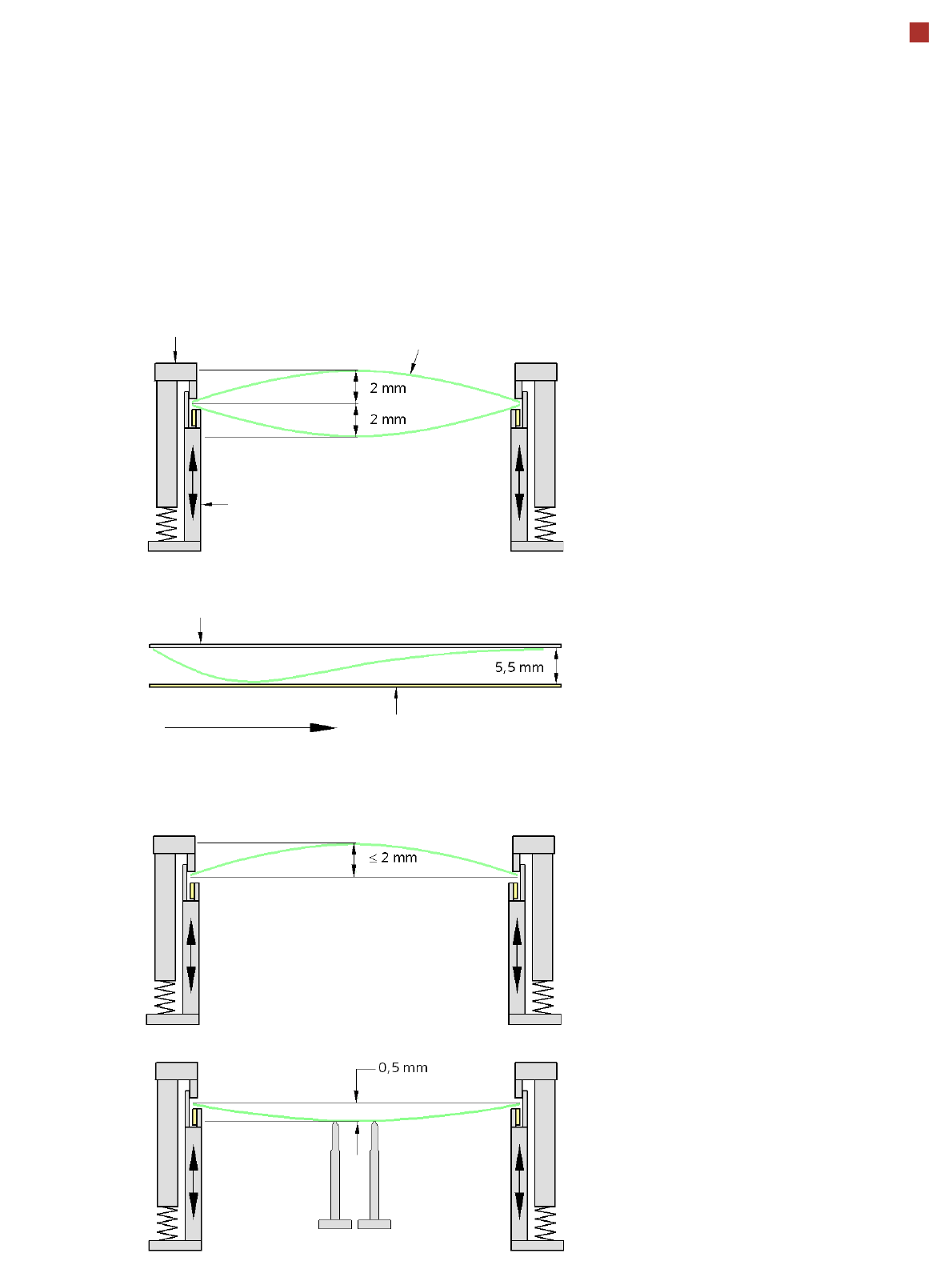
25 PCB Warpage PCB warpage across the direction of travel max. 1 % of the PCB diagonal, but no t ex- ceeding 2 mm PCB warpage on the co nveyor PCB warpage during placement PCB transport directi on PCB warpage down, max. …
24
SIPLACE X4I/X4 PCB Conveyor
SIPLACE Quad Lane Conveyor
Description
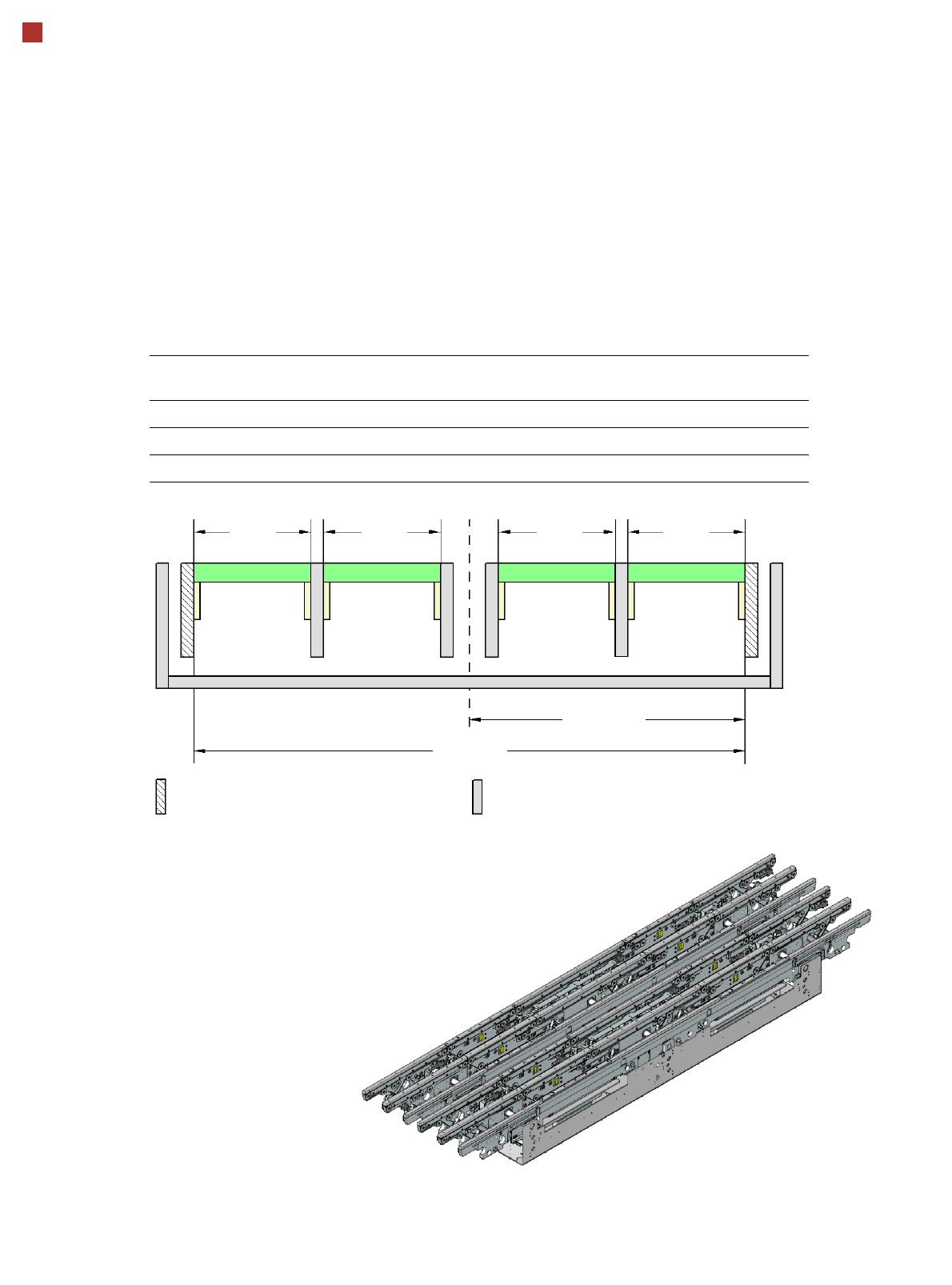
The quad lane conveyor can
be installed on SIPLACE X4I
and SIPLACE X4 placement
machines. This allows up to
four PCBs to be processed at
the same time on this con-
veyor.
Conveyor lanes 1R and 1L or
2R and 2L carry the PCBs in
synchronous mode, while
the two conveyor lane
groups 1 and 2 can trans-
port the PCBs in both syn-
chronous and asynchronous
mode. On the quad lane con-
veyor, the two outer con-
veyor rails are stationary.
The conveyor can be config-
ured as a 1-lane, 2-lane or 4-
lane conveyor using the soft-
ware without making
any changes to the
hardware.
Technical data
Conveyor mode PCB width
lane 1R [mm]
PCB width
lane 1L [mm]
PCB width
lane 2R [mm]
PCB width
lane 2L [mm]
SIPLACE Quad Lane max. 114 max. 114 max. 114 max. 114
Quad Lane in Dual lane mode max. 178.5 max. 178.5
Quad Lane in Single lane mode max. 306.5
Max.
114 mm
267.5 mm
535 mm
Movable conveyor sideStationary conveyor side
Max.
114 mm
Max.
114 mm
Max.
114 mm
Lane 2L Lane 2R Lane 1L Lane 1R
25
PCB Warpage
PCB warpage across the direction of travel
max. 1 % of the PCB diagonal, but not ex-
ceeding 2 mm
PCB warpage on the conveyor
PCB warpage during placement
PCB transport direction
PCB warpage down, max. 0.5 mm
Use magnetic pin supports to achieve this
value.
Conveyor belt
Fixed clamped edge
PCB warpage in direction of travel
+ PCB thickness < 5.5 mm
Fixed clamped edge
Movable clamping device
For warpage of less than 2 -mm, the ink
spots are also in the middle of the PCB in
the digital camera's focus. When all the tol-
erances are taken into account, this value is
reduced to 1.5 mm.
You should also note that the warpage re-
duces the component height.
Magnetic pin support
PCB
26
Component Feeding
SIPLACE X Component Changeover Table
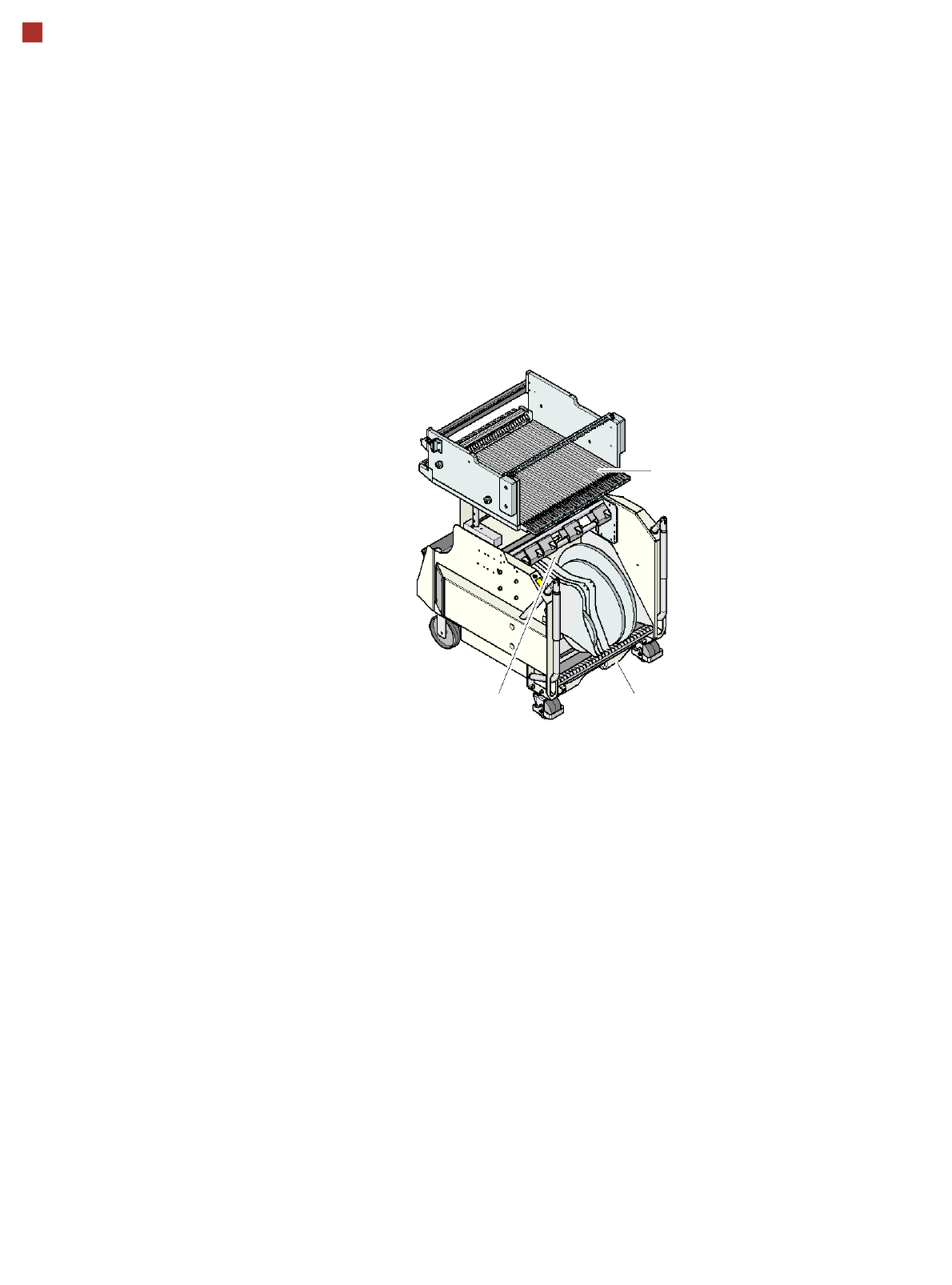
The SIPLACE X component
changeover tables are stand-
alone and easily maneuver-
able modules that are moved
into the machine with the
automatic docking unit. This
ensures that the table is
accurately positioned in the
placement machine. Reels
are kept in the tape container
on the component change-
over table. A cutting device
on the machine automatically
cuts the used tape. The com-
ponent changeover tables
can be set up directly on the
machine or in an external
set-up area with feeder mod-
ules. The benefits of offline
set-up are that the set-ups
can be prepared without
stopping the line. This allows
the set-up to be changed
very quickly using the
changeover table principle.
The SIPLACE X component
changeover table also sup-
port extremely high-speed
attachment and removal of
the feeder modules while the
placement process is run-
ning. The component feed-
ers are at rest during the
placement process - allowing
tapes to be spliced without
stopping the machine.
If an optional component bar-
code reader and the Setup
Center option are installed, it
is possible to read and check
the barcodes on the tape
reels. This makes sure that
the component is allocated to
the right lane, and the PCB
placement can be traced
using <NoHyphen/>trace-
ability software.
Dummy feeder modules are
used at unassigned locations
to protect the operators.
SIPLACE X component
changeover table
Tape container Waste container for remaining
empty tape
Component
feeder table