00198377-01_SM_JTF-ML2_en.pdf - 第44页
3 Tower Mechanics 3.4 Replacing the Ball Screw 44 Service Manual SIPLACE JTF-ML2 08/2017 ► Remove the Bearing Lock Nut M10x1 [03134432-xx] (1) with a wrench (2) . ► Push the ball screw (1) upward. ► Remove the C-clip siz…
3 Tower Mechanics
3.4 Replacing the Ball Screw
Service Manual SIPLACE JTF-ML2 08/2017 43
3.4 Replacing the Ball Screw
Parts, Equipment and Tools
●
Standard tools
●
Ball screw FSB type [03134730-xx]
Removal
► Switch off the machine, disconnect it from the power supply and secure it to prevent
unauthorized reactivation. Observe the instructions in section 1.2 "Preparatory Work..." [}11].
► Remove the tower from the machine (See 2.1.2 "Removing Tower from Machine" [}21]).
► Remove the top cover (see 2.1.3 "Removing Tower Top Cover" [}25]).
► Remove the side cover (see 2.1.4 "Removing Side Cover" [}27]).
► Remove the Synchronized Pulley AT3 z=32 [03129152-xx] as shown in 3.1 "Replacing the
Synchronized Pulley" [}35].
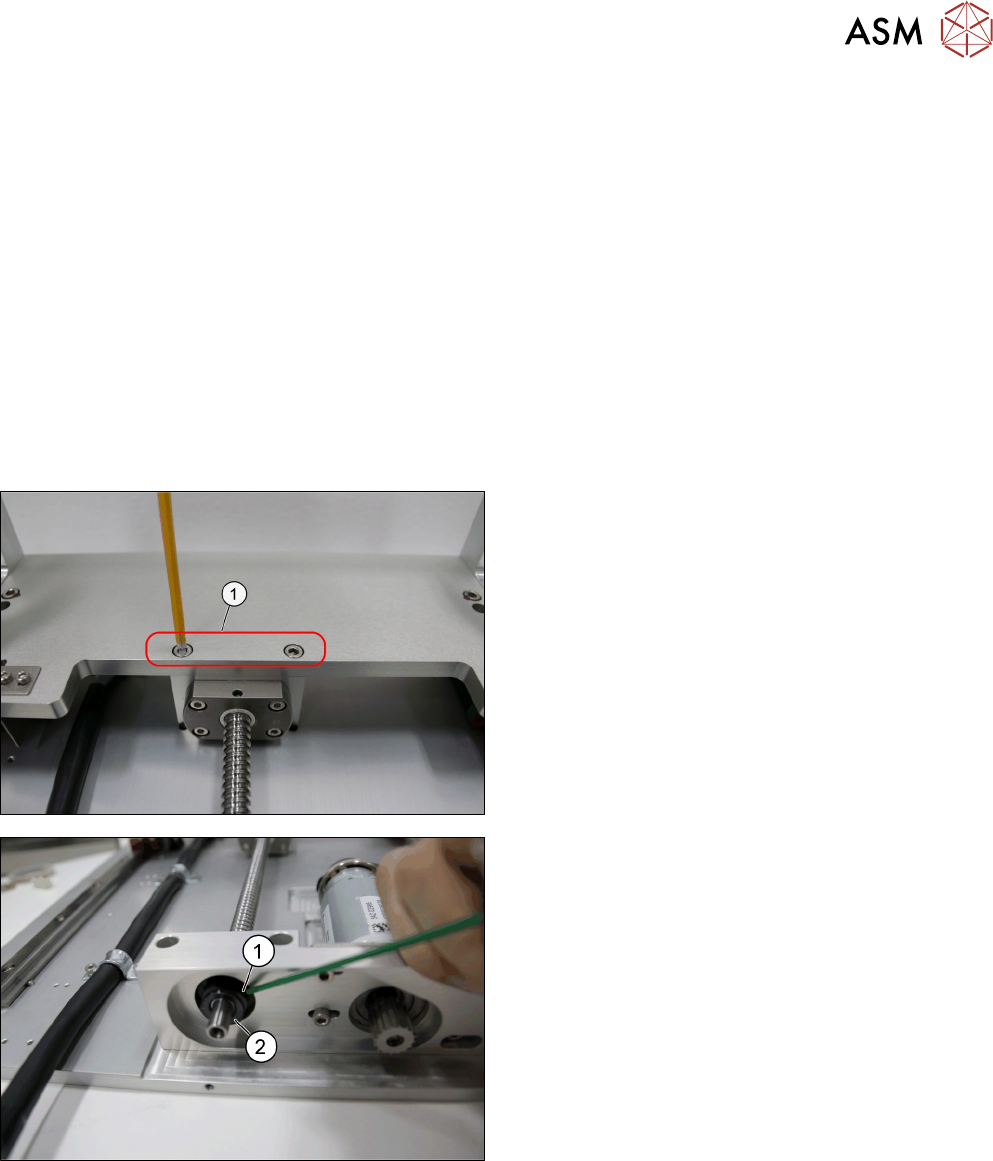
► Remove the screws (1).
► Remove stud screw (1) from the Bearing Lock
Nut M10x1 [03134432-xx] (2)
3 Tower Mechanics
3.4 Replacing the Ball Screw
44 Service Manual SIPLACE JTF-ML2 08/2017
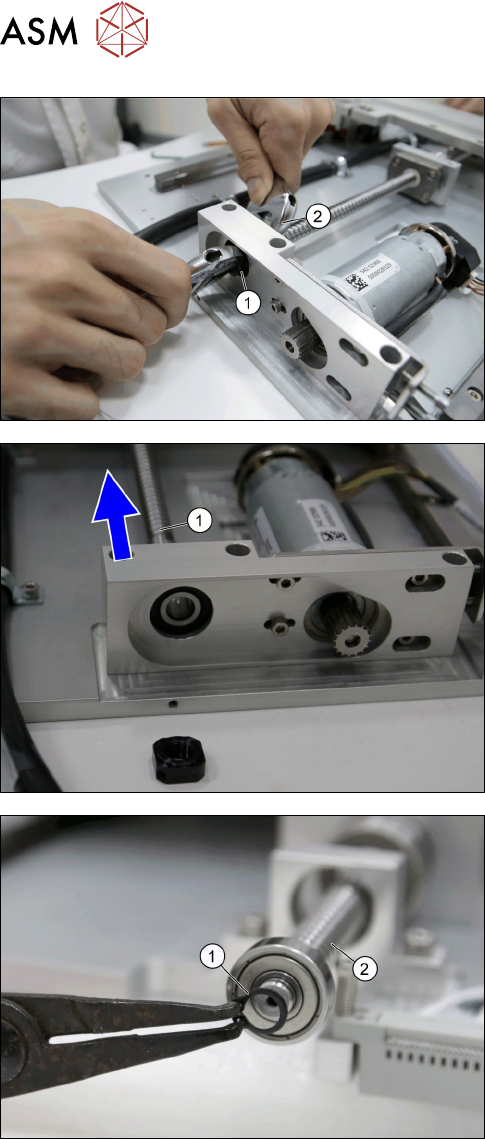
► Remove the Bearing Lock Nut M10x1
[03134432-xx] (1) with a wrench (2).
► Push the ball screw (1) upward.
► Remove the C-clip sizes DIN 471-8x0,8-C67
[00095484-xx] (1) at the other end of the ball
screw (2).
3 Tower Mechanics
3.4 Replacing the Ball Screw
Service Manual SIPLACE JTF-ML2 08/2017 45
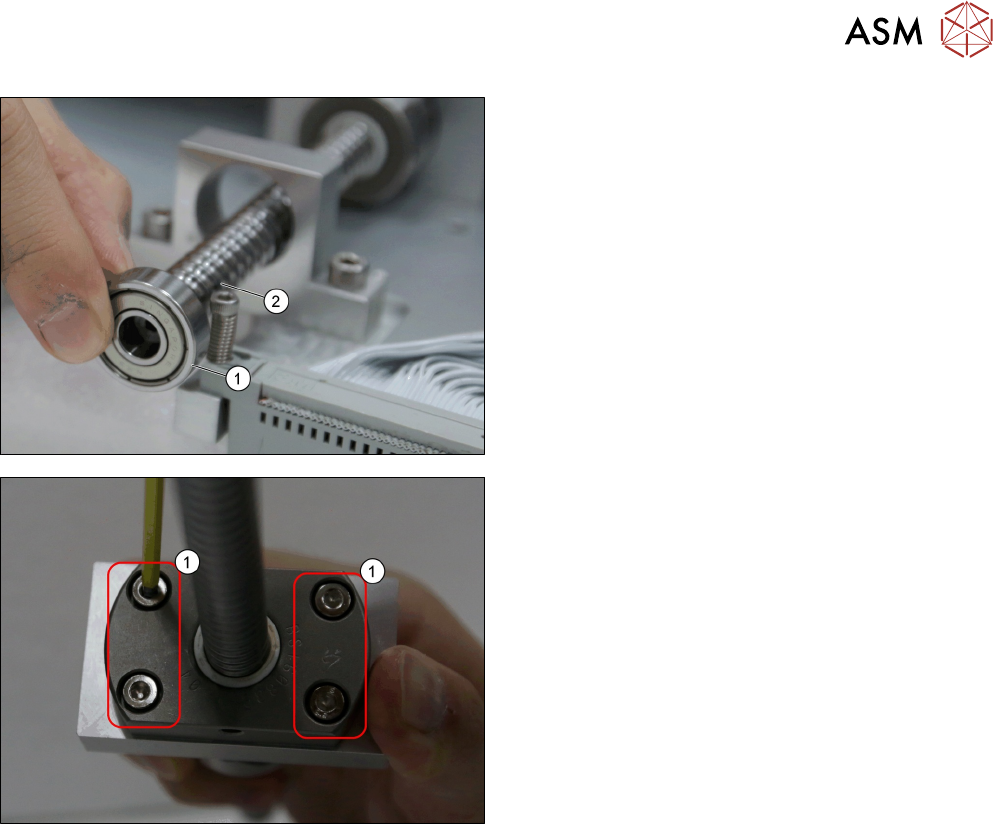
► Remove the bearing (1) from ball screw (2) in or-
der to lift the ball screw out of tower.
► Remove the four screws (1).
Installation
► Follow the removal instructions in reverse order for installation.