00198377-01_SM_JTF-ML2_en.pdf - 第93页
4 Conveyor Mechanics 4.6 Replacing the E Clamper and Parts Service Manual SIPLACE JTF-ML2 08/2017 93 Installation ► Follow the removal instructions in reverse order for installation. Also observe the following in- struct…
4 Conveyor Mechanics
4.6 Replacing the E Clamper and Parts
92 Service Manual SIPLACE JTF-ML2 08/2017
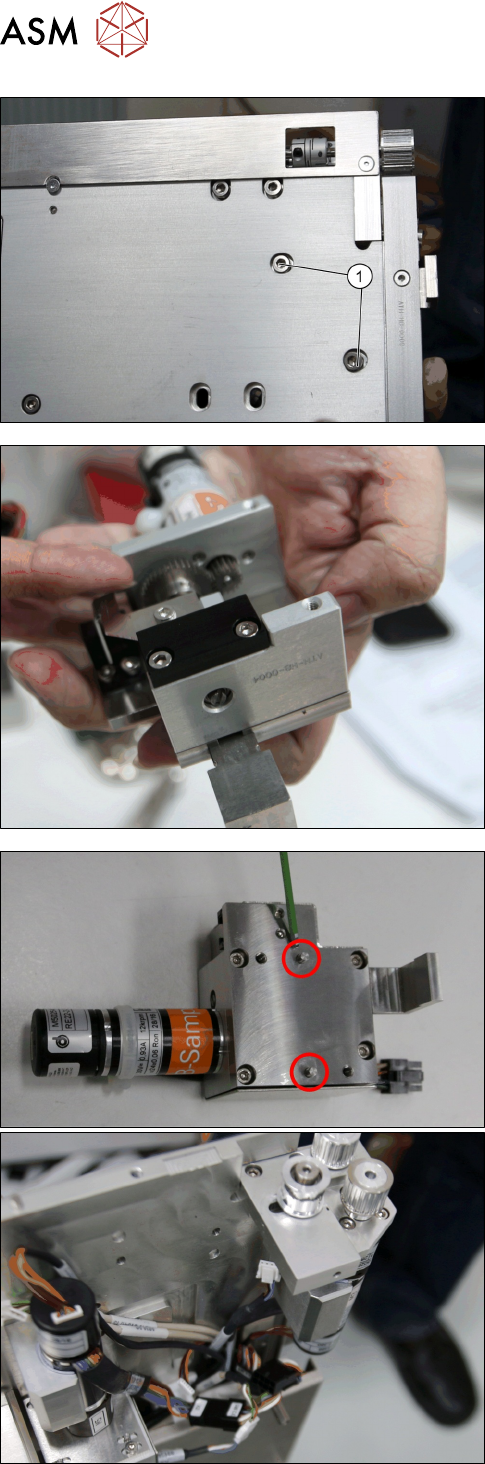
► Remove the two screws ISO 4762 - M 4 x 8-
A2-70 [03042551-xx] (1).
► Remove the E clamper cpl. [03147300-xx].
► Check the two dowel pins.
4 Conveyor Mechanics
4.6 Replacing the E Clamper and Parts
Service Manual SIPLACE JTF-ML2 08/2017 93
Installation
► Follow the removal instructions in reverse order for installation. Also observe the following in-
structions:
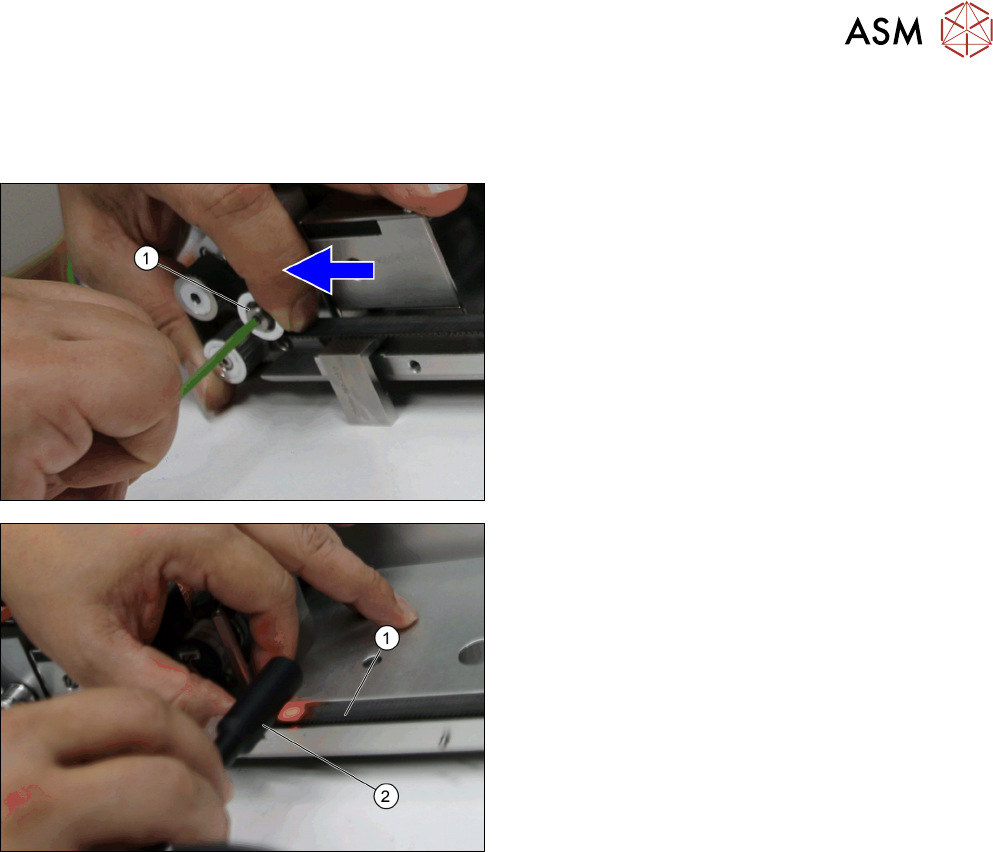
► After you put back the Toothed belt 10+-0.1
S2M/726 [03130743-xx], move and fasten the
Roller f. adjust [03129009-xx] with the loosen
socket head shoulder screw M4x5x16
[03145465-xx] (1) to heighten the tension on the
belt.
► Test the belt tension (1) with a belt tension meas-
uring device (2).
► Repeat the process until the belt tension is at 70
+/-5 Hz.
4 Conveyor Mechanics
4.6 Replacing the E Clamper and Parts
94 Service Manual SIPLACE JTF-ML2 08/2017
4.6.1 Replacing the Plastic Guide
Parts, Equipment and Tools
●
Standard tools
●
Plastic guide [03145969-xx]
Removal
► Switch off the machine, disconnect it from the power supply and secure it to prevent
unauthorized reactivation. Observe the instructions in section 1.2 "Preparatory Work..." [}11].
► Remove the conveyor from the machine (see 2.1.1 "Removing Conveyor from Ma-
chine" [}17]).
► Remove the Conveyor driver unit from the conveyor (see 4.2 "Removing the Conveyor Driver
Unit and its Parts as Preparatory Steps" [}72]).
► Remove the E clamper cpl. [03147300-xx] (See 4.6 "Replacing the E Clamper and
Parts" [}91]).
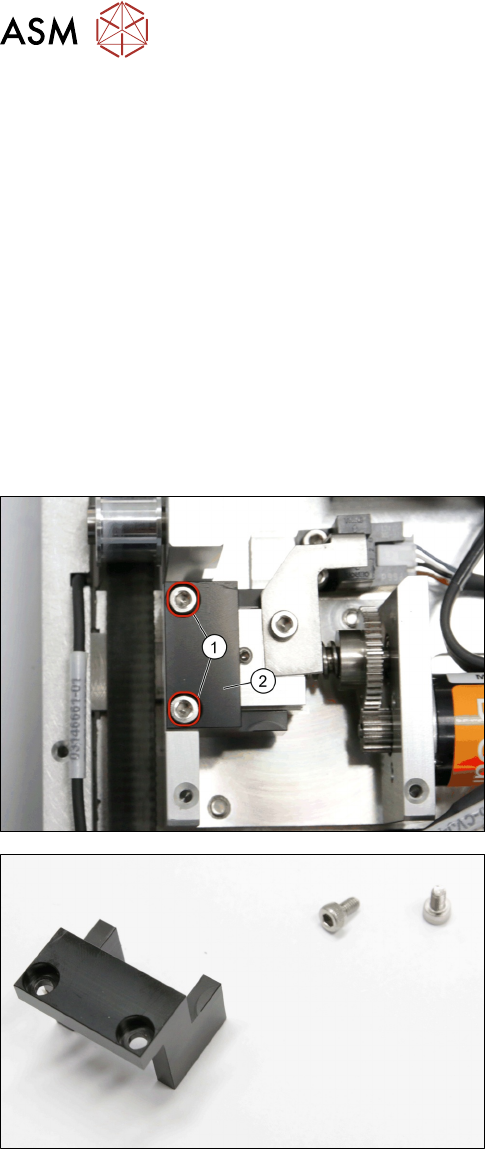
► Remove the two screws ISO 4762 - M 3 x 6-
A2-70 [03042541-xx] (1).
► Remove the Plastic guide [03145969-xx] (2).
Plastic guide [03145969-xx]
Installation
► Follow the removal instructions in reverse order for installation.