00198268-02_GS_SIPLACE-Pro-14.1-R17-1_EN - 第50页
3 T utorial Getting S tarted SIPLACE Pro 14.1 (R17-1) 3.7 Exercise 6: Optimizing the Job 05/2017 Edition 50 3 Fig. 3 - 16 Optimization Results for the Reci pe (Placement Heads and Nozzle Configuration)
Getting Started SIPLACE Pro 14.1 (R17-1) 3 Tutorial
05/2017 Edition 3.7 Exercise 6: Optimizing the Job
49
3
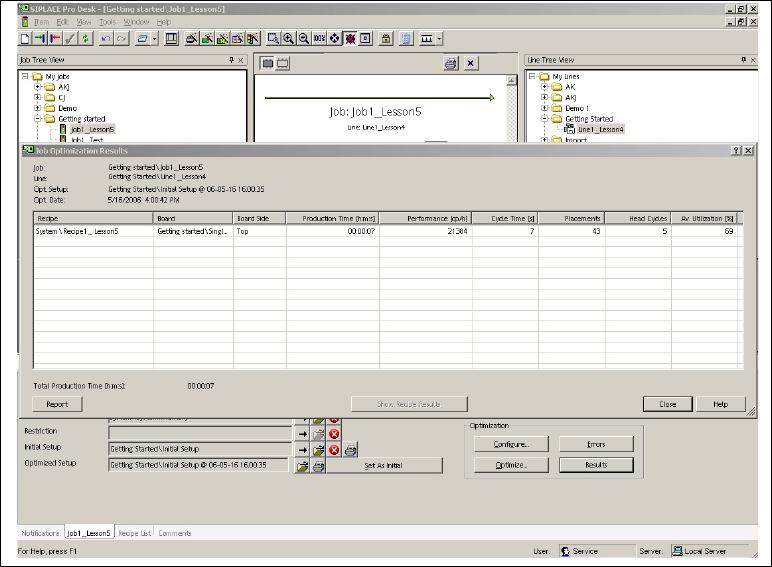
Fig. 3 - 15 Result: "Brief Overview of Optimization Results" screen
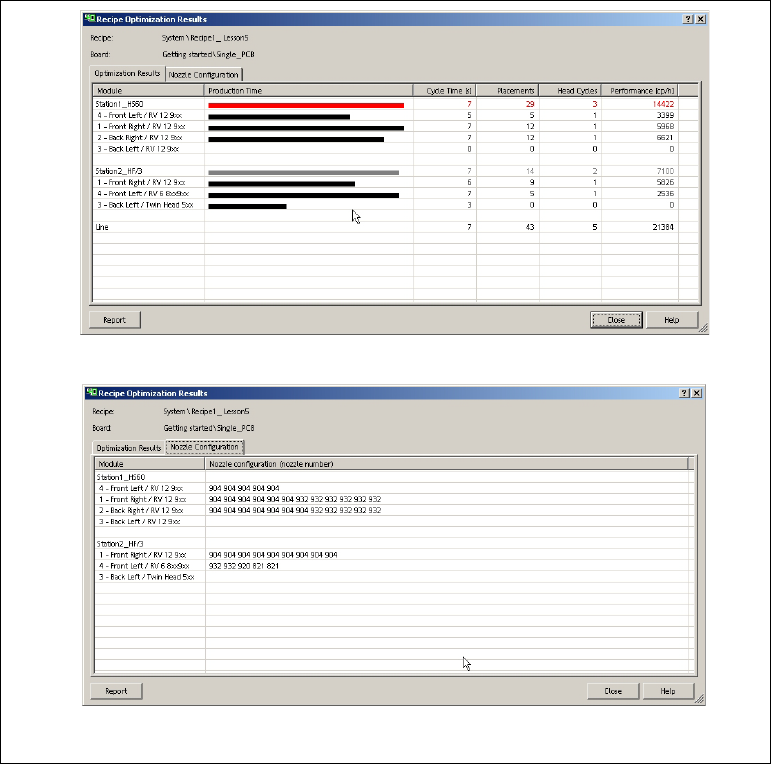
Mark the line and select the Show Recipe Results button. You will see the optimization results
for the individual placement heads, the station or line utilization and the nozzle configuration
for this recipe.
3 Tutorial Getting Started SIPLACE Pro 14.1 (R17-1)
3.7 Exercise 6: Optimizing the Job 05/2017 Edition
50
3
Fig. 3 - 16 Optimization Results for the Recipe (Placement Heads and Nozzle Configuration)
Getting Started SIPLACE Pro 14.1 (R17-1) 3 Tutorial
05/2017 Edition 3.7 Exercise 6: Optimizing the Job
51
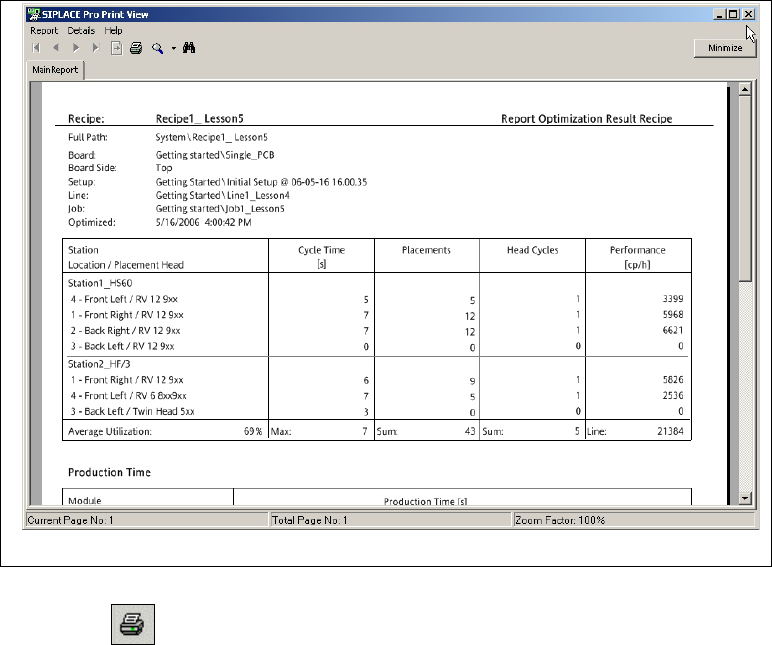
Select the Report button to view the results in the Report Manager.
3
Fig. 3 - 17 Result: "Report Manager" screen
Click on the icon in the toolbar to print the result setup.
Close the Report Manager with Report => Exit.