00198268-02_GS_SIPLACE-Pro-14.1-R17-1_EN - 第52页
3 T utorial Getting S tarted SIPLACE Pro 14.1 (R17-1) 3.7 Exercise 6: Optimizing the Job 05/2017 Edition 52 3.7.4 Create and Print Changeover Instructions The setup modification gener ator is needed to pr int changeover …
Getting Started SIPLACE Pro 14.1 (R17-1) 3 Tutorial
05/2017 Edition 3.7 Exercise 6: Optimizing the Job
51
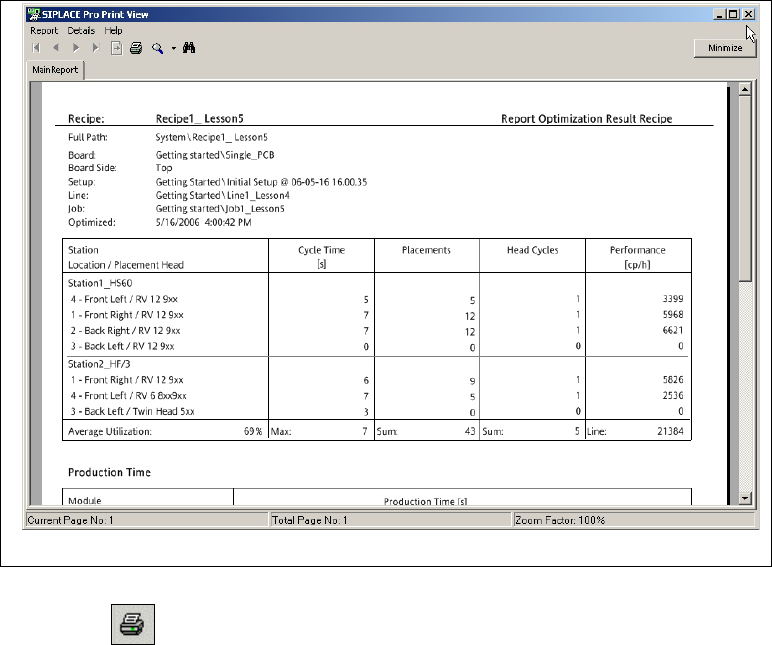
Select the Report button to view the results in the Report Manager.
3
Fig. 3 - 17 Result: "Report Manager" screen
Click on the icon in the toolbar to print the result setup.
Close the Report Manager with Report => Exit.
3 Tutorial Getting Started SIPLACE Pro 14.1 (R17-1)
3.7 Exercise 6: Optimizing the Job 05/2017 Edition
52
3.7.4 Create and Print Changeover Instructions
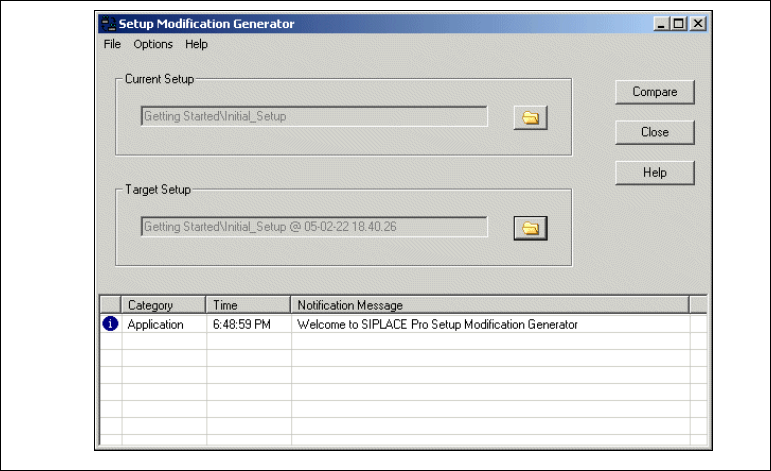
The setup modification generator is needed to print changeover instructions from an existing
setup with feeder and nozzles, for use with a new setup. 3
Start the setup modification generator by
– selecting Start => Programs => SIPLACE Pro => Setup modification generator from
your Windows Start menu.
– selecting Options => external Programs => Setup modification generator
3
Fig. 3 - 18 Setup Modification Generator
Select the Current setup and the Target setup.
Start the setup modification generator with the Compare button. The Report Manager will open
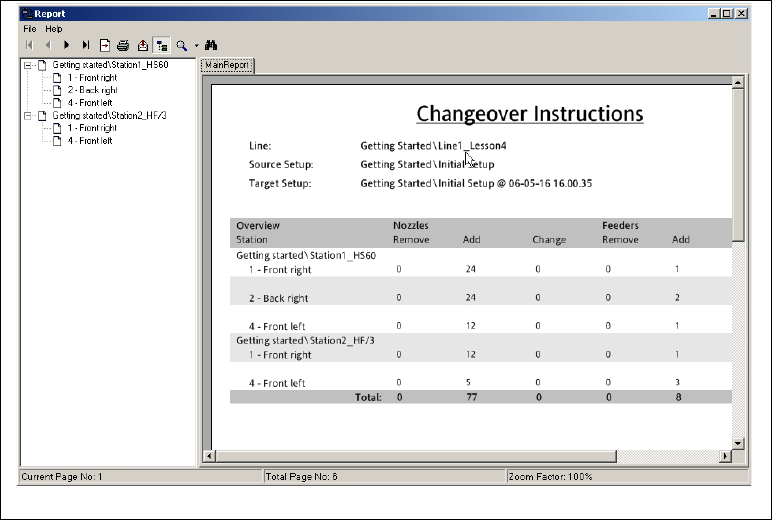
with the changeover instructions.
Getting Started SIPLACE Pro 14.1 (R17-1) 3 Tutorial
05/2017 Edition 3.7 Exercise 6: Optimizing the Job
53
3
Fig. 3 - 19 Report Manager with Changeover Instructions
The changeover instructions can be printed out and used as a working guide. These are divided
into instructions for "removing" or "adding" feeders/components or nozzles.
The instructions can now be printed or exported in various formats (.pdf, .xls, .doc, .rtf) for further
processing. Simply use the relevant icons in the toolbar.
3