00198268-02_GS_SIPLACE-Pro-14.1-R17-1_EN - 第8页
1 Introduction Getting St arted SIPLACE Pro 14.1 (R17-1) 1.4 Online Help 05/2017 Edition 8 1.4.2 Accessing Online Help from Di alog Boxes via the "Help" Button Access the Online Help function for dialog boxes…
Getting Started SIPLACE Pro 14.1 (R17-1) 1 Introduction
05/2017 Edition 1.4 Online Help
7
1.4 Online Help
Make use of the extensive information in the Online Help! It contains a wealth of additional details
about all program functions. The following descriptions explain how to access the SIPLACE Pro
Online Help.
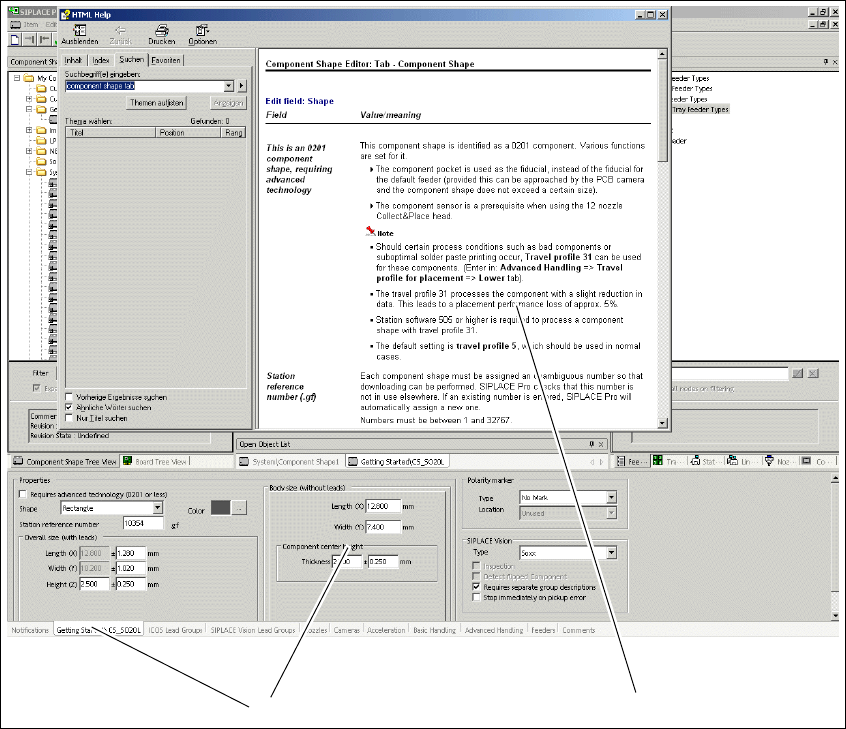
1.4.1 Accessing Online Help from Tabs via the F1 Key
Access the Online Help function for the current tab with the F1 key.
Abb. 1 - 1 Accessing Online Help via F1 - Component Shape Editor as example
Key
(1) Tab (2) Online Help about this subject
1
2
1 Introduction Getting Started SIPLACE Pro 14.1 (R17-1)
1.4 Online Help 05/2017 Edition
8
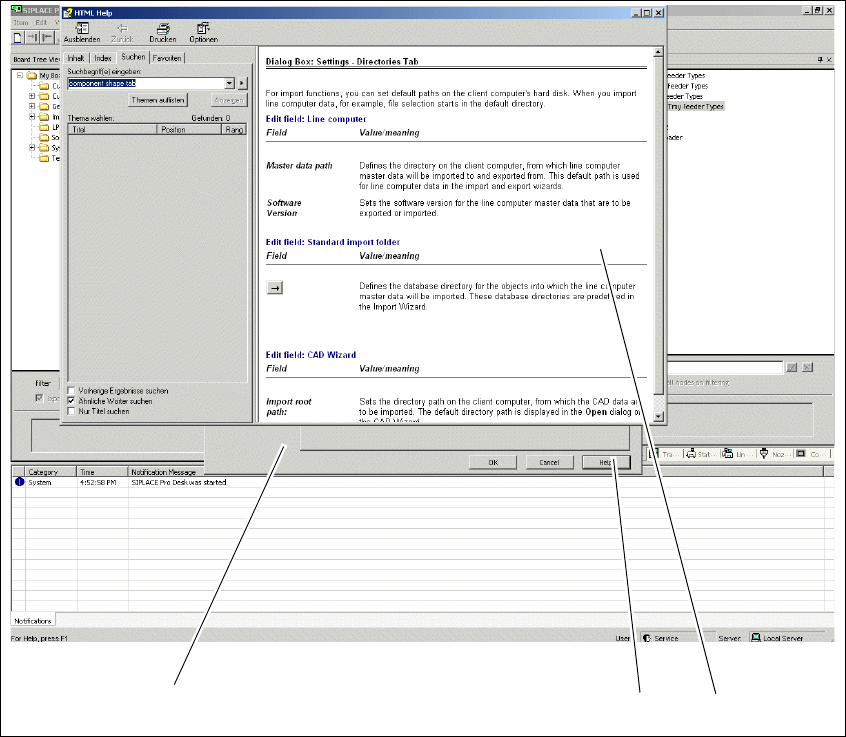
1.4.2 Accessing Online Help from Dialog Boxes via the "Help" Button
Access the Online Help function for dialog boxes with the Help button.
Abb. 1 - 2 Accessing Online Help via the "Help" button
Key
(1) Dialog box (2) Help button
(3) Online Help about this subject
1
2
3
Getting Started SIPLACE Pro 14.1 (R17-1) 2 Program Overview
05/2017 Edition 2.1 Starting SIPLACE Pro
9
2 Program Overview
2.1 Starting SIPLACE Pro
After successfully installing SIPLACE Pro, the Windows Start menu Start => Programs => will
show the entry SIPLACE Pro => Desk 14.1 and a
Desk 14.1 icon will be added to the Desktop. 2
Start SIPLACE Pro from the menu or with the
icon on the desktop.
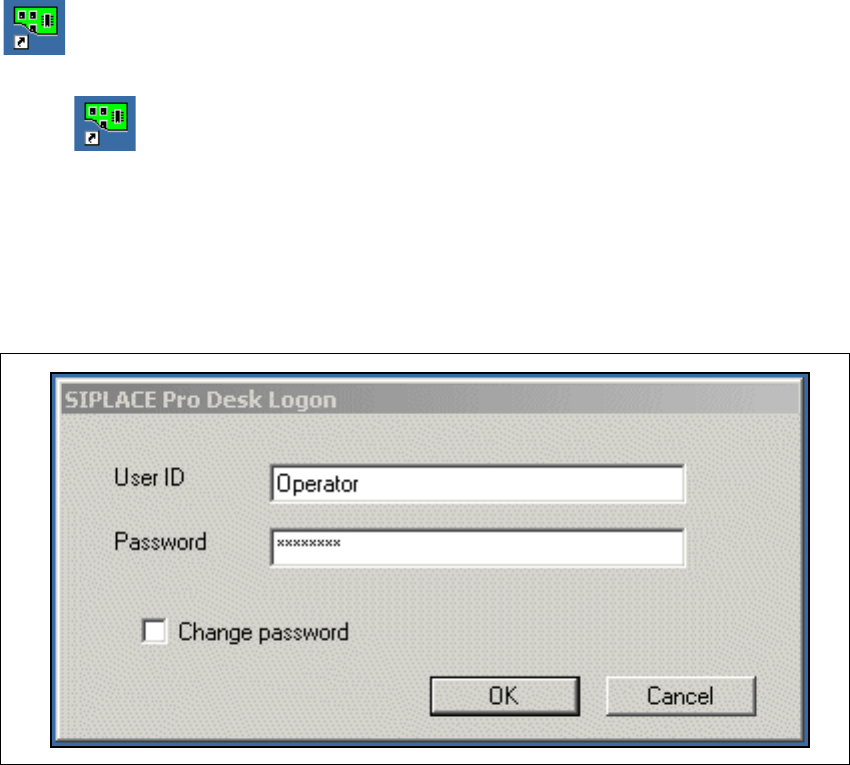
– If security is turned on, the system will open the Logon dialog box.
– If security ist turned off, select Global Options, tab Settings and select the option Security
on.
Enter your User data. Contact your system administrator if you have questions about user
name or password.
2
Fig. 2 - 1 SIPLACE Pro - Logon user
– After successfully logging on, the system will connect to the SIPLACE Pro server and open the
SIPLACE Pro user interface. Please refer to your installation guide, if installation was not suc-
cessful.