IPC 7711A.pdf - 第218页
7. Coat both the dowel and the hole with epoxy and fit together. Apply additional epoxy around perimeter of new material. (See Figure 3.) Remove excess epoxy. 8. Cure the epoxy per the manufactures instructions. CAUTION …
OUTLINE
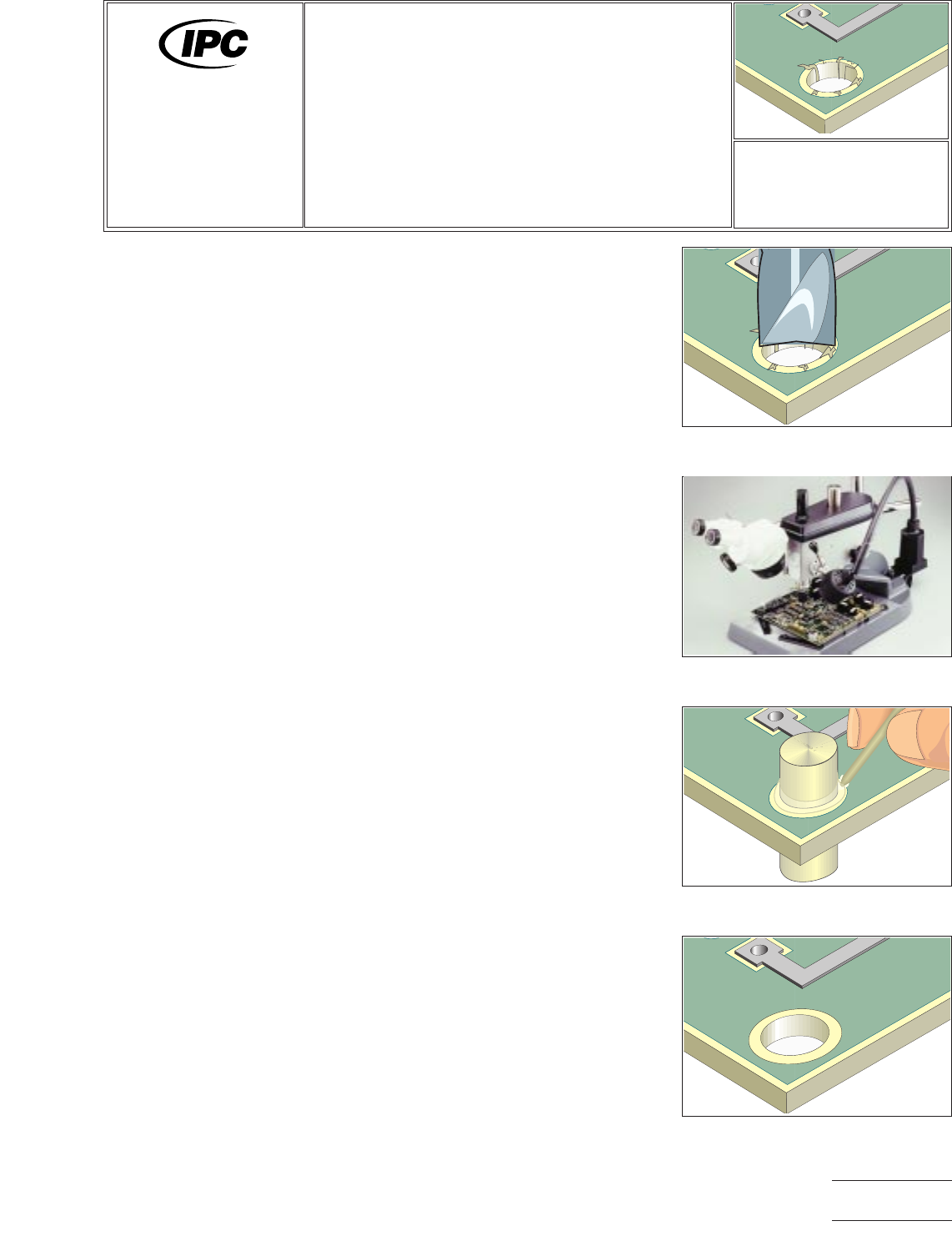
This method is used to repair severe damage to a hole or to modify the size, shape
or location of an unsupported tooling or mounting hole. The hole may have compo-
nent leads, wires, fasteners, pins, terminals or other hardware run through it. This
repair method uses a dowel of matching board material and high strength epoxy to
secure the dowel in place. After the new material is bonded in place a new hole can
be drilled. This method can be used on single sided, double sided or multilayer
printed wiring boards and assemblies.
CAUTION
Damaged inner-layer connections may require surface wire adds.
REFERENCES
2.1 Handling Electronic Assemblies
2.2 Cleaning
2.5 Baking and Preheating
2.6 Epoxy Mixing and Handling
TOOLS & MATERIALS
Base Material Rod,
Various Diameters
Cleaner
Epoxy
Hand Held Drill
Polyimide Tape
Knife
Microscope
Mixing Sticks
Oven
Precision Drill Press
Razor Saw
Wipes
PROCEDURE
1. Clean the area.
2. Drill out the damaged or improperly sized hole using a carbide end mill or drill.
Mill the hole using a precision drill press or milling machine for accuracy. The
diameter of the cutting tool should be as small as possible yet still encompass
the entire damaged area. (See Figures 1 and 2.)
NOTE
Abrasion operations can generate electrostatic charges.
3. Cut a piece of replacement base material rod. Base material rod is made from
FR-4 dowel stock. Cut the length approximately 12.0 mm longer than needed.
4. Clean the reworked area.
5. Use Polyimide tape to protect exposed parts of the printed wiring board border-
ing the rework area.
6. Mix the epoxy.
Figure 1 New hole is milled to
encompass entire damaged area.
Figure 2 Precision drill press with
microscope attachment.
Figure 3 Place replacement dowel in
position and bond with epoxy.
Figure 4 Cut off excess material and
redrill holes as required.
7721A
Repair and
Modification of
Printed Boards and
Electronic Assemblies
Revision:
Date: 2/98
Hole Repair,
Transplant Method
Number: 3.3.2
Product Class: R, W
Skill Level: Expert
Level of Conformance: High
Material in this manual was voluntarily established by Technical Committees of IPC. This material is advisory only and its use
or adaptation is entirely voluntary. IPC disclaims all liability of any kind as to the use, application, or adaptation of this material.
Users are also wholly responsible for protecting themselves against all claims or liabilities for patent infringement. Equipment
referenced is for the convenience of the user and does not imply endorsement by IPC.
Page1of2
Copyright Association Connecting Electronics Industries
Provided by IHS under license with IPC
Not for Resale
No reproduction or networking permitted without license from IHS
--``,``,-`-`,,`,,`,`,,`---

7. Coat both the dowel and the hole with epoxy and fit together. Apply additional
epoxy around perimeter of new material. (See Figure 3.) Remove excess epoxy.
8. Cure the epoxy per the manufactures instructions.
CAUTION
Some components may be sensitive to high temperatures.
9. Remove tape and cut off the excess material using the razor saw. Mill or file the
dowel flush with the board surface.
10. Complete the procedure by redrilling holes and adding circuitry as required.
(See Figure 4.)
NOTE
Apply surface coating to match prior coating as required.
11. Clean the reworked area.
EVALUATION
1. Visual and dimensional examination of the reworked area for conformance to
drawings and specifications.
NOTES
IPC-7721A
Number: 3.3.2
Revision:
Date: 2/98
Subject: Hole Repair, Transplant Method
Page2of2
Copyright Association Connecting Electronics Industries
Provided by IHS under license with IPC
Not for Resale
No reproduction or networking permitted without license from IHS
--``,``,-`-`,,`,,`,`,,`---
OUTLINE
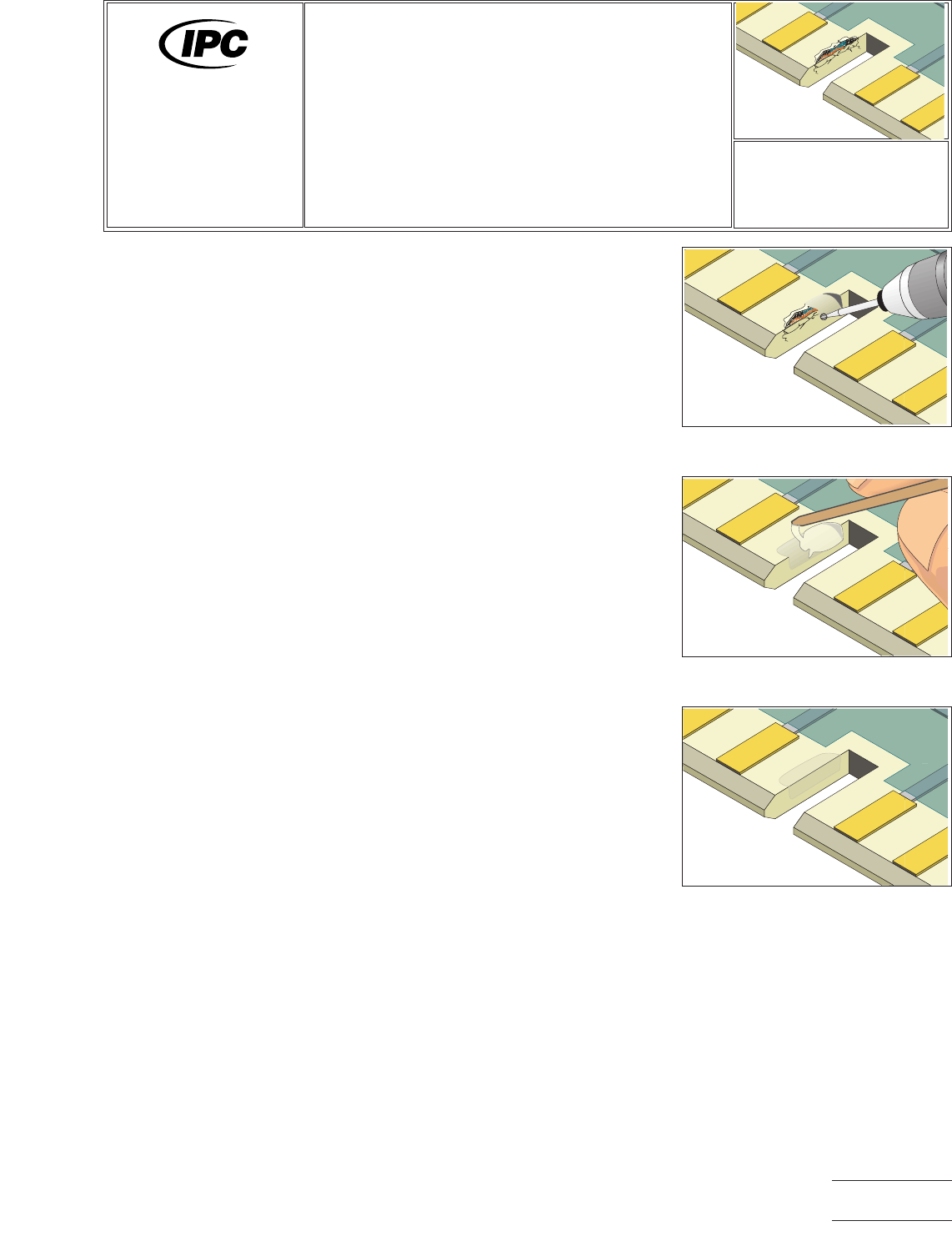
This method is used to repair minor damage to a key slot, or other cutout in a printed
board or assembly. The area is repaired using high strength epoxy.
CAUTION
Care should be taken to limit the application of epoxy to the specific areas desired
and to avoid damage to the conductive patterns, contacts and components.
REFERENCES
2.1 Handling Electronic Assemblies
2.2 Cleaning
2.5 Baking and Preheating
2.6 Epoxy Mixing and Handling
TOOLS & MATERIALS
Cleaner
Cleaning Wipes
Color Agent, Various Colors
Epoxy
Hand Held Drill
Polyimide Tape
Knife
Milling Machine
Mixing Sticks
Oven
Precision Drill Press
Scraper
PROCEDURE
1. Clean the area to be filled, including the edges.
2. Mill away the damaged board base material using a hand held drill and ball mill.
All damaged base board material must be removed. No fibers of laminate mate-
rial should be exposed at the surface of the keyslot. (See Figure 1.)
NOTE
To clearly see that all damaged material has been removed, flood the area with
alcohol or solvent. Damaged internal fibers of the base material will show up
clearly.
CAUTION
Abrasion operations can generate electrostatic charges.
3. Remove all loose material and clean the area.
4. Apply Polyimide tape to the surface of the printed wiring board adjacent to the
slot. The tape should protect any adjacent contacts or components.
NOTE
The printed wiring board may be preheated prior to filling the area with epoxy.
A preheated printed wiring board will allow the epoxy to easily flow and level out.
Epoxy applied to an unheated printed wiring board may settle below the printed
wiring board surface as the epoxy cures.
Figure 1 Mill away the damaged board
base material.
Figure 2 Apply epoxy to the edges of
the key slot.
Figure 3 Complete key slot repair.
7721A
Repair and
Modification of
Printed Boards and
Electronic Assemblies
Revision:
Date: 2/98
Key and Slot Repair,
Epoxy Method
Number: 3.4.1
Product Class: R, W
Skill Level: Advanced
Level of Conformance: High
Material in this manual was voluntarily established by Technical Committees of IPC. This material is advisory only and its use
or adaptation is entirely voluntary. IPC disclaims all liability of any kind as to the use, application, or adaptation of this material.
Users are also wholly responsible for protecting themselves against all claims or liabilities for patent infringement. Equipment
referenced is for the convenience of the user and does not imply endorsement by IPC.
Page1of2
Copyright Association Connecting Electronics Industries
Provided by IHS under license with IPC
Not for Resale
No reproduction or networking permitted without license from IHS
--``,``,-`-`,,`,,`,`,,`---