00198354-01_AI_Loc2_Fixed_Table_en.pdf - 第18页
2 Installation 2.5 Installing the Tape Cutter Mount Assembly [03106702-xx] Assembly Instructions E by SIPLACE Location 2 Fixed Table 04/2017 18 2.5 Installing the Tape Cutter Mount Assembly [03106702-xx] ► Depending on t…
Assembly Instructions E by SIPLACE
Location 2 Fixed Table 04/2017
2 Installation
2.4 Installing the Location 2 Fixed Table Cable
17
2.4 Installing the Location 2 Fixed Table Cable
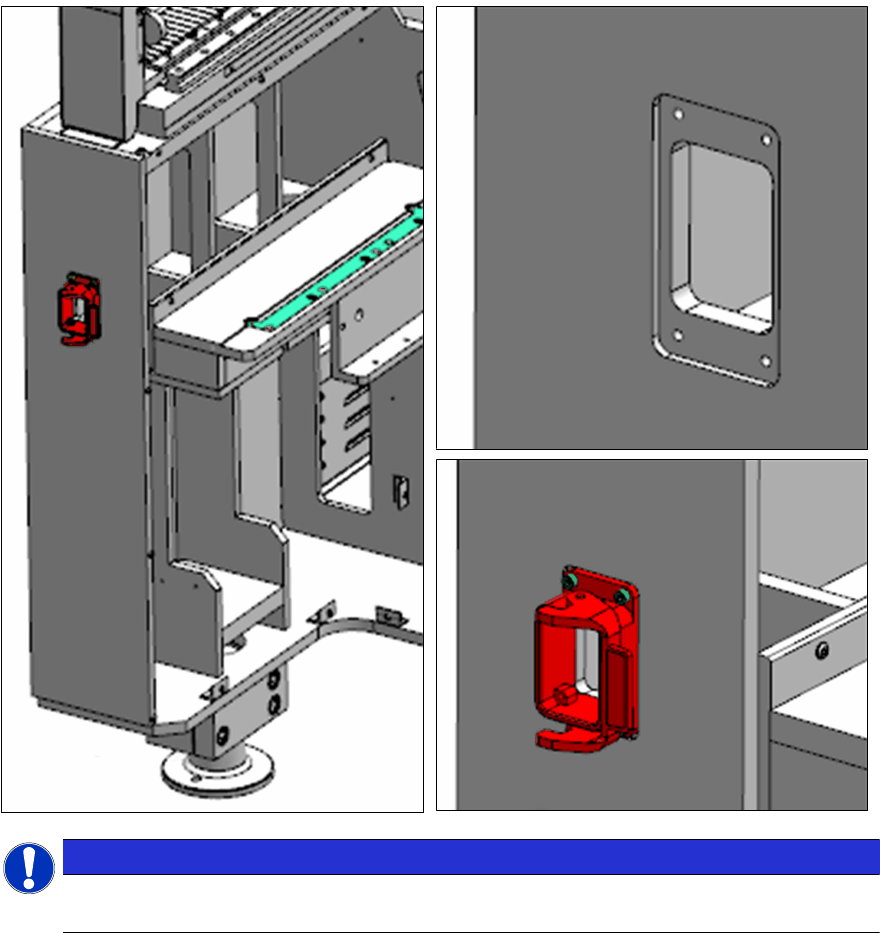
NOTICE
Wrong orientation oft the release handle
Pay attention to the orientation of the release handle.
► Install the cable, MT60 fixed table (location 2) [03135921-xx] from location 2 fixed table FCU
to the connections (X131, X132, X135) found in the compartment behind location 2 harting
connector.
► Install safety loop jumper connector (X137) to the connection found in the compartment be-
hind location 2 HMI side.
► See end of document for all circuit diagrams.
2 Installation
2.5 Installing the Tape Cutter Mount Assembly [03106702-xx]
Assembly Instructions E by SIPLACE
Location 2 Fixed Table 04/2017
18
2.5 Installing the Tape Cutter Mount Assembly [03106702-xx]
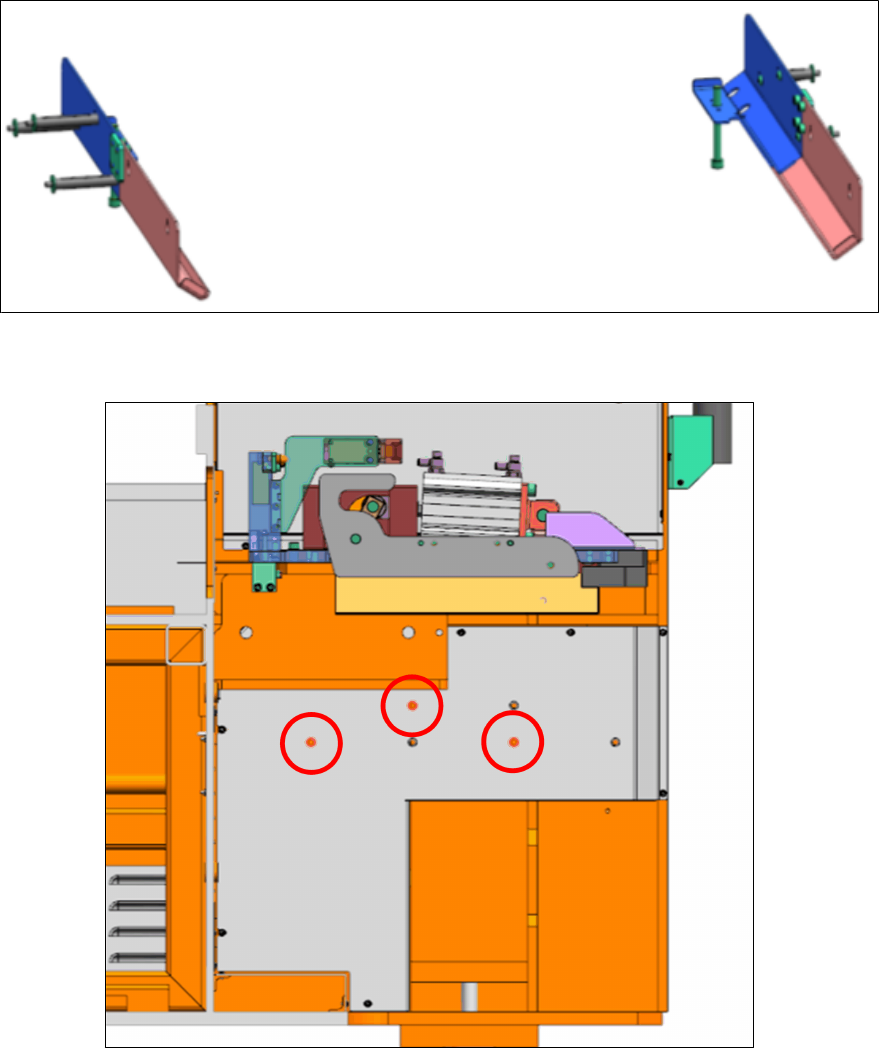
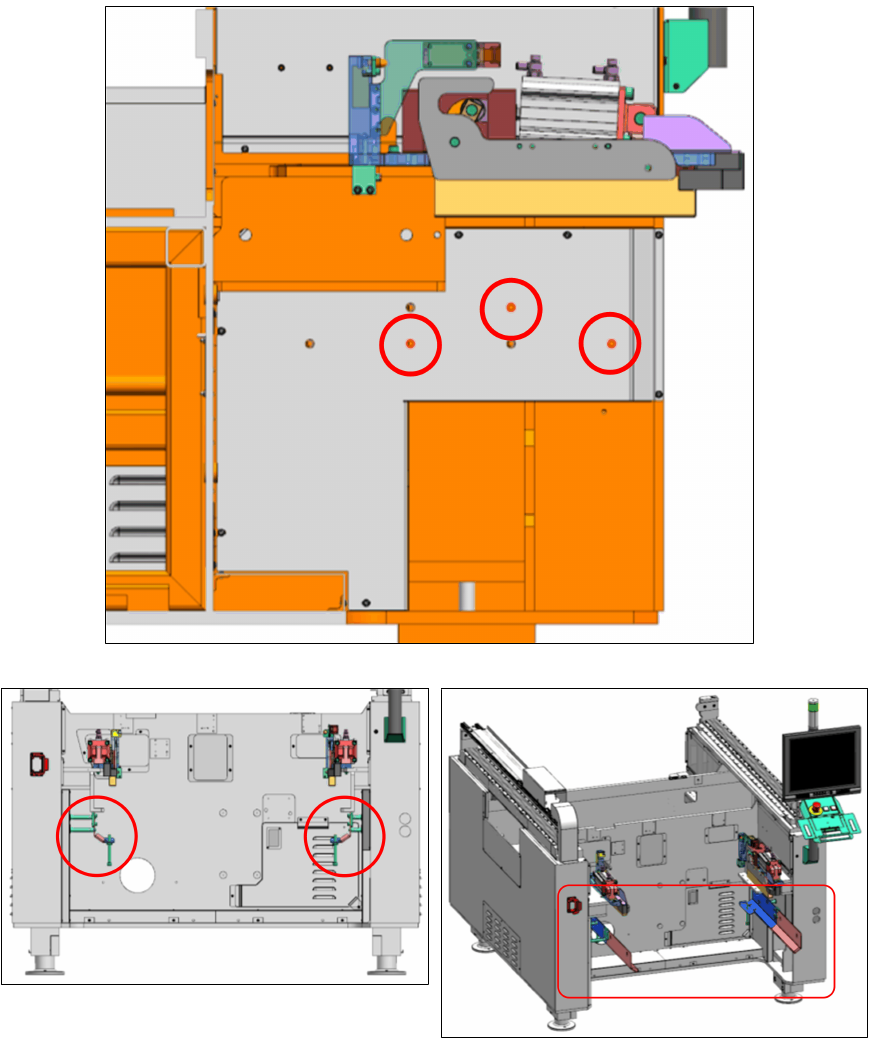
► Depending on the type of your machine use the indicated holes to mount the tape cutter side
brackets as shown below:
"Speed":
Assembly Instructions E by SIPLACE
Location 2 Fixed Table 04/2017
2 Installation
2.5 Installing the Tape Cutter Mount Assembly [03106702-xx]
19
"Flex /
Twin":
► Take note of the standoff used on location 2, the longer standoff M8x84 [03106718-xx] are on
the left and shorter standoff M8x38 [03106776-xx] are on the right.