Instrucciones de uso_HF3_14_es.pdf - 第318页
En el recuadro [Hardware signals: Send to conveyor]: ▪ ['Not busy' received from N+1] ▪ ['Fault cascade error free' received from N+1] Estado del transportador en el recuadro [ Conveyor 1] ▪ [Conveyor…
Inline interface outfeed SMEMA
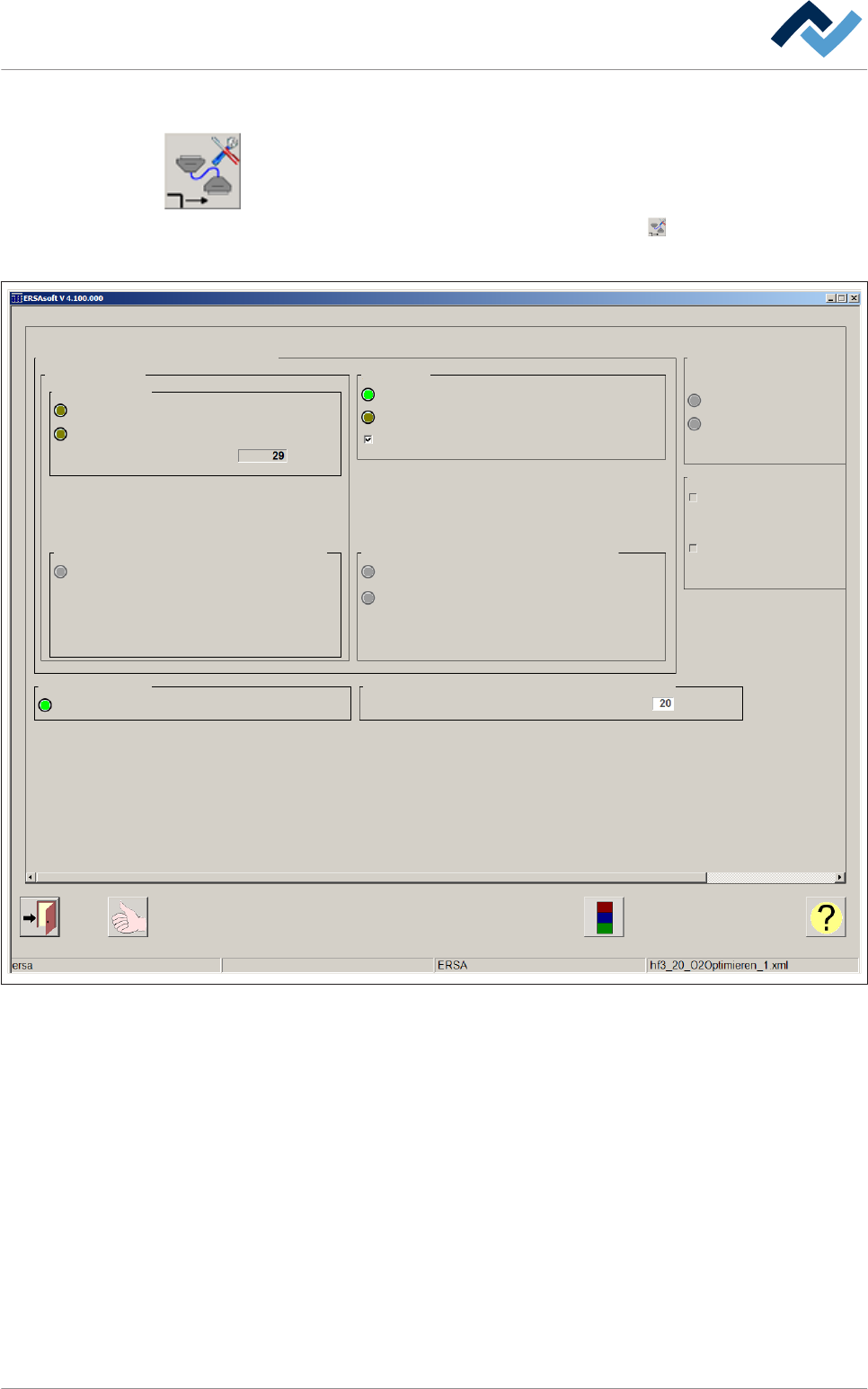
ü Para abrir la ventana de diálogo de las configuraciones [Inline interface outfeed
SMEMA]:
1. Abra la ventana de introducción [Conveyor]
2. En el recuadro [Conveyor 1] haga clic en el botón .
ð Se abre la ventana de las configuraciones:
Inline interface outfeed SMEMA Conveyor 1 Settings
Maintenance mode
Signals of inline interface SMEMA
Inside machine
ISAL sensor
Sensor ISAL hardware signal
Sensor ISAL software signal
Number of boards
Hardware signals: Send from conveyor
'Board available' send to N+1
Conveyor 1
Conveyor active
Active
Interface configured
Interface active
ignore N + 1
Hardware signals: Send to conveyor
'Not busy' received from N+1
'Fault cascade error free' received from N+1
Signal delay
Signal delay of release from N + 1
s
Error inline interface in outfeed
Error active
Monitoring time for error active
Time till error INLINE exit
Congestion monitoring with inline interface signal "Error n+1"
Create warning on congestion
Create alarm on congestion
Time until creation of warning
Time until creation of alarm
Time actual value
Abb. 119: Ventana de diálogo de las configuraciones [Inline interface outfeed SMEMA]
Estado de la señal de las Inline interface en el recuadro [Signals of inline
interface SMEMA]
En el recuadro [Inside machine]:
▪ ISAL sensor [Sensor ISAL hardware signal]
▪ ISAL sensor [Sensor ISAL software signal]
▪ ISAL sensor [Number of boards]
▪ Hardware signals: Send from conveyor ['Board available' send to N+1]
En el recuadro [Active]:
▪ [Interface configured]
▪ [Interface active]
▪ [ignore N + 1]
Descripción de funciones | 6
Ersa GmbH Instrucciones de uso_HF3_14_es | 30/10/2014 317 / 0
En el recuadro [Hardware signals: Send to conveyor]:
▪ ['Not busy' received from N+1]
▪ ['Fault cascade error free' received from N+1]
Estado del transportador en el recuadro [Conveyor 1]
▪ [Conveyor active]
Recuadro [Signal delay]
▪ [Signal delay of release from N + 1]
Recuadro [Error inline interface in outfeed]
▪ [Time till error INLINE exit]
▪ [Error active]
▪ [Monitoring time for error active]
▪ [Time actual value]
Recuadro [Congestion monitoring with inline interface signal "Error n+1"]
▪ [Create warning on congestion]
▪ [Time until creation of warning]
▪ [Create alarm on congestion]
▪ [Time until creation of alarm]
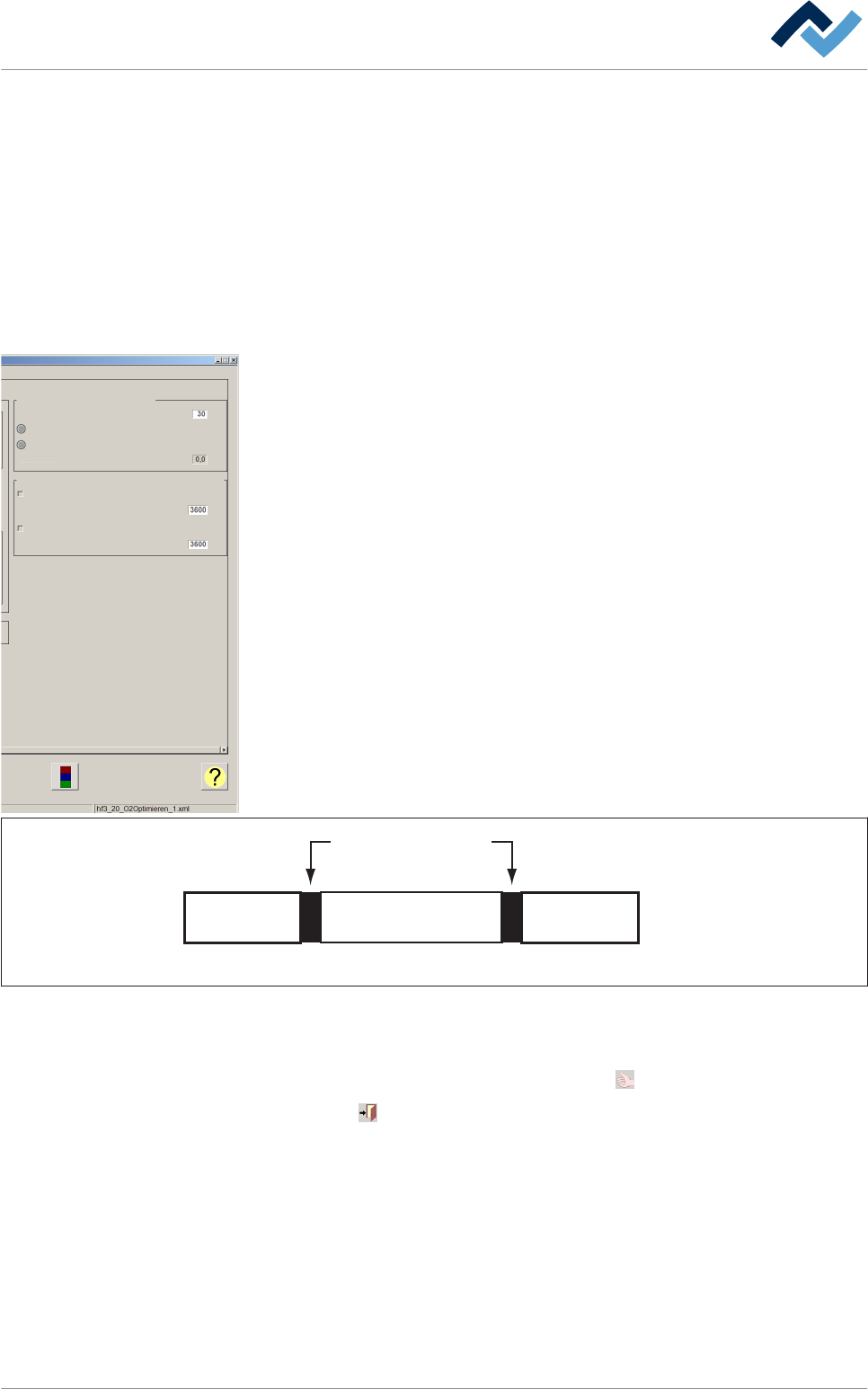
Observe la figura siguiente:
Dispositivo
de soldadura
Dispositivo
anterior
Siguiente
dispositivo
Interfaz
SMEMA / WMW
n + 1n - 1 n
Abb. 120: Representación esquemática de las instalaciones y de las interfaces
ü Aceptar la configuración, cerrar el diálogo
1. Para aceptar la configuración clique el botón .
2. Clique en para cerrar el cuadro de diálogo.
Error inline interface in outfeed
Time till error INLINE exit
Error active
Monitoring time for error active
Congestion monitoring with inline interface signal "Error n+1"
Create warning on congestion
Time until creation of warning
Create alarm on congestion
Time until creation of alarm
Time actual value
s
s
s
s
Descripción de funciones | 6
Ersa GmbH Instrucciones de uso_HF3_14_es | 30/10/2014 318 / 0
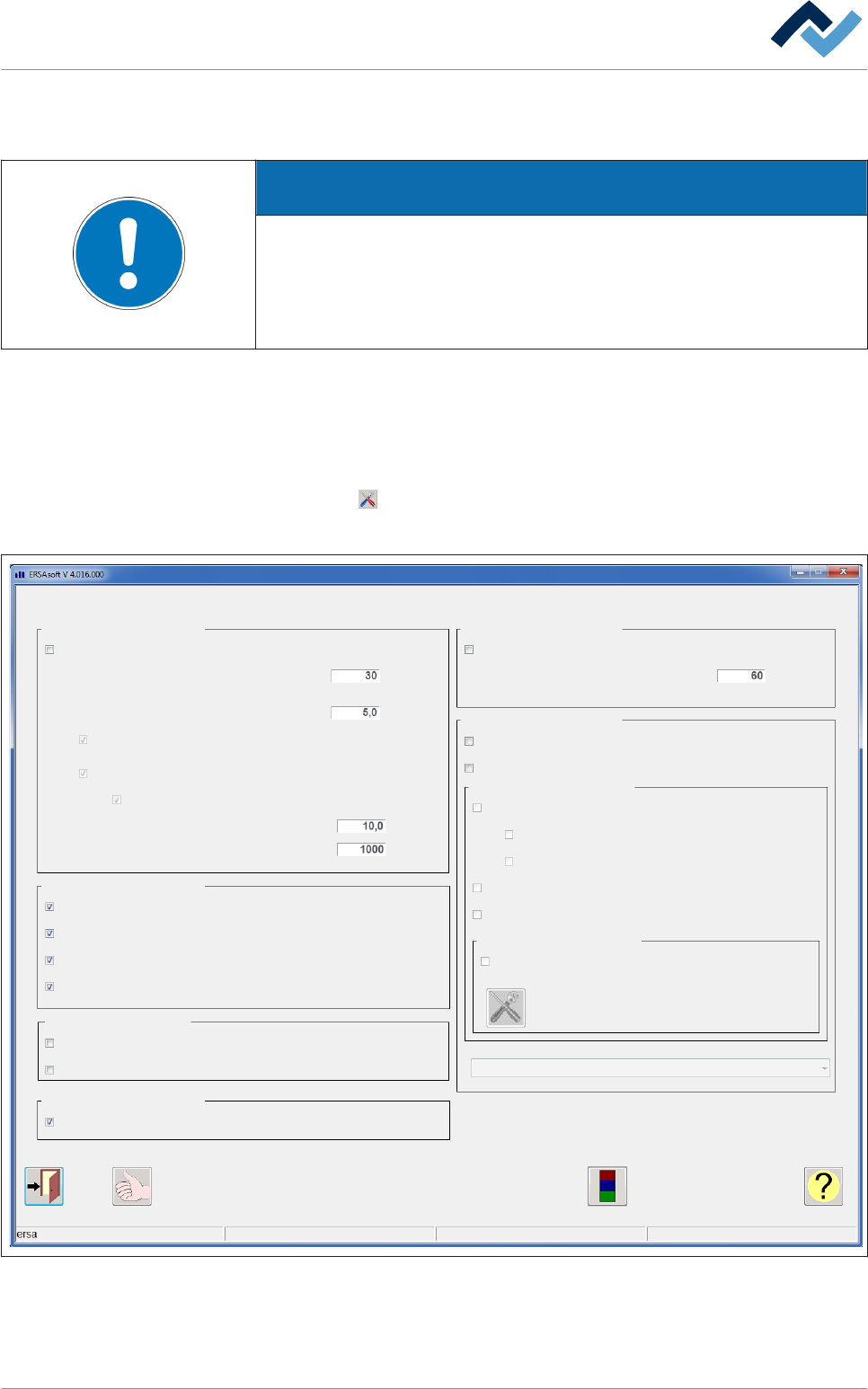
Diálogo de configuración [Global]
En este diálogo de configuración se pueden realizar configuraciones importantes:
ADVERTENCIA
¿No puede realizar cambios?
Para acceder a este diálogo son necesarios los derechos de usuario para el [Pro-
perty pages] . Sin un nombre de usuario y contraseña, las configuraciones solo
pueden consultarse. En ese caso, pulse la tecla [ESC] del teclado mientras aparece
la solicitud de contraseña o clique en el botón [Cancel].
Modo en espera y modo reposo
ü Abra el diálogo de configuración [General] :
1. Abrir el diálogo básico.
2. Clique en de la barra de herramientas inferior del diálogo básico.
ð Aparecerá el diálogo de configuración [General] :
General
Settings
Maintenance mode
Stand-by mode
Active
Reduction of cooling blower in stand-by mode active
Reduction of N2 in stand-by mode active
Reduction to ppm-value
Time to set stand-by mode active
Reduction of temperature in stand-by mode
Value of N2 in stand-by mode
Value of N2 in stand-by mode
General
Show set value temperature of modules in start dialog
Display all zones
Display module info
Show checkbox "Board simulation"
Conveyor
Conveyor can not be switched off, if board is in machine
Empty machine on start of soldering program
Board detection
Enter infeed and outfeed unit separately
Active
Sleep-mode
Time to set sleep-mode active
Productname
Dialog to enter 'productname' before start of soldering program
Display product administration
Product administration
Assignment: product name - soldering program
Library "ERSA" is default
Service message if data are invalid
Waiting message if product administration is empty
Service message if product administration is empty
Product administration editable via RS232
RS232
Usage of productname
1 - Use productname exclusively for soldering report
min
°C
%
ppm
min
Abb. 121: Diálogo de configuración [Global]
6.17.20
6.17.20.1
Descripción de funciones | 6
Ersa GmbH Instrucciones de uso_HF3_14_es | 30/10/2014 319 / 0