00193897-0302_AI_MTC2+BE_DE+EN.pdf - 第138页
Assembly instructions MTC2 and Component docking unit on SIPLACE HF and X-se ries Edition 07/2009 136 – Crash risk: Wh en the CPP head is used with the M TC, the "notch ed base“ pos itioning aid on the pull-out fr a…
Assembly instructions MTC2 and Component docking unit on SIPLACE HF and X-series
Edition 07/2009
135
2.13 Using the MTC with the CPP placement head
: Read the "Head Reconfiguration CPP" assembly instructions, if necessary (item no.:
00196428-xx).
2
– With the MTC, the placement head must only be fitted in the top position. The installation height
is monitored during the head reference run.
– In software version 702, the CPP head is not appro
ved for a 2-gantry placement area with
MTC. In this case there is no nozzle changer available at the location with MTC.
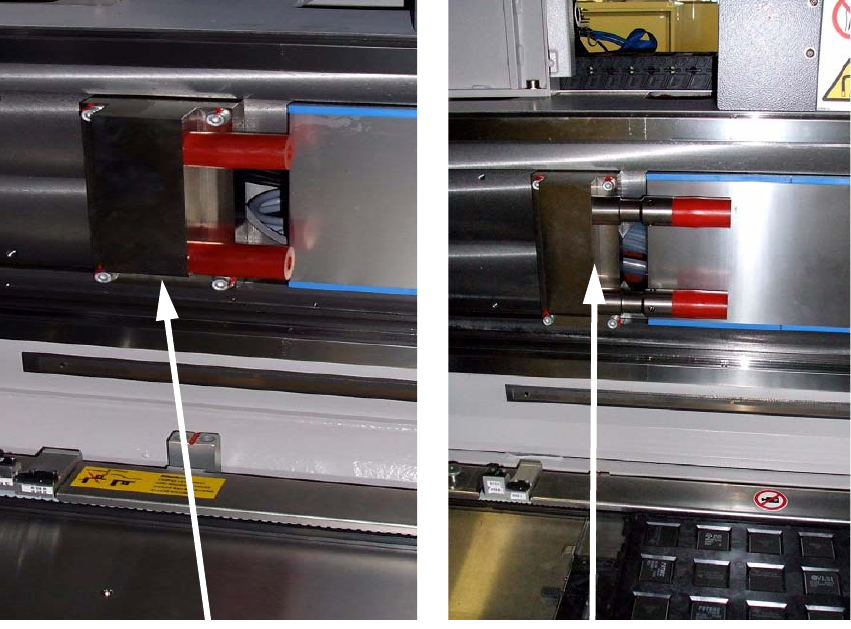
– Crash risk: Wh
en the CPP head is used with the MTC, the travel range must also be re-
stricted. You should therefore fit 2x the extens
ion for the Y axis stop (item no.: 03075963-01
"Adaptation, Y axis stop, MTC“). These are included in the package as a precautionary mea-
sure.
Standard stop
Stop withMTC
Assembly instructions MTC2 and Component docking unit on SIPLACE HF and X-series
Edition 07/2009
136
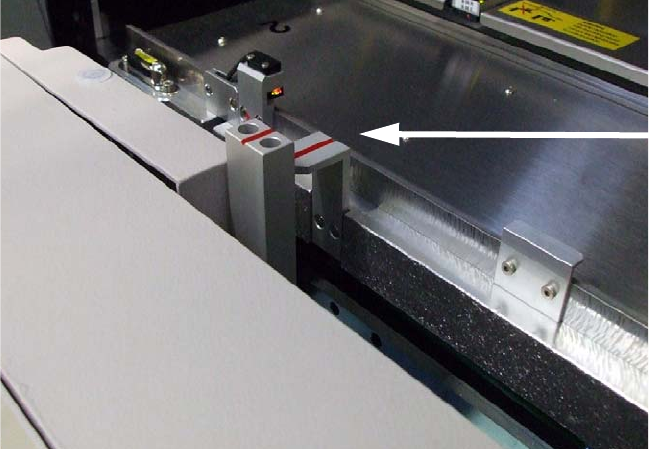
– Crash risk: When the CPP head is used with the MTC, the "notched base“ positioning aid on
the pull-out frame of the MTC must also be replaced. You should therefore fit 2 x item no.:
03010773-02 "Notched base“ (height: 103 mm). These are included in the package.
– A pull-out frame with the FS04 does not require further conversion.
MTC notched
base (standard)
2
2
– When the CPP head is used with the MTC, the crash light barriers on the MTC's feed axis must
be fitted in the bottom position. Read the "MTC2 on component trolley docking unit X-S" as-
sembly instructions (item no. 00194725-xx).
– If the CPP is in the high position in conjunction with the MTC
, the lowest pick-up height is 1.5
mm from the top edge of the PCB when the shortest nozzle (9 mm) is used. Interference edges
on the trays should also be taken into account.
2
2
2
2
Assembly instructions MTC2 and Component docking unit on SIPLACE HF and X-series
Edition 07/2009
137
2.13.1 Conversion of light barriers MTC2 in combination with a C&P 6/12 / CPP
2
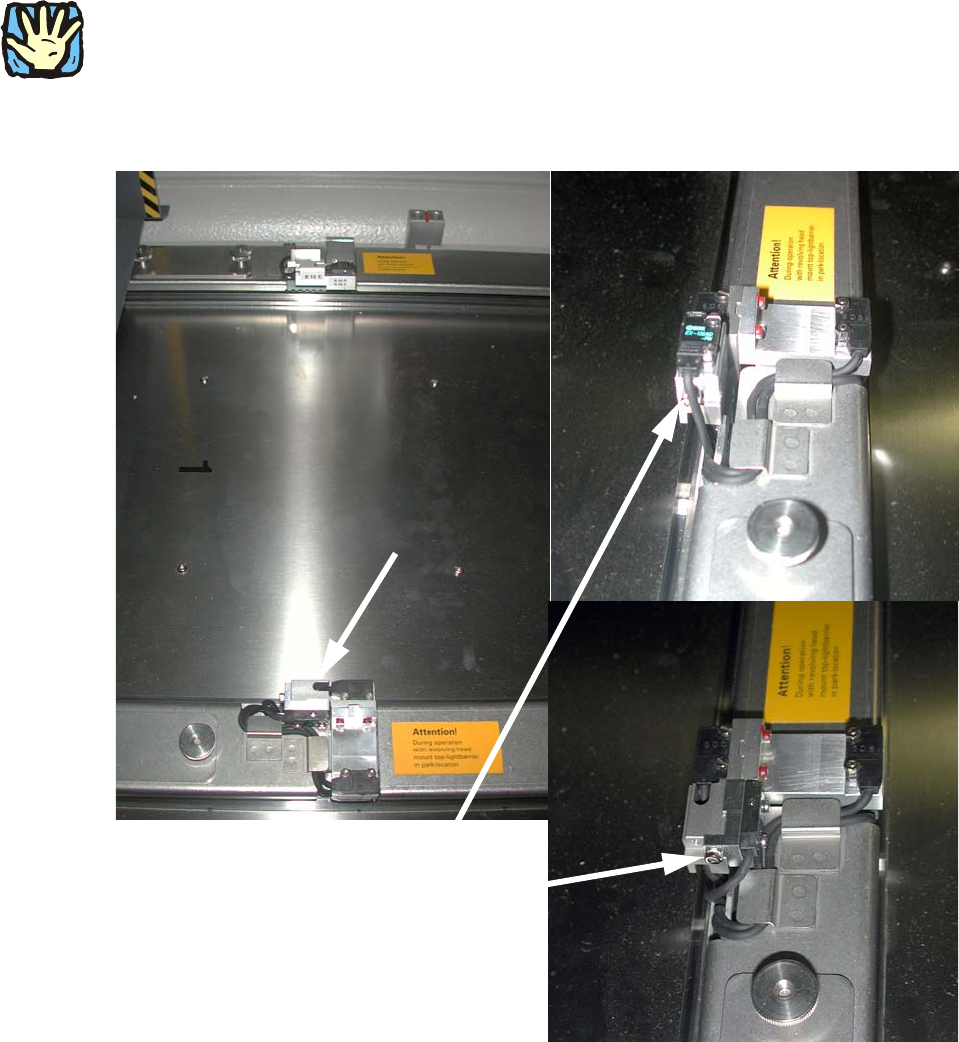
Crash risk: If an MTC2 is operated in a location or placement area with C&P6/12, the top light
barrier must be brought into the parked position for high components, otherwise there is a risk of
a head crash. 2
: Loosen the screw on the top light barrier (transmitter and receiver) on tower 1.
Light barrier:
prior to modification and
mounted in parked position
2
Fig. 2.13.1 Top light barrier on MTC2
2
2