00193897-0302_AI_MTC2+BE_DE+EN.pdf - 第85页
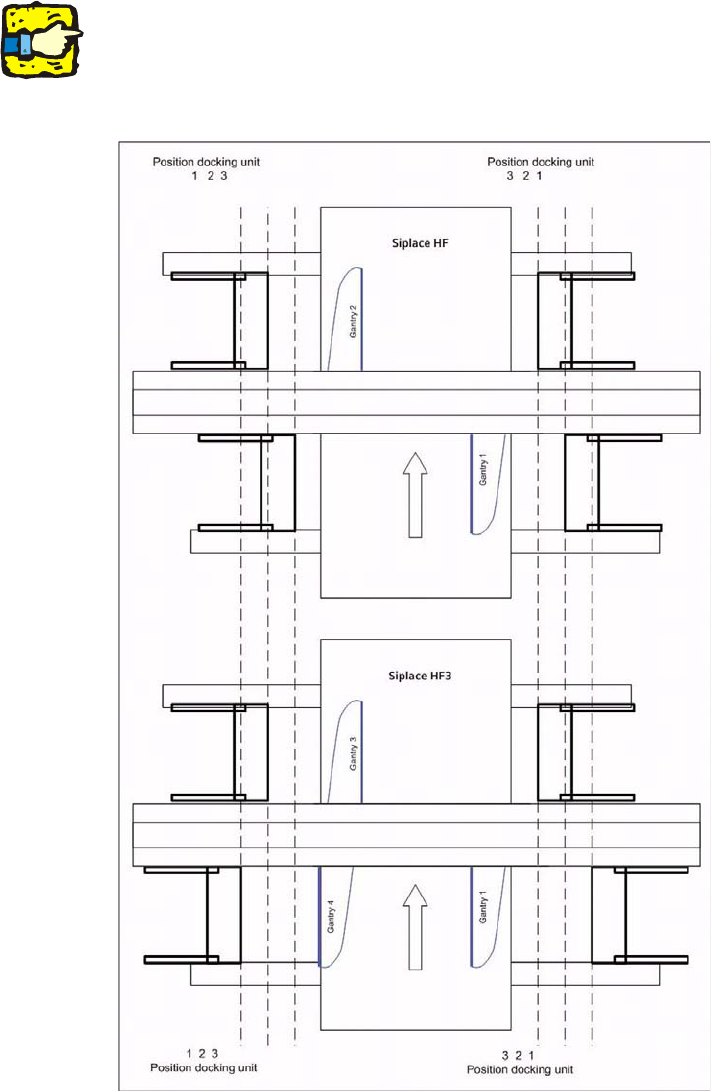
Assembly instructions MTC2 and Component docking unit on SIPLACE HF and X-series Edition 07/2009 83 2 See diagram ‘Assembly positions acco rding to machine type and location’. 2 : Push the component docking unit into the…
Assembly instructions MTC2 and Component docking unit on SIPLACE HF and X-series
Edition 07/2009
82
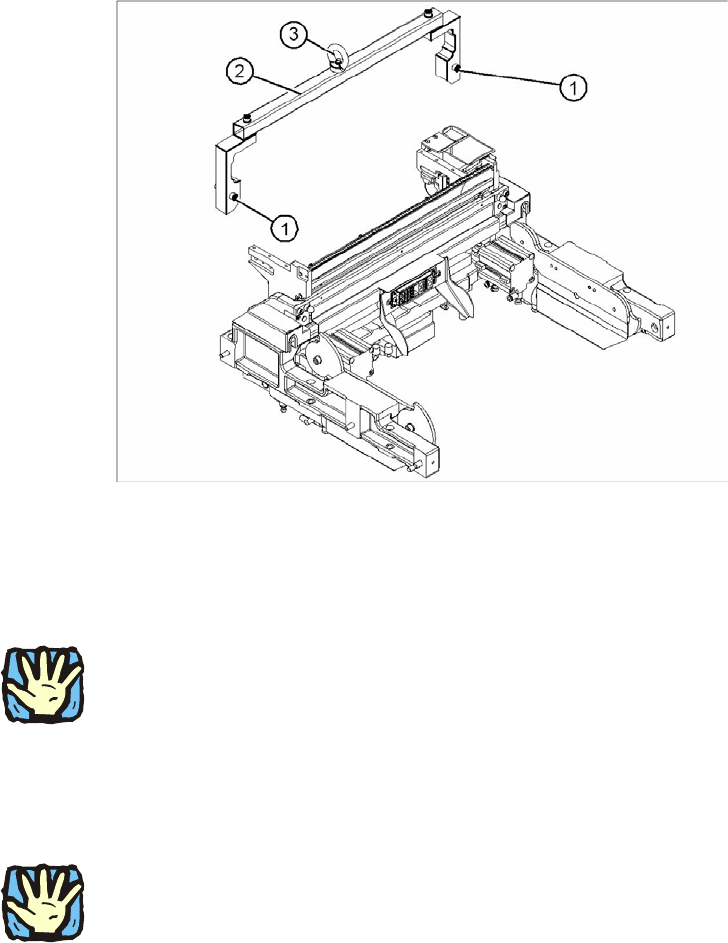
: Mount the fit-up aid (2) on the fasteners (1) provided on the component docking unit.
: Attach the lifting device to the eye (3) of the fit-
up aid (2).
2
Legend 2
1. Fixing
2. Fit-up aid f. carriage or entering /X-S (03015976-)
3. Eye
2
Heavy machine component:
The component docking unit is very heavy. For lifting purposes, the fit-up aid and suitable lifting
equipme
nt must be used (hand crane, etc.). 2
: Suitable gloves must be worn for lifting the component docking unit in position.
Gloves reduce the risk of cuts caused by the bla
de of the tape cutter.
2
2
Ensure that the cables and hoses are not damaged. 2
2
: Remove the fit-up aid.
2
2
2
2
Assembly instructions MTC2 and Component docking unit on SIPLACE HF and X-series
Edition 07/2009
83
2
See diagram ‘Assembly positions according to machine type and location’.
2
: Push the component docking unit into the required position.
2
2
2
2
Assembly instructions MTC2 and Component docking unit on SIPLACE HF and X-series
Edition 07/2009
84
2
Observe sequence:
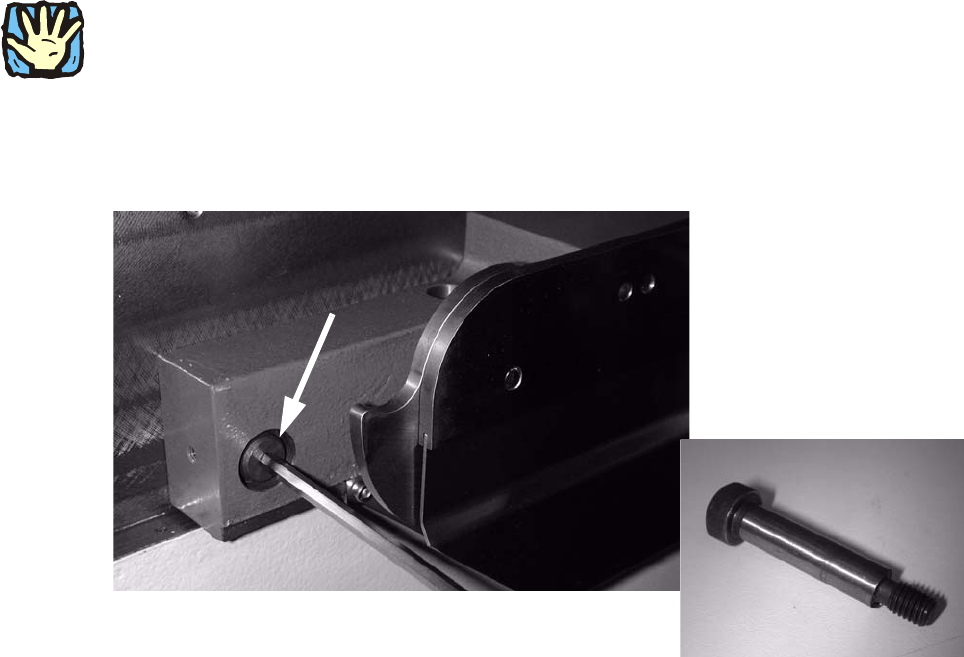
The reamed bolt must be tightened first and then the
other fixing bolts. This ensures correct sea-
ting of the MTC slide-in framework. 2
: Screw in the reamed bolt and then the fixing bolts without tightening.
: First tighten the reamed bolt, then the fixing
bolts on the inside of the machine.
2
Fig. 2.6.3 Reamed bolt