00197042-04_SM_X-Serie-S_Customer_EN.pdf - 第180页
6 Gantries 6.4 Trailing cable and printed circuit boards 180 Service Manual SIPLACE X-Serie S 06/2019 6.4.8 Vision board spread spectrum Fig.230: 03067289-02 LED [03067289-02] LED Color Status Signal name Description D9…
6 Gantries
6.4 Trailing cable and printed circuit boards
Service Manual SIPLACE X-Serie S 06/2019 179
Installation
► Follow the removal instructions in reverse order for installation. Also observe the following
instructions:
– If there is no clamp for the PCB camera cable on the new board, take this off the old board
and fit it on the new one.
– Set the correct gantry ID. Take the setting from the dismantled board (see also 6.4.8 "Vis-
ion board spread spectrum" [}180]).
– Before fitting the board cover, check whether the plastic covers are present on connector
X1 (see below).
– Two screws on the board cover need to be secured with Loctite 241 or 243 (see above).
– Then perform a firmware update (see 6.9 "eSW Download (SW 70x)" [}202]).
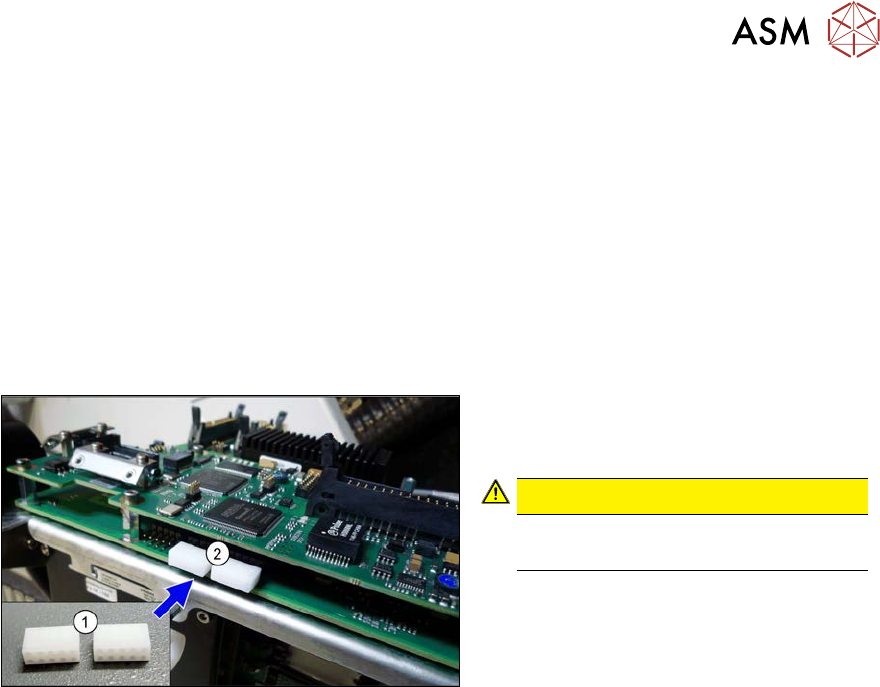
Fig.229: Dummy plug
► Secure the connector X1(2) on the
head interface, if present, with two
dummy plugs(1).
CAUTION!
Without the dummy plugs, there is a
risk of short circuit at the board cover!
.
6 Gantries
6.4 Trailing cable and printed circuit boards
180 Service Manual SIPLACE X-Serie S 06/2019
6.4.8 Vision board spread spectrum
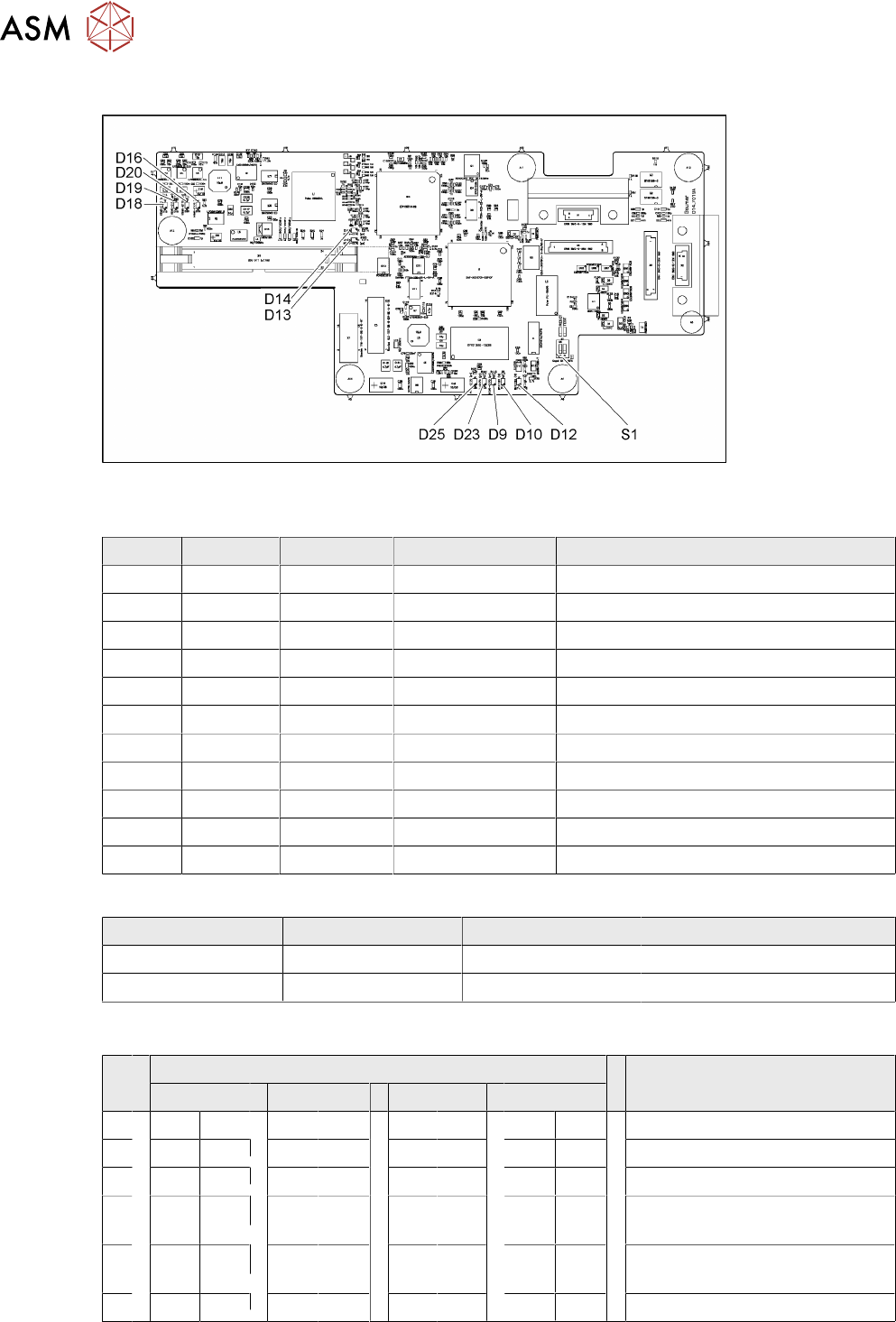
Fig.230: 03067289-02
LED [03067289-02]
LED Color Status Signal name Description
D9 GN ON LED_XC_OK RUN
D10 RD ON LED_XC_ERR ERROR
D12 RD ON XC_RESET RESET
D13 GN ON IO/LVDS51P PCB camera active
D14 GN ON IO/LVDS51N CO camera active
D16 GN ON P12VCAM_I +12VDC for camera
D18 GN ON P5VCAM +5VDC for camera
D19 GN ON P2.5VCAM + 2.5 VDC for camera
D20 GN ON P3.3VCAM + 3.3VDC for camera
D23 GN ON P5V +5VDC
D25 GN ON P15V +15VDC
Dip switch S1 [03067289-02]
Switch Status Signal name Description
S1.1 OFF HW_RESET ON: RESET CAN controller
S1.2 OFF CAN_ID Not used
6.4.8.1 DIP Switch on the Vision Board (Digital Version 02)
S Gantry* Comments
1 2 3 4
1 OFF OFF OFF OFF Reset - CAN processor
2 OFF ON OFF ON PID0 address switch 1 -> gantry
3 OFF OFF ON ON PID1 address switch 2 -> gantry
4 OFF OFF OFF OFF CAN R - switch for the terminal
resistor on the CAN bus
5 ON ON ON ON Speed: ON = 1Mbit/s, OFF =
500Kbit/s
6 ON ON ON ON CAN ID - for X machine ON
* Not all gantries may be available, depending on the machine type.
6 Gantries
6.4 Trailing cable and printed circuit boards
Service Manual SIPLACE X-Serie S 06/2019 181
6.4.9 Replacing the Vision head interface (VHI)
This section applies for SIPLACE X-Series S machines from Hxxxx.
Parts, equipment and tools
●
Vision Head Interface (VHI) [03115454-xx]
If required:
●
Cover plate head board assembly [03108367-xx] or
cover plate head board rotated assembly [03108392-xx]
Overview
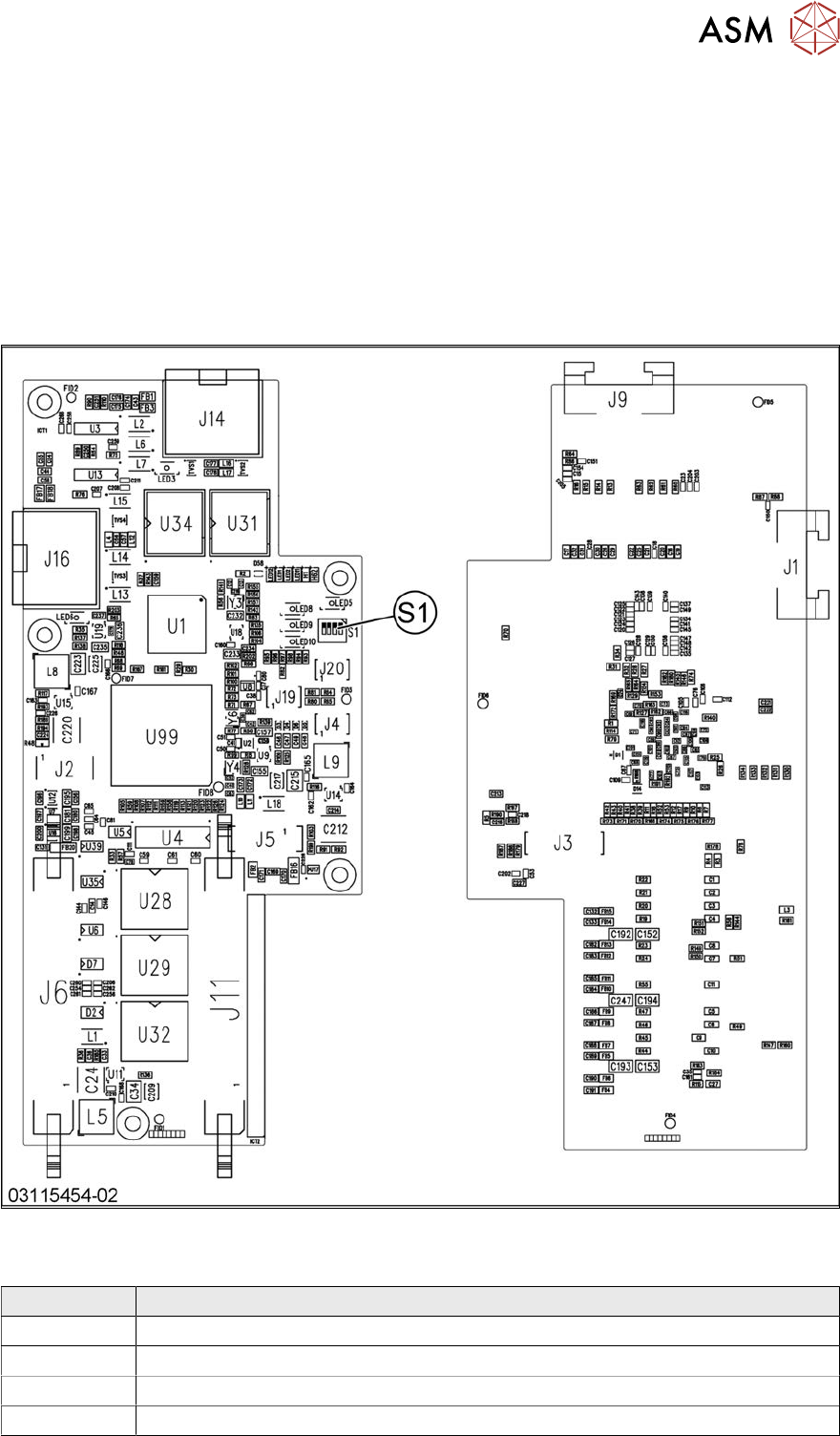
Fig.231: Vision head interface
Press-fit connections
Connector Description
J14 CAM1 – PCB camera
J16 CAM2 – component camera
J6, J11 Trailing cable
J5 Power supply