00197042-04_SM_X-Serie-S_Customer_EN.pdf - 第186页
6 Gantries 6.5 GCU and MGCU 186 Service Manual SIPLACE X-Serie S 06/2019 DIP switch (gantry ID) Switch Status Signal name Description GCU1 GCU2 GCU3 GCU4 S1.1 ON/OFF Gantry_ID_0 OFF ON OFF ON S1.2 ON/OFF Gantry_ID_1 OFF …
6 Gantries
6.5 GCU and MGCU
Service Manual SIPLACE X-Serie S 06/2019 185
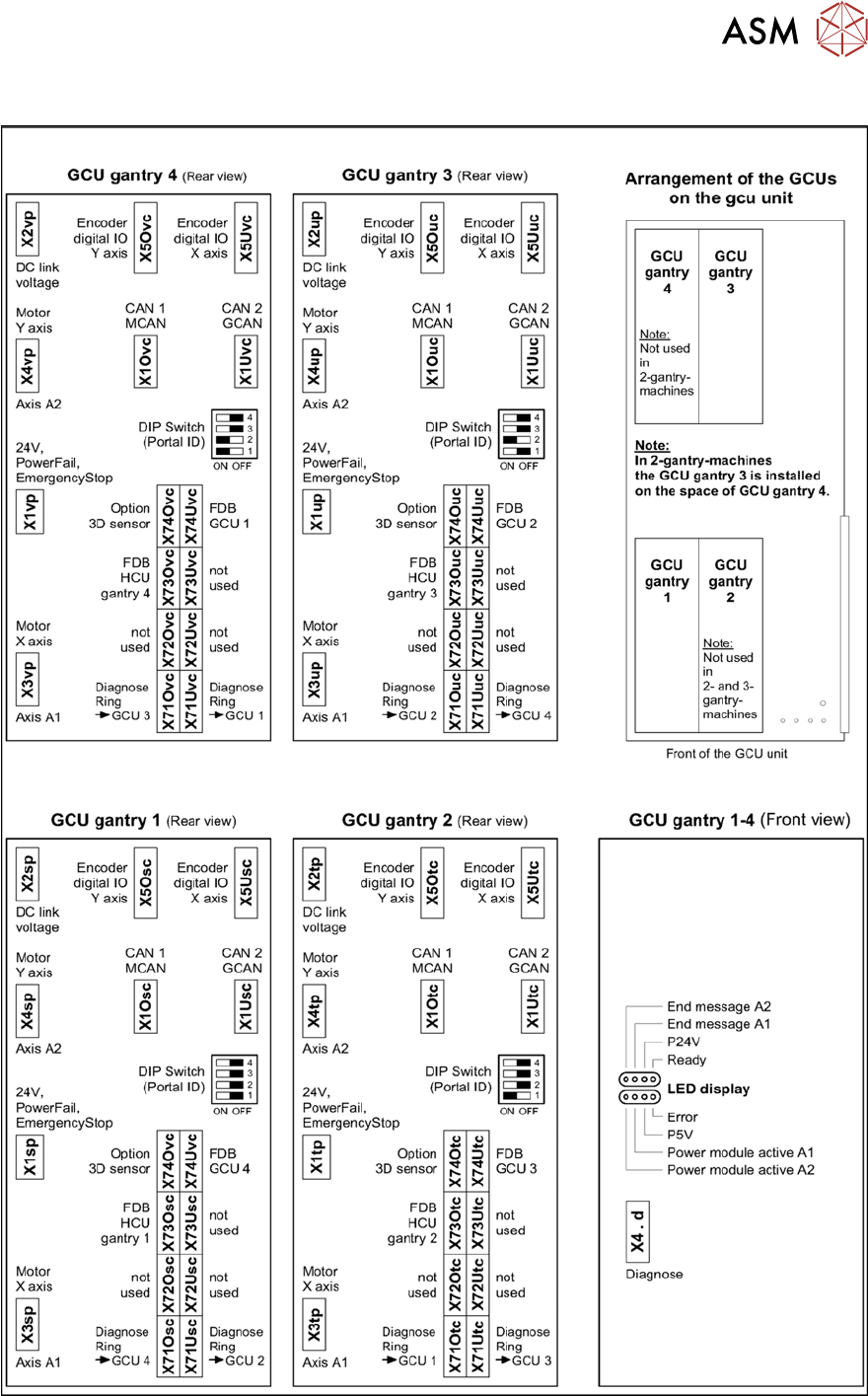
6.5.3 Overview of GCUs
Fig.234: Overview of GCUs
6 Gantries
6.5 GCU and MGCU
186 Service Manual SIPLACE X-Serie S 06/2019
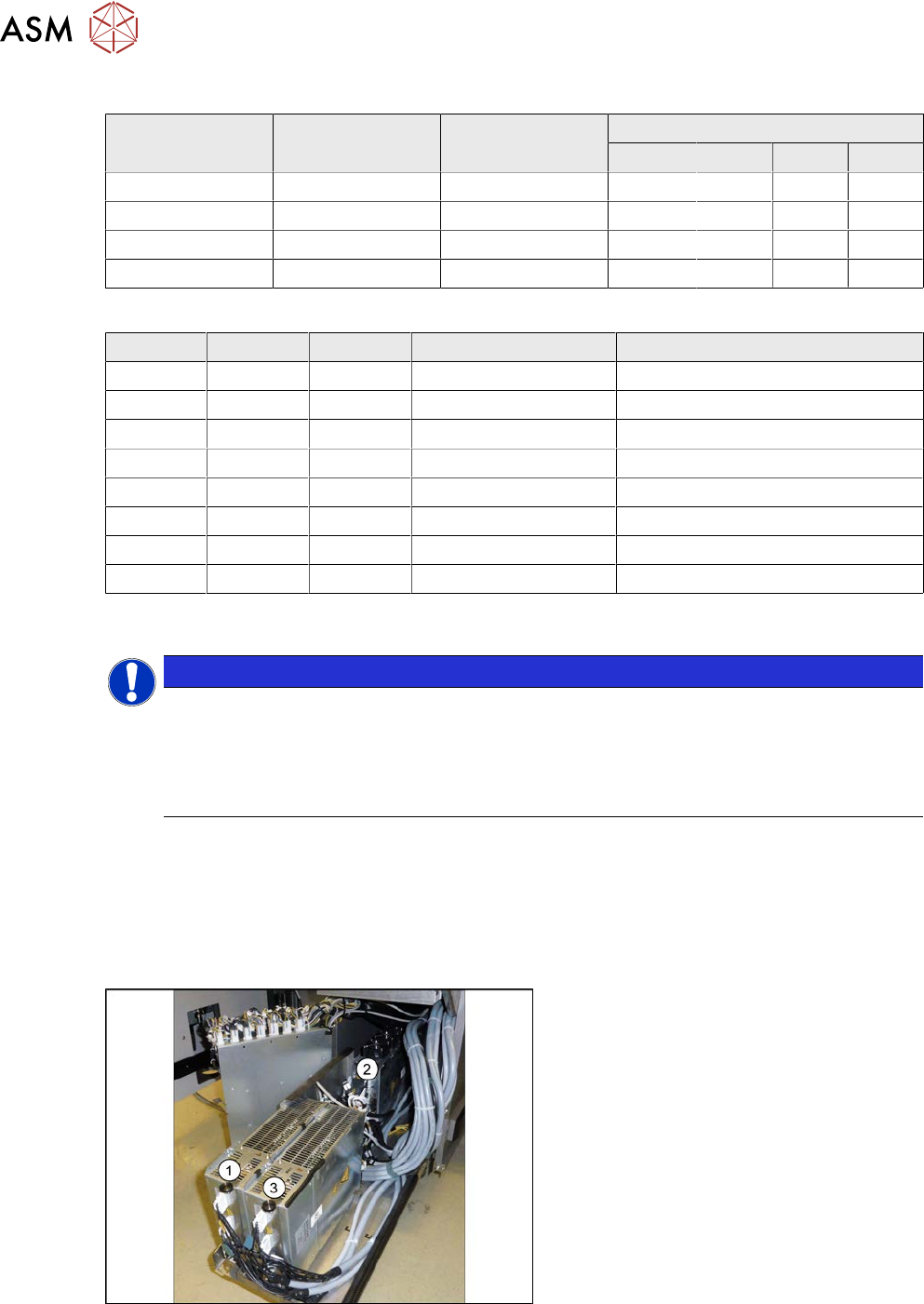
DIP switch (gantry ID)
Switch Status Signal name Description
GCU1 GCU2 GCU3 GCU4
S1.1 ON/OFF Gantry_ID_0 OFF ON OFF ON
S1.2 ON/OFF Gantry_ID_1 OFF OFF ON ON
S1.3 ON/OFF Gantry_ID_2 OFF OFF OFF OFF
S1.4 ON/OFF Portal_ID_3 OFF OFF OFF OFF
LEDs
LED Color Status Signal name Description
H1 RD ON LED_ERROR Error display
H2 GN ON A1_LED_PM_ON_N Power module activated, axis 1
H3 GN ON A2_LED_PM_ON_N Power module activated, axis 2
H4 GN ON A1_LED_END End position signal, axis 1
H5 GN ON A2_LED_END End position signal, axis 2
H6 GN ON LED_READY Ready
H7 GN ON P24V +24VDC
H8 GN ON P5V +5VDC
6.5.4 Replacing the MGCU
NOTICE
MGCU or GCU
GCUs and MGCUs are not compatible. A GCU must always be replaced by a GCU and an
MGCU must be replaced by an MGCU.
Only MGCUs will be fitted from serial number Hxxxx.
GCUs are fitted up to serial number Gxxxx. Please read section 6.5.1 "Replacing the GCU" [}183].
Parts, equipment and tools
●
Positioning control for the gantry axes MGCU-3 (3 axes) [03103477-xx]
or
●
Positioning control for the gantry axes MGCU-2 (2 axes) [03117531-xx]
Overview
Fig.235: Overview of MGCUs
(1) to (3) MGCUs
The MGCUs are located in a rack unit
between locations 1 and 2.
MGCU 2 is fitted with the fans above and
MGCU 1 and 3 are fitted with the fans
below.
The MGCU type and the assignment of MGCUs to gantries differs according to the machine type.
6.5.6 "Overview of MGCUs" [}188]
6 Gantries
6.5 GCU and MGCU
Service Manual SIPLACE X-Serie S 06/2019 187
Removal
► Switch off the machine, disconnect it from the power supply and secure it to prevent
unauthorized reactivation.
1.2 "Preparatory work..." [}16]
► Unplug all connections from the MGCU. If necessary, mark their positions to make clear as-
signment easier later on.
► Remove the screws fastening the mount and then remove the mount.
► Remove the MGCU from the machine.
Installation
► Follow the removal instructions in reverse order for installation. Also observe the following
instructions:
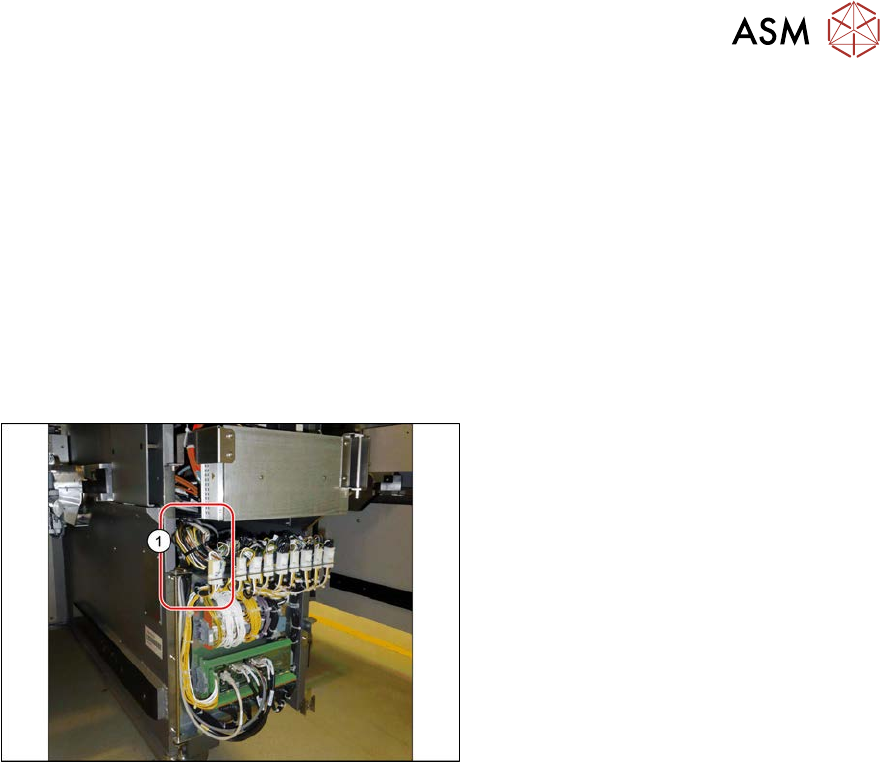
Fig.236: Cables
► Use the DIP switch to set the gantry ID
on the MGCU (see 6.5.6 "Overview of
MGCUs" [}188]).
► Always make sure that the cables do
not rub against any parts or are folded.
Pay particular attention to the
cables(1) at the top end of the flap.
► Check the firmware and perform a
download, if needed. (see 6.9 "eSW
Download (SW 70x)" [}202]).
See also
2 6.5.3 "Overview of GCUs" [}185]
6.5.5 Replacing the MGCU fan
Parts, Equipment and Tools
●
Fan for MGCU [03104136-xx]
Removal/Installation
► Removal and installation of the fan on the MGCU is the same as that for the GCU.
Screws are fitted in place of the expanding rivets.
Read also section 6.5.2 "Replacing the GCU fan" [}184].