00197042-04_SM_X-Serie-S_Customer_EN.pdf - 第202页
6 Gantries 6.9 eSW Download (SW 70x) 202 Service Manual SIPLACE X-Serie S 06/2019 6.9 eSW Download (SW 70x) Fig.256: Select operator level ► Select the button, to open the Configure, update and calibrate the machine men…
6 Gantries
6.8 Sensor, motor and guide trolley
Service Manual SIPLACE X-Serie S 06/2019 201
6.8.2 Replacing the X and Y Motor
DANGER
Danger of crushing
The attraction force of the magnets is 400Nm.
CAUTION
Do not loosen the screws
Loosening the fastening screws leads to tension. This has a negative effect on the product
life.
NOTICE
SIPLACE Service
This task may only be performed by SIPLACE service technicians.
6.8.3 Replacing the Guide Trolley
DANGER
Danger of crushing
The attraction force of the magnets is 400Nm.
CAUTION
Do not loosen the screws
Loosening the fastening screws leads to tension. This has a negative effect on the product
life.
NOTICE
SIPLACE Service
This task may only be performed by SIPLACE service technicians.
6 Gantries
6.9 eSW Download (SW 70x)
202 Service Manual SIPLACE X-Serie S 06/2019
6.9 eSW Download (SW 70x)
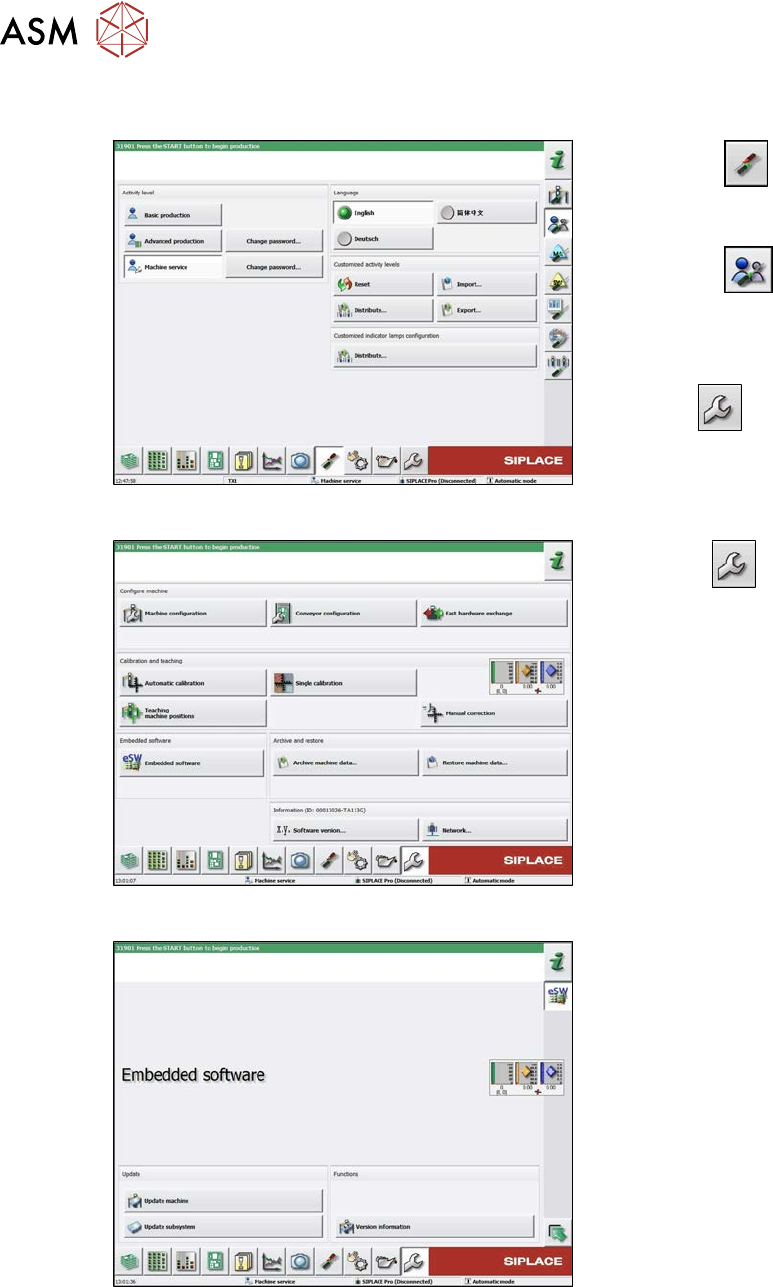
Fig.256: Select operator level
► Select the
button, to open the
Configure, update and calibrate the
machine menu.
► Select the
button to open the
Check and set user settings menu.
► Switch over to the operator level Ma-
chine service.
ð The
button will be shown.
Fig.257: Service menu
► Click the
button to enter the Ser-
vice menu.
► Click on the Embedded software but-
ton.
Fig.258: Embedded software menu
Select the required function:
► Click on Update machine… to check
the entire machine and to perform an
eSW download for multiple subsystems
(see next picture).
► Click on Update subsystem… to se-
lect one subsystem, check and to per-
form an eSW download.
► Click on the button Version informa-
tion…, to view all versions of the sub-
systems, BIOS, application 1/2/3/5.
6 Gantries
6.9 eSW Download (SW 70x)
Service Manual SIPLACE X-Serie S 06/2019 203
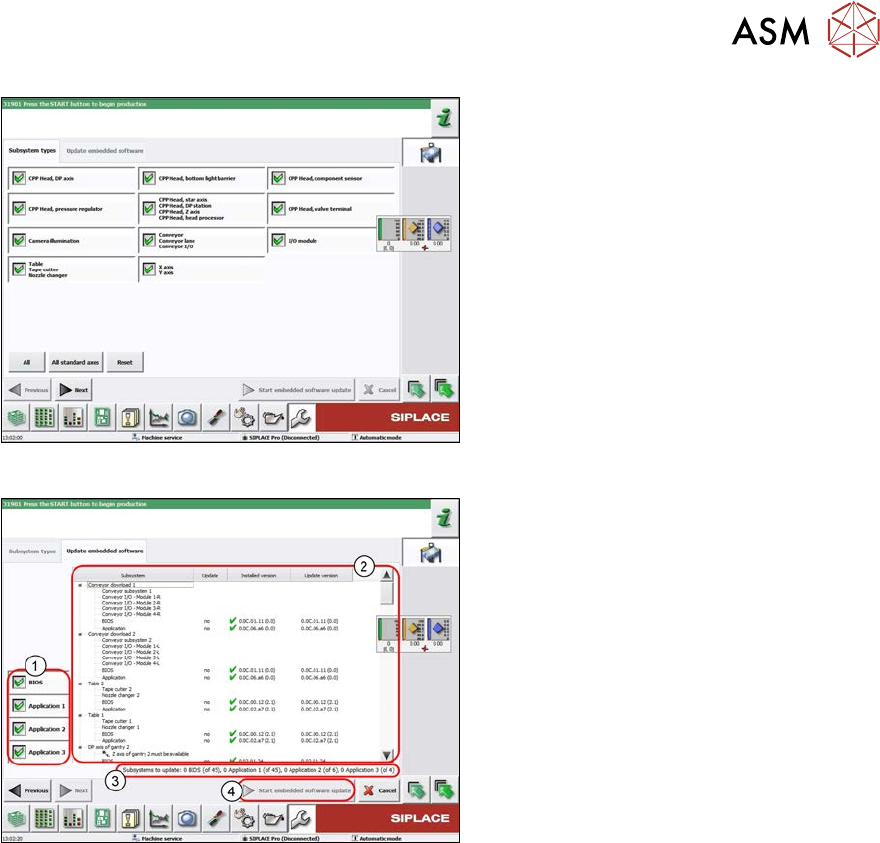
Fig.259: Select subsystem
► Select the subsystem for the eSW
download.
► Click on the Continue button.
Fig.260: Update machine menu
1. Selection buttons:
BIOS
Application 1
Application 2
Application 3
2. Shows the status of the individual sub-
systems
3. Update information
This shows you the number of subsys-
tems which still need to be down-
loaded.
4. Starts the download