00197042-04_SM_X-Serie-S_Customer_EN.pdf - 第25页
2 Basic Machine 2.1 Overview of X-Series S Machines Service Manual SIPLACE X-Serie S 06/2019 25 2 Basic Machine DANGER Observe User Manual ► Please observe the safety instructions in the user manual for all work! 2.1 Ove…
1 Introduction
1.4 Staff qualifications and training
24 Service Manual SIPLACE X-Serie S 06/2019
1.3.7 SIPLACE on the World Wide Web (WWW)
Log in to our SIPLACE® homepage at http://www.asm-smt.com.
You can choose between the German and English version.
The different sections contain information about our products, services and contact persons.
In addition, registered customers can also access the MySIPLACE user group. Here you can call
up special information about our placement systems, e.g.
●
technical documentation
●
technical information
●
spare parts lists etc.
Registration for the MySIPLACE user group is very simple:
► At the head of the web site, click on
and then on the Register
link.
► Fill in the registration form and send it off to us.
Soon afterwards, you will receive your access authorization with user name and password.
1.4 Staff qualifications and training
Qualified or adequately trained personnel means that these people are familiar with the setting up,
operation and maintenance of the machine and the add-on devices and are suitably qualified, e.g.:
●
Have been trained, instructed or authorized to switch on and off, isolate, earth and identify
electrical circuits and system components in accordance with normal safety standards.
●
Have been trained or instructed in the upkeep and use of appropriate safety equipment in
accordance with normal safety standards.
●
Have received first aid training.
1.5 Abbreviations
Abbreviations Description
PA, PA1, PA2 Placement area, Placement area 1, Placement area 2
CO Component
COT Changeover table
COT-i Changeover table insert
C&P Collect&Place
CPP Collect&Pick&Place
DC Dual conveyor with 2 lanes
ESD Electrostatic sensitive device
EMC Electromagnetic compatibility
SC Single conveyor with 1 lane
FHE Fast Hardware Exchange
PCB PCB board
P&P Pick&Place
SCS Single Core Solution
SC Station computer
TH TwinHead
WPC Wafflepack changer
ID Intermediate distributor
2 Basic Machine
2.1 Overview of X-Series S Machines
Service Manual SIPLACE X-Serie S 06/2019 25
2 Basic Machine
DANGER
Observe User Manual
► Please observe the safety instructions in the user manual for all work!
2.1 Overview of X-Series S Machines
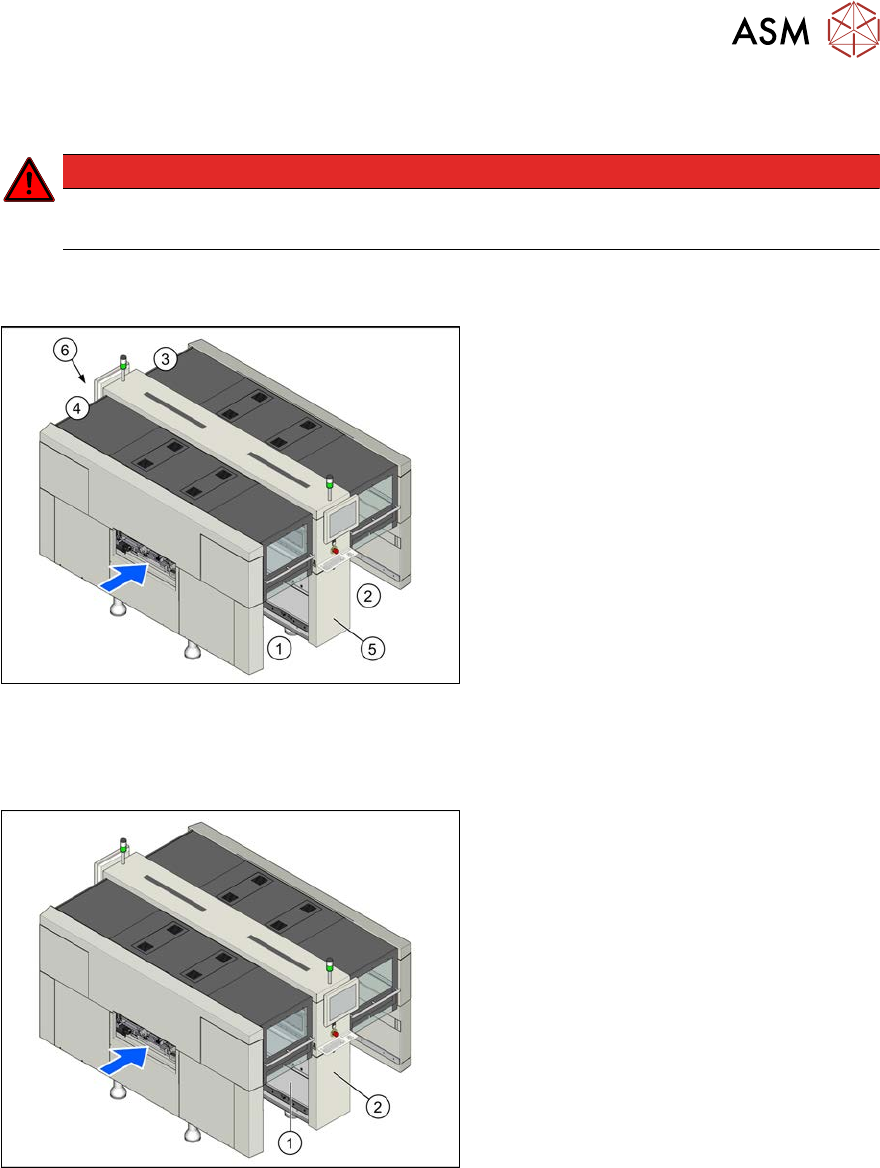
Fig.7: Machine overview (example of SIPLACE X3 S, X4 S
shown)
1. Location 1
2. Location 2
3. Location 3
4. Location 4
5. (M)GCU, BoxPC, I/O modules
6. Power supply
2.1.1 Serial Number of Module
Fig.8: Typeplate (example of SIPLACE X3S, X4S shown)
The serial number of your placement
machine can be found at location1, on the
typeplate(1) and behind the distributor
door(2), on the right, above the distributor.
2 Basic Machine
2.2 Replacing the gas pressure shock absorber on the cover
26 Service Manual SIPLACE X-Serie S 06/2019
2.2 Replacing the gas pressure shock absorber on the cover
NOTICE
Loose screwed fixtures
► Also observe section 2.2.1 "Troubleshooting – Loose Screwed Fixtures on the Gas
Pressure Shock Absorbers" [}28].
Parts, equipment and tools
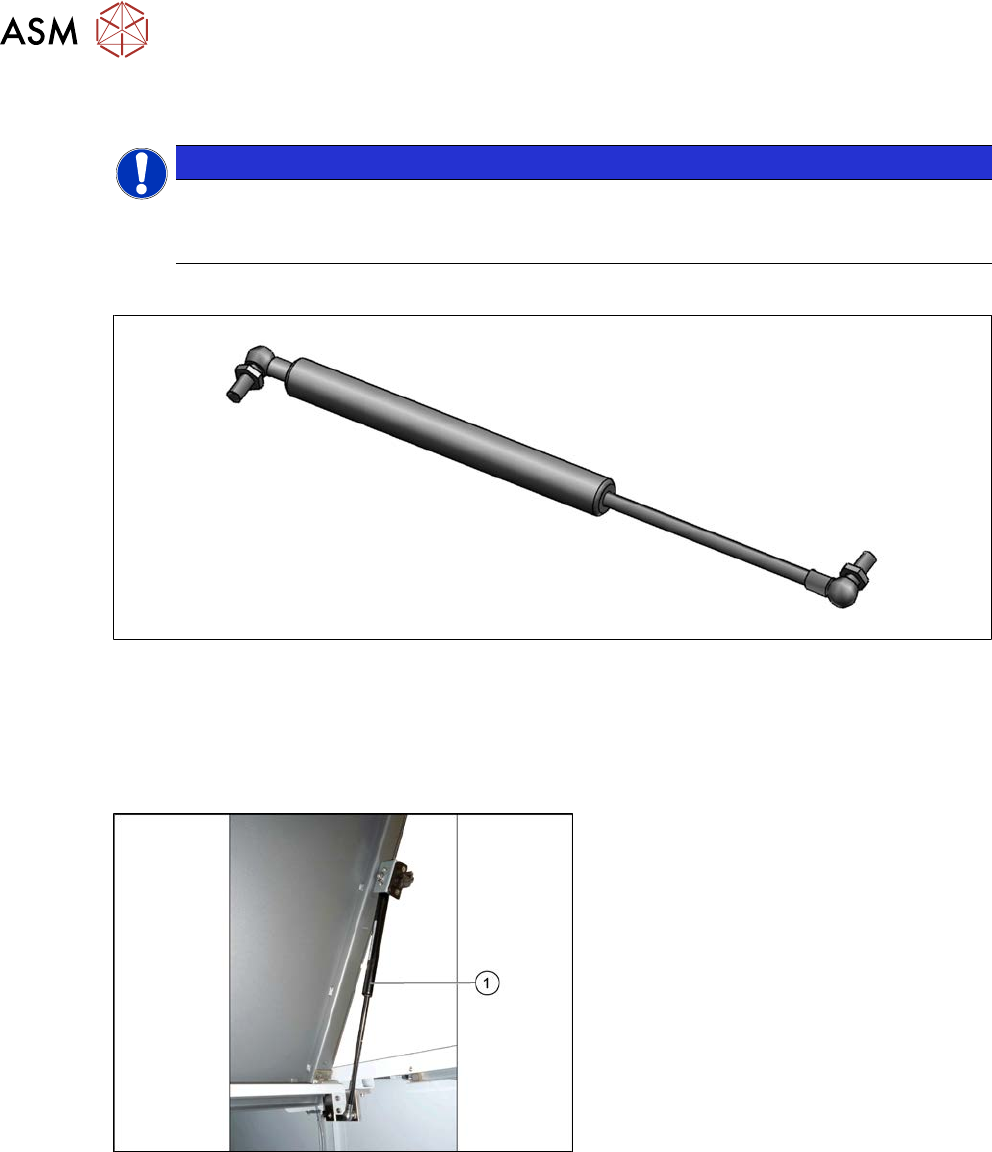
Fig.9: Gas pressure shock absorber D3D3B90-135-430-004/230N [03086743-xx]
●
Gas pressure shock absorber D3D3B90-135-430-004/230N [03086743-xx] (replaces:
[03057763‑xx])
●
Loctite 638 [00317731-xx], if required (for loose screwed fixtures)
Overview
Fig.10: Gas pressure shock absorber
1. Gas pressure shock absorber on the
cover
(two per cover)