00197042-04_SM_X-Serie-S_Customer_EN.pdf - 第271页
7 Conveyor 7.8 Laser light barriers, fiber optic cable and PCB sensors Service Manual SIPLACE X-Serie S 06/2019 271 Fig.343: Safety mode ► Enable the button Safety mode (re- duced speed) . Fig.344: Check sensors and fu…
7 Conveyor
7.8 Laser light barriers, fiber optic cable and PCB sensors
270 Service Manual SIPLACE X-Serie S 06/2019
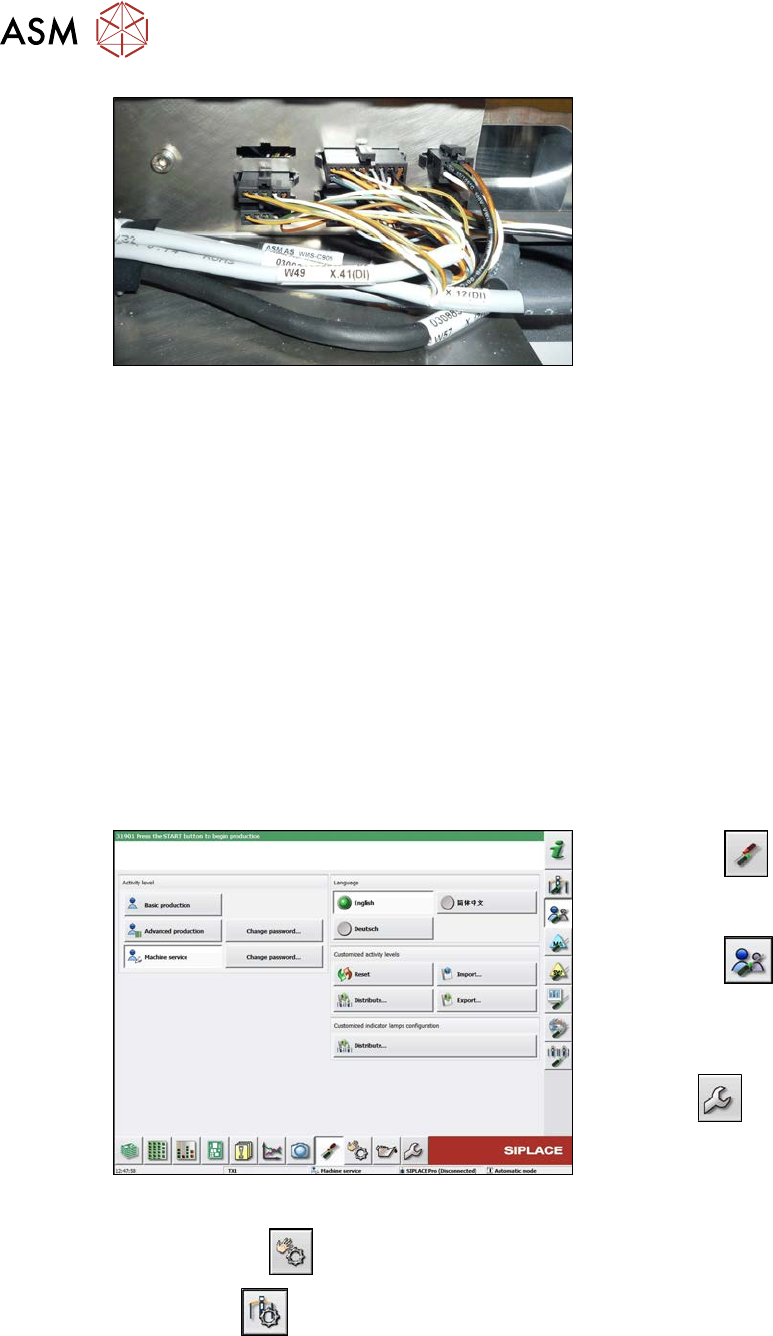
Fig.341: Connections (here output conveyor location 3)
► Disconnect the cable. You may want to
mark the position, to make clear as-
signment easier later on.
Installation
► Follow the removal instructions in reverse order for installation. Also observe the following
instructions:
– Leave enough room at the cable for easy removal of the transmitter/receiver from the side
wall. Make sure that the connector is not directly under the housing, otherwise you might
have problems inserting the module.
– Replace any open cable ties.
Make sure that the cable ties and the heads of the cable ties do not rub against any parts
when you do this.
– Check the setting for the transmitter/receiver and correct if necessary.
– Teach the PCB sensors.
7.8.3 Checking the laser light barrier
Whenever the laser light barrier is dismantled, it then needs to be checked and manually set again,
if necessary. Check the setting as follows:
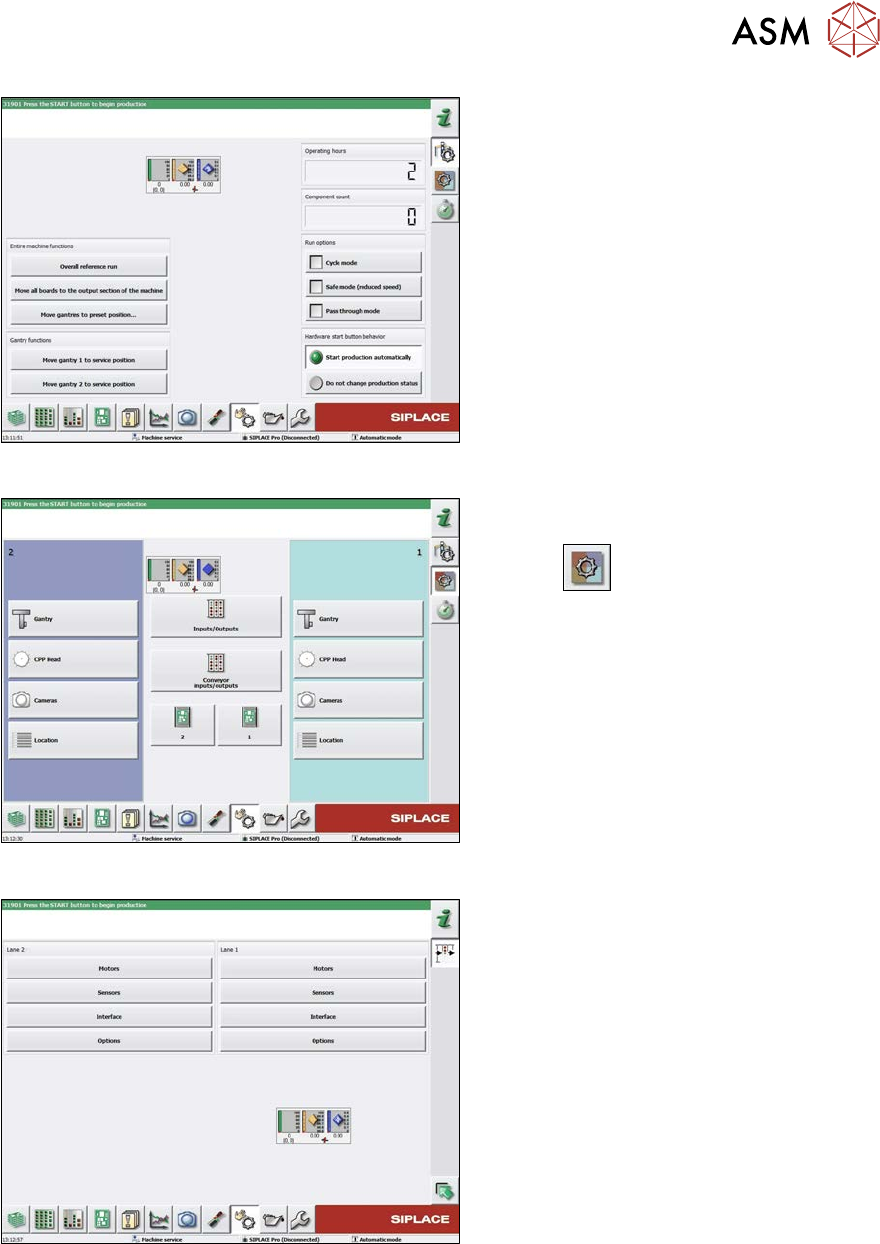
Fig.342: Select operator level
► Select the
button, to open the
Configure, update and calibrate the
machine menu.
► Select the
button to open the
Check and set user settings menu.
► Switch over to the operator level Ma-
chine service.
ð The
button will be shown.
► Click on the
button, to switch over to the menu Check sensors and functions.
► Click the
button.
7 Conveyor
7.8 Laser light barriers, fiber optic cable and PCB sensors
Service Manual SIPLACE X-Serie S 06/2019 271
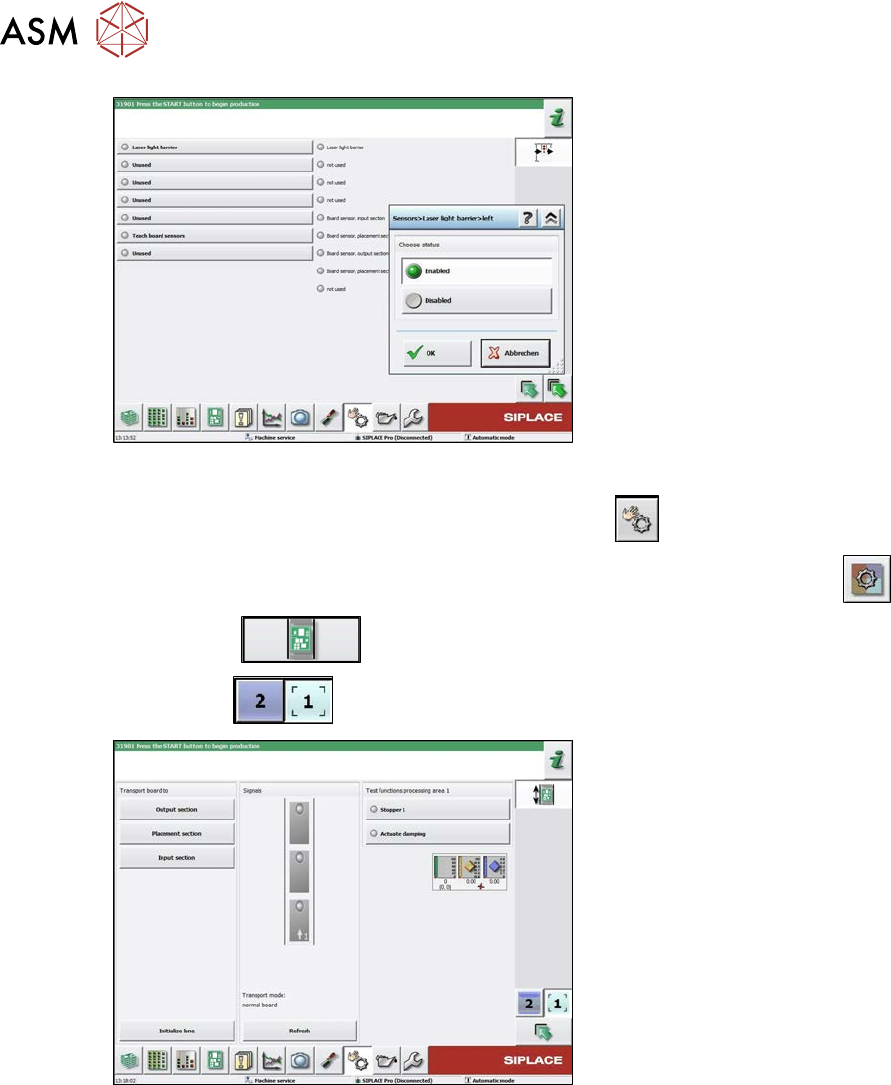
Fig.343: Safety mode
► Enable the button Safety mode (re-
duced speed).
Fig.344: Check sensors and functions
► Click on the button Check sensors
and functions of specific compon-
ents
.
► Click on the Conveyor inputs/outputs
button.
Fig.345: Inputs/outputs
► Click on the button Sensors.
7 Conveyor
7.8 Laser light barriers, fiber optic cable and PCB sensors
272 Service Manual SIPLACE X-Serie S 06/2019
Fig.346: Sensors
► Enable the Laser light barrier button.
► Click on the button Check sensors and functions
.
► Click on the button Check sensors and functions of specific components
.
► Click the
button.
► Use the
button to select the required conveyor track.
Fig.347: Checking function of the laser light
► Check the function of the laser light
barrier. To do this, move a board
through the conveyor.
► Correct the laser light barrier setting, if
necessary (see below).