00197042-04_SM_X-Serie-S_Customer_EN.pdf - 第277页
7 Conveyor 7.8 Laser light barriers, fiber optic cable and PCB sensors Service Manual SIPLACE X-Serie S 06/2019 277 Installation ► Follow the removal instructions in reverse order for installation. Also observe the follo…
7 Conveyor
7.8 Laser light barriers, fiber optic cable and PCB sensors
276 Service Manual SIPLACE X-Serie S 06/2019
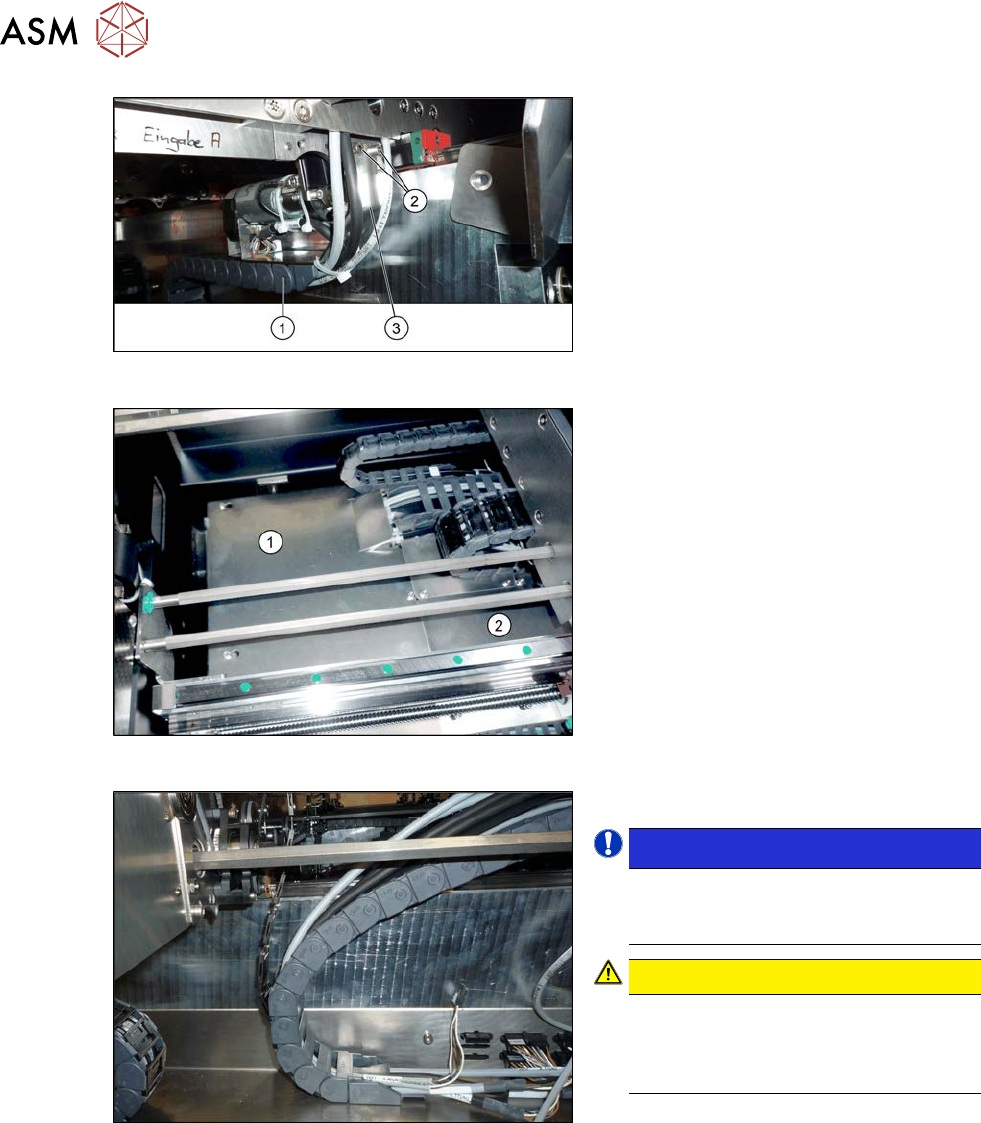
Fig.350: Holding plate
► Remove the screws(2) fastening the
bracket(3) to the top end of the trailing
cable(1) on the conveyor side.
► For better access, you can remove the
screws fastening the trailing cable to
the bracket.
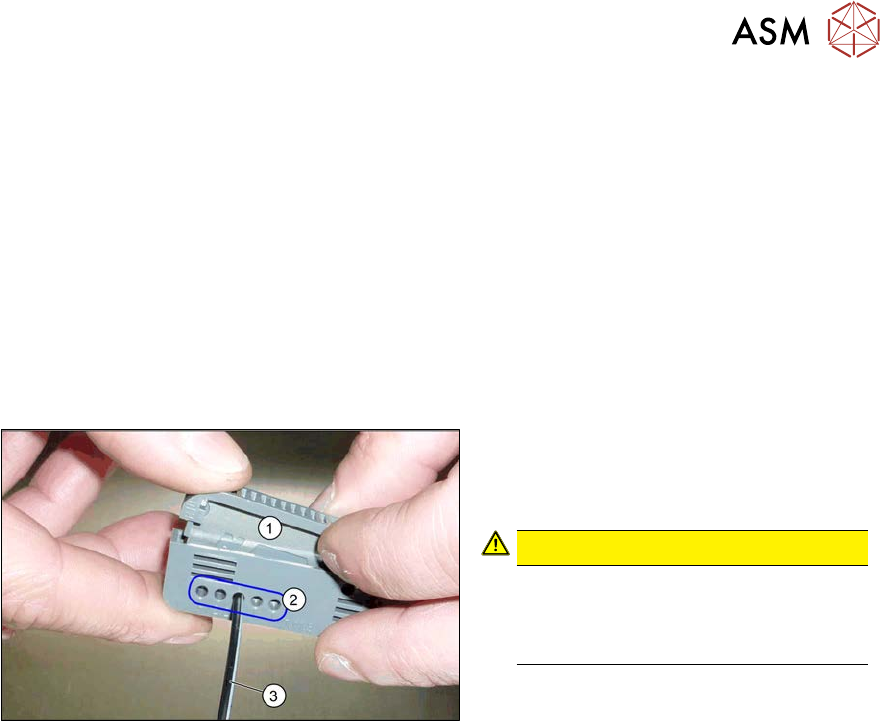
Fig.351: Cover plates (example of SX1/SX2 shown)
► Dismantle the two cover plates(1)
and(2) under the trailing cable. To do
this, loosen the four fastening screws
for each and then remove the cover
plates.
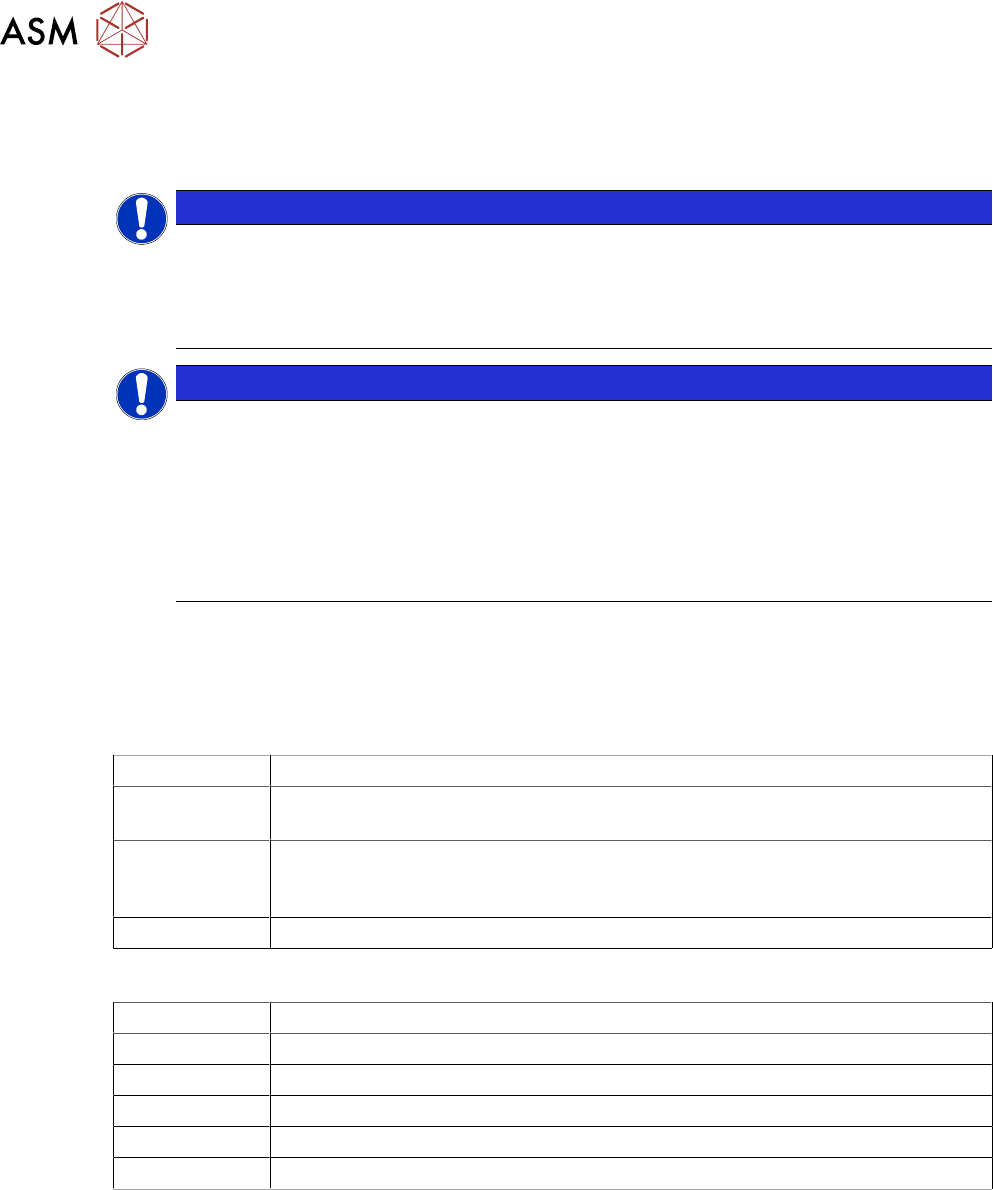
Fig.352: Opened trailing cable
► Open the trailing cable.
NOTICE!
There is also a protective tape in the
trailing cable. This separates the fiber
optic cable from the cables.
.
CAUTION!
Make sure you do not bend the fiber
optic cable. This will otherwise become
dull and no longer transmit the signal
properly.
.
► For better access, you can remove the
screws on the bottom of the conveyor.
► Unthread the fiber optic cable from the
conveyor side and the trailing cable.
► Unplug the fiber optic cable from the fiber optic sensor. To do this, open the fiber optic lock on
the sensor.
7.8.7 "Replacing the Fiber Optic Cable Sensor" [}281]
7 Conveyor
7.8 Laser light barriers, fiber optic cable and PCB sensors
Service Manual SIPLACE X-Serie S 06/2019 277
Installation
► Follow the removal instructions in reverse order for installation. Also observe the following
instructions:
●
Shorten the fiber optic cable with the cutter tool provided (see below). Make sure you give the
fiber optic cable enough play.
●
Replace any open cable ties.
Make sure that the cable ties and the heads of the cable ties do not rub against any parts
when you do this.
●
Check the setting for the transmitter/receiver and correct if necessary.
7.8.3 "Checking the laser light barrier" [}270]
7.8.4 "Correcting the Laser Light Barrier Setting" [}273]
●
Teach the PCB sensors.
Fig.353: Cutter tool
1. Cutter tool
2. Cutting aperture
3. Fiber optic cable
CAUTION!
Make sure that you only use each cut-
ting aperture once. If they are used
more than once, good quality cuts can
not be guaranteed.
.
7 Conveyor
7.8 Laser light barriers, fiber optic cable and PCB sensors
278 Service Manual SIPLACE X-Serie S 06/2019
7.8.6 Repairing the fiber optic cables
To avoid machine downtimes, it is possible to repair fiber optic cables temporarily, using the repair
hose.
NOTICE
Repair hose for fiber optic cable LL3-TV05
► The repair hose may only be used for short periods to avoid machine downtimes.
► The repair hose may only be used once per fiber optic cable.
► The fiber optic cable must be replaced during the next repair or maintenance cycle.
NOTICE
No guarantee
► No guarantee is given if the fiber optic cable is repaired using the repair hose.
► There is no long-term experience with the repair hose.
► Depending on the board width, the intensity of the light beam may diminish in such a
way that an evaluation is no longer possible.
► The repair hose must not be bended. For this reason, there is an additional danger of
rupture after the repair, in areas where the fiber optic cable is routed in narrow radii.
► If another rupture of the fiber optic cable occurs and it is not possible to replace the whole
fiber optic cable, replace the defective part of the fiber optic cable in such a way that only one
repair hose is used.
Parts
03092407-xx Fibre optic cable LL3-TV05 2m (including cutting tool for fibre optic cables)
03092408-xx Fibre optic cable LL3-TV05 3m (spare part) (including cutting tool for fibre optic
cables)
03122383-xx Hose PUN 3x0.5-SW, 100mm (repair hose)
A repair hose is supplied with each fiber optic cable. The repair hose is not
available as an individual spare part.
Sheet with yellow glue dots
Equipment and tools
03017821-xx Loctite 406 (instant glue highly viscous)
03019481-xx Dosage tip for Loctite
00372972-xx Protective latex gloves
00353832-xx Allen key set
Cable ties
Wire cutters