00197042-04_SM_X-Serie-S_Customer_EN.pdf - 第288页
7 Conveyor 7.8 Laser light barriers, fiber optic cable and PCB sensors 288 Service Manual SIPLACE X-Serie S 06/2019 7.8.9 Teaching the PCB sensors (SW70x) Whenever you manually loosen the conveyor rails, you also need to…
7 Conveyor
7.8 Laser light barriers, fiber optic cable and PCB sensors
Service Manual SIPLACE X-Serie S 06/2019 287
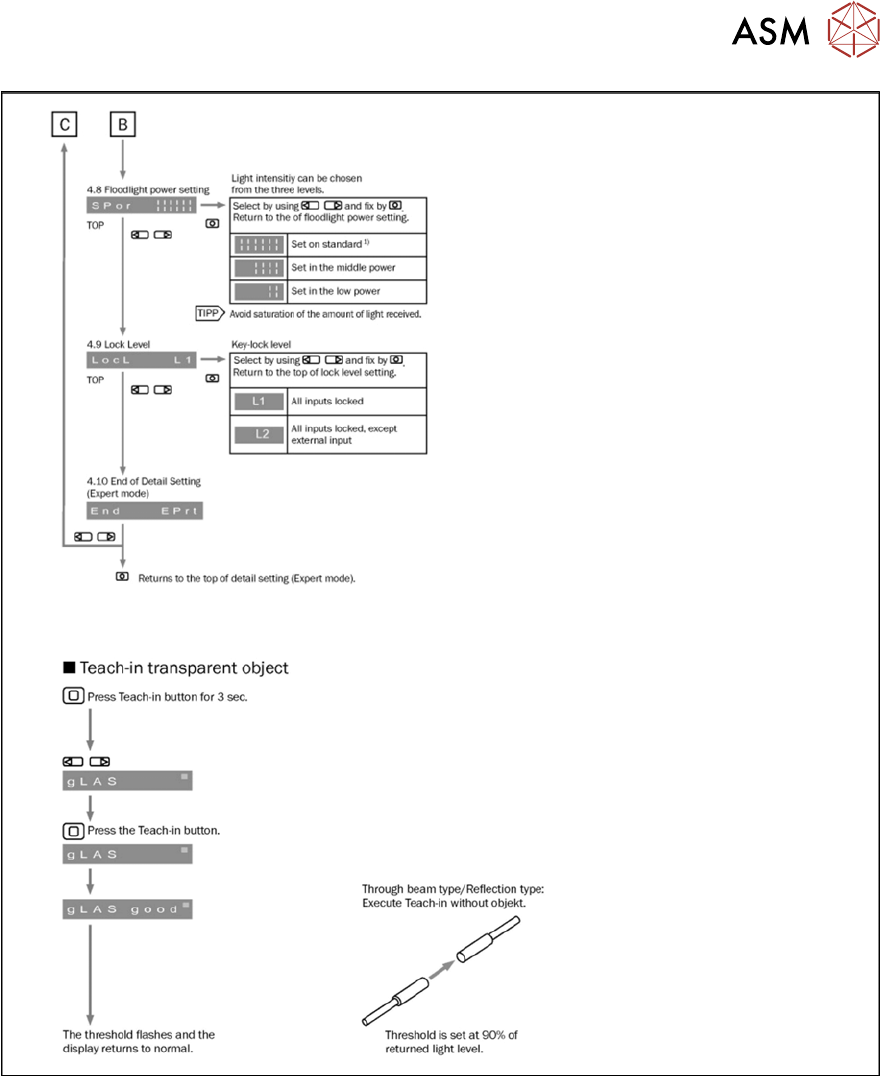
Fig.362: Setting the fiber optic sensor - 4
7 Conveyor
7.8 Laser light barriers, fiber optic cable and PCB sensors
288 Service Manual SIPLACE X-Serie S 06/2019
7.8.9 Teaching the PCB sensors (SW70x)
Whenever you manually loosen the conveyor rails, you also need to reteach the light barrier
sensors. This is required because the light intensity depends on the conveyor width. Without teach-
ing, the conveyor will show boards which are not present, preventing the conveyor from being ref-
erenced.
Teaching is performed automatically during operation.
Procedure
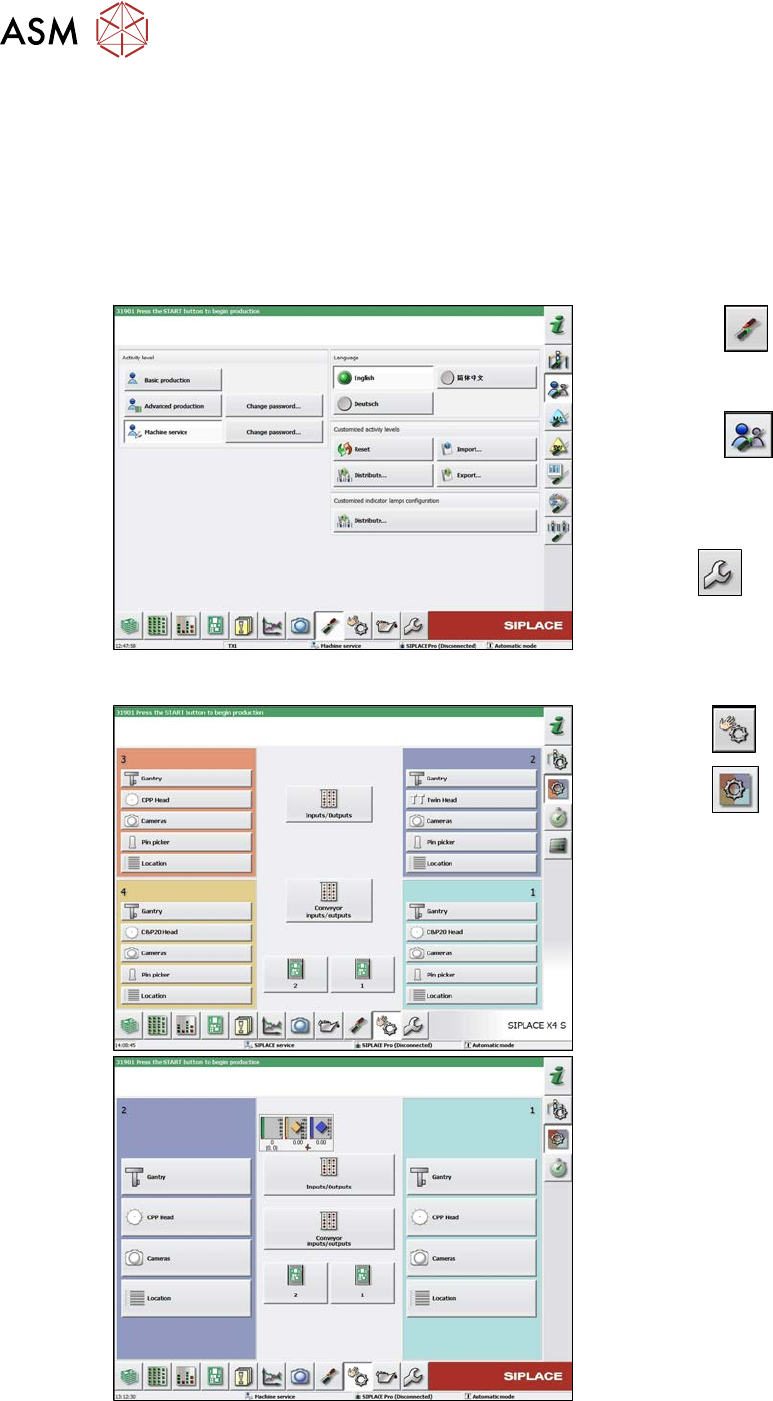
Fig.363: Select operator level
► Select the
button, to open the
Configure, update and calibrate the
machine menu.
► Select the
button to open the
Check and set user settings menu.
► Switch over to the operator level Ma-
chine service.
ð The
button will be shown.
Fig.364: Checking sensors and functions
► Click the
button.
► Click the
button.
► Click on the Conveyor inputs/outputs
button.
7 Conveyor
7.8 Laser light barriers, fiber optic cable and PCB sensors
Service Manual SIPLACE X-Serie S 06/2019 289
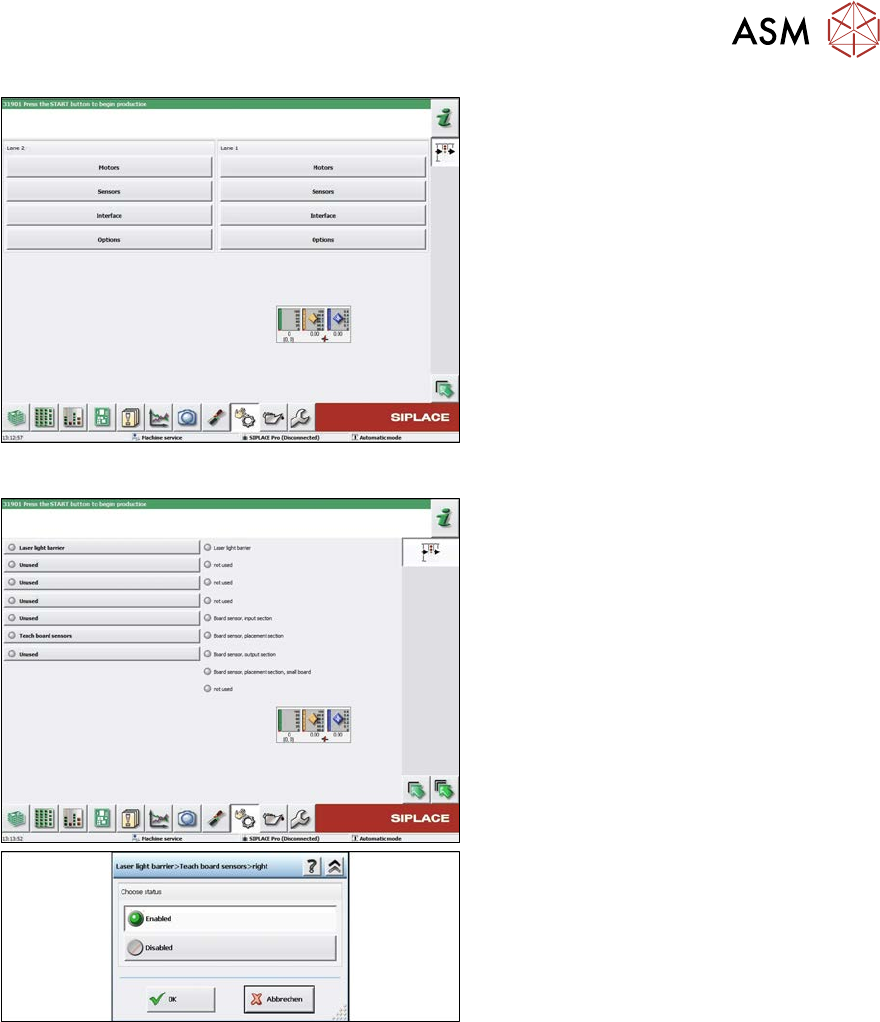
Fig.365: Teaching the sensors
► Click on the button Sensors.
Fig.366: Teaching the sensors
► Select Laser light barrier at conveyor
track 1, enable Teach board sensors
and press the Start button on the
machine.
Disable this function again afterwards.
► Repeat this step for all tracks.