00197042-04_SM_X-Serie-S_Customer_EN.pdf - 第310页
8 Head exchange 8.3 Replacing the SIPLACE C&P20/A/M 310 Service Manual SIPLACE X-Serie S 06/2019 8.3 Replacing the SIPLACE C&P20/A/M NOTICE Vacuum test ► If required, perform a vacuum test before removing the pla…
8 Head exchange
8.2 Differentiation of the SIPLACE C&P20 head variants
Service Manual SIPLACE X-Serie S 06/2019 309
8.2 Differentiation of the SIPLACE C&P20 head variants
CAUTION
Do not confuse the different SIPLACE C&P20 head variants.
► Parts from the SIPLACE C&P20/A/M head can not usually be used for the SIPLACE
C&P20P/M2 head (and vice versa)!
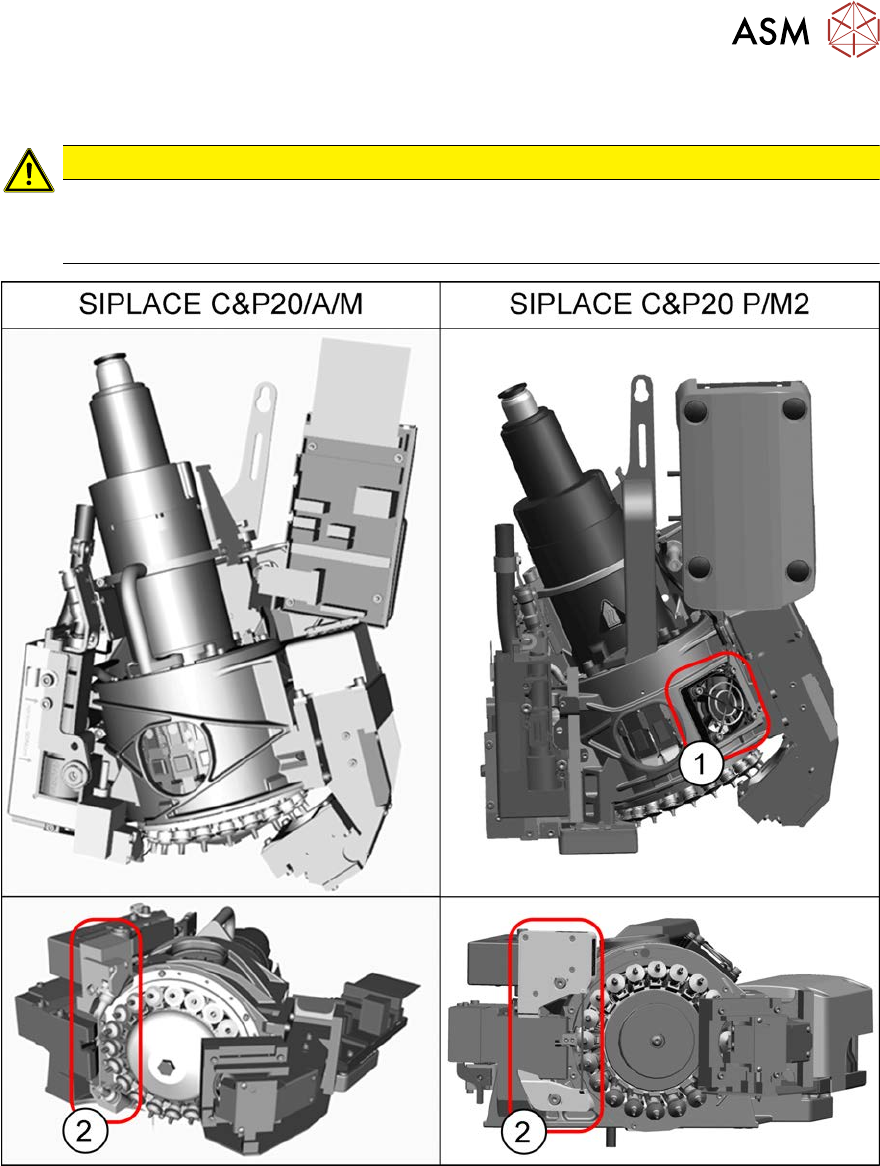
Fig.394: Differentiation of the SIPLACE C&P20 head variants
The SIPLACE C&P20/A/M and the SIPLACE C&P20 P/M2 head differ in many details. They are
easily identified by the following features:
1. The SIPLACE C&P20 P/M2 head can be identified by the fan. This fan is not present on the
SIPLACE C&P20/A/M.
2. The component sensor is flatter and wider on the SIPLACE C&P20 P/M2 than on the
SIPLACE C&P20/A/M.
8 Head exchange
8.3 Replacing the SIPLACE C&P20/A/M
310 Service Manual SIPLACE X-Serie S 06/2019
8.3 Replacing the SIPLACE C&P20/A/M
NOTICE
Vacuum test
► If required, perform a vacuum test before removing the placement head.
Read the "Service manual Vacuum test at C&P placement head" [DE+EN:
00196101‑xx] for this.
NOTICE
Fast Hardware Exchange (FHE)
► Observe the instructions in section 8.1 "Fast Hardware Exchange" [}305] when ex-
changing a head.
NOTICE
Example shown as diagram
Replacement of the placement head is shown using the example of a SIPLACE C&P20 A
machine. Replacement of other SIPLACE C&P20 types follows the same procedure. Any
relevant differences will be mentioned explicitly.
Parts, equipment and tools
●
Select the placement head:
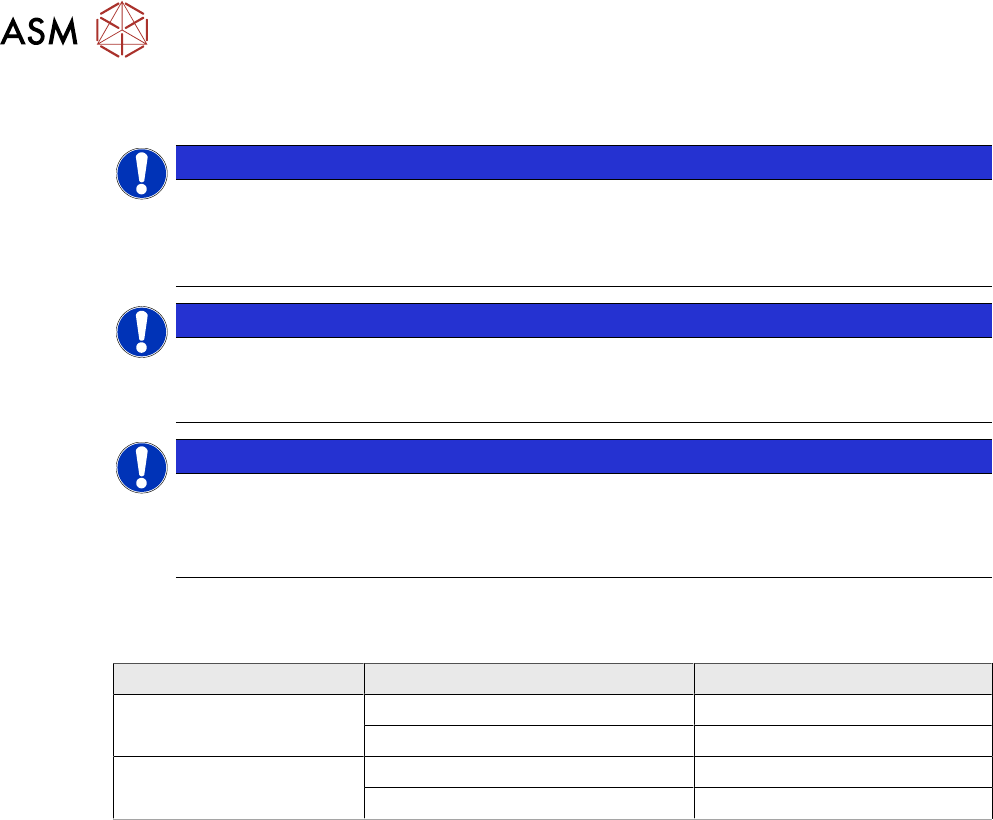
Head type Camera Item no.
SIPLACE C&P20A With camera SST23 03062095-xx
Without camera 03058420-xx
SIPLACE C&P20M With camera SST41 03107086-xx
Without camera 03103108-xx
●
Torque screwdriver 1-5 Nm [03078400-xx]
●
Extension/straight TX20 [03073256-xx]
●
Bit holder for Torque Vario-S screwdriver [03078706‑xx]
●
Torx offset screwdriver TX8 [03080081-xx]
●
Calibration tool version SST23 [03034148-xx]
●
Protective hose for component sensor [03078596-xx]
●
For additional work on the placement head:
Head mount [03056231‑xx]
Service manual "C&P20 / C&P20A / C&P20M head" [DE:00197464‑xx] [EN:00197465‑xx]
Job Card "Preventive Maintenance C&P20 A/M" [DE:00197504‑xx] [EN:00197502‑xx] (other
languages available)
●
If needed, for vacuum pump operation:
– Assembly instructions "Vacuum Pump SIPLACE X-Series S from Hxxxx" [00198599‑xx]
– Assembly instructions "Vacuum Pump SIPLACE X-Series S, SX4/DX4 up to
Hxxxx" [00196845‑xx]
8 Head exchange
8.3 Replacing the SIPLACE C&P20/A/M
Service Manual SIPLACE X-Serie S 06/2019 311
Removal
► Switch off the machine, disconnect it from the power supply and secure it to prevent
unauthorized reactivation.
1.2 "Preparatory work..." [}16]
► Switch off the compressed air supply
5.2 "Disabling the compressed air supply" [}134]
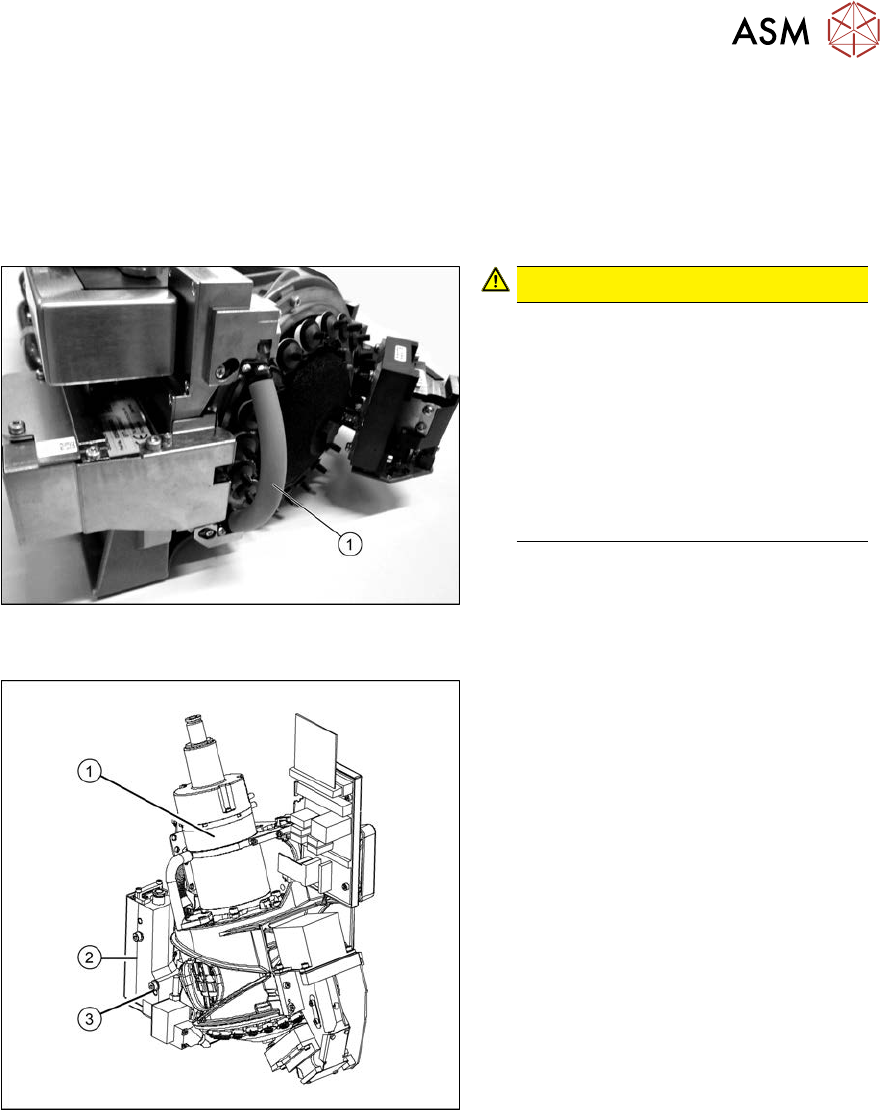
Fig.395: Hose on component sensor (example of C&P20 A
shown)
CAUTION!
The component sensor prisms, under-
neath the placement head, are easily
damaged. Take great care when dis-
mantling the head!
Protect the component sensor with a
piece of hose (1). This is delivered
with the placement head or component
sensor and should be stored in the
service box for the machine, as it is re-
quired for dismantling the head.
.
Fig.396: Removing the placement head
► Unplug the pneumatic connection(1).
► Disconnect the flat ribbon cable from
the placement head.
► Remove the screws fastening the strain
relief on the component camera cables
and carefully unplug the cables. While
unplugging the cables, press the
clamps on both sides of the connect-
ors.
► Loosen the two screws on the pressure
control valve (2).
► Undo the screw(3) from the pressure
control valve and swing the pressure
control valve to one side.
The head fastening screw near the
pressure control valve is now access-
ible.
► Unscrew all four M4 fastening screws with a long Torx key (TX20).
► Carefully lift the head out of the locating pins on the head plate.
► Placing the head into the head transport box
► If you need to perform further work on this head (e.g. replacing spare parts), fit the head to the
head mount [03056231-xx].