00197042-04_SM_X-Serie-S_Customer_EN.pdf - 第329页
9 Component feeding 9.1 Cutter Service Manual SIPLACE X-Serie S 06/2019 329 9.1.3 Replacing the Cutter on the COT Insert [03066690-xx] Parts, equipment and tools ● Cutter, pneumatic SIPLACE HF/X-Series [03066690-xx] ● Sc…
9 Component feeding
9.1 Cutter
328 Service Manual SIPLACE X-Serie S 06/2019
9.1.2 Replacing the waste tape slide
Parts, equipment and tools
●
Used tape chute complete [03067460-xx]
●
Allen key set
Overview
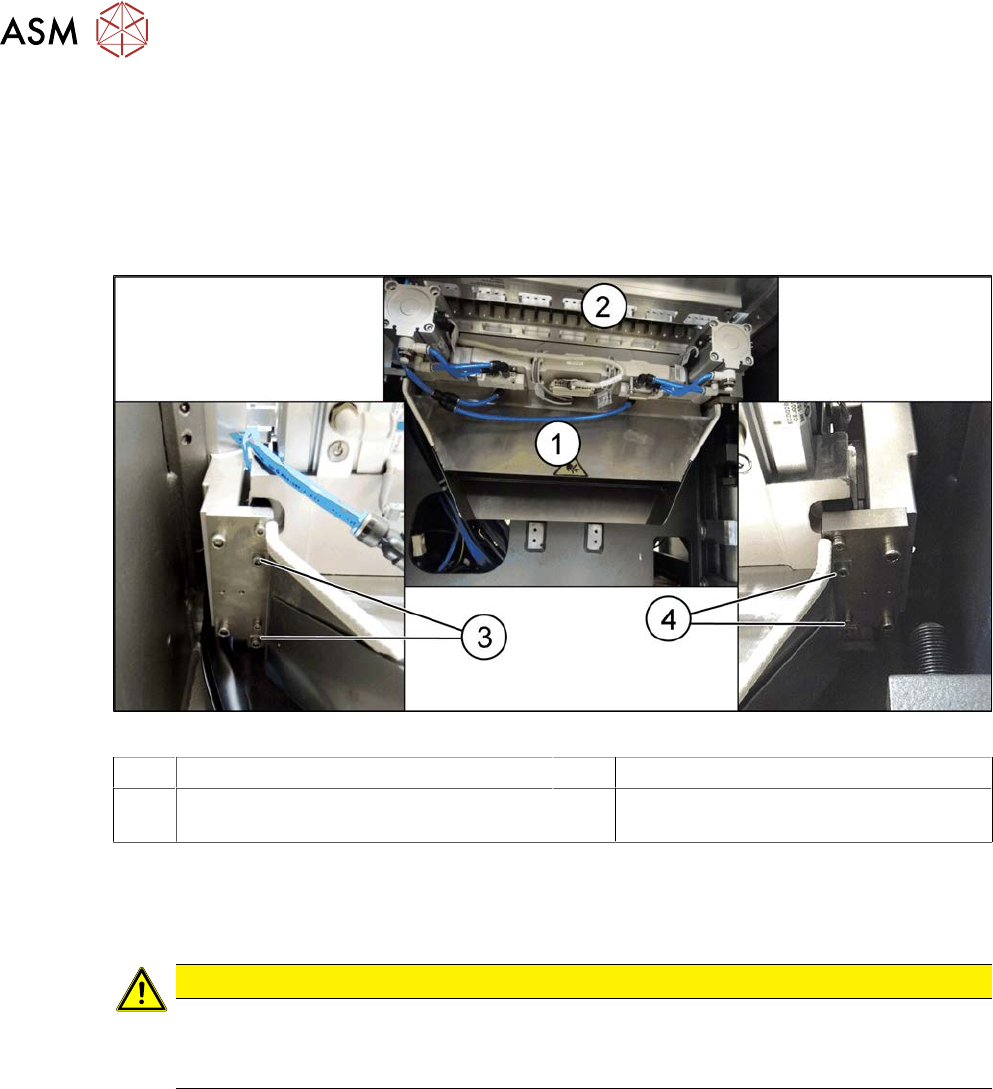
Fig.421: Waste tape slide
1 Waste tape slide 2 COT insert
3 Fastening screw for used tape chute, left 4 Fastening screw for used tape chute,
right
Removal
► Remove the screws fastening the used tape chute.
► Take the used tape chute down and out of the machine.
CAUTION
Risk of cutting
The cutter is located under the tape channel. The blades there have very sharp edges.
► Do not reach into the cutter and make sure that it is never freely accessible.
Installation
► Follow the removal instructions in reverse order for installation.
9 Component feeding
9.1 Cutter
Service Manual SIPLACE X-Serie S 06/2019 329
9.1.3 Replacing the Cutter on the COT Insert [03066690-xx]
Parts, equipment and tools
●
Cutter, pneumatic SIPLACE HF/X-Series [03066690-xx]
●
Screw clamp
●
For additional work to the cutter:
Two large parallel clamps and a sturdy table with even surface, to clamp down the dismantled
cutter
Removal
NOTICE
COT insert
The cutter can be removed without dismantling the COT insert.
► Switch off the machine, disconnect it from the power supply and secure it to prevent
unauthorized reactivation.
1.2 "Preparatory work..." [}16]
► Switch off the compressed air supply
5.2 "Disabling the compressed air supply" [}134]
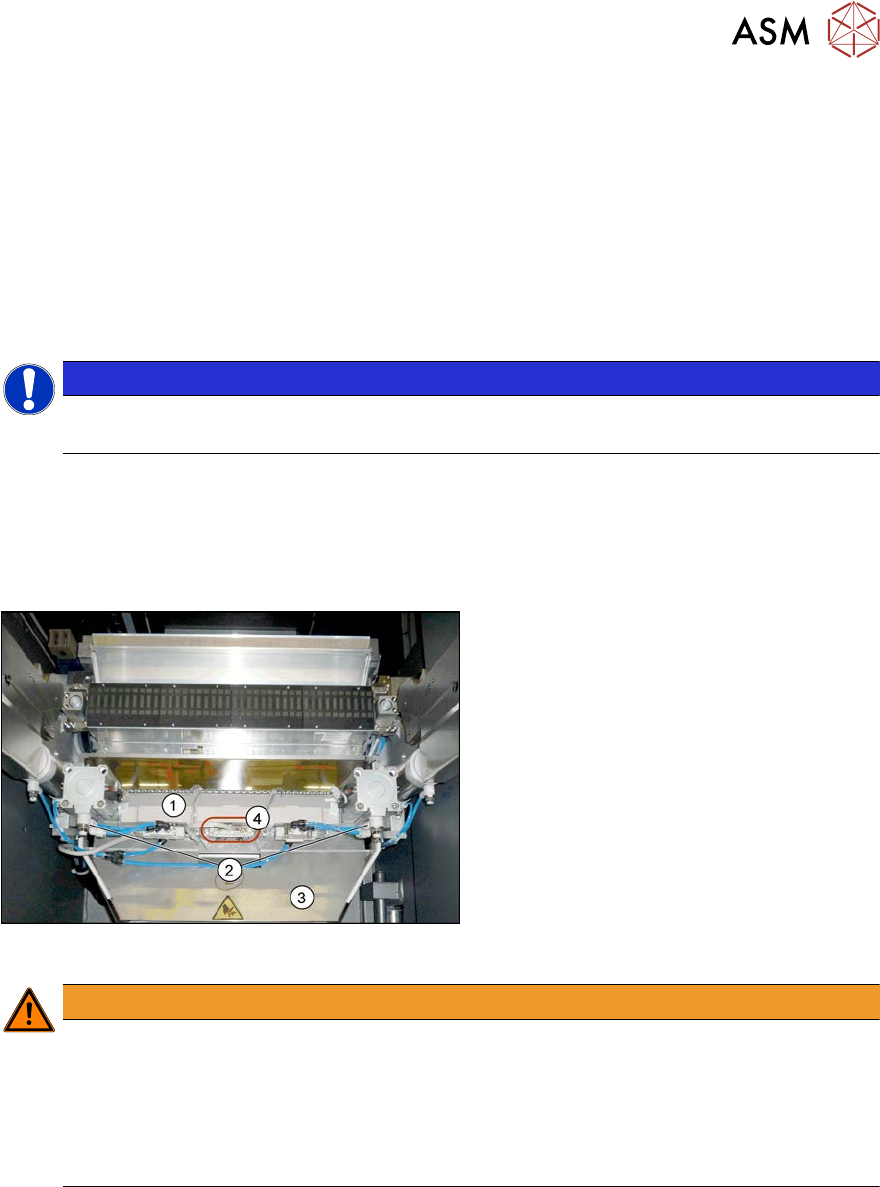
Fig.422: Connectors
► Remove the four screws fastening the
waste tape slide(3) and then remove
the waste tape slide.
► Unplug the compressed air connections
for the short-stroke cylinder (2) at the
coupling.
► Unplug the electrical connections (4)
from the cutter(1) .. To do this, press
the sides of the connector.
WARNING
Risk of injury when releasing the fixtures!
The cutter is only held by the fastening screws and is not supported by other parts. If the
four fastening screws are loosened, the cutter will fall down and out of the machine.
► Make sure that no one is under the cutter.
► Support the cutter by placing a suitable object (e.g. height-adjustable support or chair)
under it.
9 Component feeding
9.1 Cutter
330 Service Manual SIPLACE X-Serie S 06/2019
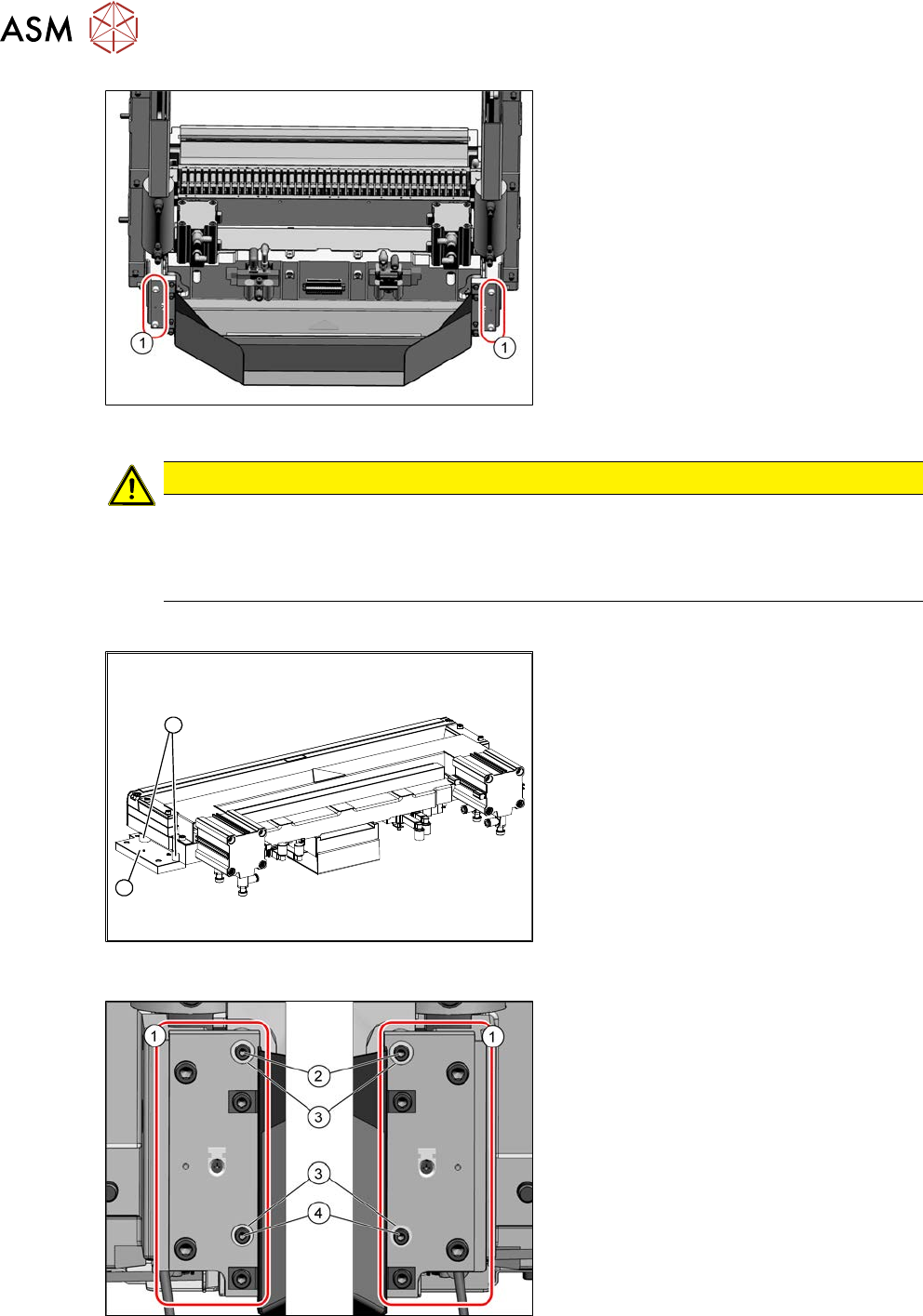
Fig.423: COT insert (example of SIPLACEX4S shown)
► Remove the four screws(1) fastening
the cutter holder.
If there are also washers or serrated
lock washers present, these will need
to be used again in the same places
during installation.
► Carefully lower the cutter and lift it out
of the machine.
CAUTION
Additional work
► For all further work, either fix the cutter to the mounting plate with four hexagon
socket-head screws M6 or use screw clamps to fasten the cutter to a sturdy table.
► Do not place the cutter onto the pneumatic connections down on the lifting cylinders.
Installation
2
1
Fig.424: Cutter (using example of X-Series)
► Remove the two holders(1) from both
sides of the cutter, together with the
distance sleeves(2).
There may be washers or serrated lock
washers present. Mark their positions,
to make clear assignment easier later
on.
Fig.425: Fastening of new holder (example of
SIPLACEX4S shown)
1. 2x holder [03008869‑03]
2. 2x ISO4762-M4x16-A2-70
[03042507‑xx]
3. 4x serrated lock washers M4-
FST.1.4401 [03047857‑xx]
4. 2x ISO4762-M4x30-A2-70
[03042557‑xx]
To fit the holder, proceed as follows(1):