00197042-04_SM_X-Serie-S_Customer_EN.pdf - 第363页
9 Component feeding 9.2 COT insert Service Manual SIPLACE X-Serie S 06/2019 363 Installation ► Reconnect the system to the electrical and compressed air systems. NOTICE Pneumatic connection You might find it advisable to…
9 Component feeding
9.2 COT insert
362 Service Manual SIPLACE X-Serie S 06/2019
9.2.5 Replacing the 40-fold feeder unlock device
CAUTION
Feeder unlock device on the manual table
Replacement of the feeder unlock device on the manual table is the same as that for the
COT insert. However, you need to first dismantle the front and back sections for the manual
table.
This section describes replacement using the example of the COT insert.
Parts, equipment and tools
●
Feeder unlock device 40-fold [03011582-XX]
Overview
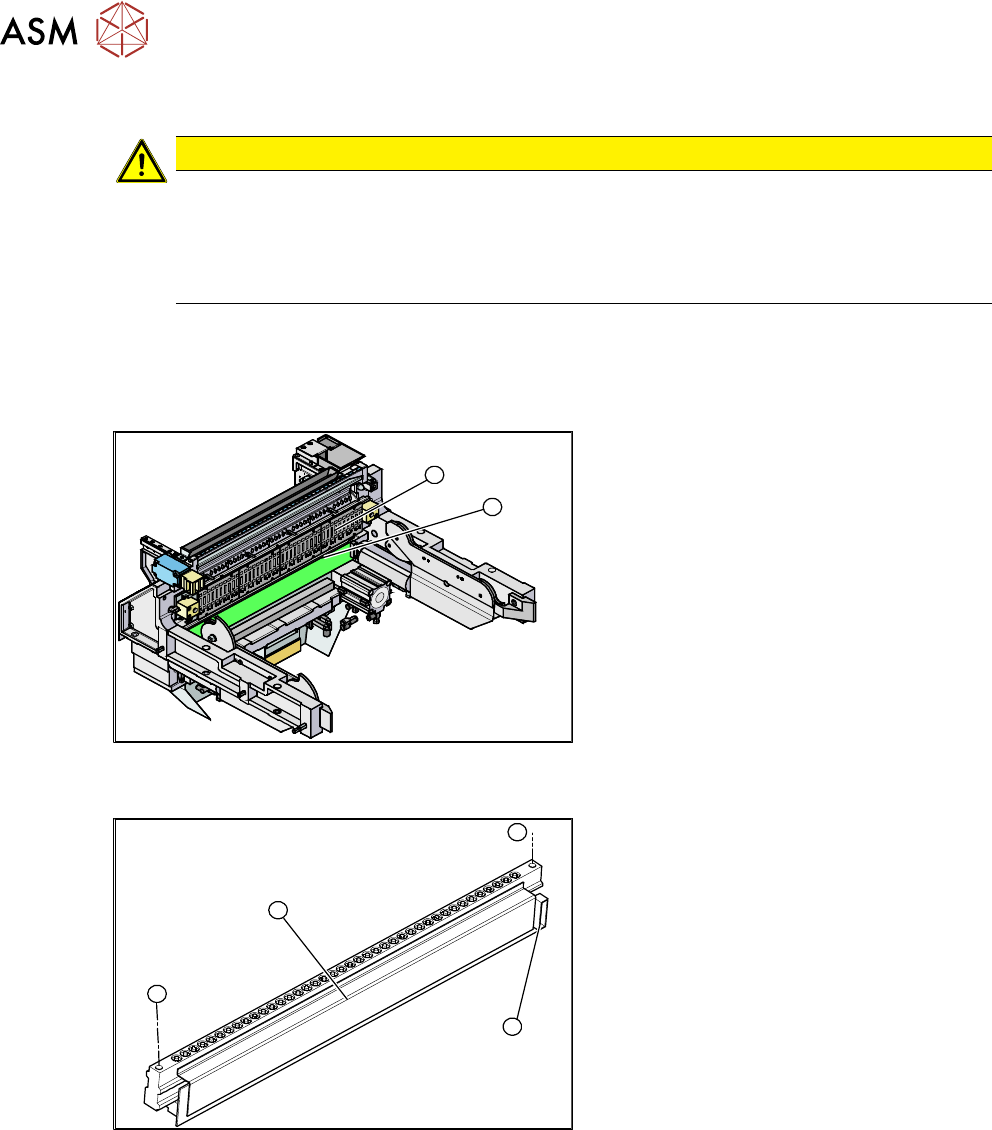
2
1
Fig.484: Feeder unlock device and FCU (example of
SIPLACE X‑Series shown)
1. Feeder unlock device (under the FCU)
2. Feeder control unit (FCU)
The feeder unlock device is installed at the
locations in the COT insert.
1
1
3
2
Fig.485: Feeder unlock device (example of SIPLACE
X‑Series shown)
1. Two fastening screws
2. Complete feeder unlock device
3. Connector for flat ribbon cable
Removal
► Switch off the machine, disconnect it from the power supply and secure it to prevent
unauthorized reactivation.
1.2 "Preparatory work..." [}16]
► Unplug the flat ribbon cable from the connector.
► Remove the two fastening screws.
► Pull the flat ribbon cable out of the side of the connector. You may have to lift the feeder un-
lock device slightly to do this.
► Lift the feeder unlock device up and off and unplug the pneumatic connection.
9 Component feeding
9.2 COT insert
Service Manual SIPLACE X-Serie S 06/2019 363
Installation
► Reconnect the system to the electrical and compressed air systems.
NOTICE
Pneumatic connection
You might find it advisable to loosen the cover on the back of the COT insert. This gives the
compressed air hose more room to be moved. In certain circumstances, the COT insert
may need to be loosened and pulled out slightly to the front.
► Carefully press the feeder unlock device towards the back and insert the fastening screws.
CAUTION
Do not pinch the cable
Make sure not to pinch or damage the cables running at the back (connected to the FCU).
9.2.6 Replacing the unlocking pins
Parts, equipment and tools
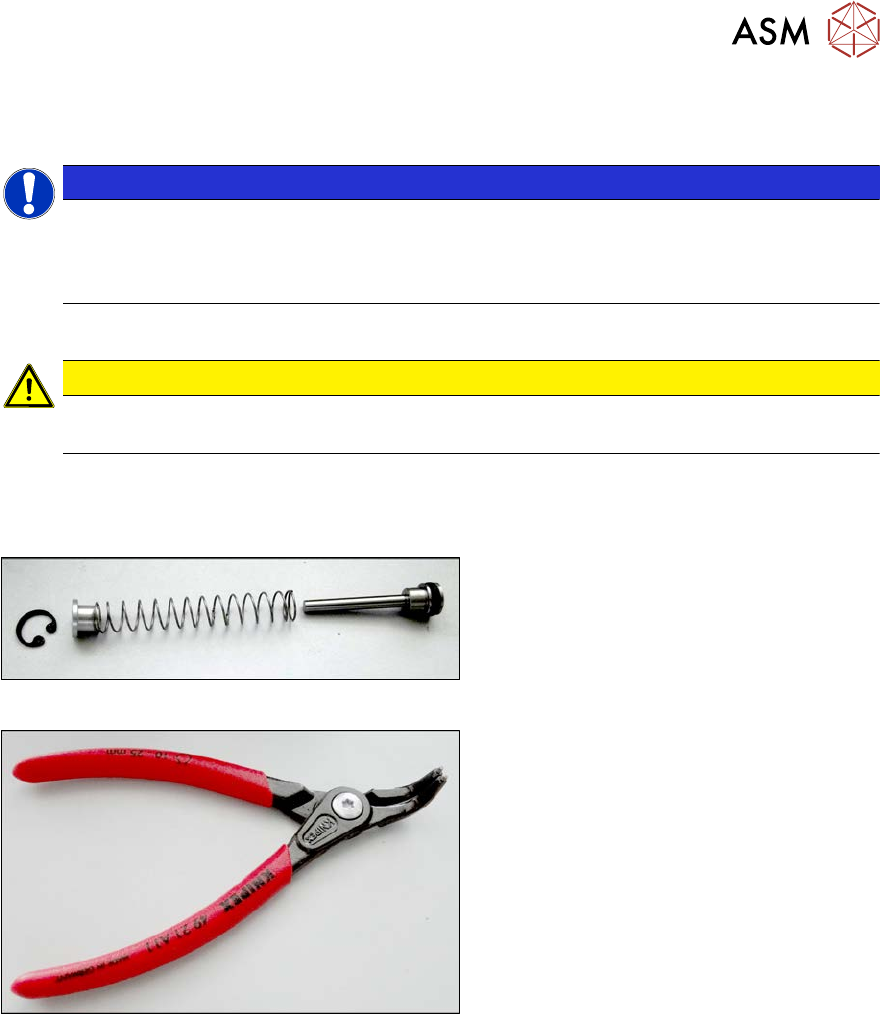
Fig.486: ETP feeder unlock device
●
SPP feeder unlock device [03088220-xx]
Fig.487: Inside circlip pliers, bent tips J01
●
Inside circlip pliers, bent tips J01
[00365186‑xx]
●
Snipe nose pliers [00353833-xx]
9 Component feeding
9.2 COT insert
364 Service Manual SIPLACE X-Serie S 06/2019
Removal
► Dismantle the feeder unlock device. (See 9.2.5 "Replacing the 40-fold feeder unlock
device" [}362])
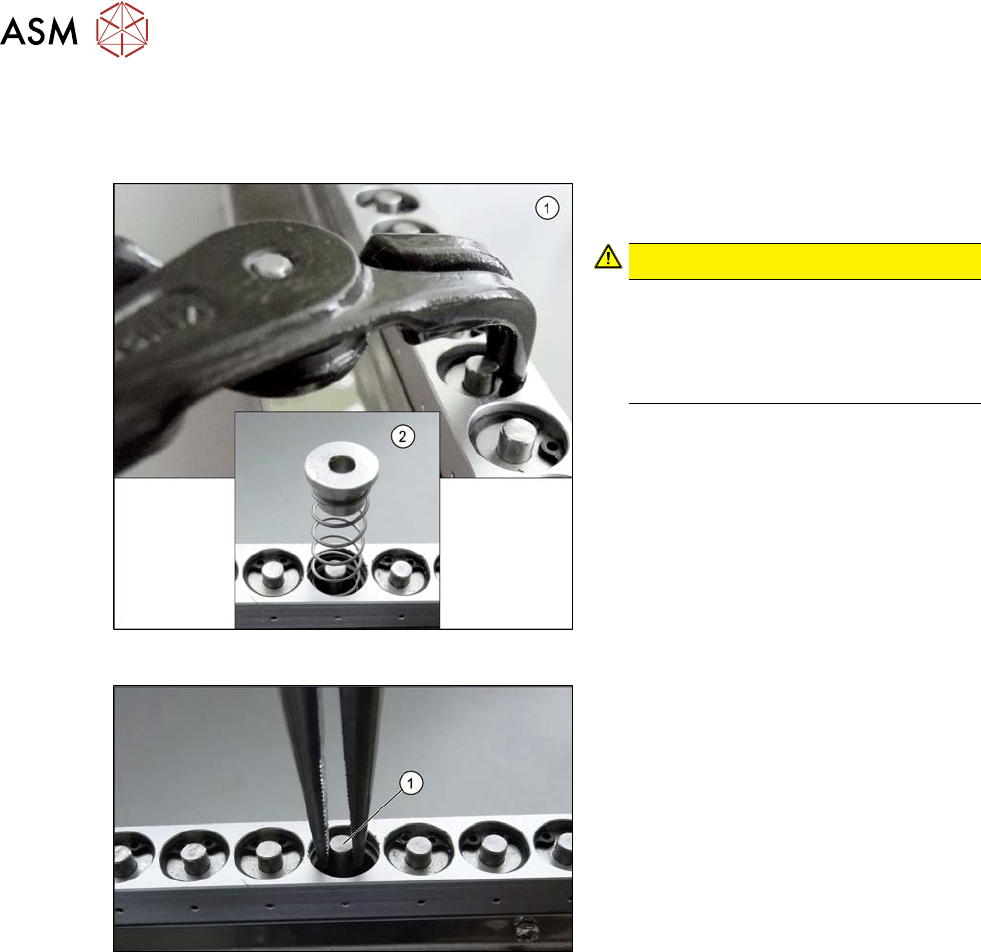
Fig.488: Circlip
► Use the inside circlip pliers to remove
the circlip.
CAUTION!
Spring
Under the circlip you will find a spring
(2). Make sure that the circlip and the
upper guidance bushing do not blow
away and get lost.
.
Fig.489: Snipe pliers
► Use the snipe pliers to remove the un-
locking pin.
Installation
► Follow the removal instructions in reverse order for installation.