00197042-04_SM_X-Serie-S_Customer_EN.pdf - 第377页
9 Component feeding 9.3 X-Series Component Trolley Service Manual SIPLACE X-Serie S 06/2019 377 9.3.6 Replacing the insert feeder Parts, equipment and tools Select the right insert feeder: Fig.506: Insert feeder [030028…
9 Component feeding
9.3 X-Series Component Trolley
376 Service Manual SIPLACE X-Serie S 06/2019
9.3.5 Replacing the bearing assembly
Parts
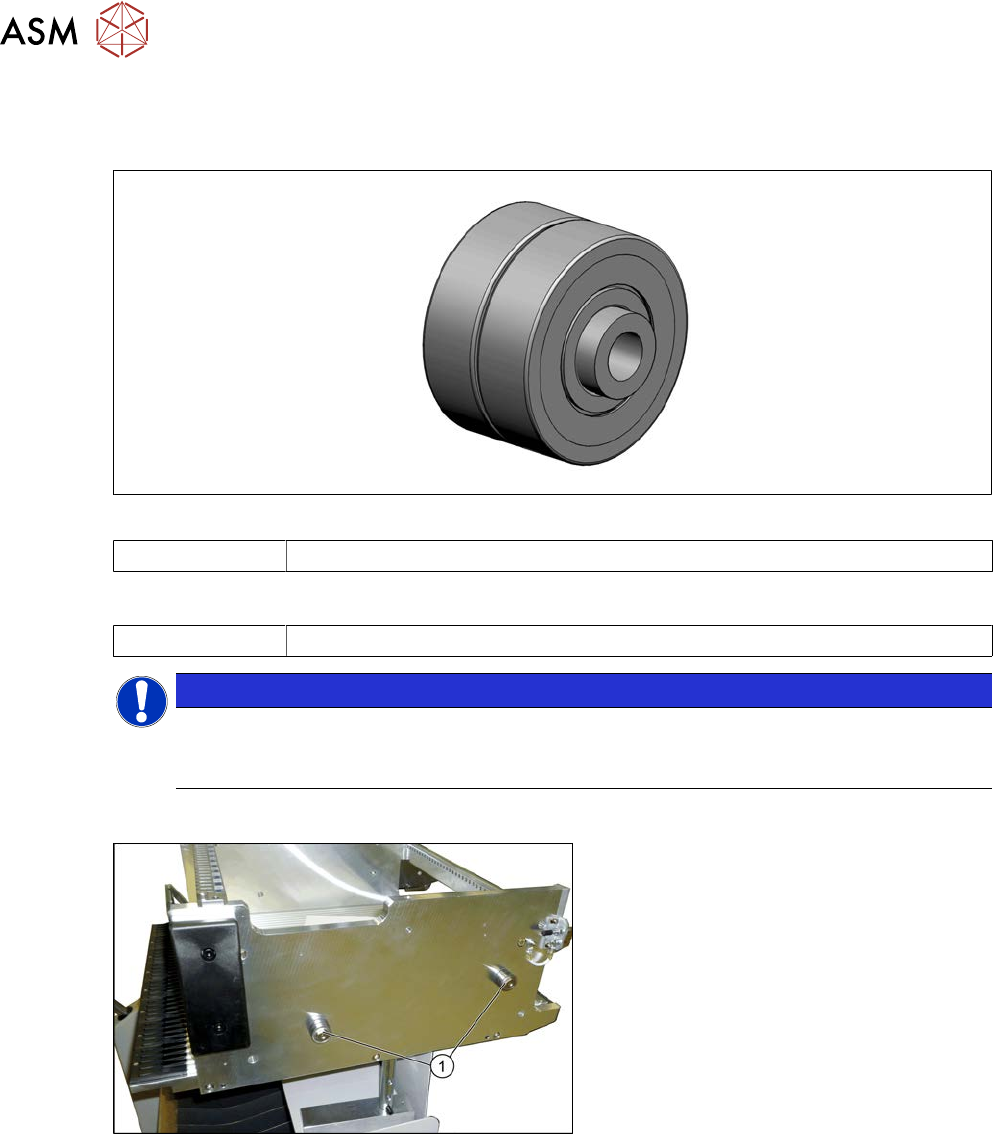
Fig.504: Bearing assembly
03103947-xx Bearing assembly
Tools
00334892-xx Loctite 243
NOTICE
Replacing all sleeves
We recommend that you always replace all bearing assemblies belonging to a changeover
table at the same time.
Overview
Fig.505: Centering sleeves
1. Bearing assembly (four per table)
Removal
► Loosen the screw fastening the bearing assembly and then remove the bearing assembly.
Installation
► Follow the removal instructions in reverse order for installation. Also observe the following
instructions:
– Secure the screws with Loctite 243.
9 Component feeding
9.3 X-Series Component Trolley
Service Manual SIPLACE X-Serie S 06/2019 377
9.3.6 Replacing the insert feeder
Parts, equipment and tools
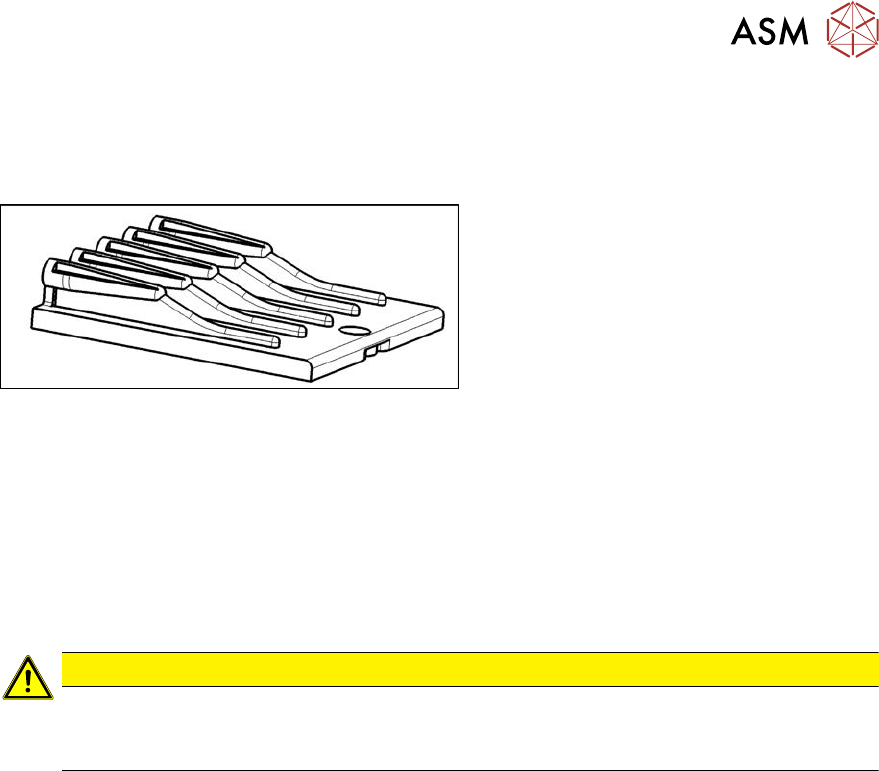
Select the right insert feeder:
Fig.506: Insert feeder [03002898-xx]
Insert feeder [03002898-xx]
Suitable for:
●
X-Series component trolley
●
Component trolley SX1/SX2 (30 or 60
tracks)
●
Manual table X-Series S
Removal
► Move the component trolley out of the machine.
► Loosen the screw fastening the guide profile and remove the guide profile.
Installation
► Follow the removal instructions in reverse order for installation. Also observe the following
instructions:
CAUTION
Installation instructions
► Make sure that the insert is aligned properly with the guidance behind it. You must be
able to push feeder modules into the feeder location without edge interference.
9 Component feeding
9.3 X-Series Component Trolley
378 Service Manual SIPLACE X-Serie S 06/2019
9.3.7 Replacing the Actuator/Protective Bracket
Parts, equipment and tools
00376503-xx Set of Torx offset screwdrivers with spherical heads
Torx wrench TX20 with drilled hole
00353832-xx Allen key set
00334892‑xx Loctite 243
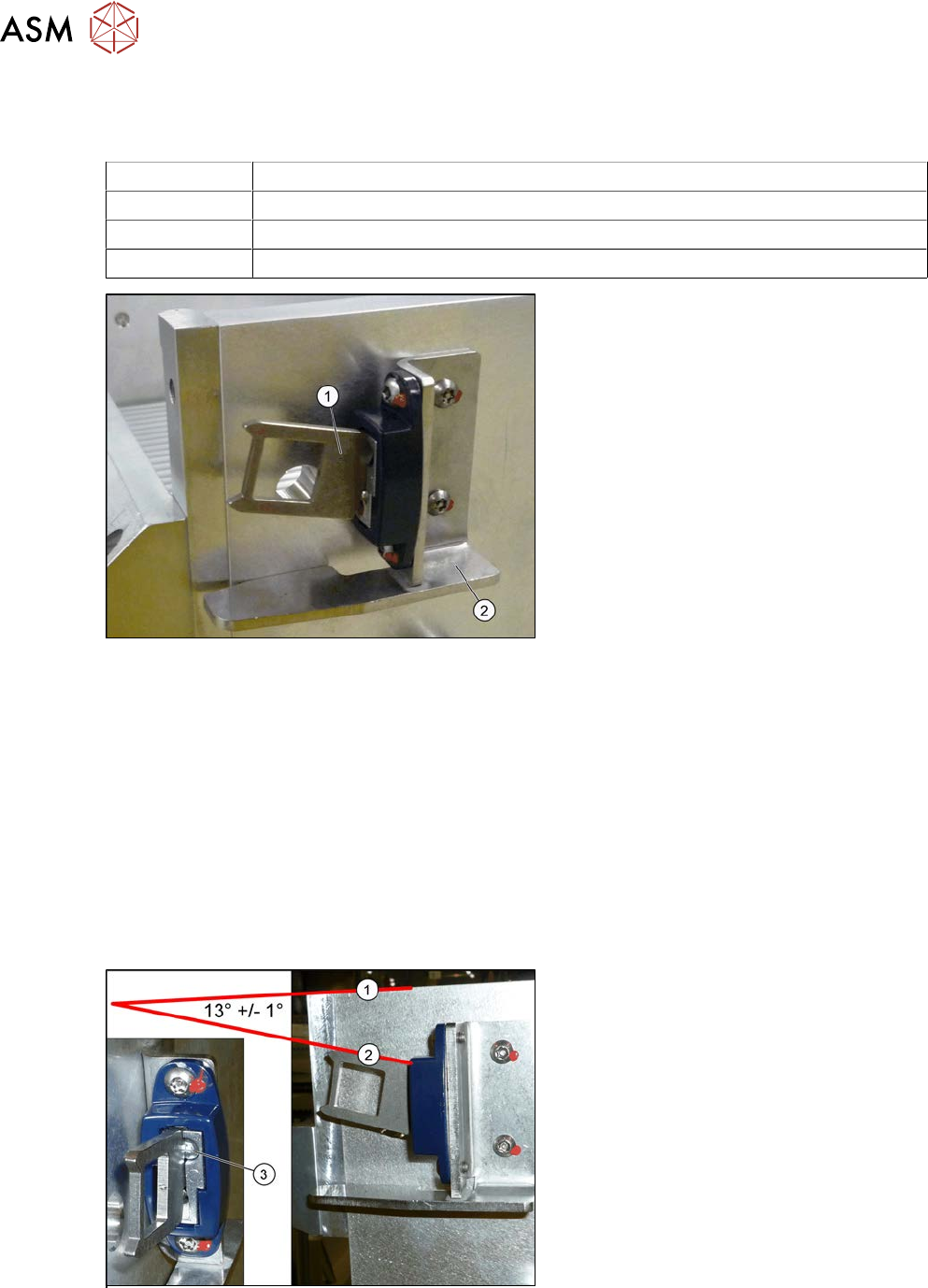
Fig.507: Actuator
1. Actuator AZ335 Schmersal
[03013488‑xx]
2. Protective bracket: holder and protec-
tion for actuator [03095447-xx]
●
Torque wrench TX20 with drilled hole
(for screw ISO 7380-TX with pin - M4)
Removal
► Remove the two screwsfastening the actuator/protective bracket and then remove the actu-
ator/protective bracket.
Installation
► Follow the removal instructions in reverse order for installation. Also observe the following
instructions:
Fix the actuator with two fastening screws to the protective bracket (torque 2.0Nm, Loctite 243).
► Set the actuator as follows:
Setting
Fig.508: Setting the actuator
► Set the actuator with the help of the ad-
justment screw (3).
Between the upper edge(1) of the
table and the actuator(2) you need to
set an angle of 13°+/‑1°.
The actuator must be able to slide into
the safety switch without rubbing
against the plastic.