Setup Center Patch and Extensions.pdf - 第11页
SIPLACE 1 Installation manual SetupCenter Patch and Extensions (00169117) 05/2006 Edition 11 : Y ou can now add a new Barcode a s usual and change the type to “DoubleCheckWithCompo - nent”. 1 1 1
1 Installation manual SetupCenter Patch and Extensions (00169117) SIPLACE
05/2006 Edition
10
1.5.2 Double Check with Component Name
This new Barcode type “DoubleCheckWithComponent” was added to the Barcode labels type list.1
This Barcode expects the component Name with a Prefix. You can add this Barcode to the scan-
ning sequence as each other Barcode. 1
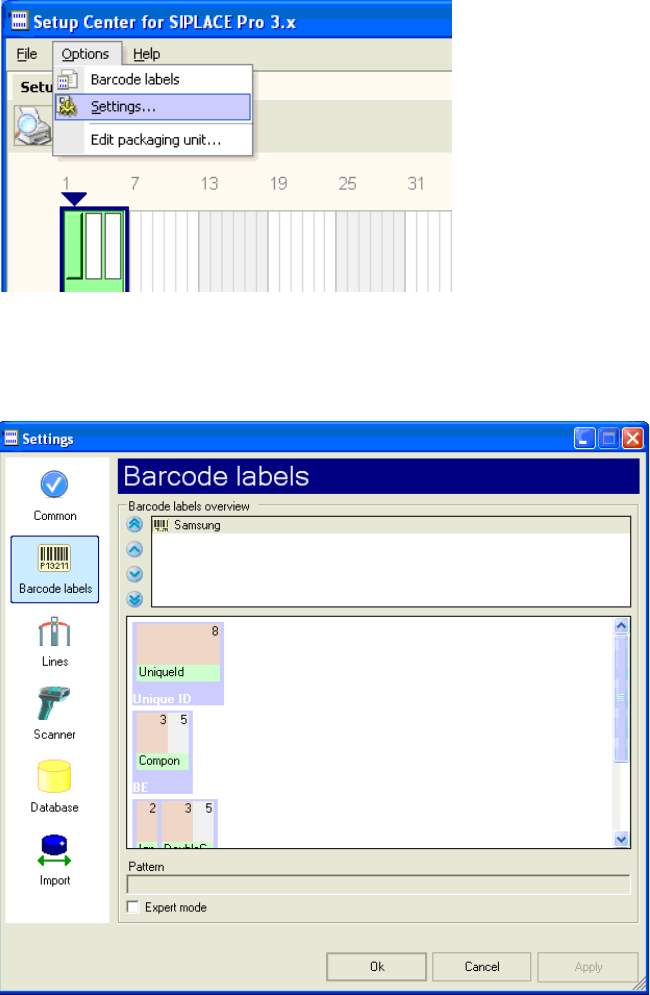
: Click on Options -> Settings…
1
1
: Select “Barcode Labels” on the left.
1
1
SIPLACE 1 Installation manual SetupCenter Patch and Extensions (00169117)
05/2006 Edition
11
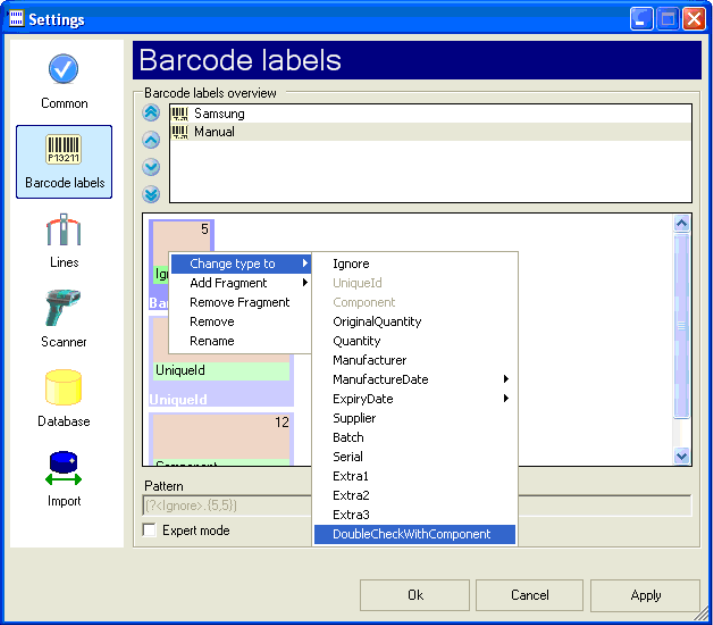
: You can now add a new Barcode as usual and change the type to “DoubleCheckWithCompo-
nent”.
1
1
1
1 Installation manual SetupCenter Patch and Extensions (00169117) SIPLACE
05/2006 Edition
12
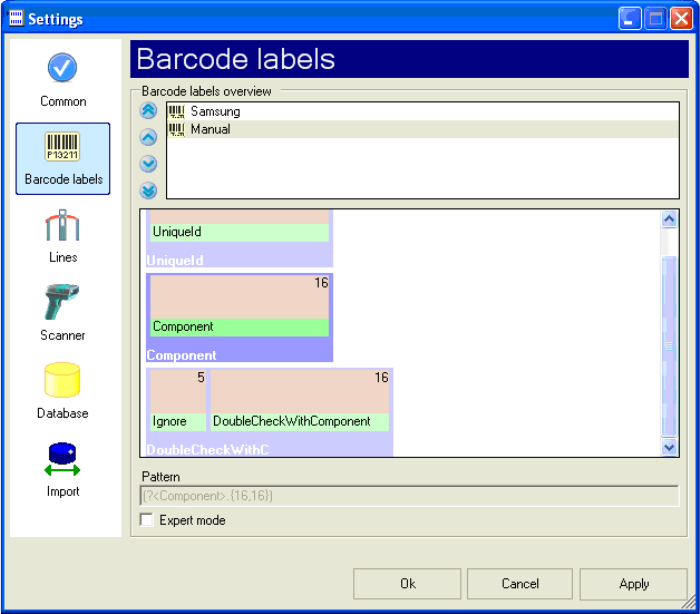
You have to define the new Barcode as shown below in order to have Prefix which will be ignored.
The “DoubleCheckWithComponent” expects exactly the component name. 1
If you now accept the changes, you would have to scan the component name with a prefix after
scanning the component name. 1
1
1
1
1
1
1
1
1
1
1
1
1