JX-350_保养维修手册.pdf - 第174页
维修调整要领书 12-14 8 ) “IT8718F Super IO Configuration” 画面 接上一页, 继续操作 “ ↑ ” 、 “ ↓ ” 键, 将选择行对准 “IT8718F Super IO Configuration” ,按 “Return” 键 以移动到 “IT8718F Super IO Configuration” 画面。 再把选择行对准 “Serial Port 0 Configuration” ,按 “…
维修调整要领书
12-13
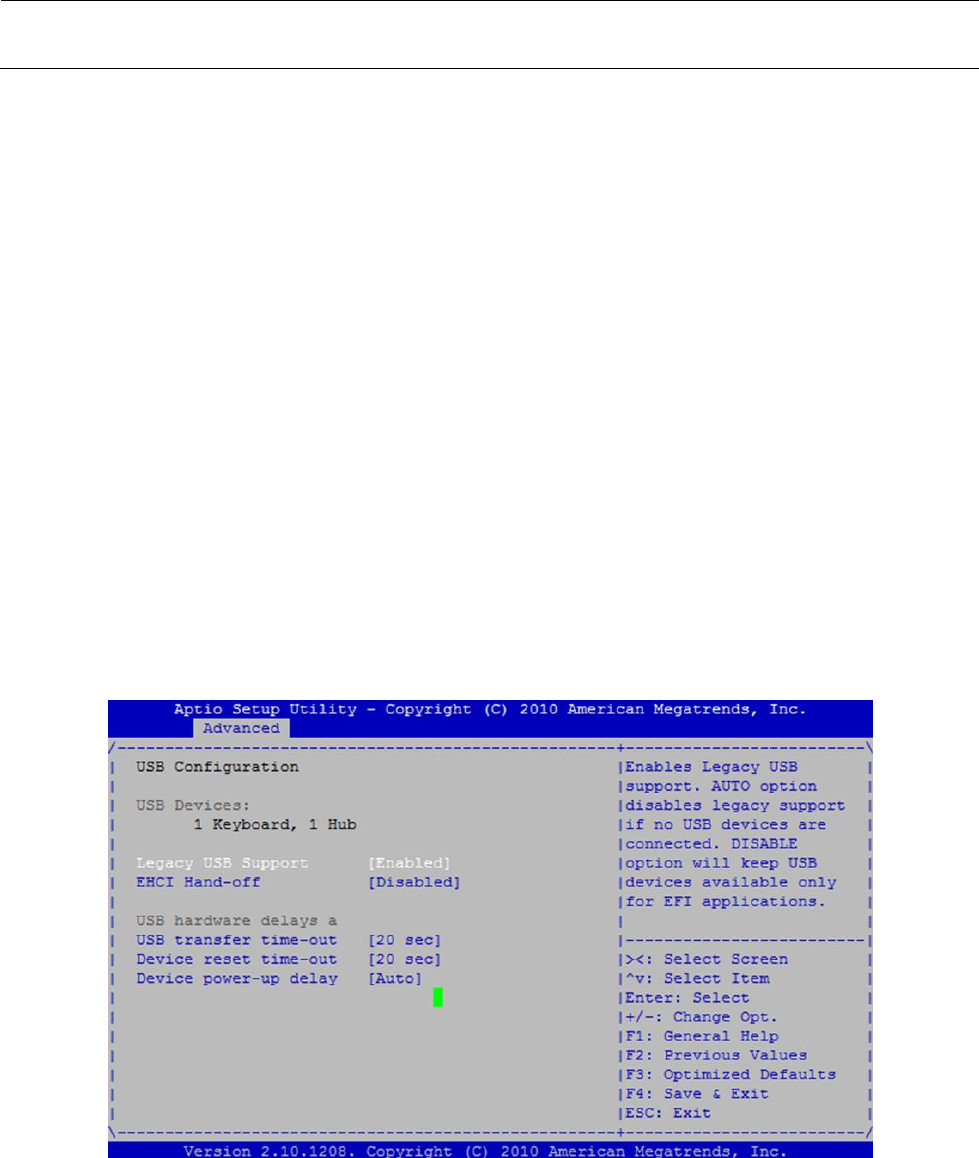
7) “USB Configuration”画面
接上一页,继续操作“↑”、“↓”键,将选择行对准“USB Configuration”,按 “Return”键以移动到“USB
Configuration”画面。
此处请确认以下项目。
“Legacy USB Support”为<Enabled>。
“EHCI Hand-off”为<Disabled>。
“USB transfer time-out”为<20 sec>。
“Device reset time-out”为<20 sec>。
“Device power-up delay”为<AUTO>。
如果设置不是如此,用“↑”、“↓”键移动选择行,按“Return”键,从显示的列表中选择合适的项目,
按“Return”键。
按“ESC” 键,返回到“Advanced”画面。
(返回到图 12-2-2-1-2. BIOS 画面(Advanced)的画面。)
图 12-2-2-1-7 BIOS 画面(Advanced:USB Configuration)
维修调整要领书
12-14
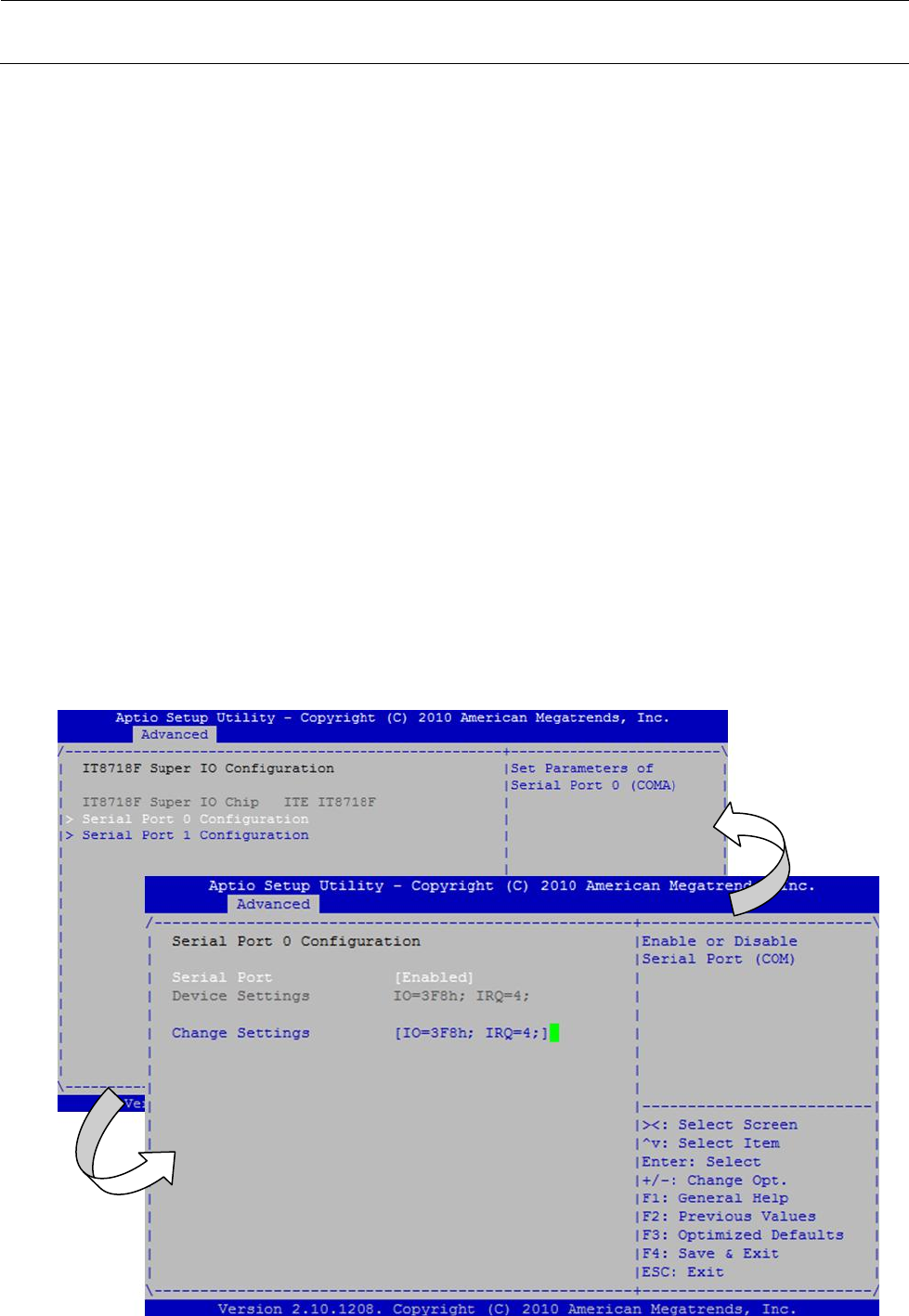
8) “IT8718F Super IO Configuration”画面
接上一页,继续操作“↑”、“↓”键,将选择行对准“IT8718F Super IO Configuration”,按“Return”键
以移动到“IT8718F Super IO Configuration”画面。
再把选择行对准“Serial Port 0 Configuration” ,按“Return” 键以移动到“Serial Port 0
Configuration”画面。
此处请确认以下项目。
“Serial Port”为<Enabled>。
如果设置不是如此,用“↑”、“↓”键移动选择行,按“Return”键,从显示的列表中选择合适的项目,
按“Return”键。
“Serial Port 1 Configuration” 也请同样进行确认。
(“Serial Port” 0 、1 的设置均相同。)
按“ESC” 键,返回到“Advanced”画面。
(返回到图 12-2-2-1-2. BIOS 画面(Advanced)的画面。)
图 12-2-2-1-8 BIOS 画面(Advanced:IT8718F Super IO Configuration)
按<ESC>返回
按<Return>
前进
维修调整要领书
12-15
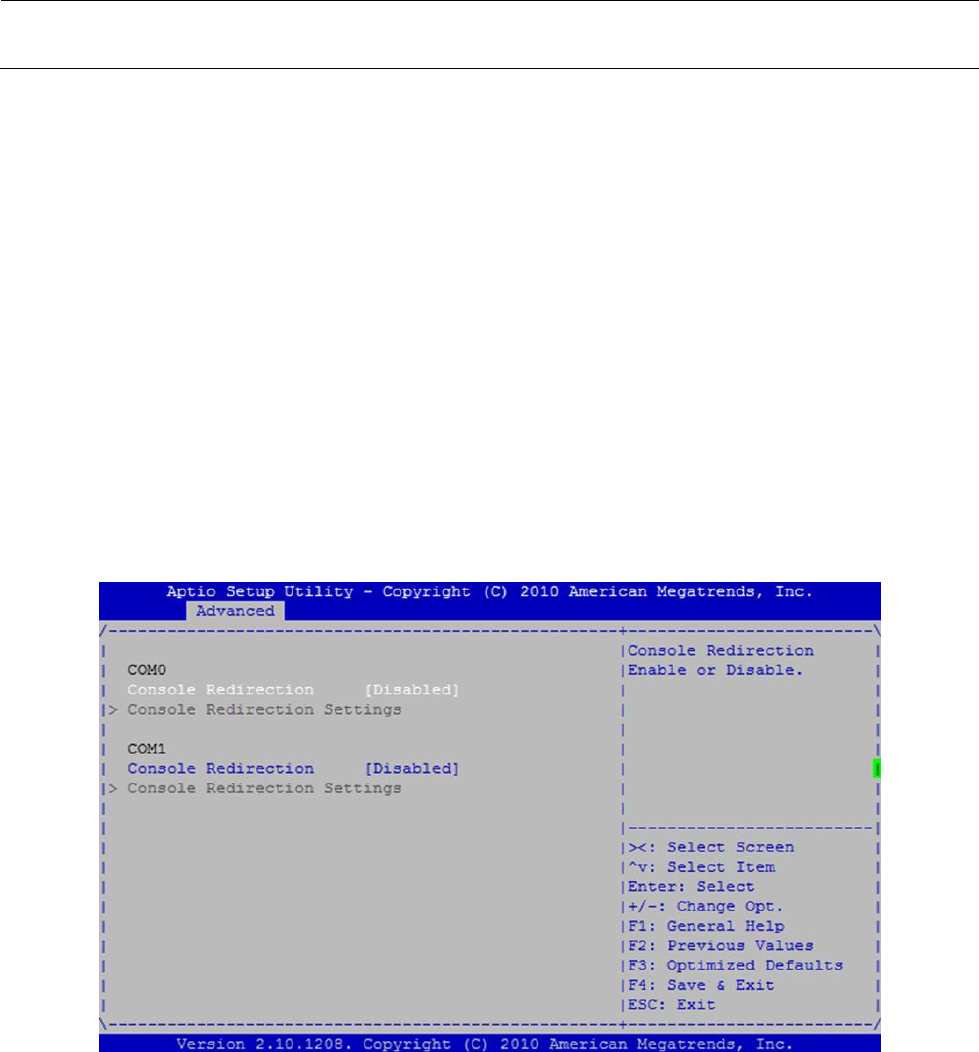
9) “Serial Port Console Redirection”画面
接上一页,继续操作“↑”、“↓”键,将选择行对准“Serial Port Console Redirection”,按“Return”键
以移动到“Serial Port Console Redirection”画面。
此处请确认以下项目。
COM0 “Console Redirection”为<Disabled>。
COM1 “Console Redirection”为<Disabled>。
如果设置不是如此,用“↑”、“↓”键移动选择行,按“Return”键,从显示的列表中选择合适的项目,
按“Return”键。
按“ESC” 键,返回到“Advanced”画面。
(返回到图 12-2-2-1-2. BIOS 画面(Advanced)的画面。)
图 12-2-2-1-9 BIOS 画面(Advanced:Serial Port Console Redirection)