00194081-01.pdf - 第171页
User Manual SIPLAC E CF 6 Component han dling Software Vers ion SR.408.xx 03/2006 US Ed ition 6.5 Waffle-pack c hanger 171 6.5.4 Inserting the magazine carrier The maga zine ca rrier is check ed to en sure tha t it was i…
6 Component handling User Manual SIPLACE CF
6.5 Waffle-pack changer Software Version SR.408.xx 03/2006 US Edition
170
6
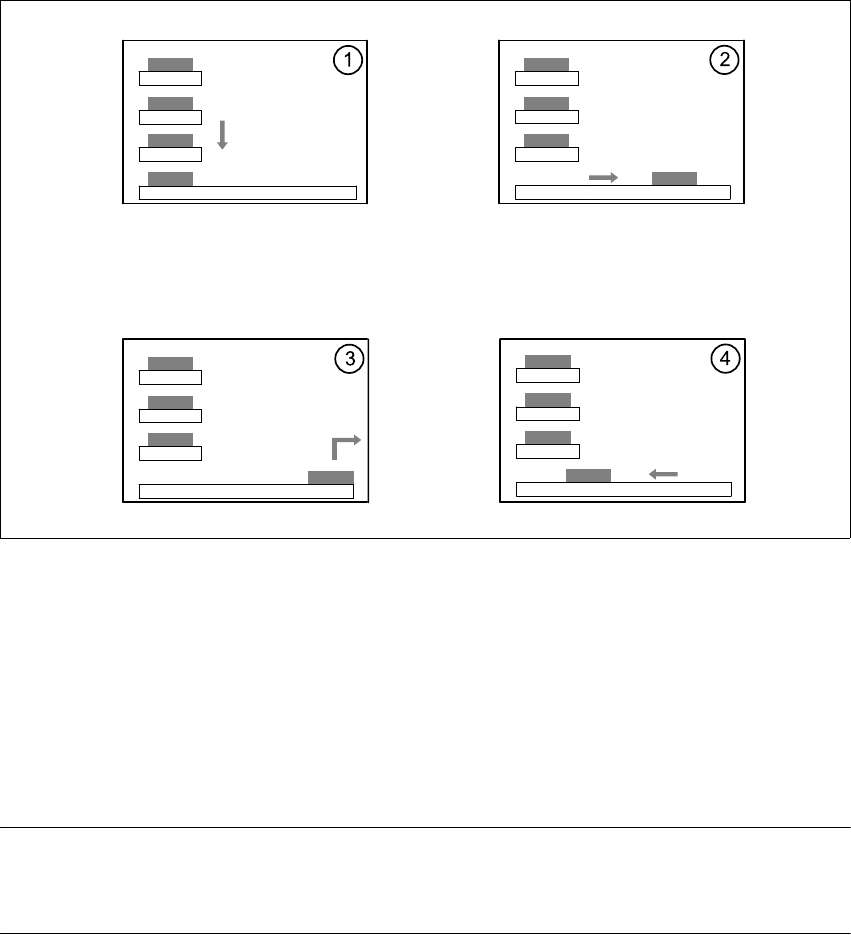
Fig. 6.5 - 3 Sequence of functions
6
(1) The Lift of the magazine storage unit positions the selected magazine carriers level with the
horizontal feed axis.
(2) The magazine carrier is carried to the placement head's pick-up area.
(3) The components are removed.
(4) The magazine carrier is moved back into the magazine storage unit.
6
PLEASE NOTE 6
If the placement sequence is interrupted thus switching off the waffle-pack changer, the set-up and
the current fill level are stored. 6
The position of the waffle-pack tray carrier in the waffle-pack tray storage unit and the components
to be placed in the waffle-pack tray carrier are entered in the set-up.
The waffle-pack changer is defined as location 1.
User Manual SIPLACE CF 6 Component handling
Software Version SR.408.xx 03/2006 US Edition 6.5 Waffle-pack changer
171
6.5.4 Inserting the magazine carrier
The magazine carrier is checked to ensure that it was inserted correctly.
6
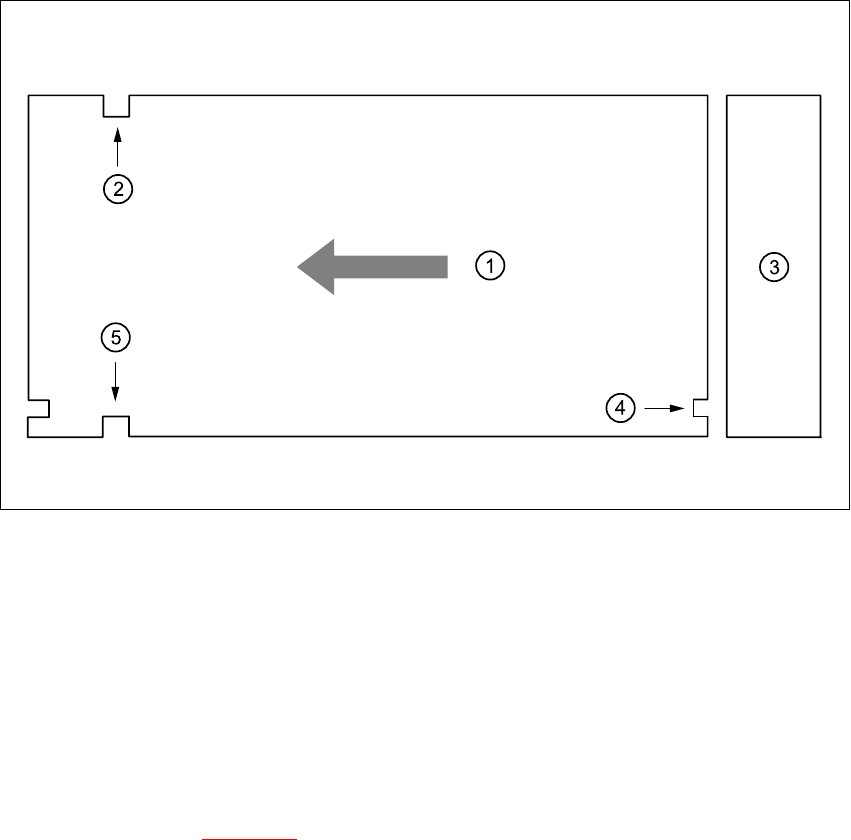
Fig. 6.5 - 4 Position of the magazine carrier - plan view
6
(1) Transport direction
(2) Driving groove
(3) Magazine storage unit
(4) Control groove
(5) Driving groove
6
Make sure that the driving grooves (item 2 and 5) of the magazine carrier point forward in the
direction of travel (see Fig. 6.5 - 4
).
The control grooves (item 4) of the individual magazine carriers must be above one another and
point towards the magazine storage unit (item 3).
6 Component handling User Manual SIPLACE CF
6.5 Waffle-pack changer Software Version SR.408.xx 03/2006 US Edition
172
6.5.5 Controls and displays
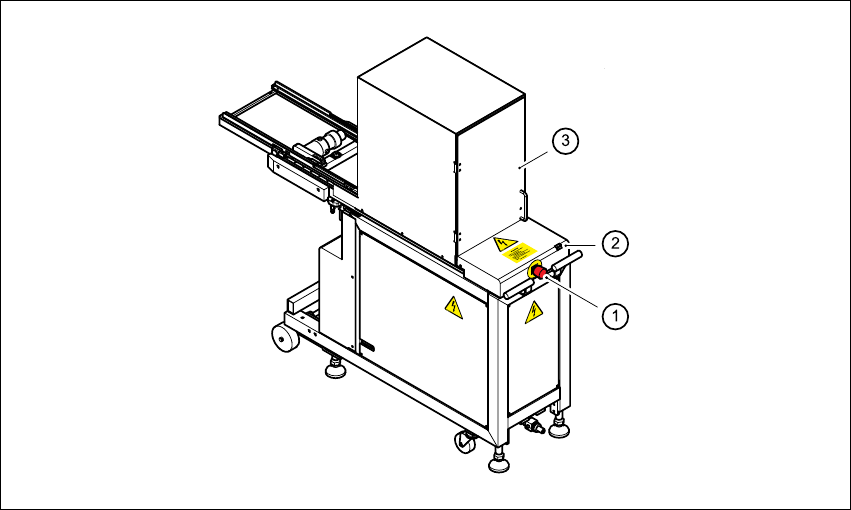
The EMERGENCY STOP button and the switch for changing the speed are located on the back
of the waffle-pack changer.
Slow key
It is possible to reduce the speed for waffle-pack trays with small components that could fall out
of their pockets if the tray is traveling quickly.
Press the Slow key.
All the waffle-pack trays travel at a slower speed.
EMERGENCY STOP button
Press the EMERGENCY STOP button. The power supply is switched off and the entire system
stops.
6
Fig. 6.5 - 5 WPC - controls
6
(1) EMERGENCY STOP button
(2) "Slow" key
(3) Safety doors