P-TOOL说明书.pdf - 第115页
2-81 2 Board Explorer 10. Multi Lane Suppor t Additional features supporting the dual lane machine are listed below . 10.1 Multi Lane View Select [Multi Lane V iew] from the [V iew] menu. Multi Lane View selection 642F1-…

2-80
2
Board Explorer
9.5 Limitation
• TheitemnameofProgramListEditorItemEditcanbeenteredupto20one-byteandtwo-bytecharacters.
• WhentheProgramListEditorItemEditisusedinEnglishenvironmentaftertheitemeditingisdonewithJapanese
character in Japanese environment, the item name is not displayed correctly.
2-81
2
Board Explorer
10. Multi Lane Support
Additional features supporting the dual lane machine are listed below.
10.1 Multi Lane View
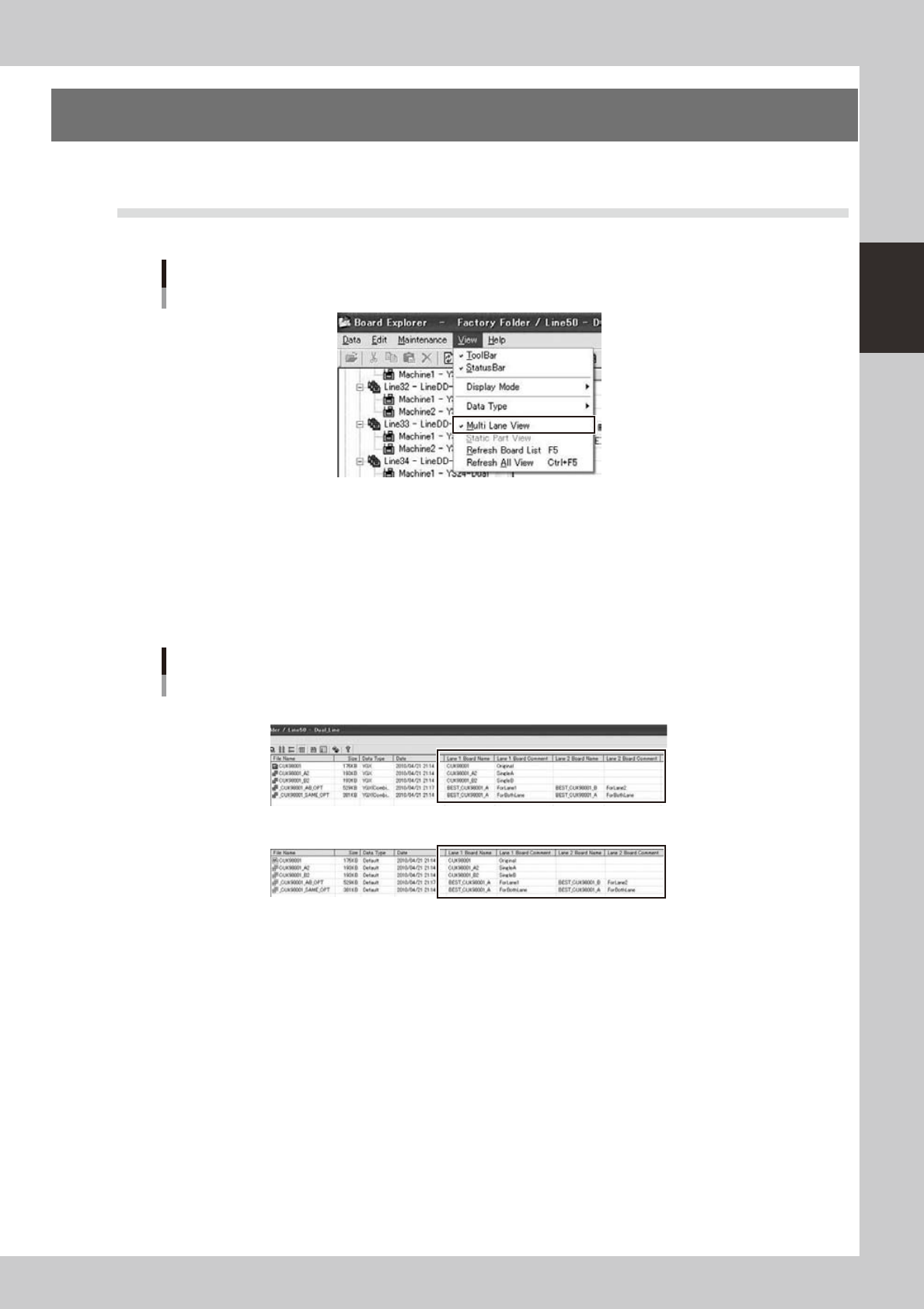
Select [Multi Lane View] from the [View] menu.
Multi Lane View selection
642F1-S0-00
When Multi Lane View is enabled, the following point will change.
l
[Lane 1 Board Name] [Lane 1 Board Comment] [Lane 2 Board Name] [Lane 2 Board Comment] columns are
added on main view.
n
In case of combined board data, the board name and comment of each lane can be checked.
n
In case of YGX on Dual Lane Machine, the position of lane is changed according to lane setting.
n
In case of other data type, VIOS, VIOS-TEXT, etc. the position is always on lane 1.
Main view
[Normal Mode]
[Default Mode]
642F2-S0-00
2-82
2
Board Explorer
●
Multi Lane Utility can be used. Refer [10.3 Multi Lane Utility] about details of Multi Lane Utility.
●
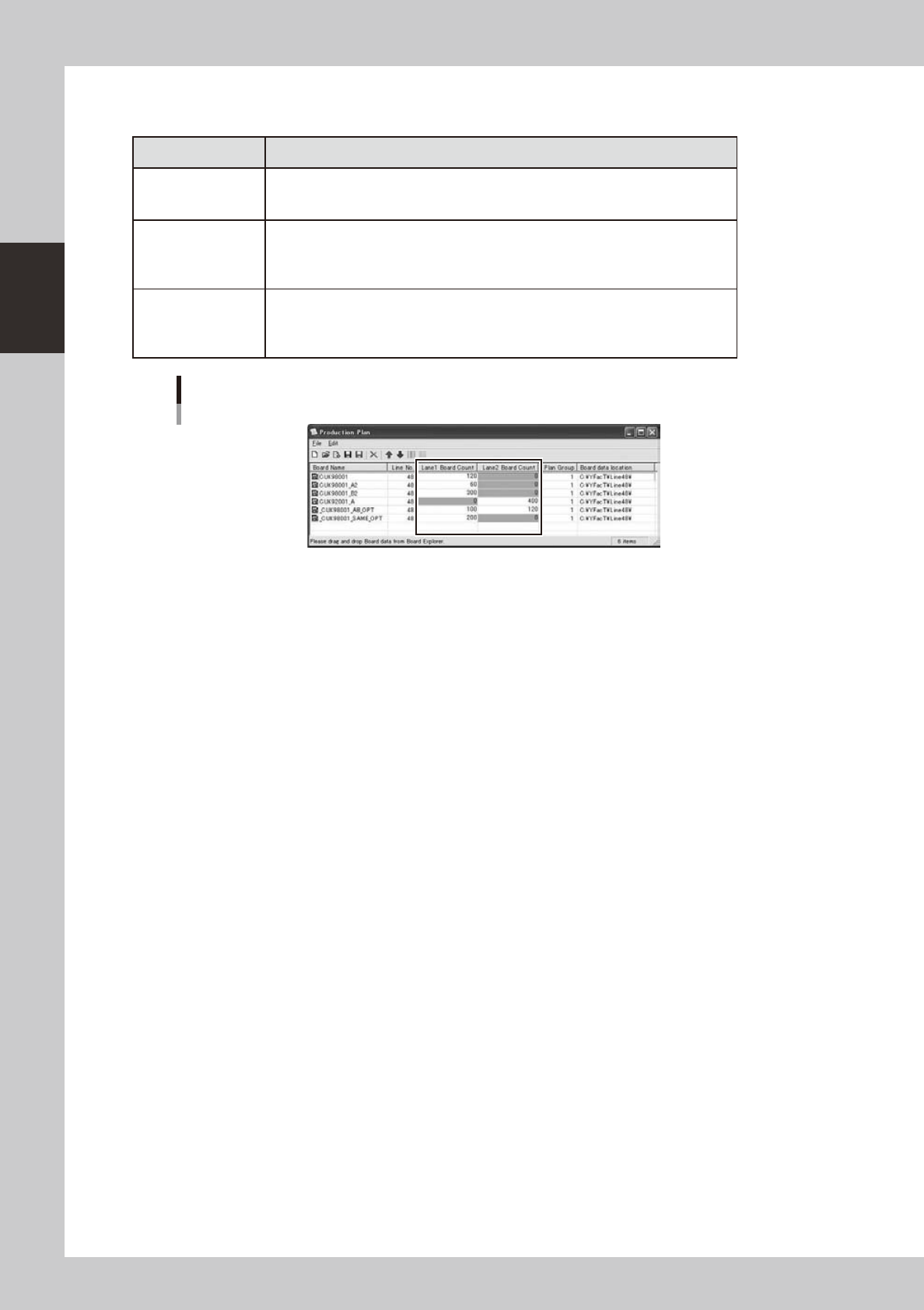
Production Plan dialog is extended for board count of dual lane.
Kind of Board Data Setting
Single Board Data
YGX
Only the board count of single lane of internal setting is able to edit. As following
sample, [CUK98001][CUK98001_A2][CUK98001_B2] are produced only on lane 1, and
[CUK92001_A] is done only on lane 2.
Combined Board
Data YGX(Combined)
Same Board Same
Side
Only lane 1 is able to edit. Enter the total count produced by all lanes. As following
sample, [_CUK98001_SAME_OPT] is set (200, 0), it is produced 200 board the total
sum on machine.
Combined Board
Data YGX(Combined)
Same Board Both
Side
It is able to edit for both lane. Enter the board count for each lane. As following
sample, [_CUK98001_AB_OPT], the board on lane 1 are produced 100 board, and the
board on lane 2 are produced 120 board.
“Production Plan” dialog
642F3-S0-00