P-TOOL说明书.pdf - 第120页
4.2 The tree view is e xtended 3-5 1 4.3 [Lane] column is added on [Mount] information 3-5 2 4.4 Edit single combined program 3-5 3

Chapter 3 Board Editor
Contents
1. Board Editor 3-1
1.1 Starting the Board Editor 3-1
1.2 Quitting the Board Editor 3-3
2. Basic operation 3-4
2.1 Board Editor main window 3-4
2.2 Board data window 3-11
2.3 Main view and detail view display manipulation 3-14
2.4 Manipulating the detail view 3-18
2.5 Working with multiple windows 3-20
2.6 Working with multiple board data 3-22
2.6.1 Arranging the Board Editor windows 3-22
2.7 Moving the cursor from one row to another (jump) 3-25
2.7.1 Moving the cursor to a specified line 3-25
2.7.2 Moving the cursor to the top line 3-26
2.7.3 Moving the cursor to the bottom line 3-26
2.7.4 Moving the cursor one row up or down 3-26
2.8 Copying and pasting the data 3-27
2.9 Filtering the data 3-29
2.9.1 Filtering the data 3-29
2.9.2 Canceling the filter 3-30
2.10 Search and replace 3-31
2.10.1 Search 3-31
2.10.2 Replace 3-33
2.10.3 Function of Replacing Data with Note 3-35
2.11 Data sorting 3-38
2.11.1 How to operate 3-38
2.11.2 Renumber Function 3-39
3. Graphic View 3-41
3.1 Displaying/closing the graphic view 3-41
3.2 Manipulating the graphic view 3-42
3.3 Editing the graphic view 3-45
3.3.1 Crating new mount information 3-45
3.3.2 Changing the mount positions 3-45
3.4 Board Graphic View Offset setting 3-47
4. Multi Lane Support 3-51
4.1 Board data select dialog is extended 3-51

3-1
3
Board Editor
1. Board Editor
The Board Editor allows you to edit board data or create production data for individual machines or lines.
This chapter explains how to start and quit the Board Editor and basic operations for editing or creating
board data.
1.1 Starting the Board Editor
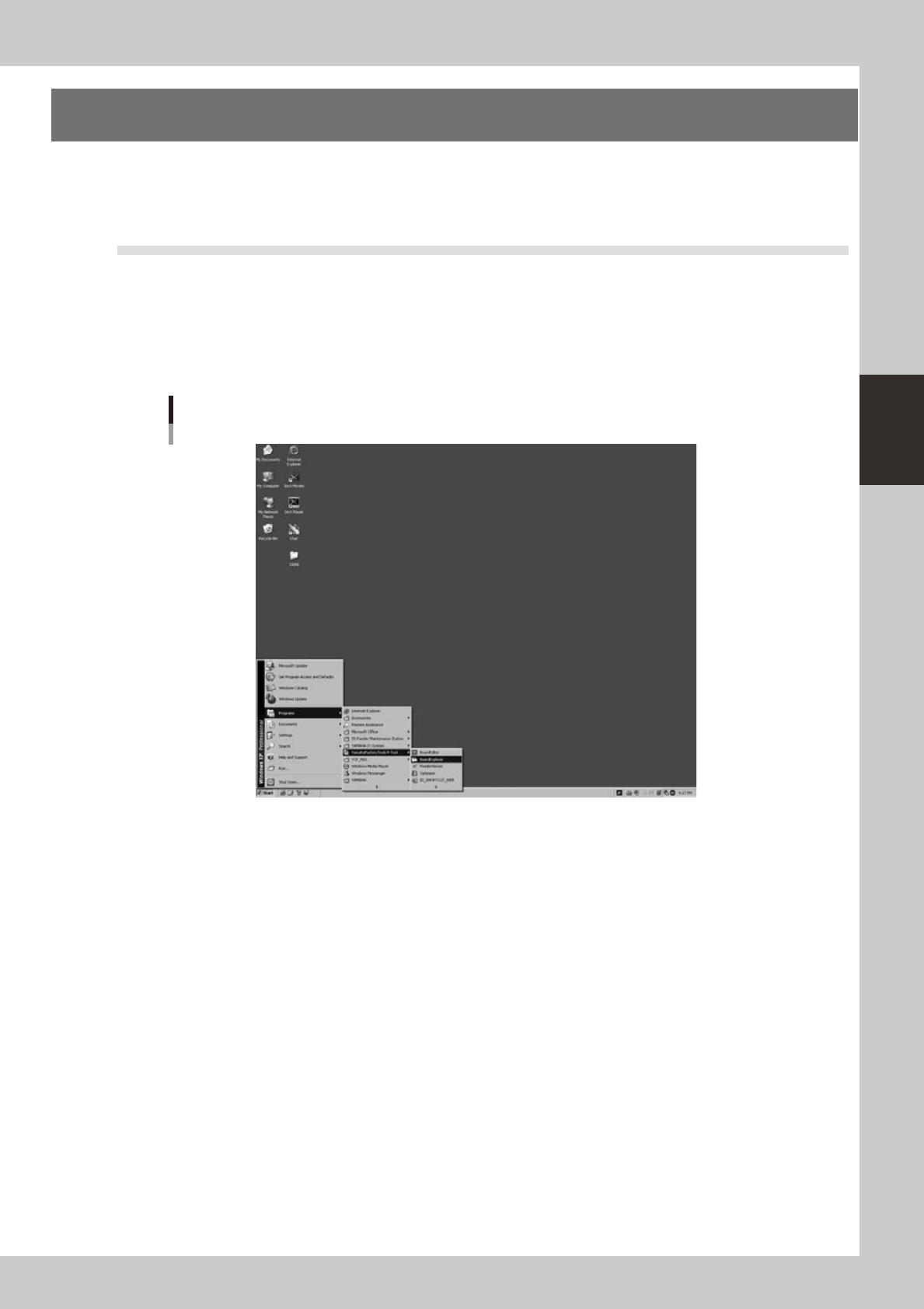
Just as with the Board Explorer, the Board Editor can be started from the [Start] button on the Windows taskbar
as explained below.
1
Start the Board Editor.
From the Start menu on the Windows taskbar, select "Programs" - "YAMAHA Factory Tools P-Tool" and then
click "Board Editor".
Start menu
Board Explorer
64300-S0-10