P-TOOL说明书.pdf - 第183页
4-8 4 F eeder Vie wer The commands in the Window menu allow you to arrange the plan information windows. For example, when two or more machine setup information windows are open, selecting the “Tile Vertically” or “Tile …
4-7
4
Feeder Viewer
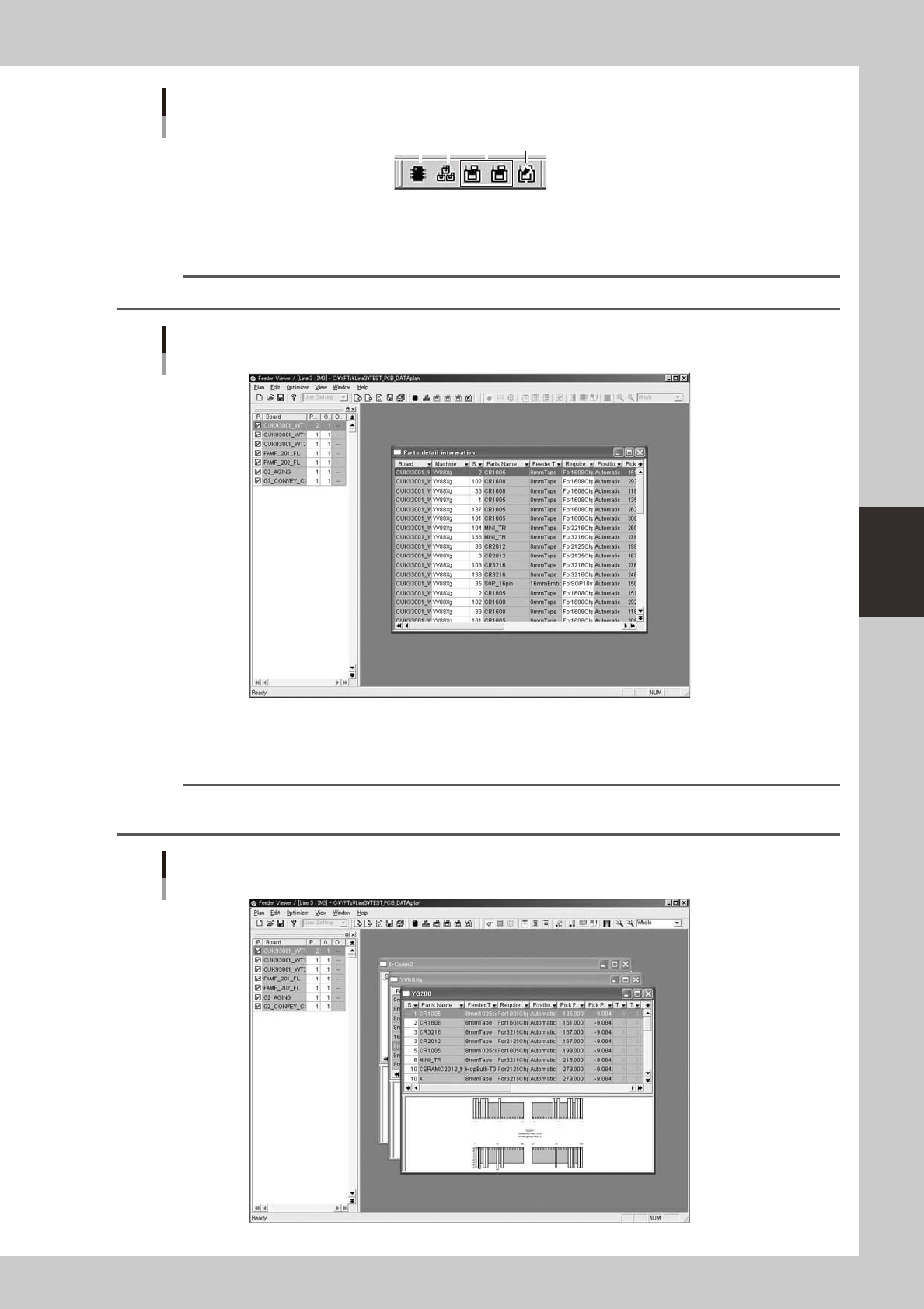
Toolbar
Plan information toolbar
1 2 3 4
64407-S0-00
1. [Parts Info] button
Displays information on all parts (components) used in the board data in the production board list.
Reference
The [Parts Info] button has the same function as the "Parts Info" command in the Window menu.
Parts detail information used with all machines
64408-S0-00
2. [Plan Info on All Machines] button
Displays plan information on all machines.
Reference
The [Plan Info on All Machines] button has the same function as the "Plan Info on All Machines" command in the
Window menu.
Plan information on all machines
64409-S0-00
4-8
4
Feeder Viewer
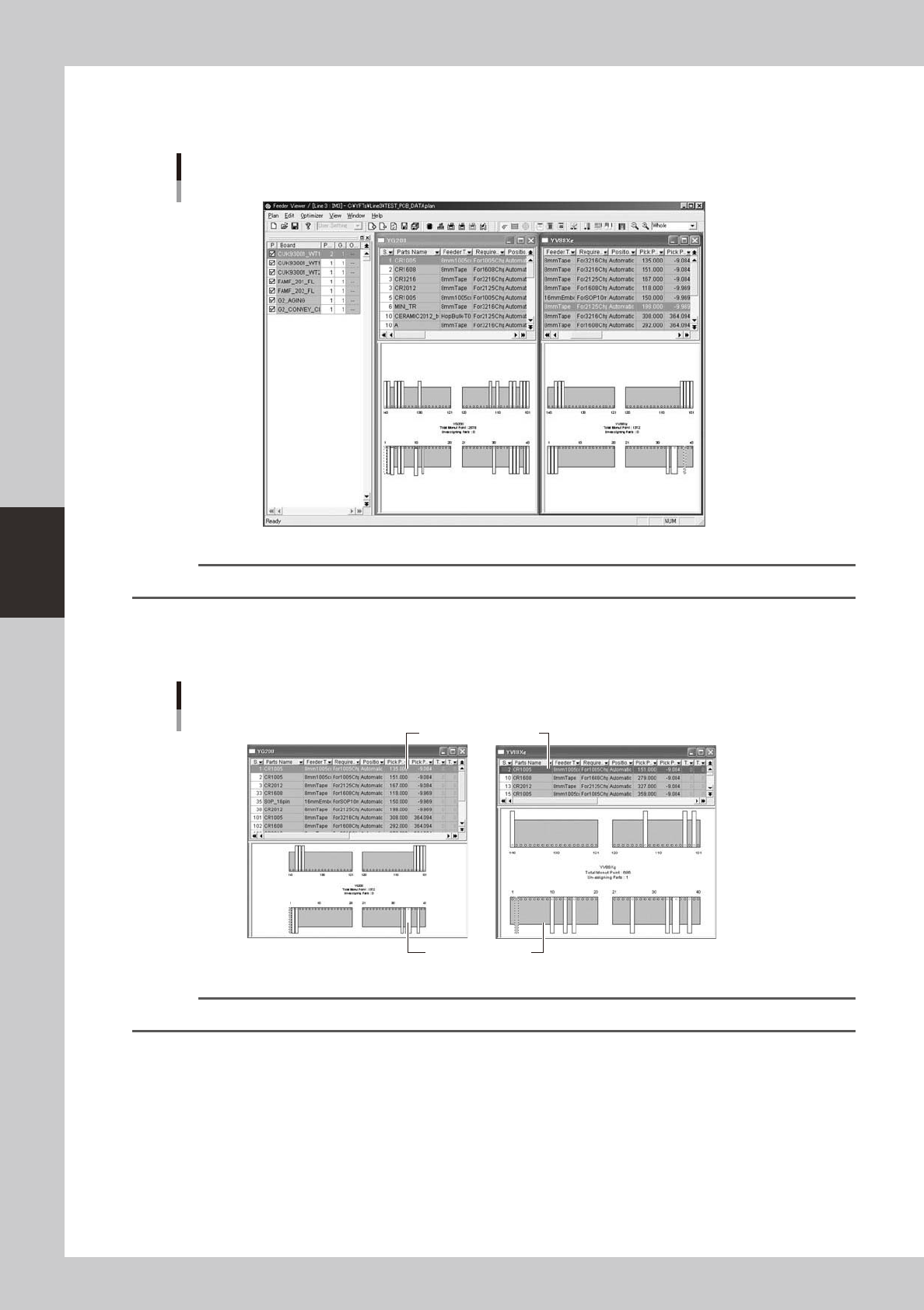
The commands in the Window menu allow you to arrange the plan information windows.
For example, when two or more machine setup information windows are open, selecting the “Tile Vertically” or “Tile
Horizontally” command rearranges the windows.
Window arrangement from left to right
Plan information with feeder layout
64410-S0-00
Reference
The contents of the windows can be switched. For more details, refer to "Plan operation toolbar" explained later on.
3. [Select machine] buttons
Clicking these buttons shows the plan information on each machine by retrieving it from the board data displayed in the
production board list.
Plan information on each machine
Parts setup information
Feeder setup layout
64411-S0-00
Reference
The contents of the windows can be switched. For more details, refer to "Plan operation toolbar" explained later on.
4-9
4
Feeder Viewer
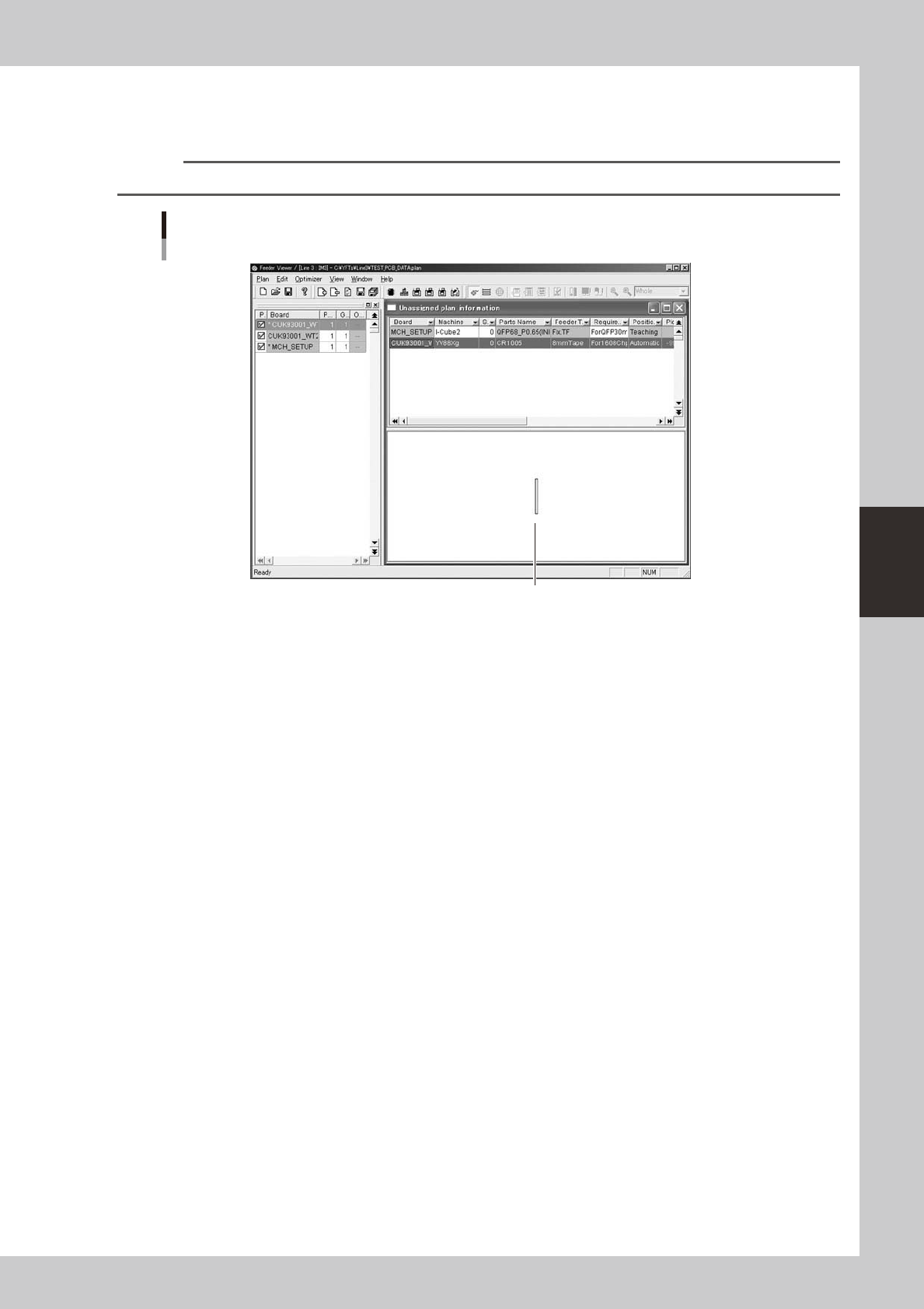
4. [Unassigned plan info] button
Displays information on parts whose feeder set position is not yet set, by retrieving it from the board data in the
production board list.
Reference
This button has the same function as the "Unassigned plan info" command in the Window menu.
Information on parts whose feeder set position is not set.
The parts feeder selected in the upper grid is graphically displayed.
64412-S0-00