P-TOOL说明书.pdf - 第186页
4-11 4 F eeder Vie wer 2. [T ray changer layout] button Displays the tray changer layout used with each machine, by retrieving tray setup information from the board data in the production board list. The pallet that hold…
4-10
4
Feeder Viewer
Toolbar
Plan operation toolbar
1 2 3 4 5 6 7 8 9 10 11 12 13 14
64413-S0-00
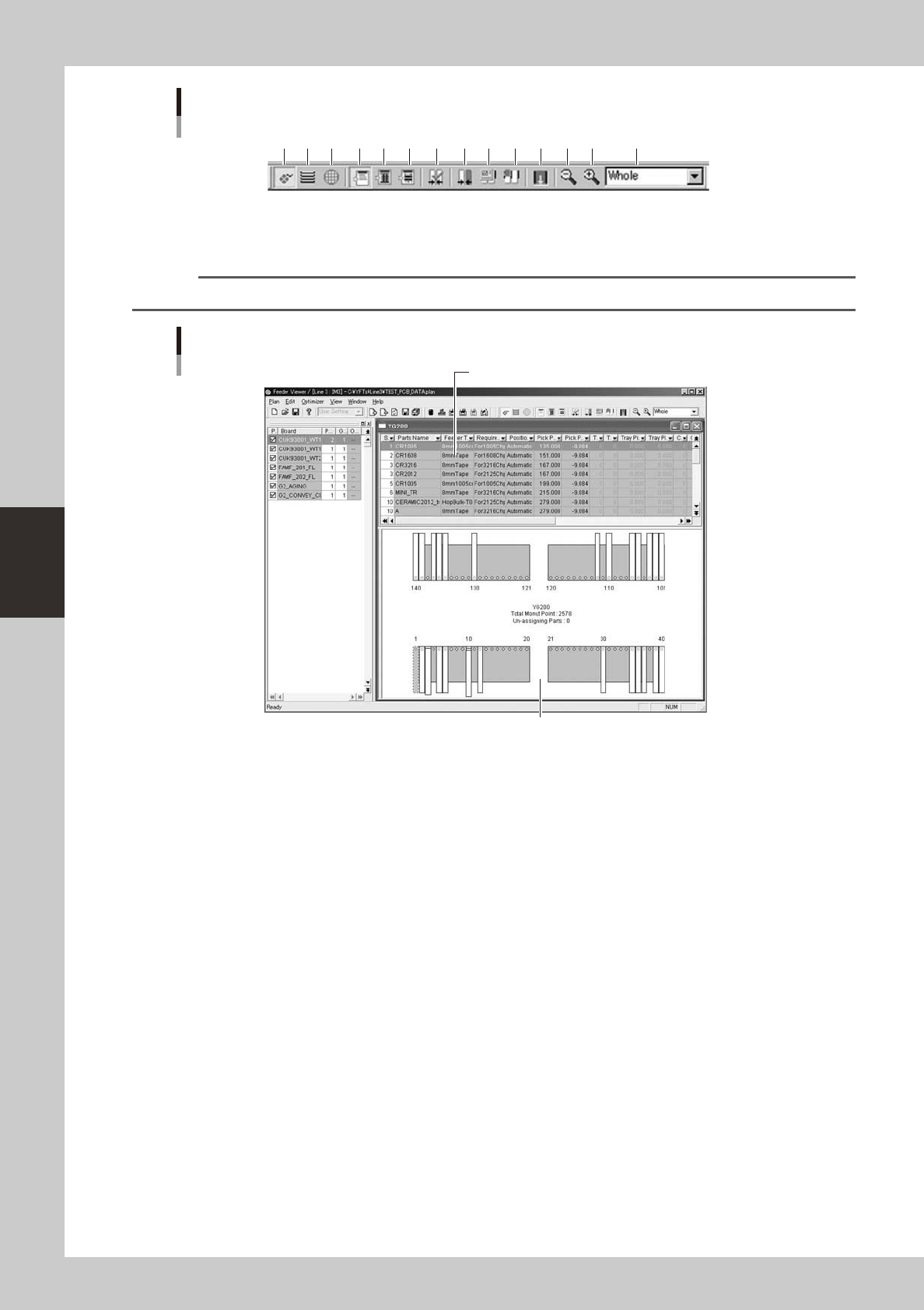
1. [Feeder layout] button
Displays the feeder layout.
Reference
This button has the same function as the "Feeder layout" command in the View menu.
Feeder plate setup layout
Parts setup information
Parts setup information list
Feeder layout
64414-S0-00
4-11
4
Feeder Viewer
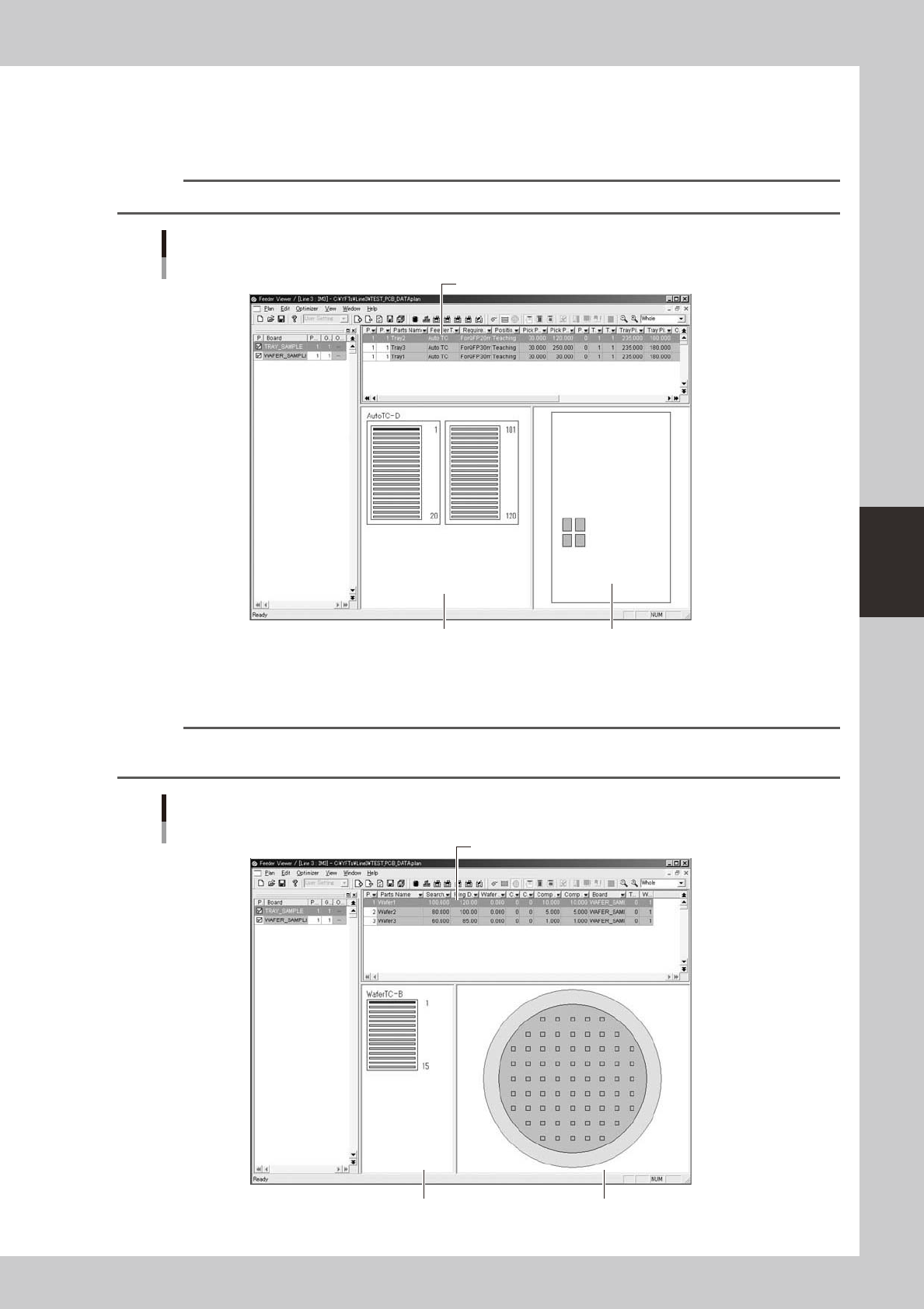
2. [Tray changer layout] button
Displays the tray changer layout used with each machine, by retrieving tray setup information from the board data in the
production board list.
The pallet that holds the parts selected in the upper grid is graphically displayed.
Reference
The [Tray changer layout] button has the same function as the "Tray changer layout" command in the View menu.
Tray changer layout
Tray parts setup information
Tray parts setup information list
Tray changer layout Pallet layout
64415-S0-00
3. [Wafer tray changer layout] button
Displays the wafer tray changer layout and wafer layout.
Reference
The [Wafer tray changer layout] button has the same function as the "Wafer tray changer layout" command in the
View menu.
Wafer tray changer layout
Wafer tray setup information
Wafer tray parts setup information list
Wafer tray changer layout Wafer layout
64416-S0-00
4-12
4
Feeder Viewer
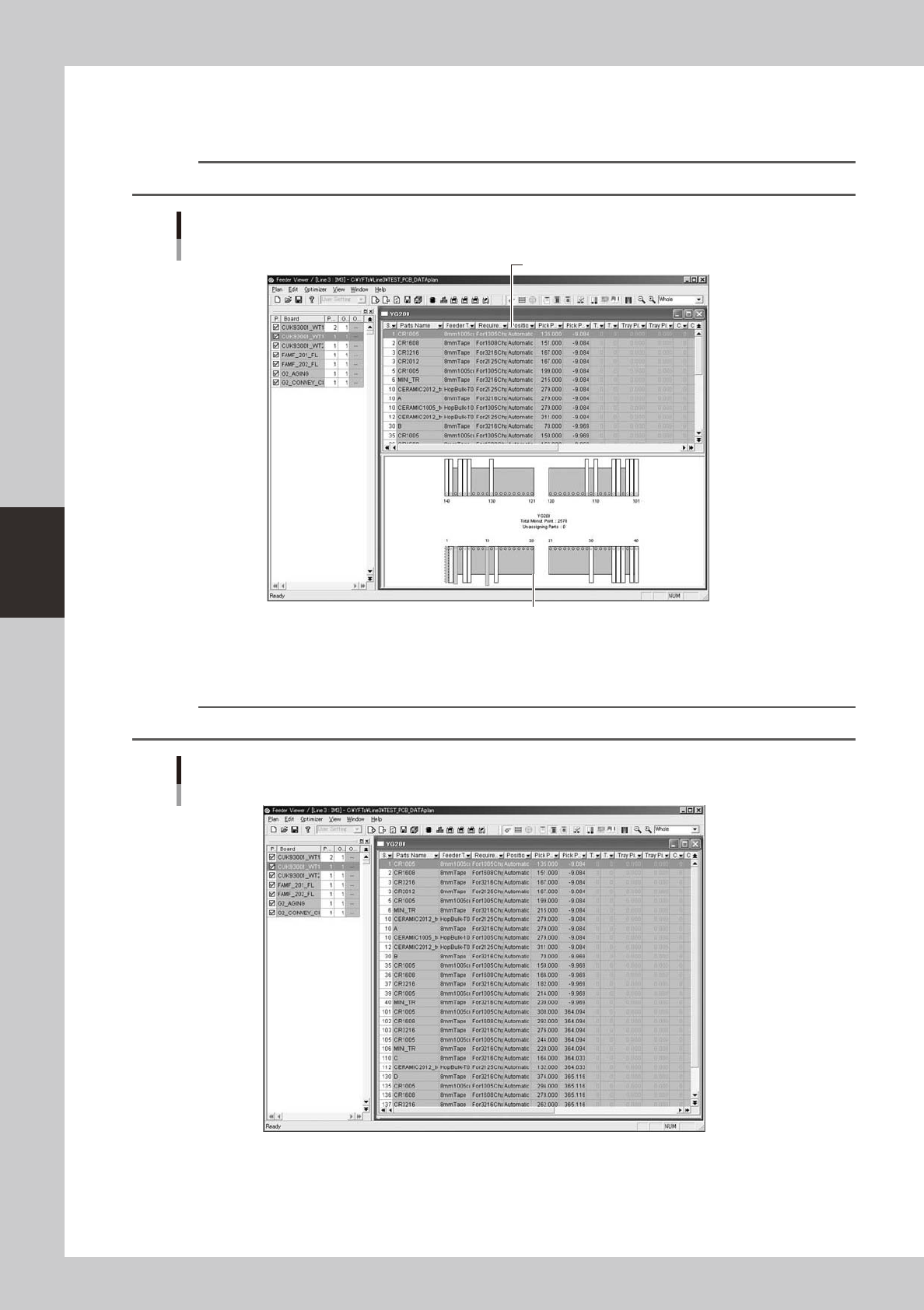
4. [Plan Info] button
Displays the setup information on feeders, tray changer or wafer tray changer used with each machine, by retrieving it
from the board data in the production board list.
Reference
The [Plan info] button has the same function as the "Plan info" command in the View menu.
Plan information screen
Feeders
Parts setup information
Feeder setup layout
64417-S0-00
5. [Plan list] button
Displays the list of feeder setups, tray changer setups or wafer tray changer setups.
Reference
The [Plan list] button has the same function as the "Plan list" command in the View menu.
Parts setup information screen
64418-S0-00