P-TOOL说明书.pdf - 第206页
4-31 4 F eeder Vie wer 2 Mo ve the feeder . Drag and dr op the feeder to the desired position on the f eeder plate. Moving the feeder by drag and drop Drag and drop with mouse. 64448-S0-00 When y ou have mo ved the feede…
4-30
4
Feeder Viewer
3.6 Changing the feeder or tray position
The feeder, tray or wafer tray positions can be changed by dragging and dropping them to another position.
The following examples explain how to change the feeder positions on the feeder plate layout.
3.6.1 Moving a feeder within the same machine
On the feeder plate layout, you can easily move a feeder from its current position to another position.
1
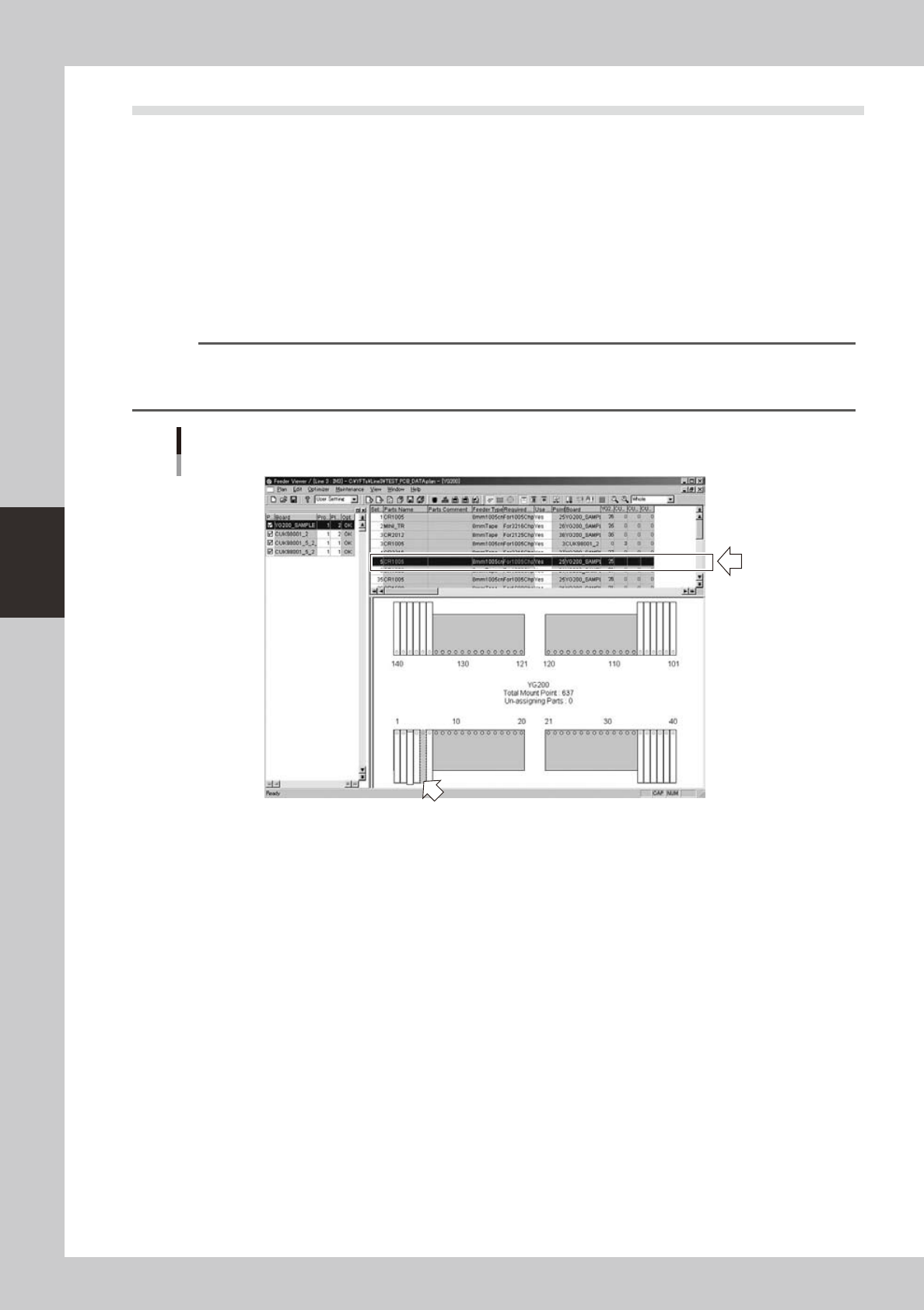
Select the feeder you want to move.
On the feeder plate layout, click the feeder you want to move.
The selected feeder is then enclosed by a dotted line.
When the parts setup information list is displayed in the upper grid, the selected feeder row is
highlighted.
Reference
• When the parts setup information list is displayed in the upper grid, you can also select a feeder by clicking on its
row.
• If alternative parts are specied, they are also highlighted.
Selecting the feeder you want to move
Double-click the feeder to select it. (Selected feeder is indicated in blue.)
64447-S0-00
4-31
4
Feeder Viewer
2
Move the feeder.
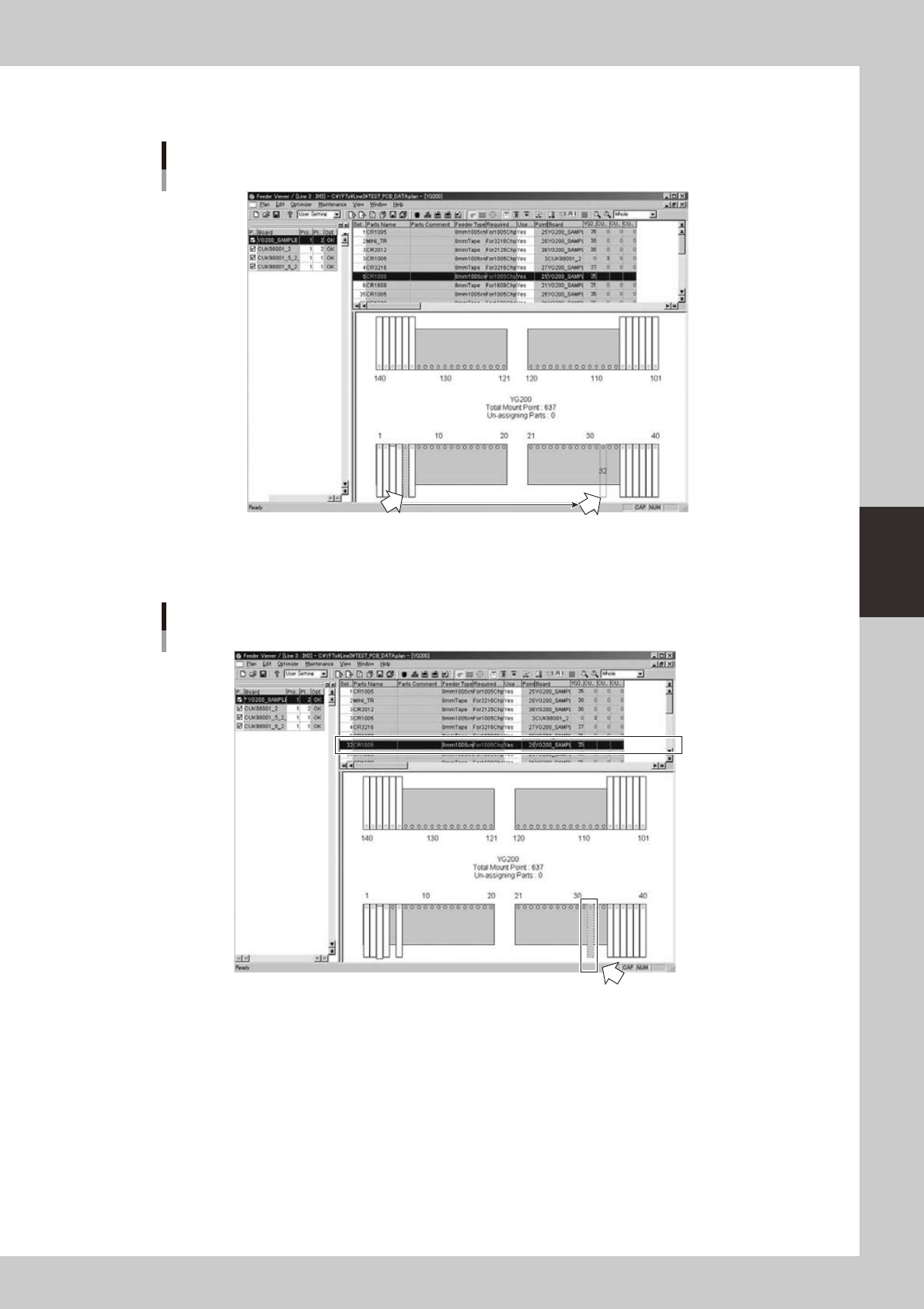
Drag and drop the feeder to the desired position on the feeder plate.
Moving the feeder by drag and drop
Drag and drop with mouse.
64448-S0-00
When you have moved the feeder, the Set No. (leftmost column) changes to the number at the new
position
Display after moving the feeder
The Set No.
changes to the
new number.
New position to which the feeder was moved.
64449-S0-00
3
Save the data.
4-32
4
Feeder Viewer
3.6.2 Moving a feeder between machines
You can also move a feeder between machines registered in the same line.
When a feeder is moved to another machine, the parts setup information of that feeder is also moved.
1
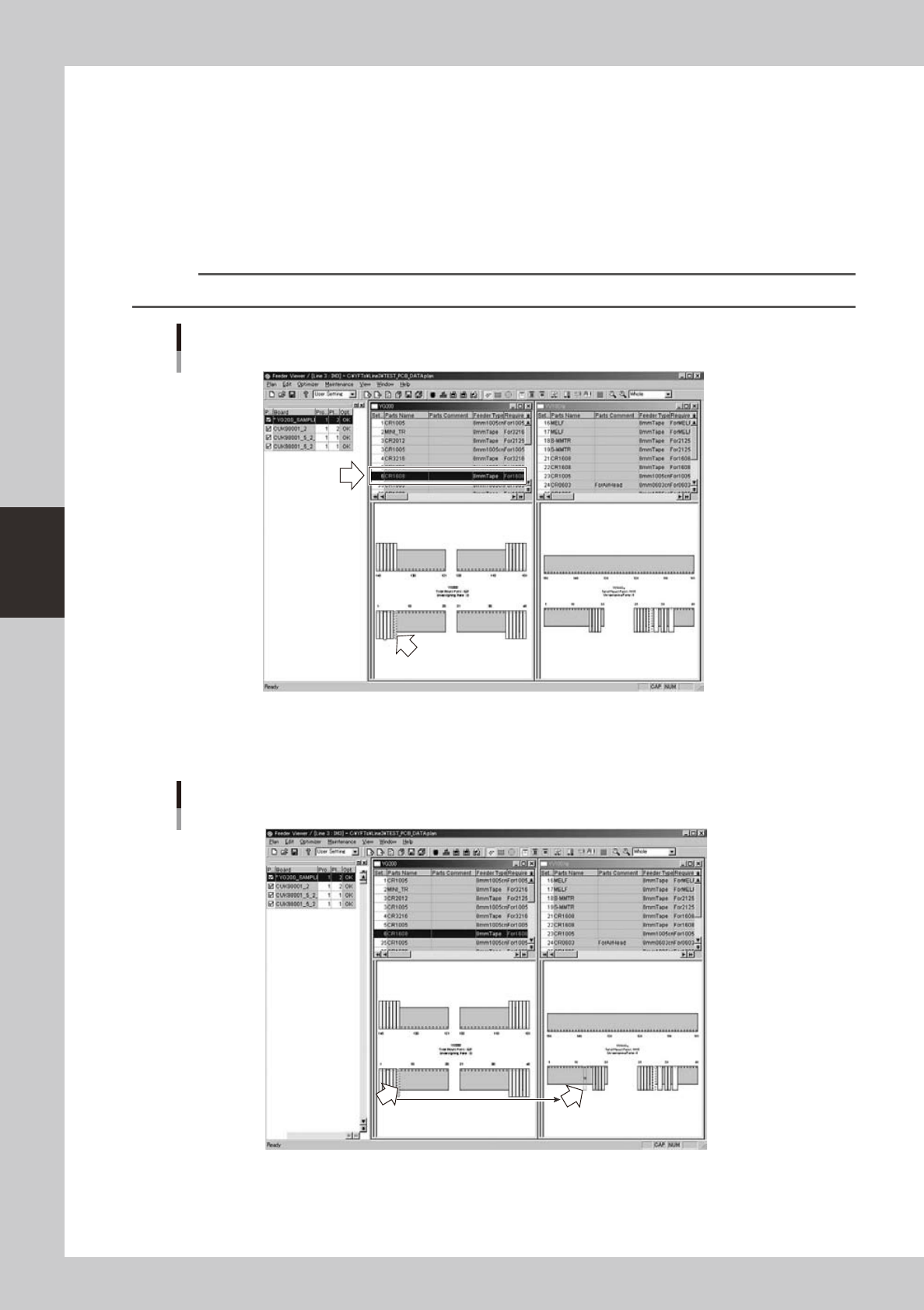
Select the feeder you want to move.
On the feeder plate layout, click the feeder you want to move.
The selected feeder is then enclosed by a broken line.
When the parts setup information list is displayed in the upper grid, the selected feeder row is
highlighted.
Reference
When the parts setup information list is displayed in the upper grid, you can also select a feeder by clicking on its row.
Selecting the feeder you want to
64450-S0-00
2
Move the feeder.
Drag and drop the feeder to the desired position on the feeder plate of another machine.
Moving the feeder by drag and drop
Drag and drop with mouse.
64451-S0-00